
Python Notes from MIT 6.100L (in progress)
Machine-translated from the Chinese original.
Python: MIT6.100L Note
Name: MIT6.100L: Introduction to CS and Programming using Python
Instructor: Prof. Ana Bell
Time: Fall 2022
Editor: Jimmy_Chen
states: Most of the code in this article is essentially a supplement to the part of the notes + personal memorization.
- The course materials are in the
/MIT6_100L_PPTfolder. - Course website: https://ocw.mit.edu/courses/6-100l-introduction-to-cs-and-programming-using-python-fall-2022/pages/materials-by-type/
- Study guide: https://k14eszn58mj.feishu.cn/docx/NFxmd1JxPodkWjxeuHIcSK5Qnag
- Further reading: https://csdiy.wiki/%E7%BC%96%E7%A8%8B%E5%85%A5%E9%97%A8/Python/MIT6.100L/#_1
Before we begin: Reading other people’s projects can show you how they work. The next step is to try writing the code yourself. It’s hard to learn from a large project until you understand what it sets out to do and why. When reviewing someone else’s code, start with the idea, the result, and the reasoning. Look at the implementation last.
Lecture 1: Introduction to CS and Programming Using Python
1.1 Types of knowledge
- Declarative knowledge is statements of fact
- Imperative knowledge is a recipe or “how-to”
Programming is about writing recipes to generate facts. Computer needs recipes.
1.1.1 Numerical example:
- square root of a number
xisysuch thaty*y = x - for computer, there is a recipe:
start with a guess,
g- if
g*gis close enough tox, stop and saygis the answer - otherwise make a new guess by averaging
gandx/g - using the new guess, repeat process until close enough
- if
Following this recipe brings us progressively closer to the correct answer:
| g | g*g | x/g | (g+x/g)/2 |
|---|---|---|---|
| 3 | 9 | 16/3 | 4.17 |
| 4.17 | 17.36 | 3.837 | 4.0035 |
If you want the difference between the computation results and the actual values to be very small, for example: $10^{-6}$ ~ $10^{-7}$ The first step is to make sure that the process is repeated several times.
1.2 Algorithms are recipes, and recipes are algorithms.
For An Algorithm:
- sequence of simple steps
- flow of control proces that specifies when each step is executed (not linearly but change the flow)
- a means of determining when to stop (closed enough)
1.3 COMPUTERS are MACHINES that EXECUTE ALGORITHMS.
Two things computers do:
- Performs simple operations 100s of billions per second!
- Remembers results 100s of gigabytes of storage!
- The computer needs to be told to make decisions, or it cannot make decisions in an active way. Computers perform a series of operations and executions as instructed by us, which we can do (although in recent years AI, perhaps the subjective control of humans, will become less necessary).
As mentioned above, computers can store GB or TB-sized data, which is not something that we humans can easily do.
What kinds of calculations?
- Built-in to the machine, e.g., +
- Ones that you define as the programmer.
The following is a list of the most common types of computers.
Fixed program computer
- Fixed set of algorithms.
- What we had until the 1940s. Before the 1940s, a device called a fixed program computer (also known as a fixed program computer) burned fixed programs, like a portable calculator. Each button would correspond to a different operation. However, It's not possible to store all these operations in order to be used again and again, you have to re-enter these operations every time.
Stored program computer
- machine stores and executes instructions. After the 1940s, storage program computers began to appear, where they could store instructions as data, and then a special program called an interpreter was used to execute those instructions. stored program computer)。
Key insight: programs are no different from other kinds of data.
1.4 Stored program computer
- sequence of instructions stored inside computer
- built from predefined set of primitive instructions
- arithmetic and logical
- simple tests
- moving data
- special program (interpreter) executes each instruction in order
- use tests to change flow of control through sequence.
- stops when it runs out of instructions or executes a halt instruction.
The interpreter uses these instructions to execute, and he knows it himself. How to perform operations in a simple sequence of steps 。 When a program orders it to jump to another location, it executes those instructions. The execution orders include: Algebra, logic and operation And the first thing that I want to do is to make sure that I get the right amount of money. The simple test 。 For example, check if two values are equal and Moving data For example, to store a value to a different memory location.
In simple terms, computers have:
- Storage of data Inner memory memory (there are a set of memory locations and some values are pre-stored in each memory location, such as 3456 has
3, 3457 has5, etc.) - The operation is executed Unit of arithmetic logic arithmetic logic unit, ALU (Do primitive ops, know what to do)
- Control units control unit The program counter, which is the Set up the program counter (This meter is used to store the location of the instructions being executed, that is, it's a calculator that is used to store the location of the instructions being executed.) Indicates the current steps of the process 。 So the programming calculator is actually used to Tracking execution location )
The following is a simple demonstration of how to execute a program: (Recommended for comment) \MIT6_100L_PPT\mit6_100l_f22_lec01.pdf The following is a list of the most common types of cancer:
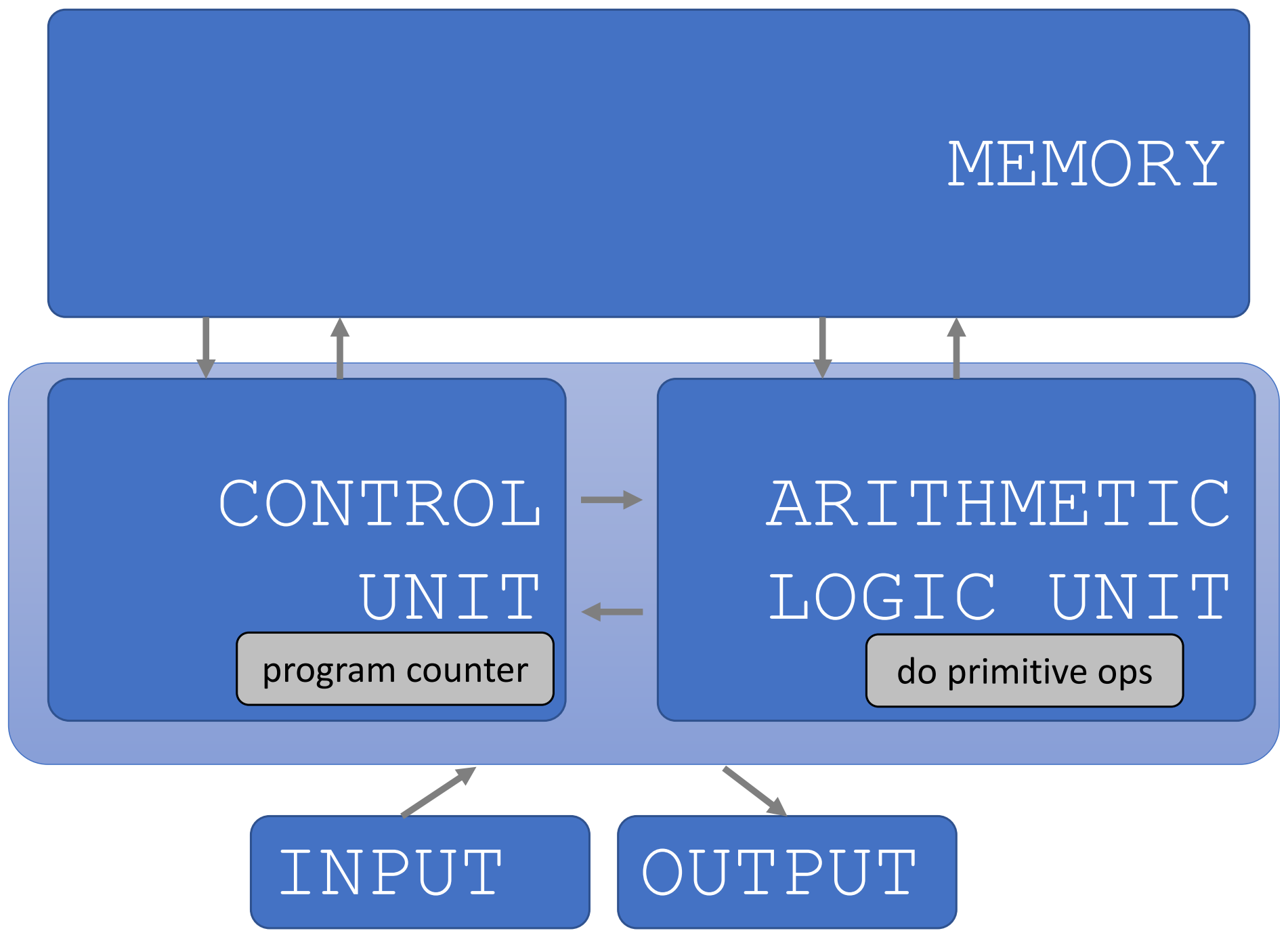
For example, when we run a simple program: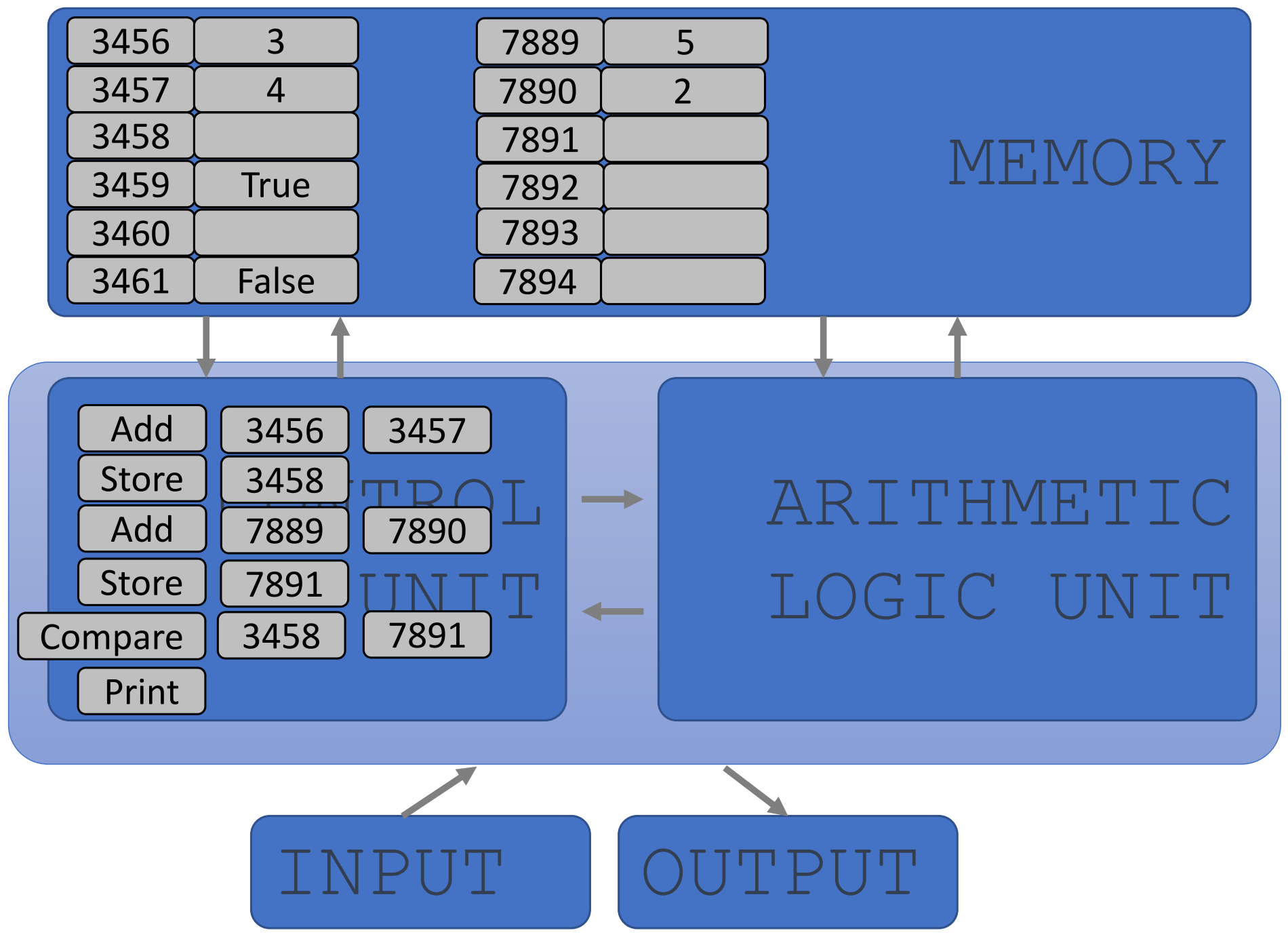
Content within the program in which the interpreter analyzes
inputThe Explainer I'll see the first one. Directions For example,
Add34563457.The result of the interpreter execution is: Control units find these Location of the memory , while the internals
3456are pre-stored at3;3457pre-stored at4, then extracted3with4, and sent to Algebraic logic unit ALU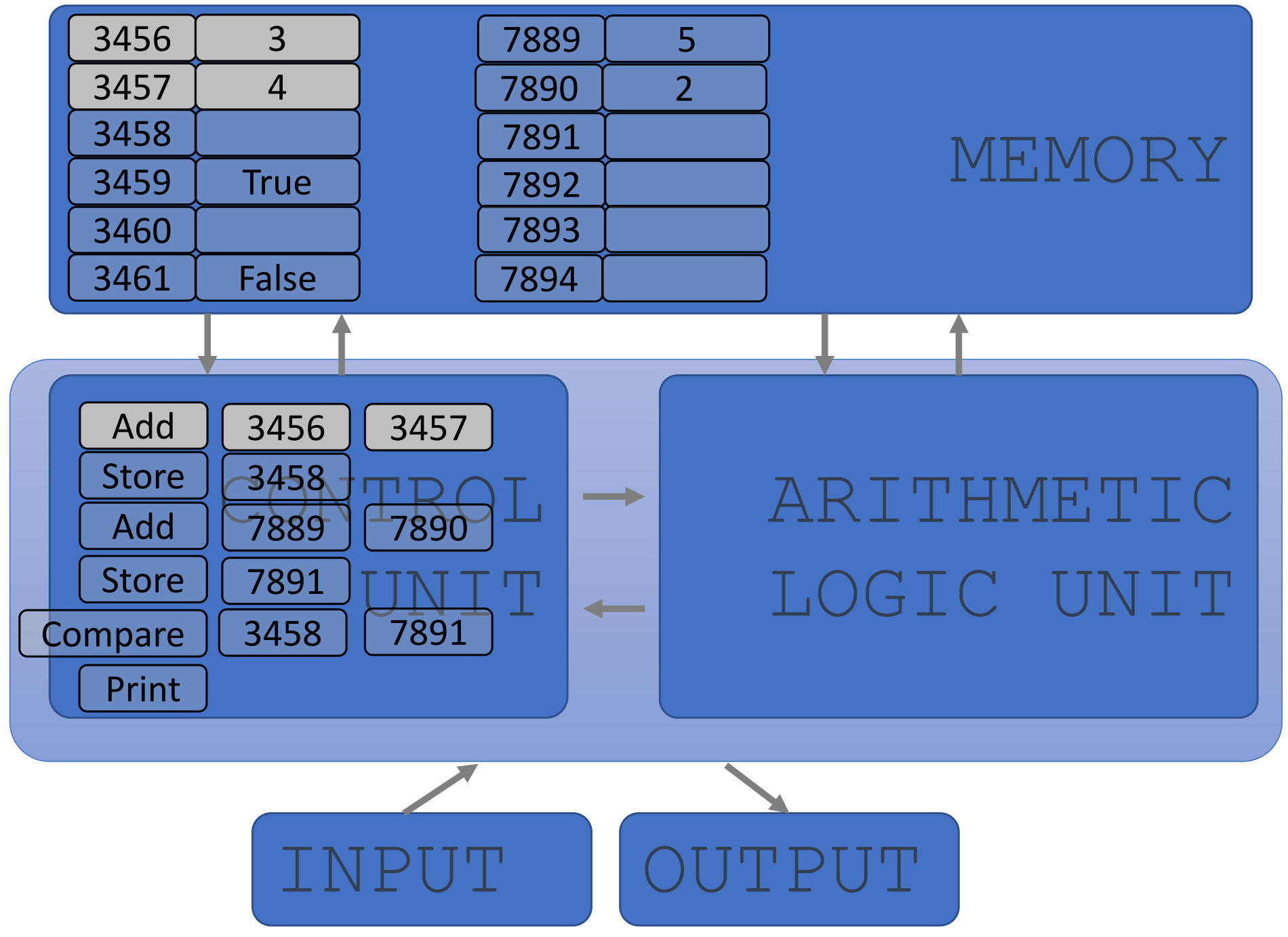
ALU knows how to handle
AddGafa, get7and send the results back to Control unitsThe next command to follow, The Explainer execute Control units is to send the operation it just received
7asstore3458to memory, i.e. to Control units save7this value to Inner memory3458where it is stored.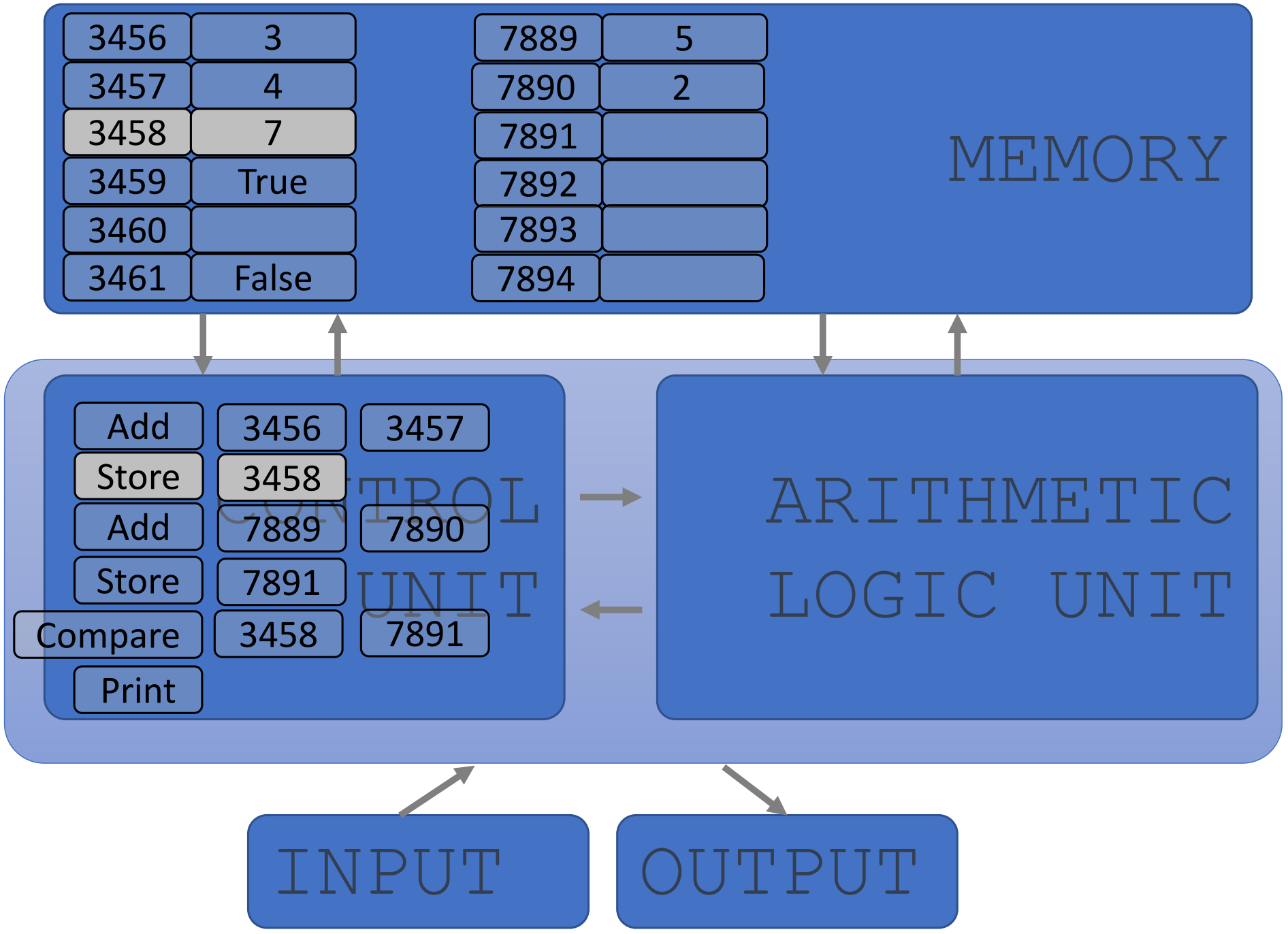
The same process is performed
7891for the calculation of the result (here the result is also assumed to be stored in memory7891locations7)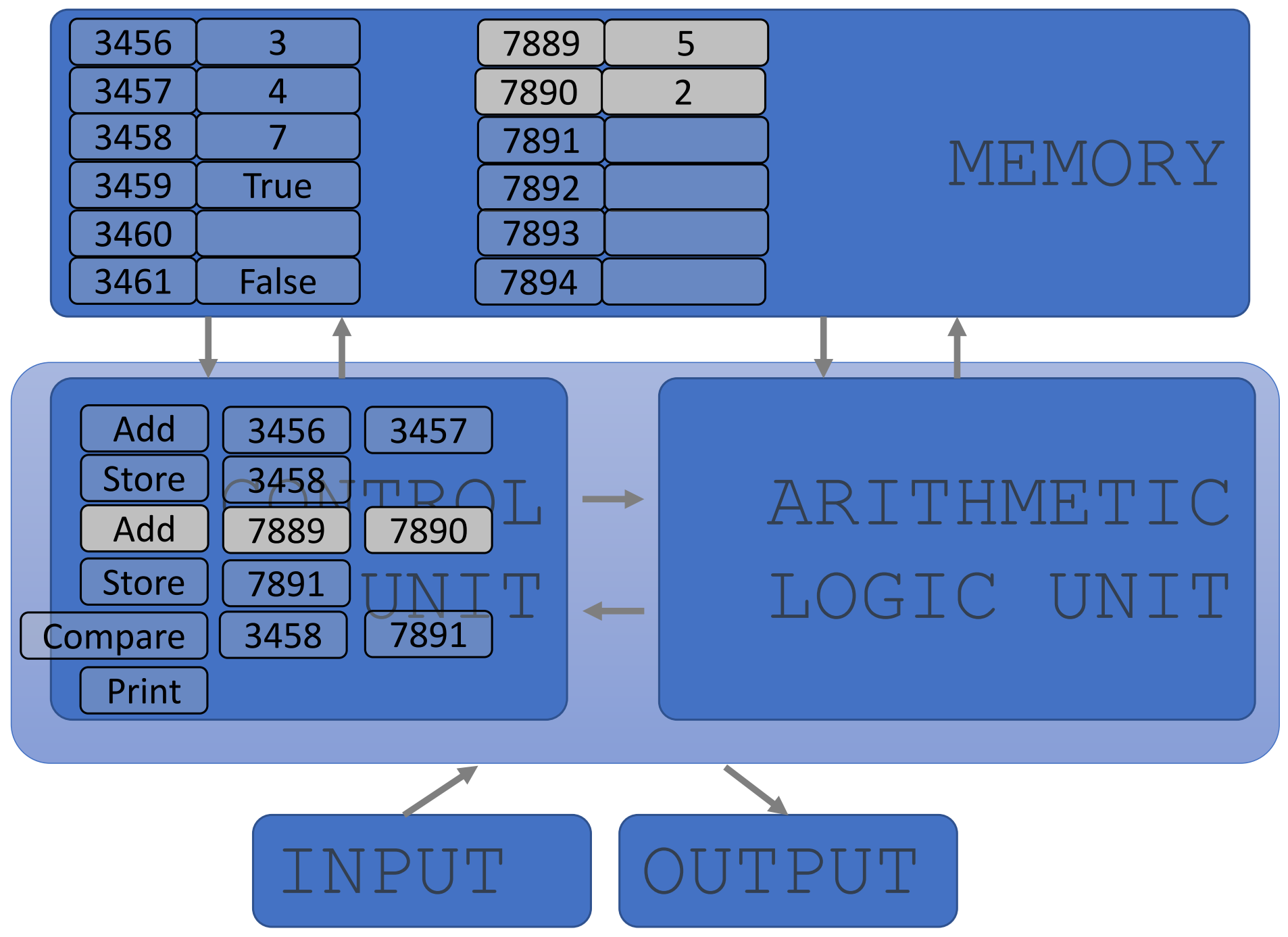
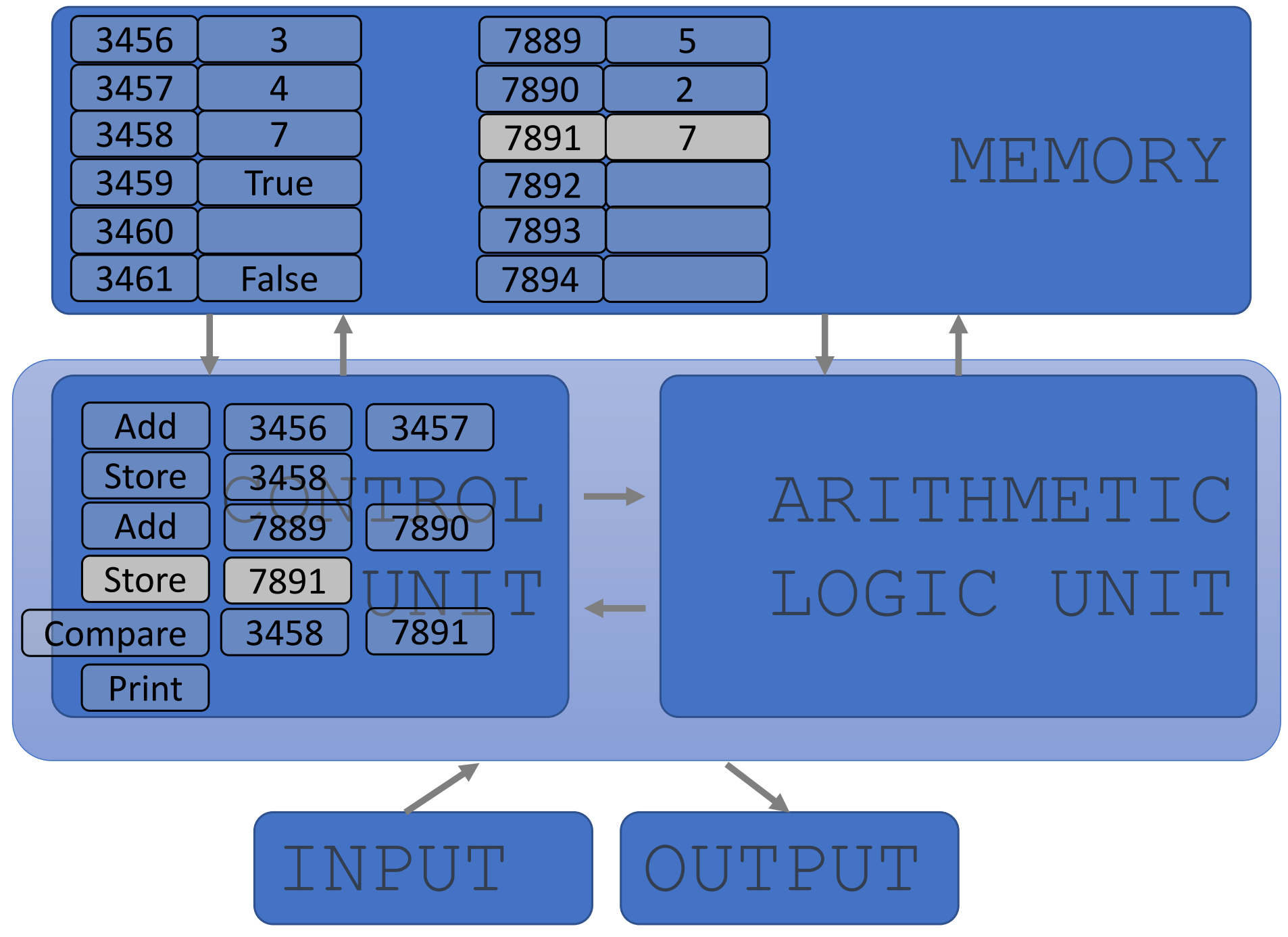
The next The Explainer execution Directions
compare34587891Control units sent its instructions to ALU,ALU and again compared the two, since they are all7, so the verdict is equal.The output content if
0IndicatesfalseIf it is,1IndicatestrueAnd here, the results will be equal.trueSend it to me Inner memory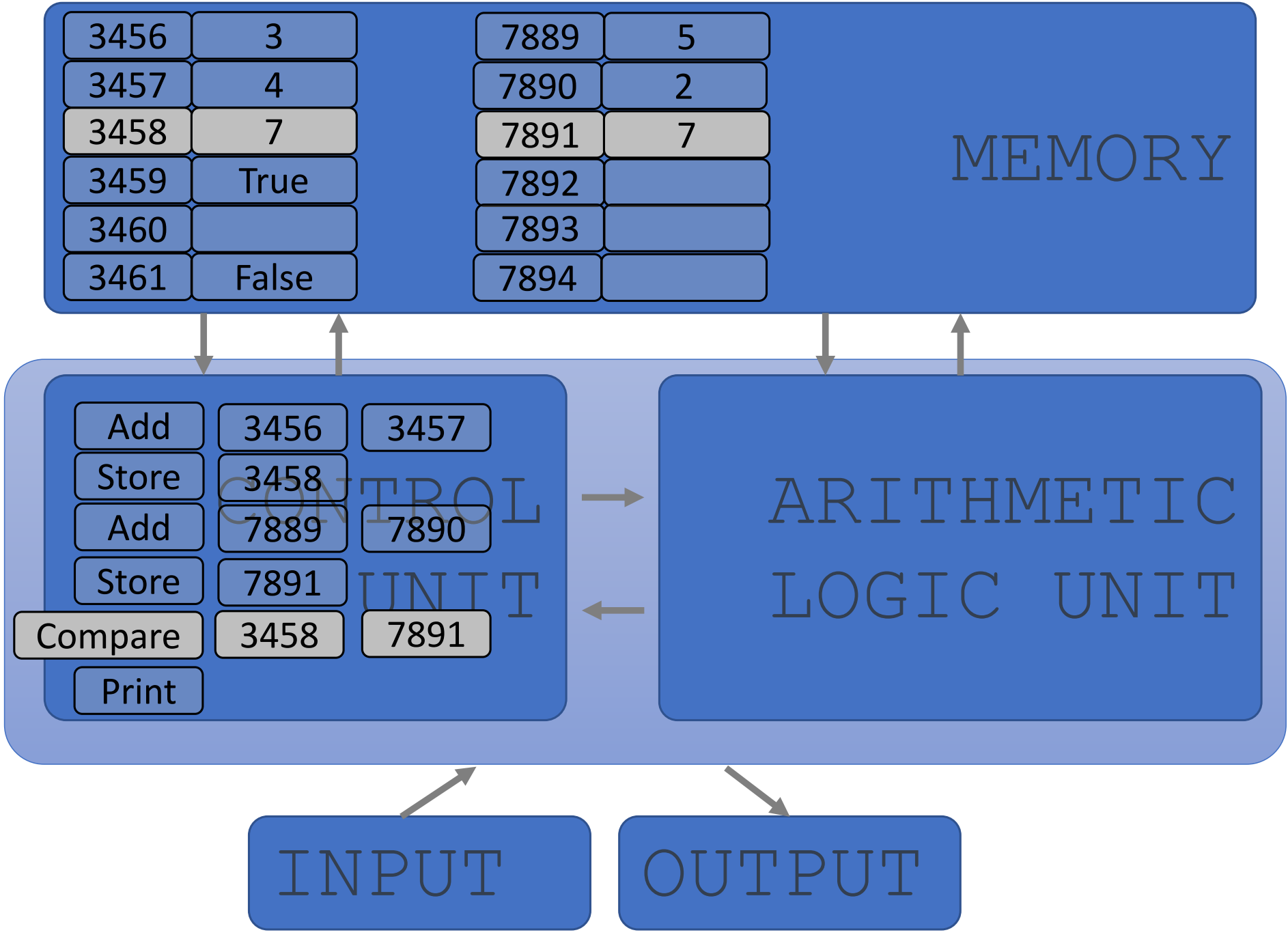
Control units The final step is to execute the operation.
printThe result is that Inner memory The first is the storage oftrueThe results are then printed.outputoutputIt showstrue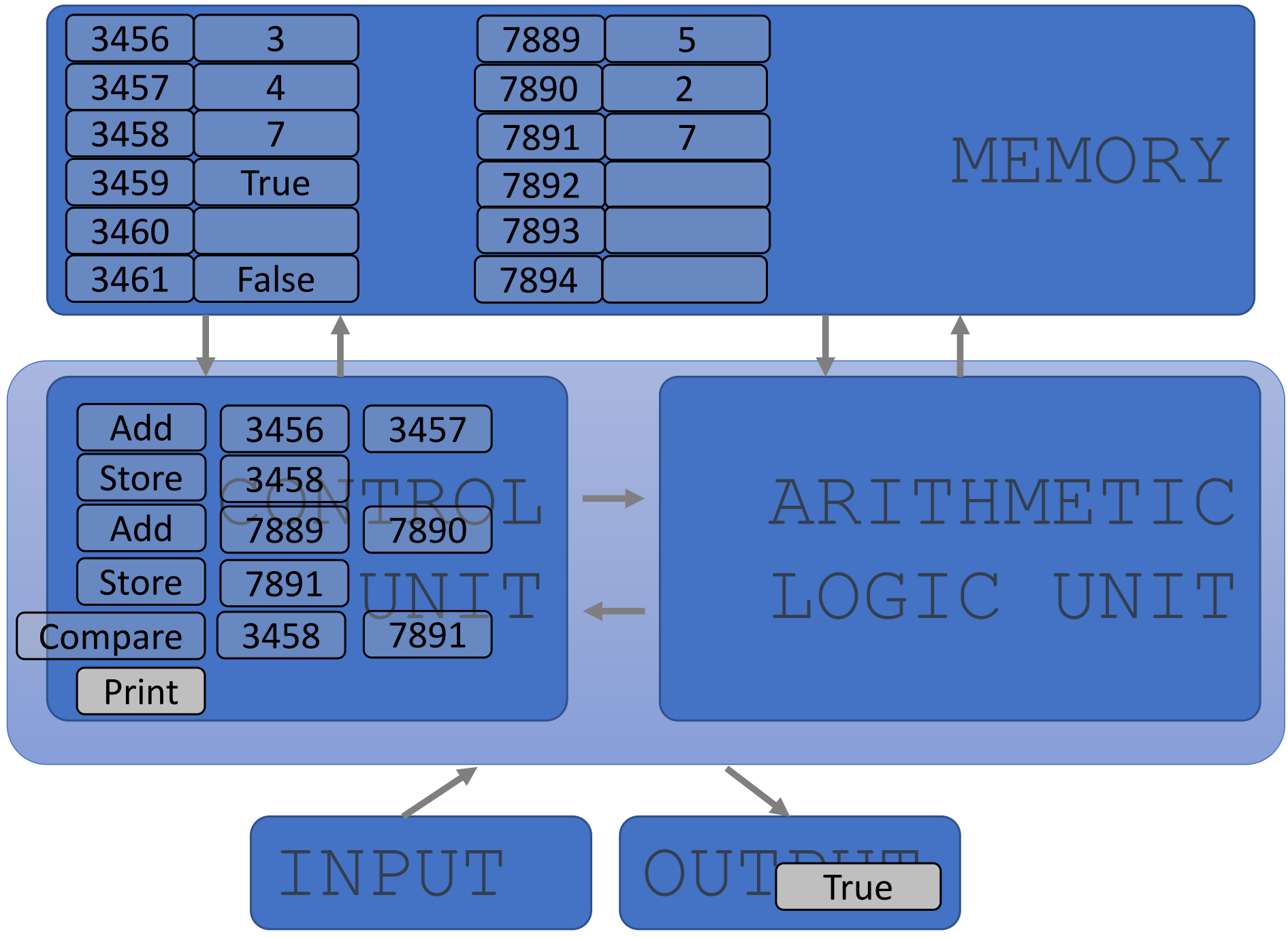
Note: This example ((model) is a very The high level overview. If developed programs are written in this way, it will be very tedious and inefficient.
1.5 Basic primitives
- Alan Turing (Alan Turing) showed that you can compute anything with a very simple machine with only 6 primitives: left, right, print, scan, erase, no op
- Turing pointed out that you can actually calculate using more basic primitives, rather than just adding and subtracting. He proposed that you could do one, Type of belt with six basic operations: move the band to the left
left; move the band to the rightright; read the value on the bandscan; write the value on the bandprint; erase the value on the banderase, and do nothing at allno operations. - Type is a concept in the working principle of a Turing machine that resembles an infinite strip of paper with a series of grids on each of them, which can store a symbol (usually
0or1), and can read, write, and erase the symbols on the tape and move according to pre-set rules. - Turing's view of the above suggests in essence:Anything that can be computed in any programming language can be computed in any other programming language.Anything computable in one language is computable in any other programming language.
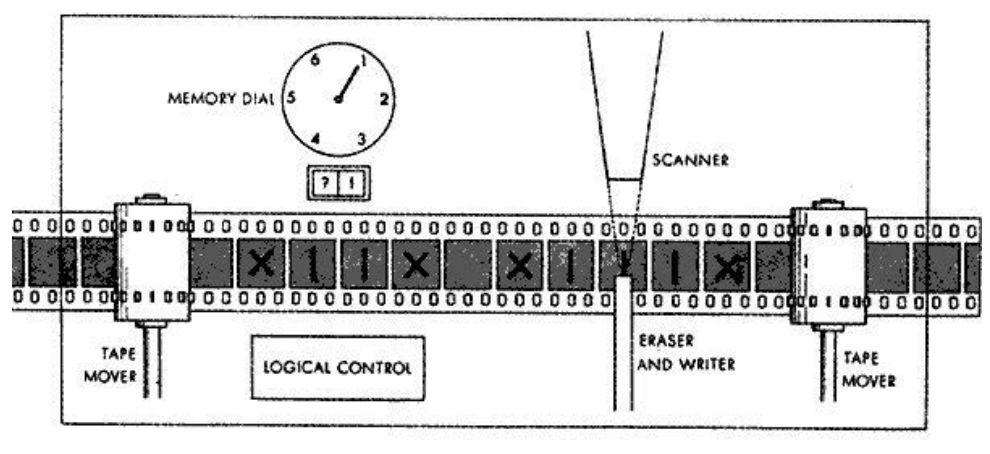
- Real programming languages have:
- More convenient set of primitives
- Ways to combine primitives to create new primitives
From this point of view, we can see that if we have some programs written in Java, even if the program is very complex, it is essentially made up of six basic primitive ones. So if we simplify the programming into six, The original language operation We are. It is possible to reconstruct the same programming language in completely different programming languages 。
1.6 Aspects of languages
In this tutorial, we will use the native languages provided by Python because they are more convenient and can be used to complete more tasks faster. So once we have these basic native languages in a language, we can start building the grammar of the language.
In the following example, we compare English and native languages to see how they differ.
Primitive constructs
- English: words (the original English language may have been stacked from letters-words-verbs-sentences-articles)
- Programming language: numbers, strings (sequences of characters), simple operators ( like addition, multiplication, devision, checking for the equality, checking for something is greater than addition minus multiplication and checking which values are equal to or greater )
Syntax
- English:
"cat dog boy"not syntactically valid"cat hugs boy"syntactically valid
In English, having something like noun, noun and noun doesn’t make any sense. But noun verb noun is syntactically valid. Similarly, in programming languages, we can have two objects kind of side by side:
- Programming language:
"hi"5not syntactically valid. It has no meaning in Python."hi"*5syntactically valid. What we have to do is we have to add an operatoor in between these two objects.
In Python, the meaning to "hi"*5" is I want to repeat the sequence of characters hi five times.
Static semantics: which syntactically valid strings have meaning It is both right and meaningful.
- English: “I are hungry” -> syntactically valid, but static semantic error
- PL: Hi-Fi+5 -> syntactically valid, but static semantic error, obviously not meaningful
In a programming language, static semantics will vary depending on the programming language you use.
Semantics: the meaning associated with a syntactically correct string of symbols with no static semantic errors.
It is important to note that in English, for example: the chicken is ready to eat means let's eat this chicken or the chicken wants to eat something ♦ English can have many meanings.
Programs have only one meaning! (This is because computers, machines and languages all follow strictly set instructions) But the meaning may not be what programmer intended.
1.7 Where things go wrong
syntactic errors
- comman and easily caught (e.g., syntactic errors, spelling errors, indentation errors)
static semantic errors
- some languages check for these before running program
- can cause unpredictable behavior
No linguistic errors, but different meaning than what programmer intended (i.e. what you want to do and what the program is doing are not the same thing, this is a common problem)
- program crashes, stops running
- program runs forever
- program gives an incorrect answer
1.8 Python programs
Python is an interpreter.
- A program is a sequence of definitions and commands
- Definitions evaluated
- Commands executed by Python interpreter in a shell (e.g., bash or zsh console)
- Commands (statements) instruct interpreter to do something
- Can be typed directly in a shell or stored in a file that is read into the shell and evaluated
- Problem Set 0 will introduce you to these in Anaconda
1.9 Programming environment: anaconda & miniforge
1.9.1 About anaconda
Anaconda is a Python environment/package management tool often used in conjunction with vs code. And it's also commercial.
condaIt's a package management tool: it's a tool that helps people to manage their packages. The commands executed in the terminal Responsible for helping you. Download software, resolve conflict dependencies, create a virtual environment 。AnacondaThe first was a truck that was built in the factory and had hundreds of packages.condaThe engine is full of a few GB of data, which you may never use.MiniforgeIt was an extremely lightweight supercar: it had the same conda engine but the cab was empty and its navigation was set by default to point to the largest open source science software warehouse in the world.conda-forge。
anaconda Its main interface distribution is code editor (left side) + shell / console (right side).
If you want to quickly check something, instead of writing a program to run again, and just want to check a simple command to make sure it performs what is expected, you can directly enter the command line into the shell (before coding).
- Why would the MIT official recommend Anaconda?
This was to reduce the barrier to entry for newcomers. Anaconda provided a foolish one-key installation package. Once it was installed, Python was available, scientific computing was available, and Spyder editors were available, even without pipes for environmental variables. If you install a few GB of Anaconda at this time, it will give you a sticky Spyder and roughly rewrites your ~/.zshrc.
- The first is the conda derivative, and some minor knowledge: anaconda(commercial money); condaforge(community edition); miniconda (mini version of anaconda, only CLI); miniforge (mini version of condaforge, now merged with mambaforge, so miniforge = miniconda + mamba ); mambaforge (earlier years there was a C++ rewritten conda command, which resolved dependencies and downloads faster than the original conda, but has now been merged, So the mambaforge and the miniforge are one thing; the mamba;
1.9.2 Better, lighter alternatives to the Miniforge
There is no need to install a full version of Anaconda. But The Commission has strongly recommended that a lightweight alternative be installed. ——Miniforge。
Considering that the follow-up could bend AlphaFold 3 or use Python script to extract and analyze GROMACS's molecular dynamic trajectory data, This environment manager is absolutely necessary to use conda。 The reasons for this are as follows:
The M4 chip's compilation nightmare: Many of the core libraries in computational chemistry and bioinformatics (e.g., rdkit, MDAnalysis or OpenMM) have a large amount of C/C++ code at their bottom. Installing a regular pip directly on Apple Silicon chips is highly likely to cause compilation errors. Conda-forge provides the perfect precompiled package for M series chips. A single-click installation is perfect.
Physical isolation of virtual environments: Running specific computing programs (such as some dependencies on AlphaFold 3) often requires binding to an older version of Python. Conda can help you create a number of parallel sandbox environments. (For example, one installs Python 3.9, another installs 3.10), and the other installs Python 3.10. Avoid version conflicts between different projects and do not contaminate your Python 3.14 system level. 。
Miniforge is Anaconda of Open source, free and open source , The initial size was only a few tens of megabytes. 。 it Self-taken conda command and The default connection is the most scientifically computation-friendly conda-forge software source。
In VS Code, their collaboration is a killer: The only thing you need to do is install Microsoft's official Python plugin in the VS Code plug-in market. Afterwards No matter how many virtual environments you create, a list will pop up as soon as you click the Python version number in the bottom right corner of the VS Code interface. 。 You can switch between your Homebrew Python 3.14, VMD data processing environment, or AlphaFold exclusive environment very smoothly.
1.9.3 How to install miniforge?
- Install and run miniforge on macOS (based on Homebrew) If you have a perfect Homebrew environment, this is the most elegant and clean way to do it.
- One-click installation: It's a very simple way to run it on your terminal:
brew install miniforge
It is often installed in ==> Linking Binary 'conda' to '/opt/homebrew/bin/conda' ==> Linking Binary 'mamba' to '/opt/homebrew/bin/mamba'
- Initialization of the command is attached to Zsh: Once the installation is complete, you need to let your Zsh terminal know the conda command:
conda init zsh
- The following is the list of the official languages of the Republic of Kazakhstan: Restart the terminal or run the following commands directly to get the configuration immediately:
source ~/.zshrc
After the operation, your terminal pointer will appear to the left of the screen (base), indicating that you have successfully entered the base environment of Miniforge. (If oh my zsh is installed, it will sometimes be on the right side and pointer Py base)
- Linux installation and launch of miniforge (based on the official script) .
The official automated installation script is directly downloaded via the command line.
- The script is smart to download: This command is extremely useful, it automatically detects the system types and CPU architectures of your Linux server (x86 or ARM) and downloads the latest version:
curl -L -O "https://github.com/conda-forge/miniforge/releases/latest/download/Miniforge3-$(uname)-$(uname -m).sh"
- The following is the list of the most common types of software:
bash Miniforge3-$(uname)-$(uname -m).sh
After execution, the protocol appears (follow Enter and enter yes) and asks you to install the path (default is ~/miniforge3, direct drive back).
Install miniforge on wsl2
- If you install Linux on wsl2, there are often too few packages in the system, which can lead to errors:
Miniforge3-Linux-x86_64.sh: line 39: awk: command not foundmanual repairs are required.
sudo dnf install gawk tar bzip2 findutils
If the network switches, such as the proxy VPN switch, are installed, wsl2 will be affected. Could not resolve host: mirrors.fedoraproject.org indicates that your system is currently unable to convert a domain name to an IP address.
This is the most notorious classic DNS parsing bug in WSL2 architecture. Because WSL2 is run on a Hyper-V virtual network, DNS transfers between Windows hosts and WSL virtual subsystems are often interrupted by switching to the network environment (e.g., you connect to Wi-Fi, disconnect or turn on some proxy/VPN software on Windows).
You can manually force a reliable DNS to be specified in WSL2 to resolve this issue by following the following steps:
- Remove the system's automatically generated invalid DNS profile (it is usually a soft link) sudo rm /etc/resolv.conf
- Re-create a new profile and write it into common public DNS (like Google's and Cloudflare's) sudo bash -c ’echo “nameserver 8.8.8.8” > /etc/resolv.conf' sudo bash -c ’echo “nameserver 1.1.1.1” » /etc/resolv.conf'
- Try again to install The DNS changes are instantaneous and do not require rebooting. You can now directly re-run the installation commands.
- Initialization:
The last step of installation is usually to ask you:Do you wish the installer to initialize Miniforge3 by running conda init? Do you have to enteryes?
(If the hand slips, it can also be executed manually: ~/miniforge3/bin/conda init bash If you have zsh on Linux, change the bash to zsh.
The general program is installed in /home/jim/miniforge3。
After the installation is completed, it will be prompted:
# >>> mamba initialize >>>
# !! Contents within this block are managed by 'mamba shell init' !!
export MAMBA_EXE='/home/jim/miniforge3/bin/mamba';
export MAMBA_ROOT_PREFIX='/home/jim/miniforge3';
__mamba_setup="$("$MAMBA_EXE" shell hook --shell bash --root-prefix "$MAMBA_ROOT_PREFIX" 2> /dev/null)"
if [ $? -eq 0 ]; then
    eval "$__mamba_setup"
else
    alias mamba="$MAMBA_EXE"  # Fallback on help from mamba activate
fi
unset __mamba_setup
# <<< mamba initialize <<<

Thank you for installing Miniforge3!
- The following is the list of the official languages of the Republic of Kazakhstan:
source ~/.bashrc # 如果你是 zsh 用户,则是 source ~/.zshrc
Similarly, the most left-handed appearance of the terminal (base) represents success.
- Other Reminders
Once you have successfully started and seen base on the terminal, it is strongly recommended that you execute the following commands (whether macOS or Linux):
conda config --set auto_activate_base false
# 如果提示报错如下:
WARNING conda.cli.condarc:set_key(484): Key auto_activate_base is an alias of auto_activate; setting value with latter
# 有些版本则是中间参数直接改为 --set auto_activate 即可,故改为:
conda config --set auto_activate false
When needed to use conda, knock on door conda activate, and exit using conda deactivate.
When you tap the commands above, Conda It's not really changing. ~/.zshrc And in your place Create or modify a hidden profile named .condarc under the user root directory The first is the "Battle of the Sexes", which is a line of rules that says: auto_activate_base: false。
It's a very simple way to get the most out of your phone. Conda I'm going to read this when I start at the bottom. .condarc The files. Once you see false It will be a diving pit, and it will not force the diving. base The Powerlevel 10k pointer is attached to the previous zsh configuration.
It's the only way to do that. Block Miniforge from automatically entering the (base) environment whenever the terminal is opened。 As Python 3.14, which is locally installed, we want the terminal to be absolutely clean.
Only when you want to write a task or run a specific computing task do you enter it manually. conda activate So, I'm going to call it in and get it in. conda deactivate Get out of here. This is the highest, cleanest environmental management practice.
1.9.4 Use tutorials in combination with vs code/conda and some common knowledge
Basic use tutorials for conda
- Creating a sandbox: Never mess up anything in the (base) environment, and make it a habit to build a sandbox for a project.
conda create -n mit python=3.14 # 创建一个名为 mit 的沙盒
# -n 代表 name,后面紧跟着给环境起的名字
# python=3.14 告诉它在这个沙盒里放入什么版本的 Python。执行后它会询问你是否确认安装一堆基础依赖,输入 y 回车即可。
- Activate and withdraw sandbox:
conda activate mit
Visual feedback: After you execute this sentence, you will find yourPowerlevel10kThe terminal pointer changes the font, usually on the left or right side, to light an icon containing the letter as Py mit. This means you are now Any python or pip commands that are struck are only effective inside this sandbox. and will definitely not affect your original Python 3.14 system.
If you want to exit the sandbox, just do it again next time you activate and you'll go back to the previous sandbox:
conda deactivate
- The Sandbox:
Check out how many sandboxes were built and list all the environments:
conda env list
It lists a list of all your environments, shows you base etc., and uses an asterisk * to tell you what environment you are currently in.
- The sandbox was destroyed:
conda env remove -n mit # 摧毁一个名为 mit 的沙盒环境
- Installing the toolkit:
And once you get into the sandbox, you can Installed at random I'm ready to go. That's it too. Miniforge Compared to official Anaconda The most powerful place: it's default conda-forge The software source. And the conda-forge The community is building Apple Silicon (ARM64) architecture Precompiled The first is the scientific computation of the universe.
Next, if you need to process complex computational chemical data, just enter:
conda install numpy pandas matplotlib rdkit # rdkit是化学信息学工具,matplotlib可以用于绘制图片
It will automatically help you find the most appropriate M chip capabilities, The bottom binary version and completely say goodbye to compile errors.
- Calling Sandbox in VS Code
Now that the sandbox is built, how do we get the code in VS Code to run in this environment? The following is a list of the most common types of cancer:
Open or rebuild a Python file in VS Code at will (e.g. test.py).
Press Cmd + Shift + P to open the command panel.
Python: Select Interpreter is a program that allows users to enter and select Python: Select Interpreter. In the list of pop-ups, you will see an option with the word (mitya: conda) and click Select it. Of course, you can also click select interpreter in the lower right corner of the mouse to select. The first is that the game is a global, conda, and homebrew.
At this point, The bottom right corner status tab of VS Code will show the environment you have chosen. 。 You use the right key again. Code Runner When you run the code, VS Code is extremely clever to call Python in your sandbox, and its python files are running only in that sandbox.
- The only task we used above Select Interpreter (optional interpreter) was to tell the underlying code of VS Code to fill in the full tool (Pylance) and when the right-hand button runs, the instructions go down a specific path to find Python to run the code to output the output at the bottom of the outputs column vs code.
- In the new version of VS Code, Microsoft introduced a new transition feature called the Conda Select a Python Environment (Python environment). It is not enough to simply specify the path codes, it wants to create a visualized sandbox control center. With this new mechanism, you can even use mouse pointers on the left side of the VS Code to directly create the Conda sandbox, remove the sandbox, and see which packages are installed inside.
Common questions:
- Why did I choose the sandbox
py3.14as above, but in the edit boxcodeof vs code, and interminalI enteredprint ("hello"), but failedzsh: unknown file attribute: h, and only after enteringpython3.14can I tapprint ("hello")to print properly?
The main reason for this phenomenon is because you've confused computers. Two different concepts, the zsh terminal and the python interpreter
Zsh terminal administrator of the operating system:
When you open the Terminal at the bottom of VS Code and see jim@jims-MacBook-Pro ~ % or the front end with (mit6100l), you're in the world of Zsh, or Shell.
It can hear what it sounds like: cd, enter the folder, ls, see the file, tclsh, start Tcl, python, start Python, conda, manage the environment. Operating system-level commands 。
It doesn't understand anything: it doesn't understand Python grammar at all.
Error disclosure: When you tap print (hello) in Zsh, Zsh is hidden. It In the Zsh language, the parentheses () represent the high-level filtered file in the print. It sees the first letter h in the brackets and thinks you're looking for some kind of file with the H attribute. , cannot be found, so error:zsh: unknown file attribute: h.
Python Explainer: The exclusive domain of Python:
Only when you enter python 3.14 or python 3 and press Enter does the terminal prompt become a "p>". You're really entering the world of Python.
Why is VS Code not working in the environment? Because Python 3.14, in the lower right corner of VS Code, is selected, this move will not turn the bottom Zsh terminal into a Python terminal. 。 it Just telling VS Code: If I click the play button in the upper right corner or the right button is used by Code Runner, please help me run my code again in Python 3.14 in the background and then show the results. ”
We usually don't just hit a line of code directly in the terminal, unless we're just testing it on the computer. The general process is as follows:
- 写在文件里: 在 VS Code 的编辑区,新建一个文件,命名为 test.py。
- 选择Cmd + Shift + P 打开命令面板,输入并选择 Python: Select Interpreter,选择沙盒,或者是右下角选沙盒环境。
- 输入代码: print("hello")
- 保存文件
- 运行文件:右键点击编辑区,选择 "Run Code"(之前装的 Code Runner 发挥作用了)。
- The code runner configuration problem (common)
When we first run in vs code .py we often see code runs that send the following error messages:
[Running] python -u "/Users/jim/box/Note/Python/test.py"

/bin/sh: python: command not found
Why would it be wrong?
Take a closer look at the first line of the error message:[Running] python -u ...The Code Runner plugin is very mechanical, and it sees that.pyfiles are sent to the system by defaultpythonwith this instruction.But the question is:
The Apple macOS system has long since completely removed the older version of Python called Python 2.The system now has only defaulted to
python3The default code runner uses a very low /bin/sh to execute commands, and it does not read the environment variables that were hard to configure in Zsh (~/.zshrc) before we did.Solution:
Since we have learned how to set up Code Runner to run Tcl, we can now teach it to run Python using the same method. And, once deployed, it will automatically be compatible with all future Miniforge sandbox environments.
Please change the configuration in the following steps:
打开设置文件: 按 Cmd + Shift + P,输入 Open Settings (JSON),选择 “首选项: 打开用户设置 (JSON)”。

修改执行规则:
找到咱们之前写 Tcl 规则的地方,也就是 "code-runner.executorMap",把它补充成下面这样(注意别漏了逗号):
    "code-runner.executorMap": {
        "tcl": "tclsh",
        "python": "$pythonPath -u $fullFileName"
    },
This line of code is added, replacing the default python with $pythonPath. It tells the Code Runner user which environment they selected in the lower right corner of VS Code (e.g. your Homebrew 3.14, or the sandbox with the custom name created by the conda), and you run the code in Python in that environment.
1.9.5 Recommended Python library installed
The following is a list of recommended basic packages for data processing in science.
- The most recommended prepackage
After entering your conda sandbox, execute:
conda install -c conda-forge numpy pandas scipy matplotlib seaborn jupyterlab ipykernel openpyxl tqdm
These are the basic plates:
| The library | Useful |
|---|---|
numpy | Mathematics, matrix and numerical calculations |
pandas | The data in the table, CSV, Excel, and logs are sorted. |
scipy | The first is the data set. |
matplotlib | Drawing, suitable for the basic processing of paper drawings |
seaborn | More convenient to draw statistics |
jupyterlab | The environment of the notebook |
ipykernel | The conda environment is recognized by Jupyter |
openpyxl | Read and write .xlsx |
tqdm | The cycle progression |
- GROMACS data analysis recommendations are also included.
conda install -c conda-forge mdanalysis mdtraj parmed nglview
| The library | Useful |
|---|---|
MDAnalysis | Read .xtc,.trr.gro,.pdb and perform RMSD, RMSF, distance, contact, and knot analysis |
mdtraj | Trajectory analysis, speed, API is simple |
ParmEd | The process of converting topology, force fields, GROMACS/AMBER/CHARMM formats |
nglview | Interactive view of structures and trajectories in Jupyter |
MDAnalysis It explicitly supports reading tracks generated by various simulation software, including GROMACS, CHARMM, AMBER, NAMD, LAMMPS, etc.; it also reads GROMACS tracks such as XTC/TRR. (docs.mdanalysis.org)
ParmEd of parmed.gromacs The module can analyze GROMACS topology and coordinate files, which you can use to perform later topological checks, format conversions or power field file processing. (parmed.github.io)
- ORCA/Gaussian Recommended to analyze the output file
conda install -c conda-forge cclib ase periodictable
| The library | Useful |
|---|---|
cclib | Analyze Gaussian, quantify output files and ORCA. |
ase | Structural processing, coordinate conversion, simple modeling, and quantification of the process |
periodictable | Basic data such as elements, isotopes, atomic quantities |
cclib It is an open source Python library dedicated to analyzing and interpreting the results of computational chemistry, with specific references to programs such as Gaussian 09/16; it is also commonly used to extract energy, orbits, vibration frequencies and other data from computational log files. (cclib.github.io)
- The direction of the later PySCF
PySCF I recommend using pip to install in the same conda environment:
pip install --prefer-binary pyscf
The official documentation also recommends non-developers to use:
pip install --prefer-binary pyscf
PySCF's pip wheel is available on most Linux and macOS systems. (pyscf.org)
If you want to do a more complete quantification of Python workflows later, you can reinstall:
pip install geometric pyberny basis-set-exchange
| The library | Useful |
|---|---|
pyscf | Python quantum chemistry computing framework |
geometric | Geometric optimizers, compatible with PySCF |
pyberny | Another tool for geometric optimization |
basis-set-exchange | Download/convert subgroups |
PySCF itself is a general electronic structure platform that supports molecular and cyclic systems, multiple mean-field/post-HF methods, and core computing pathways with C-optimization. (arXiv)
- The flow of the monkeys
After entering your conda environment, do this:
conda install -c conda-forge numpy pandas scipy matplotlib seaborn jupyterlab ipykernel openpyxl tqdm mdanalysis mdtraj parmed nglview cclib ase periodictable
The first is the PySCF.
pip install --prefer-binary pyscf
The final test:
python - <<'PY'
import numpy
import pandas
import scipy
import MDAnalysis
import mdtraj
import parmed
import cclib
import ase
import pyscf

print("numpy:", numpy.__version__)
print("pandas:", pandas.__version__)
print("scipy:", scipy.__version__)
print("MDAnalysis:", MDAnalysis.__version__)
print("mdtraj:", mdtraj.__version__)
print("ParmEd:", parmed.__version__)
print("cclib:", cclib.__version__)
print("ASE:", ase.__version__)
print("PySCF:", pyscf.__version__)
PY
- The simplest recommendation
conda install -c conda-forge numpy pandas scipy matplotlib jupyterlab openpyxl tqdm mdanalysis mdtraj parmed cclib ase
pip install --prefer-binary pyscf
This set is enough to handle most GROMACS + ORCA + Gaussian + later PySCF data analysis tasks.
1.10 Objtect
What exactly do we do when we write a program? A: Create an object create object)inside our program,and we’re going to manipulate
- Programs manipulate data objects
- Objects have a type The object is created by the type of defines The types of things programs can do to them (the types of objects tell Python what operations can be done):
30:- Is a number
- We The following is the list of the most commonly used methods for calculating the power of a power source.
Ana(capital A and lowcase A):- Is a sequence of characters (a sequence of characters, as known as a string string)
- We can grab substrings( for example: what is the character in the first position, what is the middle character, how long are the characters, etc.), but we can’t divide it by a number ((can't even separate the string into a string)
Python uses it to guide the types of operations you can perform on it.
Python primitive (basic data type): numbers, truth values (Bull value, bool), non-scalar:
Scalar ( scalar object, measured object 。cannot be subdivided):
- Numbers:
8.3,2(numbers themselves are not structured) - Truth value:
True,False
- Numbers:
Non-scalar (have internal structure that can be accessed, with partitioning elements inside):
- Lists
- Dictionaries
- Sequence of characters: “abc”
1.11 The types of the scalar object
The basic data types in Python are as follows, all four of which are Type of object :
int– represent The number of integers , ex.5,-100float– represent The real numbers , ex.3.27,2.0boolThe characters represent The first is the Boolean (Bull type). valuesTrueandFalse(and in python both must be capitalized!)NoneType– special and has one value,None
In addition, there are also the concepts of **literal) and The name of the user is "Identifier". ..
- Tip: Can use
type()to see the type of an object. (type type is type) for example:
>>> type(5)
<class 'int'>
>>> type(5.0)
<class 'float'>

# 下面这个例子需要注意的是,True 在 python 中必须首字母大写
>>> type(True) # what you write into python shell
<class 'bool'> # what shows after hitting enter
>>> type(true)
Traceback (most recent call last):
  File "<python-input-6>", line 1, in <module>
    type(true)
         ^^^^
NameError: name 'true' is not defined. Did you mean: 'True'?
# 名称错误的报错

# 事实上 type() 本身也是一种 type
>>> type(type(5/2))
<class 'type'>
1.12 Type conversion (Casting)
Once we create objects, one of the things we can do with them is convert them into different types.
- Can convert object of one type to another
float(3)casts the int3to float3.0int(3.9)The castes (note the truncation! ) the float3.9to int3(Cut and give the version of the integer, notround4 and 5 in)str(400)returns'400'(converted to string)
- Some operations perform implicit casts (Intentional conversion)
round(3.9)returns the int4
It's actually going to round it to 4.0 and then cast it to an integer! (note round 3.9) is first rounded to 4, then converted to an integer, so the result is strictly not 4.0 but 4)
It is important to note that,int there are also certain requirements when converting strings. Some strings can be normally converted impliedly if the contents of the string are integers (we are talking only about the content of the string text, and for the time being regardless of the type of object). However, when the contents of the string are floating point, casting the integers will result in errors:
>>> int("3")
3

>>> int("3.9") # 这时候 str 转 int 会报错!
Traceback (most recent call last):
  File "<python-input-7>", line 1, in <module>
    int("3.9")
    ~~~^^^^^^^
ValueError: invalid literal for int() with base 10: '3.9'
ex_1.1 find the type of:
float(123) # 123.0, float
round(7.9) # 8, integer, int
float(round(7.2)) # 7.0, float
int(7.2) # 7, int
int(7.9) # 7, int
1.13 Expression Expressions
We have explained why object object above, and we can combine them together Expression .
Syntax for a simple expression:(对象 运算符 对象)
<object><operator><object>
- Combine objects and operators to form expressions
- 3+2
- 5/3
- An expression has a value, which has a type
- 3+2 has value 5 and type int
- 5/3 has value 1.666667 and type float
- Python evaluates expressions and stores the value. It doesn’t store expressions! Python reads expressions but does not store them in memory, it first evaluates them as a single value and then stores them in memory!
>>> 5/2
2.5
>>> type(5/2) # 这个例子表明了组合后的表达式实际上有个对应的值以及相应的 type
<class 'float'>
Big Idea:
Replace complex expressions by ONE value (expressions -> value -> replace) Work systematically to evaluate the expression. A bunch of it doesn’t just have to be object operator object.
ex_1.2
The point to remember here is: Do computations inside parenthesis first, left to right
>>> 3+2
5
>>> (4+2)*6-1
35
>>> type((4+2)*6-1)
int
>>> float((4+2)*6-1)
35.0

2**3 # 输出结果得到 8
2.0**3 # 得 8.0
1.14 Operator on int and float
ex_1.3 find the values of the following expressions
(13-4) / (12*12) # 这个表达式也可以写成 (13-4)/(12*12),得到值 0.0625
4/2 # 得到 2.0
>>> type(4*3) # 得到了 int 类型
>>> type(4.0*3) # float
int(1/2) # 得到值 0,显然进行了 truncate

5%3 # 得到2
5.0%3 # 得到2.0
>>> type(5%3)
<class 'int'>
>>> type(5.0%3)
<class 'float'>

>>> 5//3
1
>>> 5.0//3
1.0

>>> 2**3
8
>>> 2.0**3
8.0
>>> 2**3.0
8.0
Based on the results above, we can get some of the rules for calculators and output results:
Table 1.1 The number of nodes
Question: So why does division always result in a float?
If the exception does not do this, it requires some additional steps, such as determining whether it is an integer. The first step is to make it easier to give the floating point directly. In addition, early Python versions actually had the slide removed, which is highly counterintuitive in program design and sometimes the program goes wrong. It's just a design choice on behalf of the programmers.
In Python 3, the single-slip
/is called The truth is that the world is divided. . Whether the number involved in the operation is an integer or a floating-point number, it returns an exact floating-point number, so5 / 3is obtained1.6666666666666667.Remove hidden data loss from the bugs In early Python 2, and in languages like C, Java, and even Tcl you're familiar with, if both sides are integers (like expr 5 / 3) the result is a default intercept.
1(It's called The whole number decimal )。 But this is Logical errors that are very easy to detect in actual engineering (such as loss of accuracy when calculating average values) 。 The core philosophy of Python 3 is “Explicit is better than implicit” (Opposite is better than implied) 。 The designers believe that mathematical deduction is itself a factor, and that preserving mathematical precision is the most intuitive. If necessary, use the//The reason
2/2is obtained1.0is related to Type consistency and The first is the predictability. .If Python's designers state that a removable return is possible
int, and a removable return is not possiblefloat. This sounds smart, but in real engineering or scientific computing it would be a nightmare:- Avoid the implicit collapse of the program If you're running a complex numerical simulation, like dealing with a huge computational matrix, one step in your code is
A = X / Y。 The next Code strictly relies onAa floating-point number to continue the sequential operation of the matrix。 ifXandYI've been in a similar situation.2and2So the extreme situation that can be solved is that A suddenly becomes a整数(int)。 At this time, Downstream methods that only recognize floating-point numbers or the extension libraries at the base of the C language (e.g. when calculating large-scale parallel computations) may instantly throw out types of mismatches Or The implicit collapse of computational accuracy 。 The first is that the process is controllable and secure. Python states that/the return type must be locked tofloat, and never oscillate with the specific numerical value at runtime.。 - Physical isolation in memory In memory, the integer
1and the number of floats1.0The whole number of the total number of digits is completely different:1Python is a programming language. is stored in a structure with an arbitrary precision integer 。 The number of floats1.0is The IEEE 754 double precision standard is strictly followed. It is composed of symbols, index digits and tail digits. When you execute2 / 2When I was a kid, Python's underlying C code (CPython interpreter) first converts two integers to floating point numbers, executing the floating point operation hardware instructions, thus ensuring that the return type isfloatAnd finally, Generate a memory object that meets the IEEE 754 standard1.0。 It's not going to go this far to check that the tail number is zero, or I'll turn it back into an integer because The type conversion itself is also costly and it is normal to keep the floating point number as a function of better performance. 。
- Avoid the implicit collapse of the program If you're running a complex numerical simulation, like dealing with a huge computational matrix, one step in your code is
1.15 Simple operations
Parentheses tell Python to do these operations first(Like math!)
Operator precedence without parentheses:
**exponentiation* / %multiplication division percent; executed left to right, as appear in expression+ -addition subtraction; executed left to right, as appear in expression
1.16 Variables
We know the simple object object above, and below we will name these objects. Taking a name for a long value and then grabbing it will make the process more elegant, simple and easy to make mistakes.
- Computer science variables are different than math variables!
- Math variables The following is a list of the most commonly used statements:
- abstract
- can represent many values
- e.g.,
a + 2 = b - 1x * x = yx represents all square roots (but this idea is not working in computer science)
- CS variables We are not using declarative knowledge, we are using imperative knowlege. That is, in computer science, we have a lot of things that we deal with. The value The phrase a bunch of assignment)
- Is bound to one single value at a given time
- Can be bound to an expression (but expressions evaluate to one value!)
- For example,
a = b + 1m = 10 F = m*9.98note that there is only one variable one variable before and one value after; in the second assignment, the right-hand expression is evaluated first and then bound to the left-hand variable name.
So one variable basically maps (maps) or binds (binds) to one value!
- It is important to note that in mathematical equations, the number of degrees of freedom is equal to the number of degrees of freedom.
x = 6and6 = xThe second is the equation of the form. But in programming (including Tcl and Python), the most commonly used is the "Python" programming language. The singular number=is not used to judge equivalents==,=but is an assignment operator.。 In addition,6Python is called The first is the "Integer Literal". It's a The unchangeable data entity itself, rather than a tag-like tag-like tag-like array 。 - In Python, the code is The variable name is not a box of data (This is different from C) variable names The first is the name of the country where the name of the country is mentioned. 。
- The strict direction of the assigning character: The assignment of sentences is always executed from right to left
1.17 Binding variables to values
Binding: means binding a variable
- In CS, the equal sign is an assignment
- One value to one variable name
- Equal sign is not equality, not “solve for x”
- An assignment binds a value to a name:
pi = 355/113(piis variable;355/113is value) For this example:- Step1: Compute the value on the right hand side (the VALUE) The R-value / right-values are calculated on the right side and an object is created in memory.
- note: Value stored in computer memory
- Step2: Store it (bind it) to the left hand side (the VARIABLE)
- Retrieve value associated with name by invoking the name (which can then trigger a retrieval of the variable with this variable name, and Python will automatically crawle evaluated in memory after
3.14159...)
- Retrieve value associated with name by invoking the name (which can then trigger a retrieval of the variable with this variable name, and Python will automatically crawle evaluated in memory after
- Step1: Compute the value on the right hand side (the VALUE) The R-value / right-values are calculated on the right side and an object is created in memory.
- A common problem is that if the program I designed afterwards repeatedly used the same variable name as before, but the variable name was not set to initialization (i.e. no replacement of the binding, but instead of the assignment in previous programs), this is the In the interactive environment, the state of inert nitrogen pollution is common. 。
- Removing variable binding methods :1. Deleting variable binding (similar to tcl
delete) withdelThe following is the list of Python interpreters:- For example:
del start
del end

# 也可以写成一行:
del start, end
- See what current variables already exist :
- In Python, we can interact with each other. It is used:
dir()Asking questions
- In Python, we can interact with each other. It is used:
ex_1.4
Which of these are allowed in Python? Type them in the console to check.
>>> x=6 # ok!

>>> 6=x
  File "<python-input-1>", line 1
    6=x
    ^
SyntaxError: cannot assign to literal here. Maybe you meant '==' instead of '='?
# 语法错误:无法赋值给字面量。等号右边是 x(假设 x 已经定义),等号左边是 6。6 在 Python 中被称为 整型字面量 (Integer Literal),它是不可变的数据实体本身,而不是一个可以用来贴标签的“标识符”。你不能把一个名字(变量)赋值给一个固定的数字。试图把写着 6 的便利贴(但 6 根本不是便利贴,它是一个已经存在的实体气球)贴到另一个气球上。解释器直接罢工:这是语法错误。


>>> x*y=3+4
  File "<python-input-2>", line 1
    x*y=3+4
    ^^^
SyntaxError: cannot assign to expression here. Maybe you meant '==' instead of '='?
# 显然,在 python 中 * 是特别的运算符,因此左侧不能被认为是通识符。

>>> x=a+3
Traceback (most recent call last):
  File "<python-input-0>", line 1, in <module>
    x=a+3
      ^
NameError: name 'a' is not defined
# 说明右侧的值若在计算之前有变量,则应定义好变量的值,否则报错

>>> xy=3+4 # ok!
print(xy)
7
The above and tcl languages are all very different ideas of words! This is what we have learned in tcl before, and it can be expressed directly:
set x*y 3+4
3+4
The reason is not difficult to understand, in python,x*y there is an operator operator, the operation symbol is special, while xy it is a pure string string. Below you can try entering it in the terminal:
'xy' # 注意这里会有特殊的颜色,并且返回 'xy',注意不是反引号`!
'x*y' # 返回 'x*y'

>>> 'xy' = 3+4
  File "<python-input-10>", line 1
    'xy' = 3+4
    ^^^^
SyntaxError: cannot assign to literal here. Maybe you meant '==' instead of '='?

>>> 'x*y'=3+4
  File "<python-input-7>", line 1
    'x*y'=3+4
    ^^^^^
SyntaxError: cannot assign to literal here. Maybe you meant '==' instead of '='?

# 这里先右边计算得出 7,但左边的 'xy' 此时是一个·字符串字面量 (String Literal)·。你不能强迫字符串 'xy' 去作为 变量名 来指向数字 7。
From the above example, we can see that variable names are not random. Like Contains special calculators 、 String Literal: String literal is a string literal. 、 The first is the "Integer Literal".
1.18 Abstracting expressions
- why give names to value of expressions?
- To reuse names instead of values
- make code easier to read and modify (the more frequent the variable names of your program, the easier it will be to write readable code)
- choose variable names wisely
- code needs to read
- Your code needs to be viewed over and over again -- including yourself and others.
- You'll be fine if you stick to letters, underscores, don't start with a number
- In Python, the commonly used
#────comments start with a#) ‖ is the following: - Usually, we add a single note to a large piece of code instead of adding it in a row.
Here’s an example of a nice program:
#Compute approximate value for pi
pi = 355/113
radius = 2.2
area = pi*(radius**2)
circumference = pi*(radius*2)
Reminds me again, An assignment: expression on right; variable name on left
The variable is not recommended to be used in single letters, as in the following examples:
p = 355/113
r = 2.2
#multiply p with r squared
a = p*(r**2)
#multiply p with r times 2
c = p*(r*2)
1.19 Change bindings
- Once we create an object and bind it to a variable, we can change the bindings.
- We The variable name can be tied to completely different values ! This feature will be very useful when we introduce the program The first is the control flow. .
- Can re-bind variable names using new assignment statements
to rebind a variable, what that means is we're going to take the name, we're going to lose the binding to the previous value, and we're going to rebind it to a new value.
- Previous value may still stored in memory but lost the handle for it
- Value for area does not change until you tell the computer to do the calculation again. This means that if the value of the original expression has been obtained and bound to a variable named a, and the expression changes later, as long as the variable is not recalculated, subsequent a remains the result of the calculation when the variable has not changed. The following is an example of a reference speech.
mit6_100l_f22_lec01.pdfThe cloud representing storage of memory and the line representing binding)
pi = 3.14 # pi与在内存里的3.14进行了绑定
radius = 2.2 # 上同
area = pi*(radius**2) # 在内存里,它并不存储表达式,而是存储的计算结果的值,然后将其绑定到名称 area
radius = radius+1 # 在数学上,这似乎是0=1,但在 cs 上是行得通的。这里仍然先看右边,这里原先的 radius 在内存中有绑定赋值,直接算出来并接着存储到内存中,随后将左侧的变量名与之绑定。
It is worth mentioning that the above was first mentioned in the radius = 2.2 The value of the radius The second is the value of the data. 2.2 The first is that the memory of the person is not always the same as the memory of the person. Recycling of waste (garbage collection)。
And then, If the value of area is unchanged if the recalculation is not initiated at area And still corresponding pi*(2.2*2) The value of the pi*(3.2*2)。 It just follows, dumb, line by line! area = pi*(radius**2) The first is the "recommended order".
Big Idea
Lines are evaluated one after the other. No skipping around, yet. No repeating. We’ll see how lines can be skipped/repeated later. (We'll learn how to jump or repeat later, but now we just need to know that this is line by line.)
Let’s use PythonTutor to figure out what is going on.( lets you execute the code step by step, see the value of the variable step by step, and get a better understanding of what happened in python) Follow along with this Python Tutor LINK: https://pythontutor.com/visualize.html#mode=display
Ex_1.5 Write a program that exchanges x and y values
Swap values of x and y without binding the numbers directly. Debug (aka fix) this code. How can we solve this problem? )
>>> x=1
>>> y=2
>>> y=x
>>> x=y
>>> print(x)
1
According to line by line, it is easy to understand that a lock is assigned to 1 when y = x, but because of the change in y (y actually loses its binding with 2), which causes the value of subsequent x = y to return to 1, we cannot complete our goal of exchanging the values of x and y. This process can be specifically referenced in the p.55 diagram of the lectures mit6_100l_f22_lec01.pdf where the cloud represents memory storage and the lines represent binding. 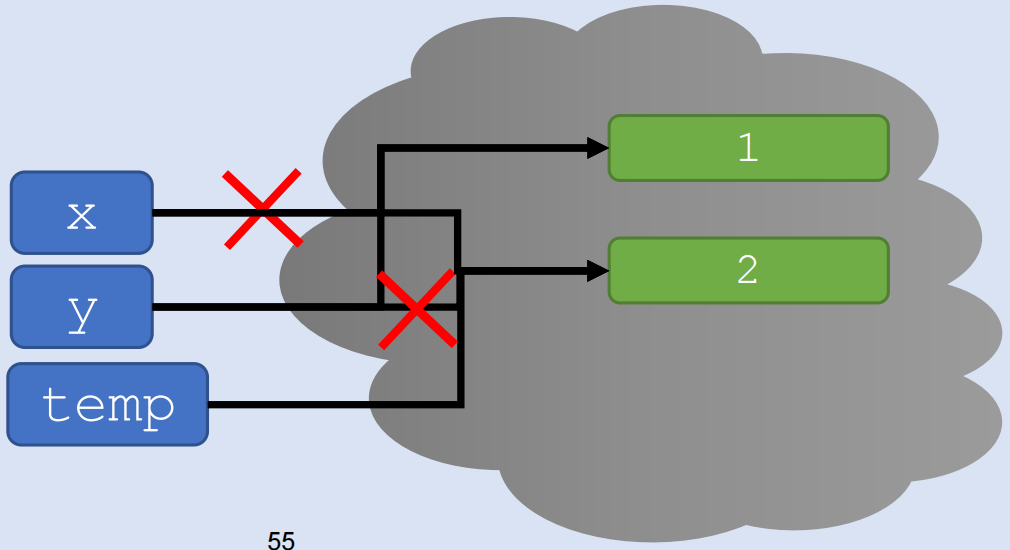
Solution: Create a third-party value, here used temp (meaning temporary), and assign it to y, then when y changes to X,temp because the change has already been assigned, so there is no reference y to the change, this time again x assignment to temp is possible to complete the change.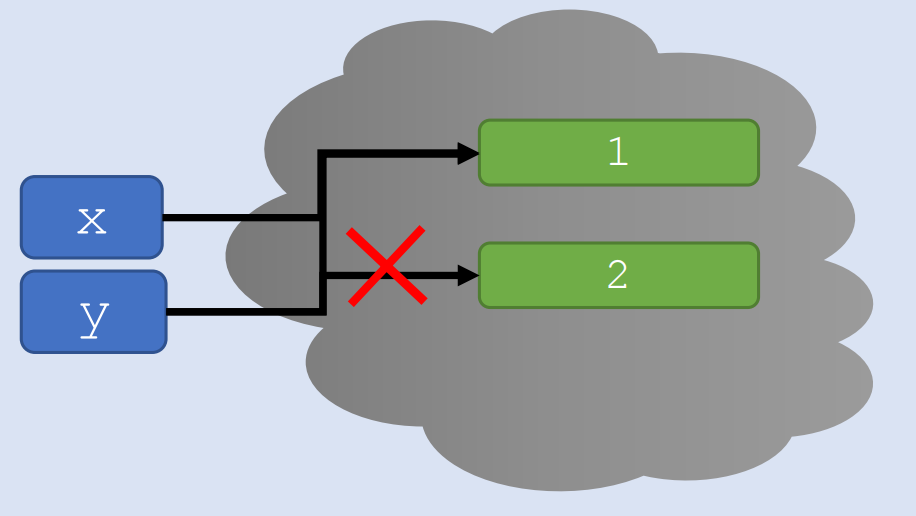
>>> x=1
>>> y=2
>>> temp=y
>>> y=x
>>> x=temp
>>> print(x,y)
2 1
1.20 Summary
Objects
- Objects in memory have types.
- Types tell Python what operations you can do with the objects.
- Expressions evaluate to one value and involve objects and operations.
- Variables bind names to objects. (Values or objects can be stored in variables, making it easier for us to access them with better written names later)
=sign is an assignment, for ex.var = type(5*4)
Programs
- Programs only do what you tell them to do.
- Lines of code are executed in order.
- Good variable names and comments help you read code later.
Lecture 2: Strings, Input/Output, and Branching
This time around, we will be talking about three different themes:
- The following is a list of the most commonly used object types: strings
- How to write programs, get user input and display output
- Finally, we'll talk about how to write more interesting programs: they will make decisions based on what we enter into the code.
2.1 Strings
The content is called "single quotation" if it is packaged with quotes (single quotation, double quotation) and is not used in the text. String Literal: String literal is a string literal. 。
2.1.1 new object type: strings
- Think of a
stras a sequence of case-sensitive characters (strings are actually a sequence of small, sensitive characters)- Letters, special characters, spaces, digits…
- the characters can be anything: lower case letters / uppercase letters / the numbers on your keyboard / the special characters you see on the keyboard (including the Enter key
enteror usetab, all related to special characters)
- Enclose in quotation marks or single quotes Python is a very simple tool. String type objects The way is The characters are enclosed in quotes. :
- The term can be either double-quoted
"or single-quoted' - We usually give these strings a handle. Just be consistent about the quotes:
- The term can be either double-quoted
a = "me"
z = 'you'
- We can do these characters Spell or repeat strings :Concatenate and repeat strings with the commands we learned in tcl before,
concatwhich actually play the same role here as well.concatenate In English programming terms, this is spelling, connecting, synchronizing. - Concatenate and the "C"
+ - repeat > with
*, the star operator At least one side must be a number. should be noted
>>>a = "me" # 在内存中 a 与 "me" binding
>>>b = "myself"
>>>c = a+b # 加号可以用来进行 concatenating,形成 new object
>>>print(c)
memyself

>>> d =a+" "+b # 这里我们引入了一个有空格的特殊字符的字符串
>>> print(d)
me myself

>>> silly=a*3
>>> print(silly)
mememe
ex_2.1.1_1 What’s the value of s1 and s2?
Tip: You can copy multiple lines into the conda sandbox at once, but don't forget to return to the car.
# section 1
b = ":"
c = ")"
s1 = b + 2*c # 应该返回:))

# section 2
>>> f = "a"
... g = " b"
... h = "3" # 注意,这里是数字3,而不是字符串3
... s2 = (f+g)*int(h)
... print(s2)
...
a ba ba b

# section 2 error
>>> s2 = (f+g)*h
Traceback (most recent call last):
  File "<python-input-14>", line 1, in <module>
    s2 = (f+g)*h
         ~~~~~^~
TypeError: can't multiply sequence by non-int of type 'str'
# 不能用 非整数 来乘以序列!
In ex_2.1 section 2, one detail that needs to be noted is h = "3", where h a string in memory is used instead of a number, and therefore conversion to the integer is required with int() . Here the characteristics of the star operator are reflected and the knowledge points used above The following article is devoted to the study of the Bible: are also used. However, it is also necessary to note that,int there are also certain requirements when converting a string str. Some strings can be converted normally implicitly if the content of the string is already complete (we are talking only about the content of the string text, and regardless of the type of object). However, when the content of the string text is floating point, then the casting of the whole string will report:
>>> int("3.9")
Traceback (most recent call last):
  File "<python-input-7>", line 1, in <module>
    int("3.9")
    ~~~^^^^^^^
ValueError: invalid literal for int() with base 10: '3.9'
2.1.2 String operations
There’s some different things we can do with strings.
len It's length. We can get the length of the string.
len()is a function used to retrieve the length of a string in the parentheses.
>>> s = "abc"
... len(s) # evaluates to 3
... chars = len(s) # len(s) is an expression that evaluates to 3
... print(chars)
...
3
2.1.3 Slicing to get one character in a string
s It's called slicing. And the other thing we can do with strings is to make them look like a string. Catch a single character from different locations The term is often used interchangeably with slicing。 (Of course you don't have to write it.) s[] It's also written xxx[] This depends on what the variable is called for tying the string you want to cut.
- The new Python expression:Square brackets
[]used to perform indexing into a string to get the value at a certain index/position. (This usage is similar to what we learned in tcl languagelindex, except that the implementation method in python is a middle bracket)
Expand and supplement: following code calculator, syntax sugar,s[] vsrange()
Subs: Subspace access, subsetting value, subspace expression and subspace operator
s[]The academic name for the school is: Subscription ((subscribe to / subscribe value) 。 The first is the "Sweetness". Subscript expression (s) 。 The use of Subscript operator (s) I mean, The square brackets[]This is a phrase 。It's not. Like
len()、range()This is it. Calling of functions 。 The format for calling a function isfunction_name(arguments)I mean,()This is a phrase.The square bracket
[]is a Python Subscript operator (s) used for sub-script access to an object.
Below we will explain from the bottom of the page why "str"[] can be done (e.g. "abc"[0] can be done), but int[] (e.g. 123[]) cannot be done.
- This is because its form is
对象[下标], its CPython substrate The object type is string ; more accurately, it would. Go to Python's object protocol (Object Protocol) and find out if the object type supports sub-channel access.
For example, for s = 'abc' \n s[0] In the meantime, s[0] At the bottom Roughly equal It is: s.__getitem__(0)
And then, for example, s[1:3] And at the bottom, it's equal to s.__getitem__(slice(1, 3, None))。
- So, what is the point of this?
s[]At the source code level, at the grammatical level, it is not functional calling。 It's in the form of对象[下标]It's a very simple Python language. See also: 。
However, from a more basic perspective,s[] it triggers a special resonance during execution, which we will discuss below.
The first is the syntactic sugar.
The simplified grammar in a programming language designed to be easy for programmers to use provides a simpler, more readable writing style.
It does not add new language-specific capabilities, but makes certain operations easier to write. At the same time, it provides high-level abstraction, hiding underlying complexity, making code easier to modify and maintain. For example,a = a+bthe equivalent ofa += b, This type of superficial writing is called syntactic sugar.
对象[下标]in[]It's a Syntactic sugar The object is triggered by the back of the__getitem__The way.
Python data model level calls __getitem__ Although not a function call in grammar, Python interprets it as a function call. A special method of calling 。
for example s[1:3] of 1:3 Python will create a new one. slice The object slice(1, 3, None)。
More basically, Cpython is more basically: not just a regular Python function call, but a simple Python function call. The agreement is split 。 If you look at the bottom of the CPython interpreter, s[0] will go through a similar process:
s[0]
↓
执行下标访问字节码
↓
调用 PyObject_GetItem(s, 0)
↓
找到 str 类型实现的下标访问逻辑
↓
返回对应字符
That is, the interpreter will not really simply and cruelly rewrite your code to: s.__getitem__(0) It's a simple function, and then it's executed like a normal Python function.
It's a very good idea to be able to do this. Go to Python's object protocol (Object Protocol) and find out if the object type supports sub-channel access. 。 Therefore, it does not support int for integers. So it's wrong: it's wrong. TypeError: 'int' object is not subscriptable。 This is it. subscriptable It's the same. The mouse can be accessed by a sub-label I mean...
s[] vs range()
The introduction to range() will be cited in The following article is devoted to the study of the human brain: as a reference to this content.
range()The difference between string cutting and string cutting is that the string cutting is a simple and straight line. The first is that the piece can be omitted from a particular location:s[::1]ors[:2]ors[:2:1]。range()is a function call., The function parameters cannot be left empty like this 。 The format for calling a function isfunction_name(arguments)I mean,()This is a phrase. thereforerange(, 2, 1)is non-compliant!- To test the results,
print(s[])it is possible, butprint(range())we cannot get the results we want and can only extract elements from the list by usinglist(range())to test the sequence. Below we will focus on why this is so and explain whyforthe loop can be directly grabbedrange()to the maprange object:
In general, the following:
s[]is Expression of the following , it will The substring access logic of the string object is triggered, directly returning the new string object that the piece was obtained to, and thus immediately extracting the result from the original string. ;range()is Calling of functions ,It returns arange object, which itself preserves the rule string of the string generating integers, rather than a well-developedlist。
Because of this nonfunctional resonance property, which is the characteristic of the subjunctive operator, it is triggering the substring access logic of the string object and directly returning the new string object that the piece was obtained from 。 The resulting string is immediately extracted from the original string and can be directly printed:
>>> s = "012"
>>> print(s[0::])
012
The syntax at the source code level of python, similar to range(), cannot be printed directly through print().
>>> list(range(0,3,1))
[0, 1, 2]
>>> print(range(0,3,1))
range(0, 3)
>>> print(list(range(0,3,1)))
[0, 1, 2]
Because range(0,3,1) itself is not a normal list, but a The object is the range object. print(range(0,3,1)). The printing of the object itself is a description of the font, that is, it only prints range(0,3,1), rather than printing out every digit inside it.
range()The result is a range object. The type of object is known by the examination:
type(range(-1, 1))
<class 'range'>
- range object It's not going to be a list of all the integers right away. , but instead preserves a set of rules for generating integers: start, stop, step.
- That is,
range(-1, 1)Not directly generated[-1, 0], Instead of generating a range object, it preserves a string of string rules. The first is the number of times the number of digits is equal to the number of digits.
So print() when printing this range() object, its range object The object itself is said to be :range(-1, 1) appears.
If you want to see the specific integers that are generated by the rules, you need to force out:print(list(range(-1, 1, 1)))
So why is
list(range(-1, 1))seen[-1, 0]?
- Because
list()takes the values of each range object and puts them in a list.
Why can a
forcycle be used directlyrange()?
- Because
fordoes not needrangeto becomelist.forIt will automatically devalue fromrangeobjects one by one. In fact, you can writefor n in list(range(-1, 1)):, but not necessarily!
Why would Python design this way
range()?
- This is the way it is. Save more memory
- For example:
range(1000000000)Python would be very memory-intensive if it really created a list of billions of integers right away. butrange(1000000000)I'm just keeping three messages:- start = 0
- stop = 1000000000
- step = 1
- Obviously, Just remember the rules, not generate all the numbers at once will save more memory.
- When we number strings, we often call them indexed string (index) string.
- There are positive and negative indexes, but the last element must be the most numerically significant element in both ways.
- The last commonly used method of grabbing the element is
s[len(s)-1]((suppose that the string is stored in a handle calleds) - In parentheses, the number of values can be added, as well as other patterns. Expressions that can be put to extract value
Note: For indexing,0-based the brackets are Count from 0 ! If you are confused about the memory of the negative index, you can understand it by combining the representations of the coordinate axis, for example:
-3 -2 -1 0 1 2then Count from left to right the numbering is the correct index ((0 starts at 0, on the right side); Count from right to left the numbering is the negative index ((starting at 1, on the left side of 0))
>>> s =  "abc"
# index: 0 1 2 <- indexing always starts at 0. 从左到右
# index: -3 -2 -1 <- 负索引,坐标上从右到左编号,但最后一个元素仍旧为 s[len(s)-1]
# 但对于负索引,我们习惯上还是从左到右来 ·抓取元素·(这也符合数值从小到大的顺序,保持一致性 consistency)。因此,·抓取最后一个位置的元素· 则仍旧是 ·最右侧的字符·(在本例就是索引为-1的字符c)。

>>> s[0] # evaluates to "a"
'a' # 得到的返回值
>>> s[1] # evaluates to "b"
>>> s[2] # evaluates to "c"
>>> s[3] # trying to index out of bounds, this is an error!
Traceback (most recent call last):
  File "<python-input-25>", line 1, in <module>
    s[3]
    ~^^^
IndexError: string index out of range


# 甚至可以用 negative indices 负索引
>>> s[-1] # evaluates to "c"
'c'
>>> s[-2] # evaluates to "b"
>>> s[-3] # evaluates to "a"
>>> s[-4] # this is an error.
Traceback (most recent call last):
  File "<python-input-24>", line 1, in <module>
    s[-4]
    ~^^^^
IndexError: string index out of range

# tips: 直接抓取最后一个元素的方法
>>> s[len(s)-1]
'c'
The following is a list of common mistakes: index error Indexing errors 。 This is especially true when we start dealing with more complex processes. This is generally represented by the word "you" indexed too far into the list, either to the right or to the left.”
The above s[0] is not necessarily written s. In fact, you can choose to name and pick up the characters:
>>> abc = "yuanshen"
>>> abc[1]
'u'
2.1.4 Slicing to get a substring
Obtaining a substring may be more common than getting a single character.Instead of getting single characters We could ask Python to get us a.substrings You can skip certain characters, or get all the characters in this range, or use another pattern.
- Can slice strings using
[start:stop:step], specificallystring[star index:stop index:](which is very similar to the selection statement for the number of playback we encountered in vmd,frame1:frame2:step) - Get characters at
startup to and includingstop-1taking everystepcharacters, but not including the stop index!
It's important to note that we're going to index from the beginning
startGet every character until the index is stoppedstopBut Doesn't include stop indexing The whole range is actuallystarttostop-1。 But often we I hope to cover the last element. (The last element islen(s)-1(b) the following: Law 1: Add 1 directly to the last element, and write the stop index aslen(s)The last element can be included. F2: Avoid the numbers directly, leaving only the prefix
法1: 用 len()
>>> abc = "yuanshen"
>>> abc[4:len(abc)]
'shen'

法2: 只留下冒号
>>> s = "abc"
>>> s[1:]
'bc'
>>> s[:]
'abc'
- If give two numbers,
[start:stop],step=1by default.- If you always want to, Get every character the common practice is Avoid the long section
- If give one number, you are back to indexing for the character at one location (see Section 2.1.3 )
- You can also omit numbers and leave just colons (ignoring the number with only a prefix, see the example above, leaving only a prefix without writing a number, default from head or tail, step length 1; for example
s[:3]is default from beginning, step length 1;s[0:]is default to end, and must contain the last element, step length 1;s[:]is default from end to end, step length 1)
2.1.5 Slicing example
The following can be used to judge whether the number is in the order in which it was written or the number of positive negative steps taken:
- +ve means go left-to-right
- -ve means go right-to-left
s = "abcdefgh"
# + index: 0 1 2 3 4 5 6 7
# - index: -8 -7 -6 -5 -4 -3 -2 -1
s[3:6] # 应该是 3、4、5,即 "def",这个结果同 s[3:6:1]
s[3:6:2] # 应该是 3、5,即 "df"
s[:] # 默认从头到尾,因此是 "abcdefgh", same as s[0:len(s):1]
s[::-1] # 默认从头到尾,由于步长为负,因此方向是从右到左,因此是 "hgfedcba"
s[4:1:-2] # 应该是 4、2,即 "ec"
ex_2.1.5_1
Try predicting the following results:
s = "ABC d3f ghi"
# 由于string包含空格,因此上面的编号应该为:
# + index: 012 3 456 7 8910
# - index: -11-10-9 -8 -7-6-5 -4 -3-2-1

s[3:len(s)-1] # len(s)应该为11,因此应该是从3到9,默认步长为1,正向,输出应为 " d3f gh"
s[4:0:-1] # 步长-1为从右到左,但编号又要按照正向的从左到右来标,因此应该为 4321,"d CB"

# 当 start 到 end 的方向与根据 step 所指示的方向的索引编号相反时,Python 返回空字符串
s[6:3] # 这个比较特殊,从索引6到索引3,由于步长是正向,索引6在索引3的后面,所以方向是反的。Python 默认不反向切,直接返回 empty string。
# 而且这个并不报错,这是因为 f 和 f 后面没有字符满足条件了,因此返回空字符串 ''
You're probably wondering if it's number 10, s[10] Can we get the right output? The answer is yes.
The results are as follows: ):
>>> s = "ABC d3f ghi"
>>> len(s)
11
>>> s[3:len(s)-1]
' d3f gh'
>>> s[4:0:-1] # 负步长决定了方向!因此实际上4到0本质上与负步长的方向一致,数字的递归方向也一致,因此不会返回空串
'd CB'
>>> s[6:3] # 默认正步长1
''
The following is a summary:When start > end ((index numbered in the direction indicated by step), Python does not reverse-cut by default, so it returns the blank string.
The following are two examples of easy mistakes:
s = "ABC d3f ghi"
s[8:len(s):3] # 回忆:len(s-1)是最后一个元素(因为0-based),因此可以收录至末尾
# 应当返回:' h'

s[2::-1] # 这个例子十分易错,因为-1决定了最后结尾的方向。
# 因此这里不是2:10,而是负方向2到末尾(即2到0且含0,也即-9到-11,包含-11)
# 应当返回: 'CBA'
2.1.6 Immutable strings
- In Python, the The string is immutable. 。 Once a string is created, it is impossible to change its content. Any attempt to change the string will trigger
TypeError - Strings are “immutable” – cannot be modified
- Solution:You can create new objects that are versions of the original one (create a new object, change binding relationships)
- Variable name can only be bound to one object (One map to the other)
The first is the idea of a string design that is unchangeable.
- Performance Optimization: Strings can be shared in multiple locations without the need to worry about being modified
- Security: Preventing accidental modification of data
- The security of the thread: It's not necessary to lock it up and share it across multiple threads.
- Unlike Python and tcl, string cannot be changed. This is different from some languages (such as C), where you can directly modify the strings in C, which is flexible but also dangerous. The C language's ability to modify strings is precisely why it's not secure: Buffer overflow is caused by memory that can be directly modified. The two options offered in Rust are to avoid this problem, while Python prohibits string modification.
StringStrings that can be enlarged are variable,&strand string volumes are unchanged.
>>> s = "car"
# 下面这个例子会给出错误,原因与前面我们在 ex_1.4 中讲述的有点相关。
# 这是因为 Python 中的 字符串是不可变的(immutable)。在 Python 中,一旦创建了字符串,就无法修改它的内容。任何试图修改字符串的操作都会引发 TypeError
>>> s[0] = "b" # gives an error
Traceback (most recent call last):
  File "<python-input-45>", line 1, in <module>
    s[0] = "b"
    ~^^^
TypeError: 'str' object does not support item assignment
>>> s[0] = 'b' # gives an error
Traceback (most recent call last):
  File "<python-input-46>", line 1, in <module>
    s[0] = 'b'
    ~^^^
TypeError: 'str' object does not support item assignment

# 如果你想修改字符串,需要在内存中创建一个新的字符串,然后更换 binding 关系
>>> s = 'b'+s[1:len(s)] # is allowed, s bound to new object
>>> print(s)
bar

# 更简洁的写法:
>>> s = 'b'+s[1:]
>>> print(s)
bar

# 同之前所述的那样,先算右边的方程,然后放入内存,最后再赋值给左侧
# 而 car 则仍然还在内存中,只是 losing the binding
Expansion: Other Invariant and Variable Objects
| Type of the | English name | Can it change? | The following is a summary of the results: |
|---|---|---|---|
int | integer | It is not immutable. | The integer object itself cannot be modified, and the change in variables is usually re-binding |
float | floating-point number | It is not immutable. | The floating-point object itself cannot be modified |
bool | Boolean | It is not immutable. | True and False are immutable objects |
str | string | It is not immutable. | String content cannot be modified in the original |
tuple | tuple | It is not immutable. | The subgroup itself cannot add or remove elements |
list | list | The variable mutable | It's easy to add, delete, and modify elements. |
dict | dictionary | The variable mutable | You can add, remove, modify the key values in the original |
set | set | The variable mutable | You can add or remove elements in the original. |
Big idea
If you are wondering “what happens if”… Just try it out in the console!
2.2 Input/Output
So far, we can write that the program is relatively static, and less interactive with users, and we will introduce these concepts in this section later.
2.2.1 Printing
- Used to output It's a great way to get things to console. The output To the control tower
# 下面这个格式是在 anaconda 中的形式,这得到的并不是“真正的输出”
In [11]: 3+2
Out[11]: 5
“Out” tells you it’s an interaction within the shell only The professor argues that this is peeking into the value of the expression, and if it is actually executed in python, no information will be printed.
Output using the print statement.
- Command is
print
In [12]: print(3+2)
5
No “Out” means it is actually shown to a user, apparent when you edit/run files.
- Printing many objects in the same command
- Separate objects using commas
,to output them separated by spaces The comma represents inserting a space, the output result will be spaced. - Concatenate strings together using
+to print as single object
- Separate objects using commas
a = "the"
b = 3
c = "musketeers"

# separate objects: commas`,`
>>> print(a, b, c)
the 3 musketeers
# 事实上,也可以写成:
>>> print(a,b,c)
the 3 musketeers
# 注意上述表述的空格是针对输出结果的,而非一定要print括号里逗号后就一定要紧跟着空格

# concatenate string: plus `+`

# 如果因某种原因不需要空格,写成下面的表达会报错:
>>> print(a + b +c)
Traceback (most recent call last):
  File "<python-input-11>", line 1, in <module>
    print(a + b +c)
          ~~^~~
TypeError: can only concatenate str (not "int") to str

# 这里需要将 b(因为原来是 int 型)转换为 string (即 str 型),只有字符串才能和字符串进行 concatenating
>>> print(a+str(b)+c)
the3musketeers
# 同理,下面这个表述也是允许的:
>>> print(a + str(b) +c)
the3musketeers
Note: Every piece being concatenated must be a string!
2.2.2 Input
Below we will look at this equation and see what happens here from the user's perspective and the developer's perspective:x = input(s)
Prints the value of the string
s- Standard output (Standard Output, stdout) with prompt prompt :Python Call
input()This function first exports the parameters(commonly called Prompt) to the user's terminal screen.
- Standard output (Standard Output, stdout) with prompt prompt :Python Call
- For example,
sis"password:"The console interface is like this:password: # And it waits for characters and Enter to be hit
User types in something and hits enter
- For users, not developers, further input and re-input is required
- The following is a list of the most commonly used methods for obtaining a file name. Printed:
sAfter that, The process didn't go on and on. It's not just the way you're going. Blocking status 。 This is the same as tcl.gets stdin。
- The following is a list of the most commonly used methods for obtaining a file name. Printed:
- The Python interpreter is listening to your keyboard, The input stream (stdin) and it is hanging upside down waiting for a specific trigger signal when you press the Enter key
Enter(generate a switching character\n) - The return value is the return value. and Created in memory After pressing back,
input()The function's mission is accomplished. It will. Click all the characters the user clicks on (Excluding last linear notation\n) The first step is to create a string object. As a result, The return value of the function 。
- The return value is the return value. and Created in memory After pressing back,
That value is assigned to the variable
x- The following is a list of the most common types of data processing: Python: Python packs the user's newly entered content into a string object in memory and then binds the returned value to the input.
xOn this variable. It should be noted that when the value of a functioninput()is bound toxand the input on the right side of the final equation is replaced by the version of the string that the user enters, thenxthe object bound to be str type!
- The following is a list of the most common types of data processing: Python: Python packs the user's newly entered content into a string object in memory and then binds the returned value to the input.
Binds that value to a variable The following is a list of the topics covered by the article:
text = input("Type anything:")
print(5*text) # 因为 input 一定得到 string,因此 text 一定是 string,故可以 replicate

# 用户看到的 shell 应该提示:
Type anything:

# 用户输入 howdy,并回车
Type anything:howdy
[Enter]

# 此时内存创建了 "howdy" 的字符串对象,随后 text 进行了 binding,因此 text 赋值为 "howdy",并执行 print(5*text)
# 因此用户应该看到的结果是:
Type anything:howdy
howdyhowdyhowdyhowdyhowdy
Note: A few points of note
input()The return value of a function is always a string (str type) regardless of what you enter.. Therefore, assumingpassword:is for123, then after user input,xthe binding is not of the int type123, but of the str type'123'.input()Brackets don't have to be string types. But if you fill in The name of the variable is "Identifier". The first is that the situation is not as bad as it was before. For example:input("password:")It is a matter of fact that if the content is wrapped in quotes (single quotes, double quotes) it is called "the content of the quotes". String Literal: String literal is a string literal. 。 The text data can be printed directly on the screen. (b)input(password)The following is a list of the most commonly used methods for calculating the value of a currency. When there is no quotation, the Python interpreter takes it as an identifier, which is the name of the variable we often call it. 。 If there is no memory of thispasswordThe variable is directly attributable to the error.NameError。 If the variable has been previously assigned to a string, e.g.password = "您的密码:"And here it is.input(password)It's going to be okay. Note that here the password is tied to a string type of object string. (c) What if the object bound to the variable is not of the str type? In fact, in Python,input()The underlying design of the function is very inclusive. If the input variable is not a string, it may not be error-prone, but it will be The first step is to perform an implicit type conversion. 。 For example, previously definederror_code = 404When you call directlyuser_input = input(error_code)The first is that Python's interpreters are not the same as Python's interpreters. In the bottom, it automatically callsstr(404), temporarily converts int type404to str type 404 tonnes The user can then print it on the terminal screen as a pointer.
inputalways returns an str, must cast if working with numbers
So, for the type that requires user input age, and then we need to add and subtract the calculations using the variable x to do so, type casting is required for the type of sclar object metric object.
Ex_2.2.2_1 input() Common type errors
x = input("请输入年龄:")
# 若用户输入18,此时 x 实际上绑定的是字符串 '18'

# 若程序下一步指令为:
明年年龄 = x+1
# 直接报错:类型错误 (TypeError)

# 解决方法:显式地进行类型转换 (Type Casting)
# 如果你需要数字,你必须在获取输入后,手动把它变成整数 (int) 或浮点数 (float)。
x = int(input("请输入年龄: "))
This method is called The nested call of the function , which first executes the inner input string, then through the outer int to process the string into integers and finally binds to x..
Ex_2.2.2_2 Predicts the difference between the two results below
# part1: no casting
num1 = input("Type a number: ")
print(5*num1) # -> 实际对应字符串的 replication,"3"

# part2:
num2 = int(input("Type a number: "))
print(5*num2) # -> 实际已经成运算,3

###### user #######
# part1
Type a number:3
33333

# part2
Type a number:3
15
Ex_2.2.2_3 Try to write a program
Write a program that:
- Asks the user for a verb
- Prints “I can _ better than you” where you replace _ with the verb.
- Then prints the verb 5 times in a row separated by spaces.
- For example, if the user enters
run, you print:
I can run better than you!
run run run run run
- my homework:
verb = input("I can _ better than you")
print("I can"+" "+verb+" "+"better tha you")
print(verb,verb,verb,verb,verb)

# for example:
>>> verb = input("I can _ better than you")
... print("I can"+" "+verb+" "+"better than you")
... print(verb,verb,verb,verb,verb)
...
I can _ better than yourun
I can run better than you
run run run run run
- solution:
question = input('Choose a verb:')
print('I can',question,'better than you')
# or:
# print('I can '+question+' better than you')
print((question+' ')*5) # solution 1
# solution 1回车的时候,最后一个 run 还会再多带一个空格,因此不够符合题意
# or:
print(question,question,question,question,question) # solution 2
# or:
print((question+' ')*4+question) # solution 2
2.2.3 An important algorithm: Newton’s method
So with what we know so far, we can actually apply some of these ideas to a more numerical example.
- Newton's law is actually a method of using ideas Continuous approach to grasp the roots of polynomials.
However, we cannot write a complete algorithm for this method as we know it, but we can write a very important part of it, which is to make the next guess based on the initial guess. Now, you You don't have to understand how the whole algorithm came about, how it works. We just need to design the next guess based on an original guess.
The following is a list of the most common uses for this method:
- Finds roots of a polynomial
- e.g. find g such that $f(g,x) = g^{3}-x$
- Algorithm uses successive approximation
- $next_guess = guess - \frac{f(guess)}{f^{’}(guess)}$
- Partial code of algorithm that gets input and finds next guess
ex_2.2.3_1 Newton’s method
We'll first introduce the hard code hard-coded version, and then we'll introduce the modified and optimized version.
# try: Newton's Method for cube root

x = int(input('What x to find the cube root of? :'))
g = int(input('What guess to start with? :'))
# 上面会 print “你想要解立方根的x是多少?” “初猜是多少?”,用户需键入数字进行交互
# 使用了两次 cast,这意味着我们输入得是数字

print('Current estimate cubed = ', g**3)
next_g = g - ((g**3 - x)/(3*g**2))
print('Next guess to try = ', next_g)
This process is relatively simple because it takes one round of manual input next. guess。 The following is a list of the most commonly used methods:
- $f(g,x) = g^{3}-x$ First, type to unravel the square root.
xAnd input the first guess.g - The program will be printed $g^3$
- The program will use this equation $next_guess = g - \frac{f(guess)}{f^{’}(guess)} = g - \frac{g^3-x}{3·g^2}$ So, we're going to do this by replacing x and g and solving next_guess.
- To make the next round of approximation, you need to add next_guess as the new first guess to the upper formula.
The following is the version of the lecture given:
>>> x = int(input('What x to find the cube root of? :'))
... g = int(input('What guess to start with? :'))
...
... print('Current estimate cubed = ', g**3)
... next_g = g - ((g**3 - x)/(3*g**2))
... print('Next guess to try = ', next_g)
...
What x to find the cube root of? :27
What guess to start with? :3
Current estimate cubed =  27
Next guess to try =  3.0
The code clearly has many shortcomings:
- The system is not able to automatically loop near and set a lock limit on its own.
- If the next initial guess is floating point number, when re-entering the interaction, the floating point number becomes a string, and g is to convert the string into an integer, which is incorrect when the text content of the string is actually floating point number (see ex_2.1.1_1).
# 引发报错的初猜

>>> g = int(input('What guess to start with? :'))
What guess to start with? :2.88

Traceback (most recent call last):
  File "<python-input-4>", line 1, in <module>
    g = int(input('What guess to start with? :'))
ValueError: invalid literal for int() with base 10: '2.88'

>>> g = int(input('What guess to start with? :'))
What guess to start with? :3.0

Traceback (most recent call last):
  File "<python-input-5>", line 1, in <module>
    g = int(input('What guess to start with? :'))
ValueError: invalid literal for int() with base 10: '3.0'

# 显然只能输入初猜为3的时候才不报错
The solution: not to use int() but to use float() (similar to what we learned in tcl double())
>>> x = float(input('What x to find the cube root of? :'))
... g = float(input('What guess to start with? :'))
...
... print('Current estimate cubed = ', g**3)
... next_g = g - ((g**3 - x)/(3*g**2))
... print('Next guess to try = ', next_g)
This will allow you to enter floating point numbers in a pleasant way when you follow up with the next round of input, with better downward compatibility, thus achieving the type consistency we have emphasized above.
How to complete this cycle? The following is a list of the most commonly used methods for calculating the value of a currency. while The cycle
- $f(g,x) = g^{3}-x$
- $next_{g} = g - \frac{g^{3}-x}{3·g^{2}}$
- Use
whilecycle, set closure limit, and continue cycle without reaching - The new system is designed to update the g-series using line by line mechanisms.
The full version of the improved overview:
target = float(input('What target number to find the cube root of? :'))
g = float(input('What guess to start with? :'))
epsilon = 0.01  # 设置收敛限(允许的误差范围)
num_guesses = 0 # 计数器,用于记录迭代了多少次

# 只要误差的绝对值大于等于收敛限,就继续迭代
while abs(g**3 - target) >= epsilon:
    print(f'Current guess = {g:.4f}, Error = {abs(g**3 - target):.4f}')
    # 利用到了 f-string,并且指定了打印出来的参数格式

    # Newton 迭代的核心公式
    g = g - ((g**3 - target) / (3 * g**2))
    num_guesses += 1

# 打印打印迭代次数,以及在上述收敛限内的立方根
print(f'\nTotal iterations = {num_guesses}')
print(f'Estimated cube root = {g}')
The following is a line that we will look at and compare appropriately with tcl:
- The terminal prints a prompt, waiting for user input:
target = float(input('What target number to find the cube root of? :'))
g = float(input('What guess to start with? :'))
After obtaining the input, input() Inverted into strings is followed byThe outer layer float() manifest conversion (Cast) as floating point number and finally bound to the variables target and g.
- The first two key variables are:
epsilon = 0.01  # 设置收敛限(允许的误差范围)
num_guesses = 0 # 计数器,记录迭代了多少次
epsilon(Greek letters) $\epsilon$ In scientific computing, it is Usually a very small positive number (So to be consistent with the mathematical intuition, we're going to use the formula here.)abs()The function is given the absolute value of the negative value, and the result is $\epsilon$ The first is the "City of the Dead".- Why set a lockdown limit? Because floating point numbers are difficult to do with absolute equals 0 (e.g. 0.1 + 0.2 == 0.3 is False in Python), we can only ask for the result of the computation to be small enough to match the default value of the target. The limit of the small enough to be a shark is the limit of the narrowest.
The second example shows clearly that the two countries are in a similar situation. It's hard to get absolute accuracy when you add up the floating points. So when you specify whether the verification is strictly
0.3I'm going to get it.FalseThe results:
 >>> 0.1+0.2==0.3
 False
 >>> 0.1+0.2
 0.30000000000000004
num_guesses: How many laps we run in our while cycle to record, and then print out the number of iterations (the meter can print out information that interests us)
whileConditional judgement of the cycle
while abs(g**3 - target) >= epsilon:
- Judging whether the computational error is satisfied $g^{3}-x ≧ \epsilon$ If the output is
TrueThe current cycle continues. abs()Python's built-in function, asking for an absolute value. Because we don't know if the current guess is a positive or negative guess, we only see the absolute size of the error.
- Formatted printing Current state of the art
gThe value of the substitution is given by the number of times it is given. It's also used here. f-string I mean, The format of the string is a series of letters. :
print(f'Current guess = {g:.4f}, Error = {abs(g**3 - target):.4f}')
There are several key elements: i. f-string and {}
- f-string and the following: The format of the string is a series of letters.
- If only write
print('Current guess = {g:.4f}, Error = {abs(g**3 - target):.4f}')((less thanf), then only printing a pure string! The printed result is onlyCurrent guess = {g:.4f}, Error = {abs(g**3 - target):.4f}, which is treated as pure text. print()I'm going to go.f(Formated string / f-string), the Python interpreter switches to a string parsing mode string, when scanning to a string.{}It is not a plain text, but rather a Python code. to perform calculations or variable substitution etc. (here it replaces the value of g)- In Python's f-string, Strings beginning with the letter
f, such asf'...'orf"..."when the binary quotation marks" "and' 'are not distinguished by Python,{}a flower bracket is used to open a string execution window. - Python's f-string is a string interpolation technique. It only executes expressions within the area defined by the parentheses
{}in order to convert the result of the computation into text and spell it into long strings.。 p.s. This is a feature that is implemented Similar to command substitution[...]and variable substitution$in Tcl binary quotation marks。 while In Python's f-string,{}the two are perfectly combined.。In{}you can write any legitimate Python expression (i.e., variable names, mathematical operations, or even function calls).。 Python will be running here when it's running. Prioritize the contents of{}and then convert the result into text, plain spelling I'm going to the outside of the string.
For example, a code with the same function, tcl is:
set g 3
puts "Cube is [expr {$g**3}], next guess..."
In Python, it is:
g = 3
print(f"Cube is {g**3}, next guess...")
In addition, a comparison of built-in functions in tcl and python is required:eval
# 假设这是一个纯文本字符串,可能是从文件里读出来的,或者网络接收的
math_formula = "3**2 + 4**2"

# f-string 做不到直接执行整段外部字符串
# print(f"Result: {math_formula}")
# 这只会打印出:
Result: 3**2 + 4**2

# 但 eval() 可以把它当成代码强行执行
result = eval(math_formula)
print("Result:", result)  # 别忘了comma是空格!
# 这会打印出:
Result: 25
- The f-string does not directly execute an entire external string.
- In python
eval()it can be executed as code enforcement. The string is attached directly toeval ?string?if it is in tcl)
In addition, there are string values and eval The function is differentiable by:
Table_2.2.3_1
| Characteristics | F-string of Python f"{...}" | Tcl/Python eval |
|---|---|---|
| Core positioning | High-level String spelling tools | Dynamic code Execution engine |
| Scope of implementation | Only execute what is written in parentheses {} in advance | The entire string of input is executed |
| The time to analyze | In code The compilation stage has already established the structure | Code running time (runtime) Temporary analysis performed |
| Safety | Absolute security. External input cannot be injected into {} to execute the code | Extremely dangerous. If you pass uncensored strings eval, it's equivalent to opening the door to hackers. |
Summarized here print(f'Current guess = {g:.4f}, Error = {abs(g**3 - target):.4f}') because of the f-string, the internal variable name and substitution are performed {g:.4f}
ii. g:4f is Python downstream The format specification is the following:
- The syntax is as follows:
{ 表达式 : 格式化指令 } - In this expression it can be a single variable:
{g :...}, it can be a mathematical operation:{g**3 :...}, it can be a function call:{abs(g**3 - target) :...}In this region, Python starts an engine similar to Tcl[expr ...]and calculates the numerical value of the expression corresponding to the final one.. - This
:is very similar to the function of the command in formatted layouts in tcl languageformatand shows how to open the formatting instructions. .4f:.(Dot): That's what we're going to do next. Precision is set to ;4The representation of the small numbers is to ensure that the four-digit number remains. If the original number is not precise, it is filled with 0, and if it exceeds, it is given as a zero. ;f: representing Fixed-point (point floating point number) , rather than scientific computation law
- In fact,
.4fit is similar to the routing format in tcl language%.4f(tcl requires % as a builder for formatting instructions), which is due to both of them.The syntax in the C language standard libraryprintfmeets the IEEE 754 floating point number formatting specification - Indeed, the same is true of early Python design: before Python introduced f-string (Python 3.6+), Python's oldest string formatting grammar, similar to Tcl/C, was known as Python.
%Percent Formatting
In summary, the region defined above{} will be g:4f when executed as python code, g when the expression is given a value, and then formatted as four bits after the small points are retained according to :4f . Another printed difference is also equivalent, but only calculates abs() for the absolute value of the function.
- The state update is done according to the line by line rules:
g = g - ((g**3 - target) / (3 * g**2))
This is also a small structural conjecture: calculate the right-hand equation first and calculate the next more accurate guess value. Then apply the original variable g Re-binding to this newly calculated floating point number object. The original old value is discarded. This is the engine that can move forward in the loop.
num_guesses += 1The calculator for the number of iterations of each cycle is +1:+=is an In-place addition operator。num_guesses += 1It's exactly equal tonum_guesses = num_guesses + 1。 (equivalent to Tcl inincr num_guesses 1)。 The more common spelling is:a = a + bThe value is equal toa += bThe end of the cycle, printing results:
print(f'\nTotal iterations = {num_guesses}')
print(f'Estimated cube root = {g}')
The end of the cycle (see below) is less than 0.01 and the final conclusion is printed. Here's a small conjecture: because there is a reverse slope,\n it represents one The change of characters that the string will eventually contain a completely new blank line on the first line, while the second line is Total...
The following is a description of how the code actually works:
>>> target = float(input('What target number to find the cube root of? :'))
... g = float(input('What guess to start with? :'))
... epsilon = 0.01
... num_guesses = 0
... while abs(g**3 - target) >= epsilon:
...     print(f'Current guess = {g:.4f}, Error = {abs(g**3 - target):.4f}')
...     g = g - ((g**3 - target) / (3 * g**2))
...     num_guesses += 1
... print(f'\nTotal iterations = {num_guesses}')
... print(f'Estimated cube root = {g}')
...
What target number to find the cube root of? :99
What guess to start with? :7
Current guess = 7.0000, Error = 244.0000
Current guess = 5.3401, Error = 53.2849
Current guess = 4.7173, Error = 5.9732
Current guess = 4.6278, Error = 0.1126

Total iterations = 4
Estimated cube root = 4.626065673046142
We have solved the example of ex_2.2.3_1 where we actually have to consider break if halfway is not congruent or scattered (we also learned a classic combination of while {1} {...} and break in writing tcl scripts).
2.2.4 F-strings
- F-strings: formatted string literals. It’s a more convenient way for us to print out mixtures of literal text and resulting expressions.
- Available starting with Python 3.6
- Character
ffollowed by a The format is a string literal.- Anything that can be appear in a normal string literal
- Expressions bracketed by curly braces
{}i.e., anything that’s within a curly bracket{}is considered an expression in Python
- Expressions in curly braces
{}evaluated at runtime, automatically converted to strings, and concatenated to the string preceding them
The following are the most elegant and convenient expressions:
>>> num=3000
>>> fraction=1/3
>>> print(num*fraction, 'is', fraction*100, '% of', num)
1000.0 is 33.33333333333333 % of 3000
# "'is', fraction..." introduces an extra space

>>> print(num*fraction, 'is', str(fraction*100) + '% of', num)
1000.0 is 33.33333333333333% of 3000
# 有时也可以用 casting 和 concatenation,注意是字符串的拼接功能

>>> print(f'{num*fraction} is {fraction*100}% of {num}')
1000.0 is 33.33333333333333% of 3000
# 在输出到屏幕之前,python 会优先计算大括号内的表达式
# 一般在允许的情况下,优先选择使用 f-strings 往往会是个更好的选择
Big idea
- Expressions can be placed anywhere.
- Python evaluates them!
2.3 Conditions for branching
In this section we will discuss The following is a list of the most common types of business entities in the United States. . To date, the programs written in the discussion above have been mostly linear: a bunch of lines of code, and they get evaluated one by one.
- I'm not sure what to do.
- Repeat some of the content
- No decision point, the value obtained is only the value in the process
Now we're going to look at it. How to add decision points to the process Specifically, for example, a variable value is less than another variable value and we want to evaluate some code, if otherwise, we want to skip a certain code, then this process creates Decision Points and creates Conditional Branches .
2.3.1 Binding variables and values
- In CS, there are two notions of equal:
- Assignment and Equality test
Be careful not to confuse the following two situations: Assigned operations and Distinguishing operations :
variable = value- Change the stored value of variable to value (assignment, the value on the right is bound to the left)
- Nothing for us to solve, computer just does the action
some_expression == other_expression- A test for equlity ((see equivalence)
- No binding is happening
- Expressions are replaced by values and computer just does the comparison
- Replaces the entire line with
TrueorFalse(Give boolean results) - Expressions don't have to be just numeric values
2.3.2 Comparison operators
iandjare variable names- They can be of type ints, float, strings, etc.
- Comparisons below evaluate to the type Boolean
- The Boolean type only has 2 values:
TrueandFalse
- The Boolean type only has 2 values:
for instance:
i > ji >= ji < ji <= ji == j–> equality test,Trueifiis the same asji != j–> inequality test,Trueifinot the same asj- With strings, be careful about case sensitivity:
March != march
2.3.3 Logical operators on bool
In fact, we can combine them together.
- Let's say:
aandbare variable names (with Boolean values)not a–>TrueifaisFalseFalseifaisTrue
a and b–>Trueif both areTruea or b–>Trueif either or both areTrue
p.s. If you use the symbol & and it’s not the same as and! & In Python, it has a different meaning, and it is a number-related and Bit operation calculator (it’s an operator with the bits of the number.)
For example:
>>> not (2<3)
False
>>> not 2<3
False
>>> (2<3) and (3<4)
True
>>> (2<3) and (3>4)
False
2.3.4 Comparison example
The following are the comparisons: (See memory chart for lecture 2 pp37)
>>> pset_time = 15
... sleep_time = 8
... print(sleep_time > pset_time) # 打印语句会在内存中抓取抓取相应的表达式,并进行评估得到 Boolean 值
...
False # prints the boolean False
>>> derive = True
... drink = False
... both = drink and derive
... print(both)
...
False
>>> derive = True # derive 在内存中的值为 True
... drink = False
... both = drink or derive
... print(both)
...
True # prints the boolean True
Ex_2.3.4_1 Write a program that guesses the number
Write a program that
- Saves a secret number in a variable.(presumbly, people using your program won’t be looking at the program itself and, they’ll just be interacting with the program in the shell)
- Asks the user for a number guess.
- Prints a bool
FalseorTruedepending on whether the guess matches the secret.
my work:
password = 8
test = int(input("猜猜是我多少?提示是一位整数:"))
# 我认为这里有必要引入类型转换,否则后面 str 和 int 会死货对不上
print(test == password)

#####test#####
>>> password = 8
... test = int(input("猜猜是我多少?提示是一位整数:"))
... print(test == password)
...
猜猜是我多少?提示是一位整数:2
False
If you want to interact with the right answer and get in, consider writing a loop that contains while:
password = 8
# 初始化一个假的初猜值,只要 ·保证它不等于· password 即可·进入循环·
test = -1 # 设定假初始值的目的是为了进入循环

# 只要猜的数字不等于密码,就一直循环
while test != password:
    test = int(input("猜猜是我多少?提示是一位整数:"))

    if test == password:
        print("恭喜你,猜对了!True")
    else:
        print("猜错了,继续努力!False")
Mind-expanding: What should be done to avoid users viewing passwords from source code? For this guess-digital game, it is almost impossible to completely prevent users from viewing the source code to get answers in a single game running locally.
- Python is an interpretive language The code must exist in some form to run
- The user runs the program on his own computer and has full access to it.
However, this is only a practice program, focusing on learning programming logic rather than real security protections. Note that in the writing of the following loop, the condensed indentation is sensitive to Python! This is very different from tcl!
- The first is the cryptographic hashing. If you have to write the code in code and you don't want people to understand it, you need to use it in cryptography. The hash function 。 It's just that, The imported numeric value is processed as hash value via SHA-256. The other two are essentially unable to continue the route that just generated the hash value, so the The process is one-way, irreversible. 。 So we can only keep hash values in the code, no text.
We can build a code that we can use in Python.
hashlib。
import hashlib

# 存储密码的哈希值而不是明文
password_hash = hashlib.sha256(b'8').hexdigest()
# 例如生成的 password_hash = "2d711642b726b04401627ca9fbac32f5c8530fb1903cc4db02258717921a4881"

while True:
    test = input("猜猜是我多少?提示是一位整数:")
    # 注意这里先不转 int,因为我们需要把用户输入的字符串直接扔进 SHA-256
    test_hash = hashlib.sha256(test.encode('utf-8')).hexdigest()

    if test_hash == password_hash:
        print("恭喜你,猜对了!True")
        break
    else:
        print("猜错了,继续努力!False")
- Applicable scenario: real password verification system (such as website logins)
- Limitations: For a small range of 0-9 numbers, others can easily force breaking (compute the hash value of 10 digits against the hash value of the number).
- Environmental variables The monkey hides secrets in the system.
This is the most recommended, standard and common method used when configuring scientific computing software (such as PySCF or GaussiMY_SECRET_NUMBERan). The core idea is The code does not write any passwords at all, and the code is only responsible for asking the operating system for passwords. 。
The following steps are taken: (1) In the zsh terminal, where bash also works, a variable is set by the user to:
export =8
(2) In Python code, the OS module is used to read it:
import os

# os.getenv 会去你的 Linux/macOS 系统里找名为 'MY_SECRET_NUMBER' 的变量
# 如果找不到,为了防止报错,我们给它一个默认值 None
# 注意:环境变量读进来默认是字符串,所以需要用 int() 转换
password = int(os.getenv('MY_SECRET_NUMBER', 0))

test = int(input("猜猜是我多少?提示是一位整数:"))
print(test == password)
- Application scenarios: Configuration management, API key storage
- Limitations: Users can still view through
echo $MY_SECRET_NUMBER
- Obfuscation & Freezing (compiled into byte code, mixed with code)
If you want to take the whole .py The source code is hidden, and I don't want anyone to see any logic. 。 You can pack Python scripting boxes into a standalone program that runs directly with two clicks. .app It's not just Linux. ELF The secondary document can be executed.
- The most common packaging tools are
PyInstaller, but to ensurepip install pyinstaller. It runs on the terminal you need to startpip install pyinstaller:
pyinstaller --onefile your_program.py
- Or compile a Python file:
python -m py_compile your_program.py
# 生成 __pycache__/your_program.cpython-*.pyc
The two operations It will generate a binary file. 。 The only thing that can run it is double-strokes. Opening up and seeing a bunch of unreadable machine codes (Code is wrong) This method is known as a "scream" in computer science. The first is the "Band of the Dead". Oh, and It's not encryption. 。
- Applicable scenario: Distribution of commercial software
- The limitations: Python byte code can be re-compiled It's just a little bit more difficult. You can use a re-compile tool (like IDA Pro) to re-compile this binary file and re-compile it back into Python code. 。
If you want to make the game more fun, consider:
- Random generated passwords:
import random; password = random.randint(1, 9) - Added speculation limit
- Give a hint of "too big" or "too small"
2.3.5 Why bool?
- When we get to flow of control, i.e. branching to different expressions based on values, we need a way of knowing if a condition is true
- E.g., if something is true (Boolean), do this (some commands), otherwise do that (some other commands)
2.3.6 Branching in Python
The following are some of the situations that we will discuss. The main characteristics of the novel are as follows:
<condition>has a valueTrueorFalse- Indentation matters in Python! (Other languages may be less sensitive to the length of the front narrowing, but python is more sensitive to this!)
- The fact that the wrongs are so common is that it is necessary to be careful, careful and careful. The term is usually used to describe a block of four spaces that is reduced to a word controlled block.
- If you have
<condition>an expression that is longer, you can add small brackets()for e.g.if (A > B)andif A > Bandif A>Bto make it easier to read.
Case 1:
if <condition>:
    <code>
    <code>
    ...
<rest of program>
- Do code within
ifblock (see below)ifwhen condition isTrue.
Case 2:
if <condition>:
    <code>
    <code>
    ...
else:
    <code>
    <code>
    ...
<rest of program>
- Do code within
ifblock when condition isTrueor code withinelseblock when condition isFalseThe first is that the decision-making process is based on the decision-making process.ifThe condition is that True executes or else executes.elseModules of) - Therefore, The above code may be created without any conditions, and will skip the body part of all the above code.
elseblock:- Unconditionally
<condition> - It's only going to happen 0 or 1 times.
- It has to be the last part of the whole structure.
- The timing of execution is that all conditions before it are as follows:
False
- Unconditionally
Jimmy concludes:else is a black and white, when all possible outcomes are not formed
Case 3: (See the difference between else and elif)
if <condition>:
    <code>
    <code>
    ...
elif <condition>:
    <code>
    <code>
    ...
elif <condition>:
    <code>
    <code>
    ...
<rest of program>
- Run the first block whose corresponding
<condition>isTrue elif=else+if, which is often translated as Multi-conditional judgement in Chinese, meaning that if one of the above judgments is not met, then the judgment is continued under the sentenceelif.elifblock:- Need to bring
<condition> - The number of appearances can be 0, 1, or more.
- The position of the appearance must be followed
ifor anotherelif - The actual requirements for executing a block are both
Falseand when it is in turn, the block conditions areTrue
- Need to bring
Jimmy concludes: "We need to rethink the possibility of another use".elif
Case 4: comprehensive
if <condition>:
    <code>
    <code>
    ...
elif <condition>:
    <code>
    <code>
    ...
else:
    <code>
    <code>
    ...
<rest of program>
Run the first block whose corresponding
<condition>isTrue. Theelseblock runs when no conditions wereTrue.In addition, in
ifOnly executebooleanfor blocks of codeTrue, such asFalse,None, numerals0,0.0, blank strings"", blank containers[],{}()these are used inifAll of them are fake. , where the syntax is wrong but does not execute the corresponding code.
2.3.7 Branching example
# 下面是一个时间计划的计算,一天的时间是24h
pset_time = 22
sleep_time = 8
if (pset_time + sleep_time) > 24:
  # 上述一行中的 <condition> 会被评估为 Boolean
    print("impossible!") # this indented code executed if line above is True
elif (pset_time + sleep_time) >= 24:
    print("full schedule!") # this indented code executed if line above is True and the if condition is False
else:
    leftover = abs(24-pset_time-sleep_time)
    # 使用了 abs() 函数计算绝对值
    print(leftover,"h of free time!") # this else block runs only if previous conditions were all False
print("end of day")
It is easy to see that the above emphasizes indentation because of the attachment in python to different blocks (e.g. if block, elif block,else block) for distinguishing them. If we don't make a condensed distinction, then we can't distinguish the last line. print("end of day") The other block is the body under the other block. And in other languages, it might be used. {} I'm going to tell you the difference.
The first is that the government has not yet done anything. it’s indented by usually four space (Two times) Tab The key! 4 spaces)
Ex_2.3.7_1 To determine if the following code is a problem
- Semantic structure matches visual structure(reference lecture 2 lectures pp44, to visualize the visual structure of the syntax through the columns)
- Fix this buggy code (hint, it has bad indentation)!
# Buggy, fix it!
x = int(input("Enter a number for x: "))
y = int(input("Enter a different number for y: "))
if x == y:
    print(x,"is the same as",y)
print("These are equal!")
Clearly, when x and y are not equal, print will still be printed.These are equal! The solution: We rejoin the rest of a program because the indentation level of this print statement print("These are equal!") is the same as the rest of our program.
2.3.8 Indentation and nested branching
The nest can be used as a 嵌套(信息) I mean... Nest conditionals are nested condition statements 。 In this section, we will introduce branches of embedded and embedded.
- Matters in Python
- How you denote blocks of code
- Once we create a conditional statement, the enclosed area of code is a block of code. The block of code is then followed by the encryption code that is associated with the nested condition statement when the decision point is introduced. The subsequent branches belong to the original block area.
## NESTED BRANCHING ##
x = float(input("Enter a number for x: "))
y = float(input("Enter a number for y: "))
if x == y:
    print("x and y are equal") # 缩进四个空格
    if y != 0:
        print("therefore, x / y is", x/y) # 嵌套,所以缩进了八个空格
elif x < y:
    print("x is smaller")
else:
    print("y is smaller")
print("thanks!")
Big idea
- Practice will help you build a mental model of how to trace the code.
- Indentation does a lot of the work for you!
- Python is unique in the sense because there’s no other languages that actually force you to indent things.
- While there are errors in paragraphs, in terms of visualization, python can give you a glimpse into the relationships between these branches, which helps you to moderate effectively.
- But it should be noted that in python, even Logic is cut off, and strictly aligned contractions can still fool you visually. , you may be mistaken for logical non-interference. This thought exercise below will help us better understand the logic of python control flow.
Ex_2.3.8_1 Think: can the elif be changed to if?
The following is a discussion of how control flow control is determined at the bottom.
Suppose there are now four branches (no nesting, logical equivalent):
if-elif-elseif-if-elseif-elifif-if
Case 1: if-elif-else, The two countries have been involved in the process of establishing mutually exclusive branching.
score = 85

# 这是一个完整的整体(互斥链条)
if score >= 90:
    print("A")
elif score >= 80:
    print("B")
else:
    print("C")

# 运行结果:B
# 逻辑:90的条件不满足,往下走;80的条件满足了,打印B,整个代码块结束,跳过 else。
From the perspective of tcl, it is obviously a whole:
if {$score >= 90} {
    puts "A"
} elseif {$score >= 80} {
    puts "B"
} else {
    puts "C"
}
In cs, this is: The two countries have been involved in the process of establishing mutually exclusive branching. 。
in The Abstract Syntax Tree is a syntax tree. In the middle, if-elif-else The results were analyzed as Single complex control structure 。
- Short-circuit Evaluation: It has characteristics similar to short-circuit valuation. The interpreter will be Calculate the word order up and down (Predicate, that is, conditional expression) Once a word is evaluated as
True, the program immediately executes the corresponding block of code (Block) and then forces it to jump out of the entire composite structure.。Any subsequentelifpronouns will no longer take up the CPU clock cycle for calculation。 - The simple understanding is that, like a gateway security check, the back of the gateway is not directly discarded as long as it is blocked at any one link (the condition is true).
Case 2: if-if-else, hanging else
weather = "下雨"

if weather == "下雨":
    print("带伞")
if weather == "下雪":
    print("穿羽绒服")
else:
    print("天气不错,啥都不带")
如果 `weather` 是“下雨”:
- 第一个 `if` 满足,打印“带伞”。
- 第二个 `if` 判断“下雪”为 `False`。此时它与最下面的 `else` 紧挨,于是 `else` 会立刻执行。
- 最终输出:“带伞”,“天气不错,啥都不带”。 逻辑完全不对。
- Guiding Principle: In Python and most C-family language grammar analyzers,
elsethe keyword follows the string The first is the "Strict Lexical Binding". string principle.Because the interpreter calculates the pronoun in ascending and descending order,elseit is always loyal only to the one directly above itif. - This is called: The boundaries of meaning and The Dangling Else Binding ·we It is highly recommended write this as it would trigger one of the most dangerous logical flaws in control flow.
- Because The theory of evolution is based on the theory of evolution.
elseIt's always and only as a physical location above, the most recent one.if(orelif,for,whileThe following is a list of The following is a list of the most commonly used names for the name of the country: 。
Case 3: if-elif, The two are not perfect, but they are mutually exclusive.
The following is a list of the most common causes of death: The Rejection The two countries have agreed to cooperate in the negotiations. Complete/poor mobility (Exhaustiveness)。
if-elifIt's still a complete dispute.
In the bottom abstract syntax tree (AST, Abstract Syntax Tree) analysis, even if you don't write the last one, you can do it in a few minutes. else,if-elif The new system is still bundled into the same single complex control structure. 。
The strict definition of mutually exclusive is: The Commission has also proposed that the Commission should adopt a new policy on the implementation of the programme. ”。
如果 if 的条件满足了,它执行完就会立刻跳出整个代码块,下面的 elif 连看都不会看一眼。

它们之间依然存在“你死我活”的排他性。
- Missed
elseWhat did it lose? The whole of the world is full of candy.
This is the only difference between if-elif and if-elif-else.
if-elif-else 既是互斥的,又是完备的。
它向解释器保证:“无论输入什么样的数据,必然有且只有一个分支会被触发”。那个 else 就是一张铺在最底层的兜底安全网(Catch-all fallback)。

if-elif 是互斥的,但不是完备的。
它向解释器保证:“这些分支最多只会触发一个,但也可能一个都不触发(即全部跳过)”。
Case 4: if-if, Sequential Independent Branching (sequential independent branching)
num = 10
if num > 0:
    print("是正数")
if num % 2 == 0:
    print("是偶数")
# 输出:
# 是正数
# 是偶数
When you convert two if to the interpreters, they become more honest I'm going to try and decide on all the conditions. and trigger multiple logical triggers.
In tcl, if you remove elseif, you have to write it asTwo independent if commands, and since Tcl does not have forced contraction into alignment like Python, you will naturally realize that they are separate:
if {$score >= 90} { puts "A" }

if {$score >= 80} { puts "B" } else { puts "C" }
In cs, you'll elif It was replaced by if It was later changed to if-if I was. The complex structure was forced to crack For two in Fully independent control flow units in memory space and execution logic 。
- Semantic characteristics: Whether the first
ifpronoun is aTrueor not, the program controls the flow of After the first block of code is removed , Compulsory requirements and evaluates the secondifpronoun for its value.
Tips:
- In performance differentiation, for example in computational chemistry, if your condition is to run a function that takes 5 minutes (e.g.
if check_energy() < 0:),Usingelifcan save you a lot of computing time because as long as the above is satisfied,The following heavy computing skip the direct shortcut,elifthe term no longer occupies CPU clock cycles for calculations and converted toif,if, all calculations are done. Forced execution if-if-elseThe first is that the logic of the problem is not the same as the logic of the problem.if-ifComputational overhead, which can also be a waste of computational resources, is a process that involves the processing of molecular dynamics simulations of millions of atoms or large volcanic networks. The redundant pronoun computation of O (N) will cause a very significant performance decline 。- When programming complex systems, use
if-elif-elsenot only as syntax norms but also to compel Ensuring the reciprocity of state space and The uniqueness of the execution path at the compiler level, unless your business logic does allow it mathematically, Multiple events occurring simultaneously (non-mutually exclusive events) Otherwise, continuous independence should not be usedif.
Ex_2.3.8_2 Continue to improve the guess-number subroutine
Write a program that:
- Saves a secret number.
- Asks the user for a number guess.
- Prints whether the guess is too low, too high, or the same as the secret.
my answer:
secret = 7
guess = int(input('Enter an integer(1-10):'))
if guess == secret:
    print('the guess is too same as the secret!')
elif guess > secret:
    print('the guess is too high')
else:
    print('the guess is too low')
I think the game can be improved further:
secret = 7
guess = int(input('Enter an integer(1-10):'))
while True:
    if guess == secret:
        print('the guess is too same as the secret!')
        break
    elif guess > secret:
        print('the guess is too high')
    else:
        print('the guess is too low')
The code is printed on a random basis, for example the guess is too high, without asking for any other number of guess, so it will not jump out of the loop!
secret = 7
guess = int(input('Enter an integer(1-10):'))
while True:
    if guess == secret:
        print('the guess is too same as the secret!')
        break
    elif guess > secret:
        print('the guess is too high')
        guess = int(input('Enter an integer(1-10):'))
    else:
        print('the guess is too low')
        guess = int(input('Enter an integer(1-10):'))
After adding the user interface above, you can work normally! The situation is as follows:
>>> secret = 7
... guess = int(input('Enter an integer(1-10):'))
... while True:
...     if guess == secret:
...         print('the guess is too same as the secret!')
...         break
...     elif guess > secret:
...         print('the guess is too high')
...         guess = int(input('Enter an integer(1-10):'))
...     else:
...         print('the guess is too low')
...         guess = int(input('Enter an integer(1-10):'))
...
Enter an integer(1-10):9
the guess is too high
Enter an integer(1-10):6
the guess is too low
Enter an integer(1-10):7
the guess is too same as the secret!
Big idea
Debug early, debug often. Write a little and test a little. Don’t write a complete program at once. It introduces too many errors. Use the Python Tutor to step through code when you see something unexpected!
2.4 Summary
- Strings provide a new data type
- They are sequences of characters, the first one at index 0
- They can be indexed and sliced
- Input
- Done with the
inputcommand - Anything the user inputs is read as a string object!
- Done with the
- Output
- Is done with the
printcommand - Only objects that are printed in a
.pycode file will be visible in the shell
- Is done with the
- Branching
- Programs execute code blocks when conditions are true
- In an
if-elif-elif… structure, the first condition that is True will be executed - Indentation matters in Python!
2.5 homework
# Practice 1: What is the value of s1 and s2?
s1 = "a" + "b"

d = "hi"
e = " ana"
s2 = d + 2*e


# Practice 2: What are the substrings of s?
s = "ABC d3f ghi"
s[0:3:1]
s[0:4]
s[8:len(s):3]
s[2::-1]


# Practice 3: What does this print?
# Note that a += b is the same as a = a + b
# answer = ''
# x = 11
# # try with y = 2 and y = 12
# y = 2
# if len(str(x)) == len(str(y)):
#     if y != 0 and x%2 == 1:
#         answer = answer + "x / y is " + str(x/y)
# elif x < y:
#     answer += "\nx is smaller"  # \n inserts a newline character in the string
# else:
#     answer += "\ny is smaller"
# print(answer)


# Practice 4: Uncomment the code below and:
# What does it print when a = 6 and b = "6"
# What does it print when a = "1" and b = 1
# What does it print when a = 3 and b = 3
# What does it print when a = "1" and b = "1"

# if ( a == int(b) ):
#     print("int conversion")
# if ( a == int(b) ) and ( str(a) == b ):
#     print("int and str conversion")
# else:
#     print("interesting")
Lecture 3: Iteration
The key theme of this talk is: Iteration (Iteration) 。
In Lecture 2, we have learned. The first is the "branching" The program can decide which code to execute based on the conditions of falsehood. The characteristic of a branch is that it judges a set of codes or other sets of codes based on certain conditions and evaluates them, rather than executing them in a linear manner. We will now learn more about: How to get a program to repeat a code 。
3.1 Why iteration?
- Recapitulate branching!
- The game is designed to allow a child to explore maps of their paths and perform the following functions:
- If you keep going right, you are stuck in the same spot forever (for example, like woods background)
- To exit, take a chance and go the opposite way (for examole, like exit background)
If we use branching alone, we might write the following structure:
if <exit right>:
    <set background to woods_background>
    if <exit right>:
        <set background to woods_background>
        if <exit right>:
            <set background to woods_background>
            and so on and on and on...
        else:
            <set background to exit_background>
    else:
        <set background to exit_background>
else:
    <set background to exit_background>
The code can work logically, but the problem is very obvious:
- It can only handle a limited number of right-hand options.
- The first is that the user can choose to use a new set of embedded devices.
- The program structure is deeper and harder to read.
- This writing is contrary to the program design The DRY Principle :Don’t Repeat Yourself.
The code is shown in a very clumsy way:
If the player keeps choosing to go right, the program will need to keep embedding more layers. if <exit right>:。 It's obvious. It's not going to be expanded. 。
If theoretically a player could go ten thousand times straight to the right, we couldn't write ten thousand layers by hand. if。
This brings to mind the main idea of the speech: When a logical passage needs to be repeatedly executed, loop (or loop) should be used to express it, rather than manual copying or unlimited nested code.
The same Zelda/Lost Woods logic can be used. while The cycle is written in a more natural way:
while <exit_right>:
    <set background to woods_background>
    <ask user which way to go>
<set background to exit_background>
- Zelda, Lost Woods tricks you
- If you keep going right, you are stuck in the same spot forever
- To exit, take a chance and go the opposite way
It means:
- As long as the player chooses right, they stay in the woods background.
- Each cycle asks users where they are going next.
- Once users no longer choose right, the looping conditions become false. Jumping out of the loop The background is set to exit_background.
This is the value of the cycle: When a condition is true, repeat the same code.
3.2 while loops
3.2.1 Example: binge all episodes of one show
An example of a Netflix retelling in the course can be found in the lecture lecture 3, pp. 7 to explain while the cycle:
- Netflix: start watching a new show
- There are more episodes to watch? )
- Yes → Play the next one (continue playing the next episode)
- No → Suggest 3 more shows like this one
This example illustrates the meaning of while well: while not a pump performs a pump, but a pump The government has been working hard to get the job done. pump.
3.2.2 Control flow: while loops
- Control flows we have encountered in the memory language tcl: Control flows in TCL are similar to those in C, including commands such as
if,whileforforeachswitchbreakcontinuereturn
while The general structure of the cycle is as follows:
while <condition>:
    <code>
    <code>
    ...
<condition>evaluates to a Boolean- If
<condition>isTrue, execute all the steps inside thewhilecode block - Check
<condition>again - Repeat until
<condition>isFalse - If
<condition>is neverFalse, then will loop forever!!
Chinese understanding:
- First check the value of
<condition>. - If the condition is
True, execute a block of code within the corresponding enclosure. - After executing the block of code, go back to
whilethat line again to check the condition. - If the condition remains for
True, continue to execute. - If the condition becomes
False, skip the loop and execute the code behind the loop. - If the condition never becomes
False, the program enters an infinite loop (infinite loop).
while The key is not to repeat the pump, but to decide whether to continue the pump on condition.
3.2.3 while loop example: Lost Forest
The lecture (lecture 3, pp.9) gives an example Lost Forest:
You are in the Lost Forest.
************
************
  left <- ☺ -> right
************
************
Go left or right?
The procedure is as follows:
where = input("You're in the Lost Forest. Go left or right? ")
while where == "right":
    where = input("You're in the Lost Forest. Go left or right? ")
print("You got out of the Lost Forest!")
The execution logic of this code is:
- The program asks users:
where = input("You're in the Lost Forest. Go left or right? ")
Since input() returns the string forever, where is bound to a str type object.
- Check the conditions of the cycle:
while where == "right":
If the user enters a string with a right string (note that the string is equal to the string), the condition is True, enter the loop.
- The first is that the people of the region are not allowed to go to the polls.
where = input("You're in the Lost Forest. Go left or right? ")
This is a crucial step.It allows the value of a variable where to change, thus giving the cycle an opportunity to end.
If the user's final input is not a right-handed string, such as a left-handed string, then: become
False, end of the cycle.After jumping out of the loop, execute:
print("You got out of the Lost Forest!")
The following is the possible operation:
You're in the Lost Forest. Go left or right? right
You're in the Lost Forest. Go left or right? right
You're in the Lost Forest. Go left or right? left
You got out of the Lost Forest!
Big Idea
in while In a cycle, a variable must usually be updated within the body.
Otherwise, if the conditions start to be True If there is no introduction, break And the mechanism is that it's probably always going to be True The first is the infinite cycle.
ex_3.2.3_1 You try it: What is printed when you type “RIGHT”?
where = input("Go left or right? ")
while where == "right":
    where = input("Go left or right? ")
print("You got out!")
- What is printed when you type “RIGHT”?
If the user enters a "RIGHT" font, note that this is full text. Python compares string to string. The first is the case-sensitive (size-sensitive) Yeah, I know.
The result of the result is thus "RIGHT" == "right": False;; therefore The loop is not executed and the program jumps directly to the last line ; so the output is:
Go left or right? RIGHT
You got out!
Note: The string RIGHT, the string RIGHT, and the string RIGHT are three different strings in Python. What if you want to find a solution?
- If you want the user to enter a write size that is acceptable, use the
.lower()method; .lower()and Transform user input into small writing strings
For example, the following can be done to automatically convert user input strings into small type, solving the following problems:
where = input("Go left or right? ").lower()
while where == "right":
    where = input("Go left or right? ").lower()
print("You got out!")
- The two cranks that trigger these functions are It's just a string behind the string. :
.lower()I will In front of you. The string is translated into lowercase.upper()I will In front of you. The string is translated into uppercase
For example:
>>> "Right".lower()
'right'
>>> "right".upper()
'RIGHT'
3.2.4 while loop example: countdown-like repetition
The following example is given in the lecture 3, p. 11 (see Table 1).
n = int(input("Enter a non-negative integer: "))
while n > 0:
    print('x')
    n = n-1
Assuming a user input:Enter a non-negative integer: 4, the process of executing a program is as follows: check the boolean, determine that it is true, enter the loop, and each loop prints onex, after execution n = n - 1, the memory is created43...;; until0 the conditions are determined to be False, terminated while, and not printed x.
The final output:
>>> n = int(input("Enter a non-negative integer: "))
... while n > 0:
...     print('x')
...     n = n-1
...
Enter a non-negative integer: 4
x # 对应 n 为 4
x # 3
x # 2
x # 1
# 不打印了,此时 n 在内存里为 0
The variable n here plays two roles:
- It is Part of the Circular Conditions :n > 0
- It is also The recorder of the progress of the cycle : after each cycle n = n-1
These variables are often referred to as
loop variable(Circular variable) orcontrol variable(Controlled variables) ..
3.2.5 Infinite loop and termination
For the example above, consider: What happens without last line n = n-1?
n = int(input("Enter a non-negative integer: "))
while n > 0:
    print('x')
Since a statement that does not terminate while the loop, such as break or gives the opportunity to change the loop variable, it is easy to imagine that the result must be an infinite loop printed out x, the result may be:
>>> n = int(input("Enter a non-negative integer: "))
... while n > 0:
...     print('x')
...
Enter a non-negative integer: 6
x
x
x
x
x
x
... # infinite loop!!!
If you write an infinite loop without care, the program will continue to run.
In VS Code / Spyder / shell, if the program does not stop, you can:
- Use Ctrl + C
- MacOS is available in Cmd + C or Ctrl + C
- Red stop button in the IDE running window
The following code is used:
- Run this code and stop the infinite loop in your IDE:
while True:
    print("noooooo")
Since True is always True(In some languages, such as tcl, for which True can be used instead of 1,False can be used 0, and thus can be written as while {1} {...}), the loop condition will never become False. The program will continue to print until you manually terminate the program:
noooooo
noooooo
noooooo
noooooo
...
Big Idea
while loops can repeat code inside indefinitely!
Sometimes they need your intervention to end the program.
3.2.6 You try it: sad face counter
Question:
- Expand this code to show a sad face when the user entered the while loop more than 2 times.
- Hint: use a variable as a counter (task: create a counter to record the number of cycles and print a sad face)
The source code is:
where = input("Go left or right? ")
while where == "right":
    where = input("Go left or right? ")
print("You got out!")
My homework: To avoid the problem of writing in small format, we can introduce .lower() with the example presented in ex_3.2.3_1.
Small trick:
a = a + bis equal toa += b
Now, the question is: What's the difference between the two codes below? Version 1:
# version 1
where = input("Go left or right?").lower()
sadsad = 0
while where == "right":
    if sadsad > 2:
        print("sad sad! :(")
    where = input("Go left or right?").lower()
    sadsad += 1
print("You got out!")

# 执行的输出结果
Go left or right?right
Go left or right?right
Go left or right?right
Go left or right?right
sad sad! :(
Go left or right?left
You got out!
Version 2:
# version 2
where = input("Go left or right?").lower()
sadsad = 0
while where == "right":
    sadsad += 1
    if sadsad > 2:
        print("sad sad! :(")
    where = input("Go left or right?").lower()
print("You got out!")

# 执行的输出结果:
Go left or right?right
Go left or right?right
Go left or right?right
sad sad! :(
Go left or right?left
You got out!
Version 1 is a first-order, and then updated counter; version 2 is a secondary, and then updated counter. So they're sad sad! :( It will come at different times. 。、
- The key point: How much is printed
sad sad! :(when printed,sadsadand how much is the quantity? - For version 1, it is not added immediately after entering the loop, but at the end of the loop, so print out
sad sad! :(ofifBranch andsadsad += 1The logic is wrong. So in version 1, the actual sadsad record is: How many times have you done the previous rounds of asking again?
The process diagram for version 1 can be seen in the table below, so you will have to wait until the fourth entry into the while cycle to print:
| User input | The entrance while? | Judgment at the time sadsad | whether printed sad | After the end of this round sadsad |
|---|---|---|---|---|
First entry right | is | 0 | No, not at all. | 1 |
Second entry right | is | 1 | No, not at all. | 2 |
Third entry right | is | 2 | No, not at all. | 3 |
4th entry right | is | 3 | is | 4 |
5th entry left | No, not at all. | Not in the loop | Not judging | Stop it |
- Version 2 is an in-circle, instantly
sadsad += 1So in version 2,sadsadThe number of times users have entered the data is recorded.rightI mean, Number of entries in thewhilecycle。 - So version 2 is printed on the third entry right, more in line with the business requirements of the theme.
The process diagram for version 2 can be seen below:
| User input | The entrance while? | Before and after execution sadsad += 1 | whether printed sad |
|---|---|---|---|
First entry right | is | 1 | No, not at all. |
Second entry right | is | 2 | No, not at all. |
Third entry right | is | 3 | is |
4th entry left | No, not at all. | Not in the loop | Stop it |
The following example It's wrong. , because if the default is 0, it can't access if branches, and never triggers sadsad += 1:
where = input("Go left or right?")
sadsad = 0
while where == "right":
    if sadsad > 2:
        print("sad sad! :(")
        sadsad += 1
    where = input("Go left or right? ")
Thinking More : If you want to only hit after hitting more than two strokes Showing a sad face , you can write:
where = input("Go left or right? ")
counter = 0
while where == "right":
    counter += 1
    where = input("Go left or right? ")
if counter > 2:
    print(":(")
print("You got out!")
The following is an example:
Go left or right? right
Go left or right? right
Go left or right? right
Go left or right? left
:(
You got out!
sad face The timing of the output: After the end of the cycle, it is decided whether to print based on the total number of times.
3.2.7 Control flow: while loops and number sequences
- Iterate through numbers in a sequence
The course gives the following code, while traversing a sequence of numbers:
n = 0 # Set loop variable outside while loop
while n < 5: # [n<5]: Test loop variable
    print(n)
    n = n+1 # Increment loop variable inside while loop; 更新 loop variable
    # p.s. n = n+1 equivalent to n += 1
# 得到如下输出
0
1
2
3
4
The lack of any part can lead to a program error:
- The name of the device is not initialized: NameError
- Conditions misspelled: It may not be executed at once or it may be executed too many times
- No update: possibly endless cycle
3.2.8 A common pattern: factorial
An example of a computational stepwise approach to achieving the goal is as follows:
- Find 4!
iis our loop variablefactorialThe step-by-step process keeps track of the product
The calculation here is: $$4! = 1 \times 2 \times 3 \times 4 = 24$$
The code for implementing this step is as follows:
x = 4
i = 1 # set loop variable outside while loop
factorial = 1 # 用来累计乘积;初始值必须是 1,因为乘法的 identity element 是 1
while i <= x: # test loop variable in condition
    factorial *= i # keep a running product (eq to factorial = factorial*i)
    i += 1 # increment loop variable inside while loop (eq to i = i+1)
print(f'{x} factorial is {factorial}') # 运用到之前的 f-string

# 输出结果如下
# 打印 4 的阶乘是 24
4 factorial is 24 # factorial 从 1*1 到 1*2 到 2*3 到 6*4,因此得到 24,i 循环到 5 终止
factorial *= iThe value is:factorial = factorial * i- Similarly:
i += 1Its equivalent is:i = i + 1 - This type of writing is known as The following is a list of the most commonly used methods for calculating the value of a data set. ..
The address of a change in a visualization process value: Python Tutor LINK (https://pythontutor.com/visualize.html#mode=display)
3.3 for loops
3.3.1 Example: Are you still watching?
The course uses the Netflix series Are you still watching? for The cycle.
The scene:
- Netflix while falling asleep (it plays only 4 episodes if you’re not paying attention)
4 episodes in the sequence:- Still more eps in sequence -> Play the next episode -> 4 episodes in the sequence -> …
- Went through all eps in sequence -> Cuts you off
That is, when Netflix has a definite, fixed length sequence, it can play each episode in sequence. The series was cancelled after airing.
for and while The difference is:
whileIt's more like: as long as there is a condition.TrueI've been doing this over and over again.whileAccording to Conditions of Judgment The cycle of doing.forIt's more like: every element in a known sequence, each one done one by one, goes through. So, what is the point of this?forThe Sequence structure The cycle of doing.
3.3.2 Control flow: while and for loops
- Iterate through numbers in a sequence
The course compares the writing methods of while and for to The number sequence . We already knew that when we were learning tcl, in fact, Different loop phrases are those that can be written in code to achieve the same mission purpose. the briefing was different.
- Memory in tcl
whileandfor:while:while test bodyfor:for init test reinit body- The argument
initis one Initial script , the second argumenttestis one Expressions , used to determine when a loop breaks, the third argumentreinitis one The script for the restart and the fourth argumentbodyis also The script .
- The argument
The following two codes are intended to print sequences from 0 to 5.while The verbose version (or "verbs") is used:
# very verbose with while loop
n = 0
while n < 5:
    print(n)
    n = n+1
Shortcut version (simplified version) used for:
# shortcut with for loop
for n in range(5):
    print(n)
- For the content of
range(5)(especially note that he has not printed5) see The following article is intended to help you:
The output of the two code segments is exactly the same:
0
1
2
3
4
The difference is:
whileNeeds us Manual initialization nwhileWe need Manual updates n = n+1forwill automatically allow n Value in sequence
So when we do Knowing clearly when to go through a sequence,for is usually simpler and less likely to make mistakes..
3.3.3 Structure of for loops
for The general structure of the cycle is as follows:
for <variable> in <sequence of values>:
    <code>
    ...

# 中文来看就是:
for <临时变量> in <一串值>:
    <对每一个值执行一次代码块>
- Each time through the loop,
<variable>takes a valueforThe name of the temporary variable in the loop does not have to be calledi、nOr else, it's just a common variable name. But it is better to have a name that expresses the meaning.
- First time,
<variable>is the first value in sequence - Next time,
<variable>gets the second value - etc. until
<variable>runs out of values
3.3.4 A common sequence of values: range
In tcl,<sequence of values> it is often a list. So how is it expressed in python? First, let's look at what the following generated objects are.
The object is iterable (in the broad sense):
- Lists (which we will discuss in this sectionGo through the numerical sequence
range()and through the stringstr) - tuples
- dictionaries
- files
- sets
For example: Each character in a string can be cycled around (spaces, symbols, etc. are called strings)
for letter in "abc":
    print(letter)
a
b
c
Here "abc" It's a string. ,It is also a type of sequenceletter this temporary variable is bound to:"a""b""c"
For example:
>>> for test in "what the hell?":
...     print(test)
...
w
h
a
t

t
h
e

h
e
l
l
?
- In addition to the string described above, which can be considered as a sequence of cycles, one of the most common
forcyclic sequences we will present below is:range()
for <variable> in range(<some_num>):
    <code>
    ...
For example:
for n in range(5):
    print(n)
- Each time through the loop,
<variable>takes a value - In fact, this
range(5)actual parameter isrange(0, 5, 1), corresponding to 0 starting with the default (default) until 5 (but not including 5) and 1 (default) step in the positive direction. - First time,
<variable>starts at 0 - Next time,
<variable>gets the value 1 - Then,
<variable>gets the value 2 - …
- etc. until
<variable>gets<some_num> -1- Please note! when you write
range(some_num), The last value obtained by the circular variable is the value obtained aftersome_num 的值-1, ,Rather thansome_numhimself! this is very similar to the previous one we had in slicing high schools[start:stop:step], containsstart, does not include the laststop
- Please note! when you write
Thus,range(5) the generated integer sequence is:0, 1, 2, 3, 4. Note: excludes 5.
0
1
2
3
4
This is very similar to the one used in string slicing [start:stop:step].
3.3.5 range(start, stop, step)
- Generates a sequence of ints, following a pattern:
range(start, stop, step)start: first int generatedstop: controls last int generated (go up to but not including this int)step: used to generate next int in sequence
- A lot like what we saw for slicing (review: Section 2.4.4 Subsection ). Slicing had a similar syntax, but with colons
:not commas - Often omit start and step
- e.g.,
for i in range(4)The value is equal torange(0, 4, 1)Starting with 0, stop until 4, add 1 each timestartdefaults to 0stepdefaults to 1
- e.g., for i in range
(-3,5)Starting with -3 and ending with 5, add 1 each time.stepdefaults to 1
- e.g.,
range() The first is the three most common spellings:
- range(stop)
- range(start, stop)
- range(start, stop, step)
Think deeply! about range() The following is a list of the most common types of cancer:
- We have made very detailed additions and introductions to
s[]vs.range()in Section 2.1.3 - Extension and Supplement . start、step、stepWait, wait. It can be negative. But we must make sure that logic is not a problem, not an empty list.range()The first is the fact that the company is not a business. Testing can be usedlist()But not directly.print(range())Becauserange()Unlike the mapped object expressed in the following, the mapped range object is the rule itself (if you store large numbers, you will consume memory!) (see also Section 2.1.3 - Extension and Supplementation -s[ ]vsrange()forIt's a very simple way torange()The first is that the value of the object is automatically depreciated.forofinIt can also refer tolist(range())- And the difference between cutting a string and cutting a string is that The first is that the piece can be omitted from a particular location:
s[::1]ors[:2]ors[:2:1]。 range()is a function call., The function parameters cannot be left empty like this 。 The format for calling a function isfunction_name(arguments)I mean,()This is a phrase. thereforerange(, 2, 1)is non-compliant!
The first is the "Special Reminder: Reference". Section 2.5.1 The first is that the content of the article is not a complete guide. List of empty The following
range(6,3)(due to the default step direction 1) and only Back to the drawing board 。
This is something we can learn from the following list to test how similar it is to tcl:
# 利用 list 函数来返回列表
list(range(6, 3))
[] # 返回的是空串,说明是空列表

# 因此下面这个代码没有返回任何东西就结束了
>>> for i in range(6,3):
...     print(i)
...
>>>

# 若想有效的表达,只能是 range(6,3,-1)
list(range(6,3,-1))
[6, 5, 4] # 注意打印的顺序是负方向的!
ex_3.3.5_You try it: what do these print?
# problem 1
for i in range(1,4,1):
    print(i)
# 从 1 开始,每次加 1,直到但不包括 4,故应输出:1, 2, 3

# problem 2
for j in range(1,4,2):
    print(j*2)
# 从 1 开始,直到但不包括 4,步长为 2,实际 list 中有 [1, 3],因此应该依次输出:2, 6

# problem 3
for me in range(4,0,-1):
    print("$"*me)
# 注意到是负方向的,因此从4开始,直到0但不包含0,步长为-1,因此临时变量 me 遍历的 list 为 [4, 3, 2, 1]
# 而打印的话是 对字符串"$" 的 repeat,因此应该按顺序输出如下字符串:
# $$$$
# $$$
# $$
# $
3.3.6 Example: Running sum
- This section contains a graphical representation of the creation of objects in memory, for specific reference (lecture 3, pp. 26-30)
mysumis a variable to store the running sumrange(10)makesibe 0 then 1 then 2 then … then 9
The concept: what is running sum? running sum can be understood as a rolling cumulative value of x. That is, we do not write one-time: 0 + 1 + 2 + 3 + 4 + 5 + 6 + 7 + 8 + 9 but each cycle adds the current
itomysum.
mysum = 0
for i in range(10):
    mysum += i # augmented assignment(增强赋值)
print(mysum)
In memory cloud images, the first is i The value of the memory is bound to 0 The object, then for The cycle is based on range(10) The sequence rules of the function are repeated by a range object, which is then repeated by a series of functions. New objects are generated in memory 12... (This also confirms what we said earlier, range() The object that is mapped and returned is a range object, not actually a set of numbers. list Yes, I did. for The rotation is automatically drawn, as per the rules in the process of the rotation Give the value )。 while mysum += i The newly created In Python int is an immutable object (invariable object) So this step is not changing the value inside the original integer object, but instead naming the variable. mysum Re-attached The new results are:
ex_3.3.6_1 You try it: sum between start and end
The subject:
- Fix this code to use variables
startandendin therange, to get the total sum between and including those values. - For example, if
start=3andend=5then the sum should be 12.
mysum = 0
start = ??
end = ??
for i in range(start, end):
    mysum += i
print(mysum)
The question is, can we do it when start = 3,end = 5 I'm not sure. 12 The results. It is not difficult to think of the way this addendum should be used: $mysum = 3 + 4 + 5$ and range(3,5) It is not included 5 of, therefore The introduction of the expression It's written range(start, end+1)
- This example would tell us: the same as
s[]range()It's also possible to embed expressions!
The first book in the series is entitled:
# version 1
mysum = 0
start = 3
end = 5
for i in range(start, end + 1):
    mysum += i
print(mysum)
Why can't we put the initial variables in the loop? The word "symbol" is used to describe the following:
# 错误的示范1
start = 3
end = 5
for i in range(start, end + 1):
    mysum = 0
    mysum += i
print(mysum)
- This is incorrect because
forin a loop block, line by line, each loop restarts mysum to zero!
# 错误的示范2
mysum = 0
for i in range(start, end + 1):
    start = 3
    end = 5
    mysum += i
print(mysum)
- This is wrong because Python needs to be computed first when it's executed.
range(start, end + 1)But this time,startandendIt is not defined yet, but written down.forThe inside of the circle. So if we haven't defined it before,startandendThe program will report directly:NameError: name 'start' is not defined。 - if The Blessing The first is that the system is not working.
startandendIt's already been defined. This is also a common snake in interactive environments. Invisible state pollution ”。- Methods to delete and query existing variables The following is a list of the most common types of The following is a list of the most common types of insurance policies: 。 Right here.
del start, end
- Methods to delete and query existing variables The following is a list of the most common types of The following is a list of the most common types of insurance policies: 。 Right here.
If you want to get users to enter:
# version 2
mysum = 0
start = int(input("Enter start: "))
end = int(input("Enter end: "))
for i in range(start, end + 1):
    mysum += i
print(mysum)
Note Reverse range ! So we're noticing a problem here, what if the user doesn't notice the order of the input numbers? For example, if a user enters: start = 5 and end = 3 So, because of range(5, 4) It's the right index. The empty sequence , The cycle will not be executed 。
If the program wants to support a situation where start is greater than end, it can introduce if-else the logic of complete mutually exclusive branches to write:
mysum = 0
start = int(input("Enter start: "))
end = int(input("Enter end: "))
if start <= end:
    for i in range(start, end + 1):
        mysum += i
else:
    for i in range(start, end - 1, -1):
        mysum += i
print(mysum)
For example, start = 5,end = 3。 The calculation is: 5 + 4 + 3 = 12
3.3.7 for loops and range: factorial implemented
The purpose of the calculation is: $$4! = 1 \times 2 \times 3 \times 4 = 24$$
In this section, we will compare the computational scales of the 4 written by the previous version The following article is intended to help you: while to the factorial while implementation and for implementation.
Factorial implemented with a while loop:
x = 4
i = 1
factorial = 1
while i <= x:
    factorial *= i
    i += 1
print(f'{x} factorial is {factorial}')
Factorial implemented with a for loop:
x = 4
factorial = 1
for i in range(1, x+1, 1):
    factorial *= i
print(f'{x} factorial is {factorial}')
This is it. range(1, x+1, 1) So when x is equal to 4, this is: range(1, 5, 1) So, what? for The cycle is generated as a sequence of 1, 2, 3, 4..
So the cycle is:
factorial = 1
factorial = factorial * 1  # 1
factorial = factorial * 2  # 2
factorial = factorial * 3  # 6
factorial = factorial * 4  # 24
Big Idea
forloops only repeat for however long the sequence is.- The loop variable takes on these values in order.
- For cycles will not be infinite.
- It only executes fixed frequencies according to the length of the sequence.
- Each loop, the loop variable is bound to the next value in the sequence.
- When the value in the sequence is used, the loop ends automatically.
3.4 while vs for
Often this requires consideration loop variable of whether the sequence is suitable for a known order.
whileManual maintenance is required, i = 1 and i + = 1 can be done, but it is more convenient;whileHow to Use I don't know how many times I'm going to repeat, but I just know what the conditions are for continuing and when it's going to stop. 。- The need Manual control of the cycle conditions It's also possible to use
while
forIt's not necessary to update manually.rangeAutomated value, more naturalforFor a sequence that is already clear, know how to perform an operation on each of those values and expect the number of cycles.- For example, when you know what to go through:
1, 2, 3, ..., x, this clear sequence is more succinct withfor. - The range/string/list needs to be dealt with in turn.
for
3.5 Summary
Looping mechanisms
whileandforloops
Lots of syntax today, be sure to get lots of practice!
Circulation allows a program to be executed line by line, and can be used to perform a certain code Under the conditions or Sequence structure repeatedly.
Whileloops- Loop as long as a condition is true
- Need to make sure you don’t enter an infinite loop
- While is a core structure:
while <condition>:
    <code>
    <code>
    ...
Forloops- Can loop over ranges of numbers
- Can loop over elements of a string
- Will soon see many other things are easy to loop over (Many objects can be traversed):
- listsc (in this section we introduce The sequence of the numerical sequence, the string of the string, the character )
- The first is the "Tuples" array.
- dictionaries
- files
- sets
- These objects belong to a broader group of objects. It's a bit of a puzzle.
- The core structure of for:
for <variable> in <sequence of values>:
    <code>
    ...
3.6 Supplement: iteration, state, and termination
This section is a professional addition to Lecture 3 and helps build a stronger CS mindset. Learn more about the more professional vocabulary and concepts.
3.6.1 The three core components of the Loop
A reliable cycle usually has three things:
- Initialization (Initial)
- Condition / sequence ((circular conditions or sequences)
- Update (Situation updated)
For example:
n = 0 # initialization
while n < 5: # n < 5 as condition
    print(n)
    n += 1 # update,用到了augmented assignment
3.6.2 Loop invariant (including the loop invariant)
In more professional procedures, we often discuss proof of correctness. The loop invariant (s)
- Loop invariant Cycle invariant refers to: The first is that the cycle is not complete, but that it is a continuation of the cycle.
For example, calculate the running sum:
mysum = 0
for i in range(10):
    mysum += i
print(mysum)
When the cycle is done to a certain point, the mysum is always equal to the sum of all i's that the ring has traversed. The first is the "Battle of the Sexes".
- When the 0, 1, 2 is dealt with, mysum == 0 + 1 + 2
- When the 0, 1, 2, 3 are dealt with, the mysum == 0 + 1 + 2 + 3
This is a constant in the loop, so it's a loop invariant. 。
3.6.3 Off-by-one error
It's a very The common error is called off-by-one error (see below)。
For example, we want to calculate from start to end. And it's a lot of fun. But I'm not. range() It says range(start,end) This is the Because the boundary contains/does not contain the resulting error, it is an off-by-one error. 。
3.6.4 Accumulator pattern
The following patterns are common in the previous study running sum and factorial: The accumulator pattern
The accumulator mode There is usually a variable used to store the resulting current accumulated from the is the creation of a counter, in which case it is called an accumulator.
For example, a sum is an accumulator:
mysum = 0
for i in range(10):
    mysum += i
When selecting the initial value, pay attention to the identity element of the calculation:
- The identity element of addition and addition is 0.
- The identity element of the order, the identity element of the multiplication is 1.
3.6.5 Iteration and computational thinking
Iteration is an important turning point in programming thinking. In Lectures 1 and 2, the program is mainly:
- do this
- then do this
- then maybe branch
- then do that
The program can be expressed as follows:
- keep doing this until something changes Or:
- do this once for every element in this sequence
This allows us to write programs that are really large, such as:
- The data is available in the form of a link to the database.
- Check each character in the string
- Simulating repetitive action in a game
- The answer to this question is:
- Every single molecule in its dynamic trajectory
- Each line of the file is processed
The cycle is a key step from typing multiple lines of commands to typing algorithms.
3.8 Homework
#### AT HOME ####

# Practice 1:
# Declare a variable x that stores an int > 0. Print all ints, one on each
# line, between 1 (inclusive) and x (inclusive) that are divisible by 5.
# For ex. if x = 15, it prints 5, 10, and 15.
# For ex. if x = 14, it prints 5 and 10.


# Practice 2:
# Declare a variable n that stores an int. Print the sum of all digits
# in n. Hint: you can get a digit at a time looking at the remainder
# when you divide n by 10.
# For ex. If x = 1234, print 10

#### END AT HOME ####


#### ANSWERS AT HOME ####

# Practice 1:
# Declare a variable x that stores an int > 0. Print all ints, one on each
# line, between 1 (inclusive) and x (inclusive) that are divisible by 5.
# For ex. if x = 15, it prints 5, 10, and 15. If x = 14, it prints 5 and 10.

# x = 15
# for i in range(1,x+1):
#     if i%5 == 0:
#         print(i)


# Practice 2:
# Declare a variable n that stores an int. Print the sum of all digits
# in n. Hint: you can get a digit at a time looking at the remainder
# when you divide n by 10.
# For ex. If x = 1234, print 10
# n = 1234
# total = 0
# while True:
#     r = n%10
#     total += r
#     n = n//10
#     if n == 0:
#         break
# print(total)

#### END ANSWERS AT HOME ####
Lecture 4: Loops over Strings, Guess-and-Check, Binary
The following is a list of the topics covered in this article:
- Loops over strings
- Guess-and-check
- Binary
In Lecture 3, we have learned that the world is changing. while loop and for loop。
This will continue to expand the use of looping: not only can it loop over numbers, but also loop over strings.
And the lecture 3 in front of us is The following article is intended to help you: The following is a list of iterable objects that can be replicated.
The next step is to use a circular algorithm to create a classic idea: I'm not sure what the answer is. 。 Finally, the introduction of binary numbers is a preparation for subsequent understanding of floating point error.
4.1 break & continue statement
4.1.1 What does break do?
break The role of the statement:
- Immediately exits whatever loop it is in
- Skips remaining expressions in code block
- Exits only innermost loop!
That is,
breakThe first is that the system will jump out of the loop where it is.
p.s. In the language we have learned before, tcl is a language that is not used in any way.
breakwill Finishing the whole cycle and Jumping out of the loop andcontinueIt's just End the cycle 。
- In Python
breakIt is the same as tcl, and it is the same as tcl. Finish the whole cycle and jump out of the loop 。 - At the same time, Python also has a
continueThe order, Finish this cycle, skip the remaining code in the cycle and go directly to the next cycle judgment/turnover. 。
If there is a nested loops (netting loop),break jumps out of the innermost loop only, without automatically jumping out of all the loops..
Structural design:
while <condition_1>:
    while <condition_2>:
        <expression_a> # Evalued when <condition_1> and <condition_2> are True
        break
        <expression_b> # Never evaluated (don't write code like this)
    <expression_c> # Evaluated when <condition_1> is True
The code above is:
- If a break is performed, it will jump out
while <condition_2>:of this layer. <expression_b>I'm going to be skipped.- The program will continue to perform the outer loop in the system.
<expression_c>
Note:break Not the whole program, but the current loop.
4.1.2 break example
The course gives the following example:
mysum = 0
for i in range(5, 11, 2): # 从5开始,收录到10,步长为正向的2
    mysum += i
    if mysum == 5:
        break
        mysum += 1
print(mysum)
Let's see: range(5, 11, 2) The sequence it generates is: 5, 7, 9。loop round i Implementation mysum += i The first round of the procedure will be held in if mysum == 5: The trigger break I'm going to jump right out. for This is the innermost loop. So, what do you think? print(mysum) The output: 5。
4.1.3 continue example
It is generally used in conjunction with branching. Jumped
for i in range(5):
    if i == 3:
        continue
    print(i)
The execution process is as follows:
i = 0 -> print(0)
i = 1 -> print(1)
i = 2 -> print(2)
i = 3 -> continue,跳过本轮后面的 print(i),进入下一轮
i = 4 -> print(4)
The printed content was thus skipped print(3):
0
1
2
4
4.1.4 You try it: count even numbers in a range
The subject:
- Write code that loops a
forloop over some range and prints how many even numbers are in that range. - Try it with:
range(5)range(10)range(2,9,3)range(-4,6,2)range(5,6)
Solution: The following is a common script:
even_num = 0
for i in range(5):
    # i is 0,1,2,3,4
    if i%2==0:
        even_num += 1
print(even_num)
The conditions for determining the even number are:i % 2 == 0 (% is modulo ∈ R))
Case 1: range(5) The code used is as follows, with other cases agreeing.
count = 0
for i in range(5):
    if i % 2 == 0:
        count += 1
print(count)
range(5) The answer is: 0, 1, 2, 3, 4. The odd numbers are: 0, 2, 4.. So the output is: 3
Case 2:range(10)range(10) The corresponding: 0, 1, 2, 3, 4, 5, 6, 7, 8, 9. The even numbers are: 0, 2, 4, 6, 8 and thus the output is:5
Case 3: range(2,9,3)
range(2,9,3) The answer is 2, 5, 8. The even number is 2, 8. The output is therefore: 2。
Case 4:range(-4,6,2)range(-4,6,2) The corresponding: -4, -2, 0, 2, 4. These are all even numbers, so the output is:5
Case 5:range(5,6)range(5,6) Only 5 is included. Since 5 is not an even number, the output loop is constantcount:0
4.2 Strings and loops
Mission:
- Code to check for letter i or u in a string.
The following three versions of the code do the same thing:
Let's say:
s = "demo loops - fruit loops"
Version 1: loop over index
- uses
rangeto iterate through index of s
s = "demo loops - fruit loops"
for index in range(len(s)):
    if s[index] == 'i' or s[index] == 'u':
        print("There is an i or u")
This is it. range(len(s)) The string is legitimate. index The scope of the if s The length of the len(s) The right index is: 0, 1, 2, ..., len(s)-1。 So, what do you think? s[index] Each character in the string is removed.
Version 2: loop directly over characters
- iterates through characters of
sdirectly
s = "demo loops - fruit loops"
for char in s:
    if char == 'i' or char == 'u':
        print("There is an i or u")
This version is more direct. Because the string itself is a sequence of characters, so for The loop can go directly through each character in the string . that is,for char in s: char will be tied to each character in s successively (including spaces).
Version 3: use in
- iterates through characters of
sdirectly (most “pythonic”!) - When two sequences are used as strings,
s = "demo loops - fruit loops"
for char in s:
    if char in 'iu': # 使用了 in 这个 keyword,去检验在 s 这个序列中是否含有 lowcase i or u。或者确切的了解,是判断当前字符 char 是否属于集合 'iu'(返回 True 或 False)?
        print("There is an i or u")
Here it is: char in 'iu' What does it mean? Check char whether a character belongs to a string 'iu'。 This is also considered a membership test to determine if a letter in a string is true.
The advantage of this approach over version 2 is that if I need to test for more characters, such as one of the numbers 0 through 9, I write multiple characters. char == '1' or char == '2' Or... it's obviously too ridiculous, and this time it's just a little bit too much. if ... in ... It's very simple.
It's like checking: char == 'i' or char == 'u' So the three versions are essentially equivalent.
Which one is better?
In general, if we want to read the characters one by one, we don't need to read them. index It is recommended that: for char in s:。 It's more intuitive, it's less difficult to write. index error。 If it is true You need to know the location of each character The following is a list of the most commonly used names: for index in range(len(s)): 。
- More information about
in:
For in, we understand that he can not only be for ... in ..., but also as a condition for judging.
a in bIndicates whether a is a member of b. For example:
"x" in "abcx"     # True
"ab" in "abcx"    # True
"abcx" in "a"     # False
In this particular case, a blank string '' is considered to be a substring of any string:
'' in 'abc'
True
'' in 'x'
True
'' in ''
True
Furthermore, since string1 in string2 there is no error in grammar, string1 even if the length is greater than string2 it is not mistaken. In terms of this, we call in The match :
'ab' in 'abc'
True

'bc' in 'abc'
True

'abc' in 'abc'
True

'abcd' in 'abc'
False
Big Idea
The sequence of values in a for loop isn’t limited to numbers.
4.3 Robot cheerleaders
The course gives an example of a Robot Cheerleaders. The core code is as follows:
an_letters = "aefhilmnorsxAEFHILMNORSX"
word = input("I will cheer for you! Enter a word: ")
times = int(input("Enthusiasm level (1-10): "))
for c in word: # c is a loop variable whose value is each letter that the user gave
    if c in an_letters:
        print(f'Give me an {c}: {c}')
    else:
        print(f'Give me a {c}: {c}')
print("What's that spell?")
for i in range(times): # i is a loop variable whose value is 0 through times-1, one at a time
    print(word, '!!!!')
    # 或写成 print(f"{word} !!!!")
The following is a list of the most common types of cancer.
- First loop: loop over the word
for c in word:
- c is a loop variable
- The value of c is the value of every letter in the word that the user enters.
- Each loop, a character in the word is bound to c
For example, if:word = "cat". then c would be:'c', 'a', 't'
- Check whether to use a or an
if c in an_letters:
    print(f'Give me an {c}: {c}')
    # or:
    # print("Give me an " + c + ":" + w)
else:
    print(f'Give me a {c}: {c}')
The list of an_letters is: The letter an is usually used in the reading. So if c is in this string, print: Give me an ... The following is the text: Give me a ...。
Here in is the membership test (member test) used to determine whether a character is in a string.
- Second loop: loop over range(times)
for i in range(times):
    print(word, '!!!!')
    # 或写成 print(f"{word} !!!!")
Here it is:
- i is a loop variable
- The value of i is from 0 to times-1.
- Each cycle is printed once.
{变量 word} !!!!This type of printing does not actually use our cycle variables.
The following examples are used:
>>> an_letters = "aefhilmnorsxAEFHILMNORSX"
... word = input("I will cheer for you! Enter a word: ")
... times = int(input("Enthusiasm level (1-10): "))
... for c in word: # c is a loop variable whose value is each letter that the user gave
...     if c in an_letters:
...         print(f'Give me an {c}: {c}')
...     else:
...         print(f'Give me a {c}: {c}')
... print("What's that spell?")
... for i in range(times): # i is a loop variable whose value is 0 through times-1, one at a time
...     print(word, '!!!!')
...
I will cheer for you! Enter a word: op
Enthusiasm level (1-10): 2
Give me an o: o
Give me a p: p
What's that spell?
op !!!!
op !!!!
4.4 You try it: count unique letters
The subject:
- Assume you are given a string of lowercase letters in variable s.
- Count how many unique letters there are in the string.
- For example, if:
s = "abca". Then your code prints:3. (because the different characters are: a, b, c)
Hint:
- Usually, for this type of program, Design an additional variable it is a string containing all the content you've seen. Whenever you see a letter that you haven't seen before, you add it to the string variable, mark it as already seen, and then use that variable to write the rest.
- Go through (and through) each character in
s. - Keep track of ones you’ve seen in a string variable.
- Add characters from
sto the seen string variable if they are not already a character in that seen variable.
my work: The first thing that needs to be clarified is that there are some statements and definitions that should be made in advance.
#仅仅满足原题目版——v1
word = input("Please enter a secret string:")
record = ''
unique_count = 0
for i in word:
    if record not in i:
        unique_count += 1
    record += i
if unique_count > 1:
    print(f"There are {unique_count} unique numbers.")
else:
    print(f"There is {unique_count} unique number.")
What if it is written if i not in record?
#仅仅满足题目版——v2
word = input("Please enter a secret string:")
record = ''
unique_count = 0
for i in word:
    if i not in record:
        unique_count += 1
    record += i
if unique_count > 1:
    print(f"There are {unique_count} unique numbers.")
else:
    print(f"There is {unique_count} unique number.")
In fact, only the second job above is correct. Python only checks the grammar, not your logic. What we're going to do is we're going to do a subset of the current record of whether i is the current record of extraction, so the logic should be i in record However, because of some special strings (e.g. word) aaaa or abc It's a coincidence that he is right. The following is a list of the most common types of cancer: The following article is a summary of the results:
The following is the Solution for the class:
s = "abca"
seen = ""
for char in s:
    if char not in seen:
        seen += char
print(len(seen))
The specific process is as follows:
| char | seen before | char not in seen? | seen after |
|---|---|---|---|
| ‘a’ | "" | True | “a” |
| ‘b’ | “a” | True | “ab” |
| ‘c’ | “ab” | True | “abc” |
| ‘a’ | “abc” | False | “abc” |
len(seen):
It's a clever design. Seen is an accumulator, but it does not accumulate sums, but the characters that Seen has seen (added by strings) are added.
I want to improve on a few things:
- How many different strings are there?
- What are the independent strings?
- How many times each?
- The printed information can reflect a few of the above and is printed only once.
This situation will probably require using a combination of s[] and len() methods, perhaps even a combination of lists or dictionaries. My idea is that the returned string is loopeds[i] and repeat counted if equal, while the string can be returned (and subset operations can also be done when printed).
word = input("Enter your string:")
record = ''
j = 0
repeat_count = 0 # 后续我们用 word[j:j+1] 遍历整个字符串,必然会循环到i(因为i从word中抽样),因此这里 repeat_count 需要初始值设为0,便于后续遍历
for i in word: # 之所以i不用事先定义(而下面的j却要定义,就是因为在 python 中的for循环已在这次 loop 中、这段代码 block 中抓取)
    if i not in record:
        record += i
    while j < len(word): # 注意这里不能写成 j<= len(word),否则下面的j+1显然不对
        if word[j:j+1] == i:
            repeat_count += 1
        # 事实上,上面的代码也能改写成 word[j] 返回字符串后,利用 in 来判断判断 i 是否是子集,或者根据计数器来判断
        # s[j:j+1] 抓取当前的第j个字符串(输出单个,便于和 i 比较)
        j += 1
    print (f'{i}出现了{repeat_count}次!')
    repeat_count = 1
print(f'独立的字符有{len(record)}个')
The above code, There is a serious mistake. Remember to reset repeat_count without resetting j,j += 1 only acting on the suspension of while, however after termination j is not reset in each round of the for loop, causing the subsequent while to skip directly. and in fact, we can completely start with a few independent characters, then create a new for loop to loop around these independent characters.
# 完善的修改版本
# 模块一,抓取独立字符数量
word = input("Enter your string:")
record = ''
for i in word:
    if i not in record:
        record += i
print(f'独立的字符有{len(record)}个,分别是{record}')

# 模块二的做法一,注意初始值的重置建立在循环之上
for i in record:
    j = 0
    repeat_count = 0
    while j < len(word):
        if word[j:j+1] == i:
            repeat_count += 1
        j += 1
    print (f'{i}出现了{repeat_count}次!')

# 第二个模块中的另一种写法:
for i in record:
    count = 0
    for j in word:
        if j == i:
            count += 1
    print(i, count)
In the tcl language, Tcl does not have Python as easy as dictionary traversing (and of course there is also dict), and many older Tcl programmers will first construct a "non-repeating character set" and then double-track statistics:
puts -nonewline "Enter your string: "
flush stdout
gets stdin word

set record ""

# 找出独立字符
foreach char [split $word ""] {
    if {[string first $char $record] == -1} {
        append record $char
    }
}

puts "独立字符有 [string length $record] 个"
puts "分别是:$record"

# 统计每个字符出现次数
foreach char [split $record ""] {

    set count 0

    foreach x [split $word ""] {
        if {$x eq $char} {
            incr count
        }
    }

    puts "$char 出现了 $count 次"
}

# 字典命令 `dict`,在新版本的 tcl 中,还有类似于 python 的字典功能:
# 一个简单的例子,并且使用了 [dict exists ...] 的命令:

set count_dict {}
foreach char [split $word ""] {
    if {[dict exists $count_dict $char]} {
        dict incr count_dict $char
    } else {
        dict set count_dict $char 1
    }
}
In fact, the more appropriate way to write python is to use The following is a list of the most commonly used words in the English language: : the goal of this task above is essentially to key store independent characters,value save the number of occurrences.
word = input("Enter your string:")

counts = {}

for char in word:
    if char not in counts:
        counts[char] = 1
    else:
        counts[char] += 1

print(f'独立的字符有 {len(counts)} 个')
print(f'分别是:{list(counts.keys())}')

for char in counts:
    print(f'{char} 出现了 {counts[char]} 次!')
This is where we need to introduce the concept of The dictionary .
4.4.1 Introduction to the dictionary
In the example of our improved version above, its dictionary counts is cycled through char and its rough structure becomes a "suppose the user in front enters a string of characters":
{
    's': 2,
    'j': 1,
    'i': 3,
    'o': 2
}
counts = {}It's about creating a The empty dictionary Similarly,record = ''Create a blank string;numbers = []Create a blank list.- The dictionary is essentially
keycorrespondingvalue:
{
    's': 2,
    'j': 1,
    'i': 3,
    'o': 2
#   key: value
}
counts[char] = 1is Adding a new project (And the above cycle is fromwordI'm not sure what happened. ) For example:
counts = {}
counts['s'] = 1
counts['j'] = 1
counts['i'] = 1
# 添加了三个类目 key,然后对应的是其项目的数量;因此如果你输入的是 print(counts['i'])将返回数量。
# 在上例中,由于 char 是遍历来的字符串,因此可以直接用 counts[char] 直接得之当前 char 所赋予的字符串在字典 counts 的数量(其具体的key对应的数量)
The content of the dictionary will then be:
{
    's': 1,
    'j': 1,
    'i': 1
}
It's like: (So we can then abstract data with similar form structures into a dictionary.)
| key | value |
|---|---|
| s | 1 |
| … |
- We learned above,
counts[char] = ...that if char is a new key, then a new project is created and if onlycounts[char]is directly evaluated as the value of the corresponding project. Therefore, we can also adjust the value of the project by adding subtractions:counts['i'] += 1also correspondencecounts['i'] = counts['i'] + 1, the intrinsic computation is1+1, and then the value of the corresponding key in theidictionary also changes from1to2. - The following details are understood:The value is not representative of There are several i's in the dictionary. , understanding that there are several repeating units in a key is incorrect, i.e. the key does not include two
i,i, but we ourselves have taken a meter to record the number of times i occurred, which is actually assigned to the project. len(counts)You can get a dictionarycountsI'm not sure.keyThe number oflist(counts.keys())What does it mean?counts.key()The real thing is that the return The set of all keys So, for example,dict_keys(['s', 'j', 'i', 'o'])But It's not a list. It's a kind of Special Objects (We were studying before)range()I have met such a special object before.- Since it is not a strictly correct list, it is necessary to map the function using
list()to turn it into a real list:list(counts.keys()), which then returns['s', 'j', 'i', 'o']to such a normal list.
- In fact, Python doesn't even need to be written in many cases.
.keys()We wrote before.for char in counts:It's written in full:for char in counts.keys():。 The reason why it's designed this way is because it's a The designers wanted the entire dictionary to be a "set of keys". - So, here's what we need:
len(counts)Equal tolen(counts.keys())for char in counts:Equal tofor char in counts.keys():x in countsEqual tox in counts.keys()list(counts)Equal tolist(counts.keys())
4.4.2 Some of the functions in the dictionary
Create counts = {}, in addition to counts.keys() being the default omission reference, and note counts is the name of the dictionary we created, which is something that can be changed at will):
counts.values():- Get all the values, for example
counts.values()I can get it back.dict_values([2,1,3,2])The first is the "Special Object". The needlist(counts.values())Converted to list, get[2,1,3,2]
- Get all the values, for example
counts.items():- In the example above
counts.items()the full body of the dictionary can be returned:
- In the example above
# 创字典
counts = {}
# 给字典里的 key 赋值 value
counts['s'] = 2
counts['j'] = 1
counts['i'] = 3
counts['o'] = 2
# 此时字典里的内容 belike
counts = {
    's': 2,
    'j': 1,
    'i': 3,
    'o': 2
}

counts.items()
# 返回的是一类特殊对象
dict_items([
    ('s',2),
    ('j',1),
    ('i',3),
    ('o',2)
])
# 此特殊对象可以被 list() 转换
list(counts.items())
# 于是得到
[
 ('s',2),
 ('j',1),
 ('i',3),
 ('o',2)
]
4.5 Summary so far
So far, we have mastered the basic tools needed to implement many algorithms:
- Objects have types
- Expressions are evaluated to one value, and bound to a variable name
- Branching
- if, else, elif
- Program executes one set of code or another
- Looping mechanisms
- while and for loops
- Code executes repeatedly while some condition is true
- Code executes repeatedly for all values in a sequence
That is all you need to implement algorithms.
That is, with object, expression, branching, looping, we can begin to express real algorithmic ideas. Below we will start learning more about what we want to do with our code. It's cleaner, more readable, more efficient.
4.6 Guess-and-check
This is the first algorithm we applied to our knowledge of the past, namely: Guess and check algorithms
4.6.1 What is guess-and-check?
Guess-and-check is also known as:
- exhaustive enumeration (Laughter)
It is applicable to questions such as:
- You are able to guess a value for solution
- You are able to check if the solution is correct
- You can keep guessing until:
- Find solution, or
- Have guessed all values
The basic process is as follows:
Initial guess ↓ Is your guess correct? ├── yes → done └── no → Choose the next guess (Be systematic, exhaustive enumeration)
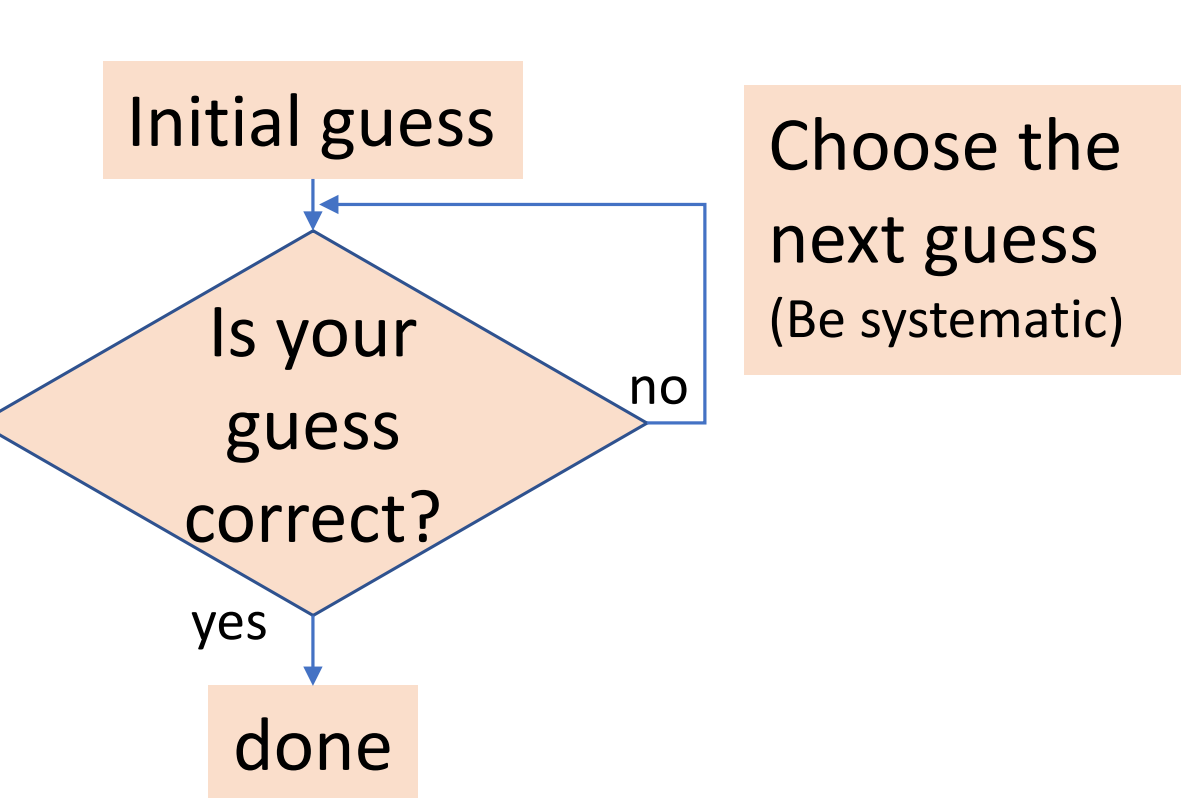
Small addition: Symbols about the tree of file structure
This is because there was no GUI at the beginning, and the symbols were designed to be visualized in the console. In mac, you can use the following techniques to make output of these types of symbols:
- It can be installed
brew install tree, and executed after entering the target directory:tree, the variable can generate a tree-shaped structure; - You can search for system settings → keyboard → text input → text substitution, set yourself
- (most commonly used method) use the string character checker to string, press
ctrl+cmd+space, then searchbox drawings(generally inputboxis available) - The following is a direct copy:
- A: Branch nodes
- A: The last node
- │: The cable
- -: Cross-line, usually in two consecutive inputs - the effect is as follows: │- │
│-
4.6.2 Guess-and-check square root
In this section we will address the first case, which is finding the square root.
- Basic idea
- Given an
int, call itx, want to see if there is anotherintwhich is its square root (if there is, consider perfect square, is the perfect square number) - Start with a
guessand check if it is the right answer
- Given an
For example, 25 is a perfect square because there are 5 such integers. Below we will examine a case of 7, 7 is a perfect square ? It is easy to know that these conjectures
int are certainly not the answer, such conjectures have randomness (for example, guess 2, guess 9, then guess 6...), and are not efficient. Our claim is to make full use of the power of programming and computers being able to do things really quickly for us).
- Be systematic
- To be systematic, start with
guess= 0, then 1, then 2, etc.
- To be systematic, start with
That is, we cannot guess wrong but rather Listed in order : 0, 1, 2, 3, 4, ...
If x is a perfect square, then we are And finally, we'll find the square root. and stop. And if not, then Need to know when to stop .
- But what if
xis not a perfect square?- Need to know when to stop
- Use algebra – if
guesssquared is bigger thanx, then can stop (because if we don’t, we’re at risk of potentially doing somthing that will lead to an infinite loop)
For example: x = 10 The system lists:
0**2 = 0
1**2 = 1
2**2 = 4
3**2 = 9
4**2 = 16
When:4**2 > 10
We can stop because the next guess is greater than 4, and the square after that will only be greater than 10, and it can no longer be equal to 10.
4.6.3 Square root with while loop
The solution given in the classroom:
guess = 0 # 设置初猜
x = int(input("Enter an integer: "))
while guess**2 < x: # 设置 exit loop 条件
    guess = guess + 1
if guess**2 == x:
    print("Square root of", x, "is", guess)
else:
    print(x, "is not a perfect square")
But there are still areas that need to be improved:
- Does this work for any integer value of
x? - What if
xis negative?whileloop immediately terminates
- So, our program could check for negative input, and handle differently
For example: x = -4, because guess = 0, so guess**2 < x is False, so while loop will stop immediately. So it will print:-4 is not a perfect square. This is reasonable within the real number range, but we may also want to consider Remind the user if they want to enter a positive number 4. . Another scenario is whether users are discussing imaginary numbers (or even virtual numbers).
- Handle negative input with Boolean flag:
guess = 0
neg_flag = False
x = int(input("Enter a positive integer: "))
if x < 0:
    neg_flag = True
while guess**2 < x:
    guess = guess + 1
if guess**2 == x:
    print("Square root of", x, "is", guess)
else:
    print(x, "is not a perfect square")
if neg_flag:
    print("Just checking... did you mean", -x, "?")
- Boolean flag
This is the first time that I have seen this.
neg_flag = FalseWe call it Boolean flag The first is to record whether something happened. And I think that's the way it is.if x > 0But it seems to be a long time coming, and we can abstract some of the events into a Boolean flag. It's becomeif neg_flagThe following is a list of the most commonly used terms in the English language.
What is the problem if you write this as follows?
guess = 0
neg_flag = False
x = int(input("Enter a positive integer: "))
if x < 0:
    neg_flag = True
    while guess**2 < x:
        guess = guess + 1
    if guess**2 == x:
        print("Square root of", x, "is", guess)
    else:
        print(x, "is not a perfect square")
if neg_flag:
    print("Just checking... did you mean", -x, "?")
- First, if the user enters a negative number, they enter the first field directly, however, since the input is negative, while ends up as a false condition at the beginning and is printed directly because guess^2 > x.
x is not a perfect squareThe government has not yet approved the new law, and it is unable to fulfil the purpose of the alert check. And because x is >0,neg_flgThere is no branch that can be entered into the True case, so the whole logic is seriously wrong.
I think a better version of the logic:
- We can convert the negative number of user inputs down to correction by
abs()and then re-enter the loop. - Avoid dangle problems
x = int(input("Enter a positive integer: "))
while x<0:
    print("Just checking... did you mean", -x, "?")
    y_or_no = input("Do you want to revise? Enter 'y' or 'no':")
    if y_or_no == 'y':
        x = abs(x)
    else:
        print("Ok, it will exit now.")
    break

if not x<0:
    guess = 0
    while guess**2 < x:
        guess = guess + 1
    if guess**2 == x:
        print("Square root of", x, "is", guess)
    else:
        print(x, "is not a perfect square")
In fact, if you enter no only once, and don't ask repeatedly until corrected, you don't need to use while, you can also save while and break with if:
x = int(input("Enter a positive integer: "))
if x<0:
    print("Just checking... did you mean", -x, "?")
    y_or_no = input("Do you want to revise? Enter 'y' or 'no':")
    if y_or_no == 'y':
        x = abs(x)
    else:
        print("Ok, it will exit now.")
if not x< 0: # 切记,这里不可以改成 else,否则若进入上面的 if 分支,则不会再执行 else 的逻辑了!!!因此若需要上面进行更新后,这里的逻辑还能执行,就必须用 if!
    guess = 0
    while guess**2 < x:
        guess = guess + 1
    if guess**2 == x:
        print("Square root of", x, "is", guess)
    else:
        print(x, "is not a perfect square")
Big Idea
- Guess-and-check can’t test an infinite number of values.
- You have to stop at some point!
Exhaustive enumeration is only applicable to problems of exhaustive enumeration with stop-conditioned exhaust. If the candidate value is infinite and there is no stopping the strategy, the procedure runs indefinitely.
4.6.4 Guess-and-check compared: while loop vs for loop
The course compares the while loop and for loop to guess-and-check.
- While loop:
Initial guess
↓
Is your guess correct?
├── yes → break the loop, you're done
└── no  → choose next guess
The following is a list of the main features:
- You need to set your own initial guess.
- I need to update my guess
- You need to decide when to stop.
The idea behind the for loop:
Sequentially go through all possible guesses
↓
Check if the guess is correct
↓
Went through all values in sequence
The following is a list of the main features:
- There is already a clear sequence of possible guesses.
- For loop, automatically let the loop variable take these values in turn.
- No need to manually update the iterant
If we already know all the possible guesses within a certain range, the code that is often written in the for loop is cleaner.
4.6.5 You try it: secret number
mission:
- Hardcode a number as a secret number.
- Write a program that checks through all the numbers from 1 to 10 and prints the secret value if it’s in that range. If it’s not found, it doesn’t print anything.
- How does the program look if I change the requirement to be: If it’s not found, prints that it didn’t find it.
Here we recommend using for, whereas the value of secret is initially set to meet the requirements of hardcode.
- Version 1: if not found, print nothing
secret = 7
for i in range(1, 11):
    if i == secret:
        print("yes, it's", i)
If the secret is not between 1 and 10, nothing will be printed.
- Version 2: if not found, print not found
- See why set a boolean flag
found:
secret = 7
found = False
for i in range(1, 11):
    if i == secret:
        print("yes, it's", i)
        found = True
if not found: # 这里要让 if 分支执行的条件是 True,若不改变 found 的 False 值,那么 not found 就是 True
    print("not found")
It is worth mentioning that if the value is if found, it is essentially equivalent to if False..
- There is no problem with grammar and no error. But its terms are always false, so the code inside it will never be executed, which is equivalent to a dead code crack. This is a written form Sometimes, a block of code is used to block when it comes in. but more commonly used in direct
#commentary. False,NoneThe numbers0、0.0The empty string""The empty container.[]、{}、()These areifThe language is incorrect but does not execute the corresponding code.
In addition, the second version of the above text reads:
secret = 7
for i in range(1, 11):
    if i == secret:
        print("yes, it's", i)
    else:
        print("not found")
The fact that the Internet is so pervasive that it prints both true and false information is clearly not in line with our point. So the second version would be more reasonable, as once the true password is passed and the boolean value of found changed, after all, they were all passed and the report value was not found until the end of the cycle.
Big Idea
Booleans can be used as signals that something happened. We call them Boolean flags.
In other words, the Boolean variable can be used as a candle lamp. It is not necessarily directly involved in mathematical calculations, but used to record whether an event occurs.
For example:found = False, indicates that the flag has not yet been found. Once it is found:found = True, a follow-up procedure can decide whether to print the flag.
4.6.6 Recompare agian: while loop or for loop?
- Already saw that code looks cleaner when iterating over sequences of values(i.e. using a
forloop)- Don’t need to set up the iterant yourself as with a while loop
- Less likely to introduce errors
- Consider an example that uses a
forloop and an explicit range of values
4.6.7 Guess-and-check cube root
4.6.7.1 Positive cubes
cube = int(input("Enter an integer: "))

for guess in range(cube+1): # guess 将从0开始遍历
    if guess**3 == cube:
        print("Cube root of", cube, "is", guess)
This version is only suitable for dealing with the perfect positive cube Non-negative integers because it is not square, and some of the cubic digits can be negative, but due to the default characteristic of rang() starting from zero, it is impossible to take negative.
4.6.7.2 Positive and negative cubes
To support a negative cube, you only need to add two new lines of code:
cube = int(input("Enter an integer: "))

for guess in range(abs(cube)+1): # assume it's positive
    if guess**3 == abs(cube):
        if cube < 0: # deal with negative cube here
            guess = -guess # 前面先转换成绝对值,后面再次检验 cube,如果为负就转换 guess 符号
        print("Cube root of " + str(cube) + " is "+str(guess))
4.6.7.3 Just a little faster: use break
In fact, we can even make the code run faster! (Although computers today are all seconds to these jokes):
cube = int(input("Enter an integer: "))
for guess in range(abs(cube)+1):
    if guess**3 >= abs(cube):
        break # terminate search once know you have passed possible answer
if guess**3 != abs(cube): # check why you exited the loop and decide if the guess is not a perfect cube
    print(cube, "is not a perfect cube")
else: # 只能是 guess*3 == abs(cube)
    if cube < 0:
        guess = -guess
    print("Cube root of "+str(cube)+" is "+str(guess))
This is a bit faster than the previous version, because once:guess**3 >= abs(cube) , binding is introduced break. Can you stop and keep guessing? . If in the above example, just for guess in range(abs(cube)+1):, for example, cube is 27, then there is actually an answer by guessing 3 but it will still waste some time to continue calculating.guess = 4,5,...,27 In addition, the above example shows guess that although not declared, binding begins at the loop's end.break After the loop is passed, the guess value is obviously bounding.guess**3 >= abs(cube) Thus making a if ... else ... branch can be done.
4.6.7.4 Another example: word problems
The word problem is that the child is not able to read a word.
- Alyssa, Ben, and Cindy are selling tickets to a fundraiser
- Ben sells 2 fewer than Alyssa
- Cindy sells twice as many as Alyssa
- 10 total tickets were sold by the three people
- How many did Alyssa sell?
- Could solve this algebraically, but we can also use guess-and-check
solution:
for alyssa in range(11): # check all possible values of `alyssa`,0-10
    for ben in range(11): # for each value of `alyssa`, check all possible values of `ben`,0-10
        for cindy in range(11): # for each pair of alyssa and ben, check all possible values,0-10
            total = (alyssa + ben + cindy == 10) # 判断三者之和是否为 10 这个事件是否为 True(因为 ==)
            two_less = (ben == alyssa-2)
            twice = (cindy == 2*alyssa)
            # 将三个问题转化成三个真假事件的 Booleans,并做循环,当三者为真的时候直接通过 if 打印出来
            if total and two_less and twice: # solution foudn when all 3 hold
                print(f"Alyssa sold {alyssa} tickets")
                print(f"Ben sold {ben} tickets")
                print(f"Cindy sold {cindy} tickets")
This is the one. The three nested loops
Note: Nested loops are slow for bigger numbers
- With bigger numbers, nesting loops is slow!
For example, the following are examples of larger values:
- Alyssa, Ben, and Cindy are selling tickets to a fundraiser
- Ben sells 20 fewer than Alyssa
- Cindy sells twice as many as Alyssa
- 1000 total tickets were sold by the three people
- How many did Alyssa sell?
- The previous code won’t end in a reasonable time
- Instead, loop over one variable and code the equations directly (slow solution: loop one of the variables, and use other equations to solve instead of violent three-loop)
If we continue to use the three-layer cycle:
for alyssa in range(1001): # 0-1000
    for ben in range(1001):
        for cindy in range(1001):
            total = (alyssa + ben + cindy == 1000)
            two_less = (ben == alyssa-20)
            twice = (cindy == 2*alyssa)
            if total and two_less and twice:
                print(f"Alyssa sold {alyssa} tickets")
                print(f"Ben sold {ben} tickets")
                print(f"Cindy sold {cindy} tickets")
        # 讲义里少了 break 条件
    # 讲义少了 break 条件
# 讲义少了 break 条件
The most likely thing to check is that:1001 * 1001 * 1001, which is a billion-level combination, very slow. And there is also a problem with this version, even if it meets the conditions, printed, but because the above code is not introduced,break he will print when the conditions are met, but because the cycle is not running, so he will continue to go through the three layers above for the cycle!
- Even when the results are printed, the cycle continues unabated.
- The only way to use a single nuclear weapon is to run it, but not multi-nuclear.
- Too much circulation, too slow efficiency
Jimmy's deep-thinking hypothesis is that the first solution to the first question hypothesis How to jump out of the nesting loop? is:
- Use found to mark break by layer Because if you write
breakI'm just gonna jump out of the deepest.for cindy ...It doesn't jump out of the box.for ben ...andfor alyssa ...。
found = False # 先进行申明,重点学习如何利用到 boolean flag
for alyssa in range(1001):
    for ben in range(1001):
        for cindy in range(1001):
            total = (alyssa + ben + cindy == 1000)
            two_less = (ben == alyssa - 20)
            twice = (cindy == 2 * alyssa)
            if total and two_less and twice:
                print(f"Alyssa sold {alyssa} tickets")
                print(f"Ben sold {ben} tickets")
                print(f"Cindy sold {cindy} tickets")
                found = True
                break
        if found:
            break
    if found:
        break
The second solution:
- Direct exit from the three-layer loop with function +
return: This is the cleanest writing method, since break can only jump out of this current layer loop, whilereturnit can directly end the entire function.
def find_ticket_solution():
    for alyssa in range(1001):
        for ben in range(1001):
            for cindy in range(1001):
                total = (alyssa + ben + cindy == 1000)
                two_less = (ben == alyssa - 20)
                twice = (cindy == 2 * alyssa)
                if total and two_less and twice:
                    print(f"Alyssa sold {alyssa} tickets")
                    print(f"Ben sold {ben} tickets")
                    print(f"Cindy sold {cindy} tickets")
                    return   # 直接结束整个函数,不再继续三重循环
find_ticket_solution()
returnThe object of action is always a function/process, not a loop. ... therefore, ifreturnis to be used here to end the whole function, then a function is designed ((bydef find_ticket_solution():) ⋅- In addition, in tcl, we have actually mentioned
return, that the function is also a stop-processor and returns the return value of the last execution of the command in the processor (see section 6.1.2 in tcl_note.md) Python does not automatically return the last expression . It should be noted, however, that in many languages, such as Ruby, Julia, Rustreturnthe last expression can also be automatically returned.
For the second problem,GIL is a general-purpose lock in the interpreter Python it allows multiple threads in the same Python process Can't execute at the same time to code Python bytes. So For this pure CPU cycle of violence, threading usually cannot really multi-core accelerate, and multiprocessing is required to run multiple processes. . This is a multi-threaded version using three nested loop:
from multiprocessing import Pool, cpu_count

# 这个函数只负责检查某一个 alyssa 值是否能找到解
# 注意:每个进程都会独立运行这个函数
def check_alyssa(alyssa):
    # 对于当前这个 alyssa,仍然暴力枚举 ben 和 cindy
    for ben in range(1001):
        for cindy in range(1001):
            total = (alyssa + ben + cindy == 1000)
            two_less = (ben == alyssa - 20)
            twice = (cindy == 2 * alyssa)
            if total and two_less and twice:
                # 找到答案时,把结果作为 tuple 返回
                return alyssa, ben, cindy
    # 如果这个 alyssa 没找到答案,就返回 None
    return None

# multiprocessing 在 macOS / Windows 上必须写在这个 if 里面
# 否则子进程可能会反复重新运行整个文件
if __name__ == "__main__":

    # cpu_count() 会返回你的电脑有多少个 CPU 核心/逻辑核心
    # Pool(...) 表示创建一个“进程池”
    # 可以理解成:找来多个 Python 工人一起干活
    with Pool(cpu_count()) as pool:

        # 把上面定义的 check_alyssa()函数中,range(1001) 里的 alyssa 值分给多个进程检查
        # imap_unordered 的意思是:谁先算完,谁先把结果交回来,不要求按照 alyssa 顺序返回
        for result in pool.imap_unordered(check_alyssa, range(1001)):

            # 如果 result 不是 None,说明某个进程找到答案了
            if result is not None:
                alyssa, ben, cindy = result
                print(f"Alyssa sold {alyssa} tickets")
                print(f"Ben sold {ben} tickets")
                print(f"Cindy sold {cindy} tickets")
                # 找到答案后,终止进程池里的其他任务
                pool.terminate()
                # 跳出这个 for result 循环
                break
The most elegant solution:
- More efficient solution:a mix of algebra & computation
- It's just one round!
for alyssa in range(1001): # One loop over one variable
    ben = max(alyssa - 20, 0) # replace loops with direct calculation for other 2 values
    cindy = alyssa * 2
    # 引入代数的限制+一些循环数值达一定条件时的截断,不用像上面的版本先排列组合,然后看哪个满足条件了
    # 如果还要进一步优化,可以从数学层面考虑循环到哪的时候可以截断停止了,从而优化计算效率
    if ben + cindy + alyssa == 1000:
        print("Alyssa sold " + str(alyssa) + " tickets")
        print("Ben sold " + str(ben) + " tickets")
        print("Cindy sold " + str(cindy) + " tickets")
Here we only loop over a variable:for alyssa in range(1001):, and then calculate directly according to the condition of the title:
ben = max(alyssa - 20, 0)
cindy = alyssa * 2
- The first is
max(alyssa - 20, 0): To prevent Ben's vote from turning negative . Guess finished, check finished, and check finished.ben + cindy + alyssa == 1000This is much faster than three-tiered nested loops. - The result is that the code cycle is complete (printing the answer but waiting for python to run the cycle) for about 1 min or more, or a single-core machine built on mac or 9950x, which is very powerful), and runs only with a single core; and the algorithm for the algorithm + cycle above The moment is complete!
- The above approach is, academically speaking, to use the term. Mathematical constraints reduce search space
max()It's not a special function, it's Python.max():ben = max(alyssa - 20, 0)It refers toalyssa-20and0In the middle, Take it big The one. For example:y = max(99,0)So, what?yIt's the same.99。- The first is the mathematical understanding of the universe.
max(x-20,0)The function can be thought of as a fractional function: $f(x)=\max(x-20,0)=\begin{cases}0,&x<20\x-20,&x\ge20\end{cases}$ - This form of machine learning will appear again later: ReLU function $\mathrm{ReLU}(x)=\max(x,0)$ It's the most common type of deep learning. Activate the function 。
The key idea behind this case is:
Brute Force
↓
利用条件减少变量或截断
↓
利用代数消掉循环(利用数学约束减少搜索空间)
↓
数学直接求解

- 暴力三重循环:O(n³)
- 减少 Ben 和 Cindy 循环:O(n)
- 代数直接求解:O(1)
Big Idea
You can apply computation to many problems!
We don't have to solve the algebraic equations by hand. As long as the question can be formalised into a condition, it is possible to search for answers in a computer system.
4.7 Binary numbers
4.7.1 Numbers in Python
So far we've seen two types of numbers in Python:
- int
- The number of integers is the number of integers.
- float
- The real, used for The approximate representation of real numbers ..
Motivation: keep this in mind for the next context Understanding why this happens below will help us understand binary numbers (binary numbers), fractional numbers, floats, floating point numbers.
Case 1:
>>> 0.1+0.4==0.5
True
>>> 0.1+0.2==0.3
False
Case 2:
x = 0
for i in range(10):
    x += 0.1
print(x == 1)
print(x, '==', 10*0.1)
The results of the execution for the two examples above are as follows:
>>> x = 0
... for i in range(10):
...     x += 0.1
... print(x == 1)
... print(x, '==', 10*0.1)
...
False
0.9999999999999999 == 1.0

>>> print(0.1+0.2)
0.30000000000000004
>>> print(0.2+0.3)
0.5
We would instinctively think: 0.1 + 0.1 + ... + 0.1, plus 10 times should be equal to:1. But in Python, it can be output: 0.9999999999999999.
This is called The following is a list of the most common types of floating point errors: ... and we will find out:
- Why is this happening?
- And since it happens, we can't do a normal equivalency comparison or use an equal sign between floats, like 0.1 plus ten times above, or 0.2 + 0.3... how can we avoid that?
Big Idea
Operations on some floats introduces a very small error.
The small error can have a big effect if operations are done many times!
That is, some floating point operations will be introduced. It's a very small mistake. ( The number of floats is due to the way in which it is stored in the memory of the computer. )。 It looks nothing at once, but If repeated many times, errors can accumulate and affect the results. 。 For example, in molecular simulations of gromacs, multiple exploits to floating point number storage can result in a qualitative error!
4.7.2 A closer look at floats
- Python (and every other programming language) uses “floating point” to approximate real numbers
- The term “floating point” refers to the way these numbers are stored in computer
- Approximation usually doesn’t matter
- But it does for us!
- Let’s see why…
The float is not a real-valued function. But it's not. The approximation of the real numbers by a computer using finite-digit 。 Therefore, the way in which floating point numbers are stored in a computer will affect the value of the floating point number.
This explains why:0.1 + 0.2 == 0.3, in Python it is:False. Because something like 0.10.2 The decimal number and in The two-way floating point It is not necessarily accurate. appears to be the same.
4.7.3 Floating point representation
- Depends on computer hardware, not programming language implementation
- Key things to understand:
- Numbers (and everything else) are represented as a sequence of bits This is because of the way computer hardware is constructed.
- When we write numbers down, the notation uses base 10 The numbering system is used in the daily writing of human numbers.
- 0.1 stands for the rational number 1/10
- This produces cognitive dissonance – and it will influence how we write code.
So the actual numbers that are actually calculated, we convert them into floating point numbers and then we convert them into binary form storage inside the computer. But the problem is, and Not all decimal fractions can be represented exactly by a finite-length binary 。
4.7.4 Why binary? Hardware implementation
- Easy to implement in hardware — build components that can be in one of two states
- Computer hardware is built around methods that can efficiently store information as 0’s or 1’s and do arithmetic with this representation
- like, a voltage is “high” or “low”
- like, a magnetic spin is “up” or “down”
- Fine for integer arithmetic, but what about numbers with fractional parts (floats)?
That is, binary hardware is very natural to implement, either high or low, but if the hardware itself is to judge a voltage of 0 or 1/10, or... it will be much more difficult and will introduce many errors.
Therefore, It would be much easier for computer hardware to switch between these two states: 0 or 1.
The integer is more easily represented in binary, but The number of fractional parts, or floats, is very complex.
In fact, there are many more The first is the "B" , or The system (we talked about in section 1.2.4 of the tcl language tutorial):
- The following is a list of the most commonly used binary options. only 0.1
- The decimal point is the decimal point. , base 10,10-bits, natural human counting, from 0 to 9.
- The sixteenth hexadecimal , There are 16 basic symbols, and the core rule is that the string is equal to 16 inches. 。 The government has also been trying to get a decentralized 0 to 9 In order to make the 16 symbols clear, it also borrowed letters to help: A represents 10, B represents 11, C represents 12, D represents 13, E represents 14, F represents 15. 。
- For example, the 16th digit is 48, and the corresponding 10th digit is 16 times 4 plus 8 = 72.
- The first is the "Fireflowers" (Octal). , When you get to eight, you only use the numbers 0, 1, 2, 3, 4, 5, 6, 7, which are eight digits. 。 For example, the eight-digit 110 can be used to look at the hundred digits of the ten-digit number. (A) is
8*8+8=72(The first 1 is from another one, so there are 8 entries, and the other one is also 8 entries, so the first 1 of the left to right number should be 8*8, the second 1 is 8, so it's 72)
Base 10 representation:
- Base 10 representation of an integer
- Sum of powers of 10, scaled by integers from 0 to 9
For example, for 1507 In our decimal system, we see the "thousand, hundred, ten", which is essentially a layer of decimal distribution:
$1507 = 1 \times 10^3 + 5 \times 10^2 + 0 \times 10^1 + 7 \times 10^0 = 1000 + 500 + 7$
That is, Each decimal number corresponds to a decimal place. 。
Binary representation is same idea in base 2
- Sum of powers of 2, scaled by integers from 0 to 1
That is, the idea of binary and decimal is the same, only base from 10 is replaced by 2. Any binary system can only be: 0 or 1.
For the 1507 If we were to look at it in 2 ways, we could divide it like this:
$1507_{10} = 12^{10} + 12^{8} + 12^{7} + 12^{6} + 12^{5} + 12^{1} + 1*2^{0}
= 1024 + 256 + 128 + 64 + 32 + 2 + 1
= 2^{10} + 2^{8} + 2^{7} + 2^{6} + 2^{5} + 2^{1} + 2^{0}
= 10111100011_{2}$
(To divide 1507 into two subsections.) The first is that the world is a country. $10^0, 10^1, 10^2, 10^3 …$ The number of digits is the number of digits that can be recorded. $2^0, 2^1, 2^2, 2^3 …$ The number of entries can be filled in. $10111100011_{2}$)
It is easy to see that for a combination of integers, there is no problem, but for a combination of floating points (more complex), the above transition from decimal to binary storage in the calculator, and then from the calculator storage to decimal, will lead to the existence of errors.
Here it is:
- The subset 10 represents the decimal / base 10.
- Subsection 2 shows binary / base 2. For example, $1001_{2}$ It's called 1001 base 2.
4.7.5 Converting decimal integer to binary
Here we will talk about how to more systematically convert decimal integers into binary ones compared to the previous paragraph:
- We input integers in decimal, computer needs to convert to binary
- Consider example of:
- $x = 19_{10} = 12^4 + 02^3 + 02^2 + 12^1 + 1*2^0 = 10011_{2}$
The practical way a computer can take to convert an integer into binary numbers is by using algorithms:
- The following order is from right to left:
- If we take remainder of x relative to 2, i.e.
x % 2, that gives us the last binary bit (odd -> 1, even -> 0), so the remainder can be given as the last number from left to right is 1, because 19 is odd and takes the form 1.. - If we then integer divide x by 2, i.e.
x // 2(Integrate exclusion, excluding reservation of integer)19 // 2 == 9, all the bits get shifted right- $x//2 = 9 = 12^3+02^2+02^1+1 2^0$, marked as
1001The first step is to add the last one, shifted over from right to left, so that the actual10011
- $x//2 = 9 = 12^3+02^2+02^1+1 2^0$, marked as
- Keep doing successive divisions; now remainder gets next bit, and so on (from another perspective, for example, getting 9, above, continuing
9%2getting1then recording to the bit from right to left; continuing to calculate,9//2getting4,4%2getting0, recording0to the bit, such as:4//2getting2,2//2getting1,1//2getting0)
The following is the process of the operation:
| x | x % 2 | binary bit | x // 2 |
|---|---|---|---|
| 19 | 1 | last bit,1 | 9 |
| 9 | 1 | next bit,1 | 4 |
| 4 | 0 | next bit,0 | 2 |
| 2 | 0 | next bit,0 | 1 |
| 1 | 1 | next bit,1 | 0 |
Note: The bit obtained by %2 is from right to left. The following is the order of precedence: 1, 1, 0, 0, 1 The second is that the two-dimensional system is not a single-dimensional system, but a binary system is a binary system that is a left-to-right system. 10011。 So, what do you think? $19_{10} = 10011_{2}$
4.7.6 Doing this in Python for positive numbers
# 这个代码可以将正整数转换成二进制的数字
result = ''
if num == 0:
    result = '0'
while num > 0:
    result = str(num%2) + result
    num = num//2
Note the code details! Here is Add a new bit to the left of the result, instead of the right .. note: because % 2 The current ((right to left) minimum bit is obtained, so it needs to be placed in front of the result string, and the function implementation is to refresh the left right reservation, which makes the result consistent with human habits of reading from left to right. it can be understood that a polynomial is broken down from zero..
num = num//2 The same as moving one to the right of the whole because dividing two is one for binary systems.
4.7.7 Doing this in Python and handling negative numbers
If you want to deal with negative integers, you need to do the following:
if num < 0:
    is_neg = True
    num = abs(num) # 先对其进行绝对值处理,后续打印再加回去负号
else:
    is_neg = False

result = ''
if num == 0:
    result = '0'
while num > 0:
    result = str(num%2) + result
    num = num//2

if is_neg:
    result = '-' + result
4.8 Summary
- Loops can iterate over any sequence of values:
- range for numbers
- A string
- Guess-and-check provides a simple algorithm for solving problems
- When set of potential solutions is enumerable, exhaustive enumeration guaranteed to work eventually
- Binary numbers help us understand how the machine works
- Converting to binary will help us understand how decimal numbers are stored
- Important for the next algorithm we will see
4.9 Professional supplement: extra CS concepts behind Lecture 4
4.9.1 Search space
In guess-and-check, what we really do is:
Each attempt in a set of possible answers until the answer is satisfactory.
The group of monkeys All the possible answers She cried. The first is the search space. 。
For example:
for guess in range(abs(cube)+1):
    ...
The search space here is:0, 1, 2, ..., abs(cube)
When deciding whether a guess-and-check procedure is reasonable, the first thing to ask yourself is:
- Is the search space limited?
- Is there enough search space to cover all possible answers?
- Is the search space too large to slow down the process?
The first is the Brute Force algorithm.
Guess-and-check is often referred to in CS as The first is the brute force algorithm. ..
Its idea is simple: without using complex reasoning, try all possible answers directly.
It has the following advantages:
- Easy to understand
- It is easy to implement
- It's not easy to miss the answer as long as the search space is set.
The disadvantages are:
- It's probably very slow.
- The search space is large and the running time increases rapidly
So, what? Brute force is often the first version of solving a problem. 。 Write a violent version to confirm the logic is correct and then think about how to optimize it. 。
The first is the combination of the two types of explosions.
When you have a problem There are many variables that need to be listed , Search space will grow exponentially 。
For example, the three-tiered cycle:
for alyssa in range(1001):
    for ben in range(1001):
        for cindy in range(1001):
            ...
Theoretically, the most checked are:1001 * 1001 * 1001 combinations, i.e. billion-levels.
This phenomenon The number of candidates has suddenly skyrocketed is called: The first is the combinatorial explosion. . It is one of the fundamental causes of many algorithmic slowdowns.
Therefore, an important principle of optimization is: The number of variables that can be calculated directly by the conditions is not violent.
For example, if the title already tells us:A = 2 * B, then there is no need to write a layer for loop on A anymore.
The first step is to stop the process.
The break is based on an important algorithmic technique: The first time I saw the video was in the early stages. 。 When we know that it is pointless to continue searching, we should stop immediately rather than try all the possibilities.
For example:
for guess in range(abs(cube)+1):
if guess**3 >= abs(cube):
break
If guess So if 3 is greater than or equal to the target value, then the next guess will be even bigger, guess. 3 is even bigger, then it makes no sense to stop checking ahead.
This kind of optimization, while it may seem simple, saves a lot of time in large-scale searches.
4.9.5 Linear search
Many of the guess-and-check in this talk are actually part of a basic search pattern: The first is the linear search.
It is characterized by: Check the candidate values from start to finish ((for example from 1 to 10 and so on).
The linear search is characterized by:
- The best case scenario: the first one is found
- The worst case scenario: the whole sequence is checked and found, or not found at all.
- Average: about half of the tests
When you learn more efficient search algorithms, such as binary search, you will see the difference between them and linear search.
The Sentinel value (Sentinel value) is the Sentinel value.
The Boolean flag is a method of recording the state of a program. Another common technique is called sentinel value. We are The following is the list of the countries in which the EU has participated: The Sentinel value technique has been used in several versions of the Sentinel.
- Sentinel value refers to: A special value is used to indicate that the string has not yet found the string and has not yet started to form a resulting string.
For example:
answer = None
for guess in range(10):
if guess**2 == x:
answer = guess
if answer is None:
print("not found")
else:
print(answer)
Here: answer = None indicates that no answer has been found.The first was the sentinel value.None sentinel value Sometimes it's possible to record simultaneously whether the mouse found the mouse and what the result was. .
Therefore, it can be combined with A = None ... if A is None: ...
4.9.7 Decimal vs binary: representation is not value itself
The second half of Lecture 4 introduces binary to illustrate an important fact: The way the numbers represent the number is not the number itself.
For example, in mathematics, the value nineteen can be written as decimal:19, or it can be written as binary:10011.
They represent the same abstract numerical value, but notation is different.
- The bottom of the computer is bit pattern. And in the In Python, we see higher-level objects like int, float, and so on. 。
4.9.8 Machine representation (in the form of a machine representation)
The computer is on top of the computer. The data will eventually fall into some kind of machine representation (machine representation)
For example:
- The whole number Can be represented as a series of bits
- The characters can be expressed in bits by The code table
- The number of floats also expressed as bits by Specific format
So we wrote in Python:x = 0.1, it seems to be about 1/10, but The bottom actually preserves a finite length binary approximation value that's why the floating point number is so small.
The following is a list of the most commonly used methods for calculating the approximation error:
The floating-point number error can be understood as one of the following: The first is the approximation error. It is not a program error, but because computers use finite bits to approximate some real numbers.
For example, in decimal system:1/3 = 0.333333333..., it is not possible to express it with precision using finite binary numbers. Similarly, many decimal systems, such as:0.1, cannot be expressed with precision using finite binary numbers.
Computer thinking:
- Therefore, in numerical computation, it is often not directly judged:
x == target, but rather judged:abs(x - target) < epsilon, where epsilon is the permissible error range.
4.9.10 Summary of extra terms
| The term | Meaning |
|---|---|
| search space | The set of all candidate responses |
| brute force algorithm | Violence lists all possible answers |
| combinatorial explosion | Multi-variable combinations lead to a surge in search volume |
| early stopping | Determining that it is not necessary to continue to stop early |
| linear search | Check-in from start to finish |
| sentinel value | Special value for non-contact state of the hydrogen |
| machine representation | How data is represented at the bottom of the machine |
| approximation error | Limited representation of approximate errors |
Lecture 5: Floats and approximation methods
The lecture was mainly on two topics:
- Floats (number of floats)
- Approximation methods
First, the question of floating-point numbers left behind explains why certain decimal fractions cannot be accurately represented by a computer; then discusses how to design an algorithm that can get enough nickel near the nickel when it is impossible to get an accurate answer. The first is the introduction of approximation algorithms.
5.1 Fractions
In the previous lesson we have shown: Integers have straightforward representations in binary. The code was simple.
5.1.1 What does a decimal fraction mean?
for instance, 0.abc.
The decimal number 0.abc The meaning of the word is:
$$
a\times 10^{-1}+b\times 10^{-2}+c\times 10^{-3}
$$
For example: $$ 0.375=3\times 10^{-1}+7\times 10^{-2}+5\times 10^{-3} $$
For binary representation, we use the same idea. The same idea of bit values 。
The two-dimensional 0.abc The following is a list of the countries of the world:
$$
a\times 2^{-1}+b\times 2^{-2}+c\times 2^{-3}
$$
To put this in simpler terms,the binary representation of a decimal fraction f。 Find the decimal number $f$ The binary system of the two sets of numbers is essentially a set of numbers that can only be taken from a given set. 0 or 1 of $a,b,c,d,e,\ldots$ and made:
$$f=0.5a+0.25b+0.125c+0.0625d+0.03125e+\cdots$$
In other words, each binary digit on the right side of a small number represents:
| The secondary position | The status |
|---|---|
| The first | $2^{-1}=0.5$ |
| The second | $2^{-2}=0.25$ |
| The third | $2^{-3}=0.125$ |
| The fourth | $2^{-4}=0.0625$ |
| The fifth | $2^{-5}=0.03125$ |
5.1.2 How to convert a fraction to binary
In decimal form:: $$ \frac{3}{8}=0.375=3\times10^{-1}+7\times10^{-2}+5\times10^{-3} $$
Recipe Idea If you can find a 2x large enough $2^{n}$), Put the smallest number as the integer So we can convert this integer into binary system first (because we said before, integers can be perfectly converted into binary system). Afterwards And then divide by the same 2 squares. $2^{n}$ The government has also announced that the country will be re-elected. So 2 is the number of times a cylinder can be moved to a binary slider after conversion, so that it can be restored to a small number. 。
The following example 0.375 shows how it is stored:
- I will
0.375Multiply2**3:
0.375 * (2**3) == 3
It's like: $$0.375\times 2^3=3_{10}$$
The decimal number is
3The first two are: $$3_{10}=11_2$$Divided by
2**3I mean, Move the binary number to the left The first three spots are: $$11_{2} \div 2^{3} = 0.011_{2}$$
So, what do you think? $$0.375_{10}=0.011_2$$
The following is the list of the official languages of the United States: $$0.011_2=0\times 2^{-1}+1\times 2^{-2}+1\times 2^{-3}=0.25+0.125=0.375$$
But not every fraction can become an integer!!!
- If There is no whole number $p$ and made: $$x\times 2^p$$ The whole number becomes the whole number , then this number is The internal binary representation must be an approximation ..
- In addition, if we are going to write code, we need to consider:
- What is the definition of what is the approximate condition for us?
- If this
pis big enough, what to do and when will the crossing end?
This also implies a hypothesis: we The decimal number of the input is itself perfectly accurate. , instead of being read by Python, have been converted to float and become approximate values.
The floating-point conversion works:
- For a number such as
3/8, it is possible Accurate ; - For a number such as
1/10It is not possible to do exactly ; - The reason is that the former has a 2 that can transform it into an integer, while the latter does not.
From a scoring perspective:A binary prime of finite length is represented only when the subtractor's mass factors are all at 2. For example:
- $3/8$ The divider is $2^3$ The second is the number of times the binary representation is limited.
- $1/10=1/(2\times5)$ The subtractor contains the quantity factors
5The binary system is a finite loop.
5.1.2.1 Case analysis and repr() ,format() ,math.isclose() ,.hex()
Key: When Python reads The literature of decimal it will converting it and subtracting it to the nearest binary floating point , and therefore true The next calculation is approximate value .
We now need a reasonable explanation as to why this is happening:
>>> 0.3+0.1==0.4
True
>>> 0.1+0.2==0.3
False
>>> print(0.3+0.1,0.4)
0.4 0.4
>>> print(0.2+0.1,0.3)
0.30000000000000004 0.3
I'm going to have to be clear. 0.1、0.2、0.3、0.4 The equations cannot be represented exactly by binary, so they are all binary floating point approximations.
But the key here is that == The comparison is not about whether they are all accurate, but whether the floating-point number patterns that were eventually stored in memory on both sides are exactly the same.。
So it's possible that both sides are actually floating point numbers, but in some cases the storage results of approximate values on both sides are equal to the above. 0.3+0.1==0.4 In some cases, such as the number of floats on the left side of the equation plus the number of floats on the right side of the equation, there is a slight error that leads to an inequality. 0.2+0.1==0.3 This is the case.
The bottom sixteen floating point number of a python can be query with the function
.hex()
For example:
# 十六进制
>>> 0.1.hex()
'0x1.999999999999ap-4'
>>> 0.3.hex()
'0x1.3333333333333p-2'
>>> 0.4.hex()
'0x1.999999999999ap-2'
When calculated 0.1 + 0.3 == 0.4, the actual steps are:
- Take the floating point approximation of 0.1;
- Take the floating point approximation of 0.3;
- And the two combined.
- Again. The result is zeroed to the nearest possible floating point . This time, the result of the drop-in is exactly the floating point number chosen when Python stored 0.4:
# 十六进制
>>> (0.1 + 0.3).hex()
'0x1.999999999999ap-2'
>>> 0.4.hex()
'0x1.999999999999ap-2'
Obviously, hereIt does not mean that the calculation results are mathematically accurate.0.4, only the following is represented:float(0.1) + float(0.3) The substitution with float(0.4) falls on the same number of floating points that can be represented.
And for the 0.1 + 0.2 == 0.3:
# Python 首先把字符序列 "0.1" 解析为数学意义上的十进制数,然后将它舍入为最接近的二进制浮点数
>>> (0.1 + 0.2).hex()
'0x1.3333333333334p-2'
>>> 0.3.hex()
'0x1.3333333333333p-2'
# 注意最后一位不一样!
So they are two adjacent but different floating-point numbers, so it is decided False... more specifically,0.1 + 0.2 that the exact floating-point calculation results after the shell is dropped to 0.3 the next floating-point number that can be represented above, rather than the floating-point number that Python uses to represent 0.3.
The concept of the two layers of the concept is therefore to be distinguished:
- The mathematical value represented by the decimal diameters in the source code (Our human counting habits are accurate in the world of code.)
- The conversion of the volume The binary floating point values that are actually stored in memory (the actual storage is approximate value) is done.
In fact, decimal output also hides details. For example, Python prints:
>>> 0.4 # 这个就是我们输入的十进制小数本身是完全精确的
0.4 # 存储到内存的时候已经是近似的浮点数了!
It looks like the return is 0.4 Yes, but that doesn't mean that memory is exactly 0.4.. **Python's repr() A string that is decimal to short enough to be converted back to floating point number still gets its original floating point value. ** So it is printed 0.4 The first is that the government has not shown any error.
We can use format() The function to query:
>>> format(0.4, '.20f') # 打印小数点后20位的浮点数
'0.40000000000000002220'
>>> format(0.1 + 0.3, '.20f')
'0.40000000000000002220'
# 两者虽然都不是数学意义上的精确 0.4,但它们是完全相同的近似值。
In real-world code, the following should be used to compare floating point results:
import math
math.isclose(0.1 + 0.2, 0.3)
# 会返回 True
The following are the short summaries and additions to several functions:
format(): Convert a value into a string according to the specified format.
- Basic grammar:
format(value, format_spec) format()The return is the string type, str.- For example:
x = 3.1415926Keep two minor numbers:print(format(x, ".2f"))The output:3.14。 The following are the results:.2Indicates the conservation of 2-bit subsetsfIndicates use Fixed minor number format
- See more digits of floating point numbers:
print(format(0.1, ".20f"))The output is similar to:0.10000000000000000555, which helps us see decimal development near the actual storage value of floating point numbers.
format(3.14159, ".3f") # '3.142',有四舍五入
format(1234.5, ",.2f") # '1,234.50'
format(0.25, ".1%") # '25.0%'
format(255, "b") # '11111111'
repr(): The formal string for the return of a string to an object represents the string, mainly Real structure for modeling and observation of objects .
- Basic grammar:
repr(object) repr()The return is the string type, str. For example:
text = "hello\nworld"
print(text)
print(repr(text))
# 输出得到:
hello
world
'hello\nworld'
The difference is:
print(text)Will actually perform the exchangerepr(text)The transition characters in the string\nThe original string quotation is also displayed.
However, for the number of floats: print(repr(0.1)) In modern Python, the output is usually: 0.1。
This does not mean that it is accurate 0.1 in memory. Python will select a string as short as possible, but after reconverting it can still get the same floating point number. This is a characteristic of repr() that some may be confused by the fact that Python does not query the actual value in memory!
Therefore, when looking at more small numbers, it is common to use: format(0.1, ".20f")。
math.isclose(): Determine whether the two floating points are close enough
- Before using it, first
import mathBecauseisclose()Python is not directly embedded in a function in a universal environment, but instead in the math module of a standard library. And likeformat()This is the built-in function of Python.mathis the name of the moduleiscloseis a function in the module
- Basic syntax:
math.isclose(a, b, rel_tol=1e-9, abs_tol=0.0), generally direct input when using the defaultmath.isclose(a, b) - The type is bool.
- The following are the results:
- a b: Two numbers to compare
- rel_tol: Relative error limits , by default
1e-9 - abs_tol: The absolute error limit , by default
0.0
- It is a judgment: $$ |a-b| \leq \max \left( \text{rel_tol}\times\max(|a|,|b|), \text{abs_tol} \right) $$
- For numbers close to zero, it is best to set abs_tol:
math.isclose(1e-10, 0.0, abs_tol=1e-9), because Relative error is less applicable when compared to 0. .
.hex(): is a method of floating point numerical objects used to represent a float as an accurate sixteen-point float.
- Basic grammar:
float_value.hex(), the value before It must be a floating point. ! would otherwise beSyntaxError: invalid decimal literal - For example:
x = 0.1
print(x.hex())
0x1.999999999999ap-4
We can understand that $1.999999999999a_{16}\times 2^{-4}$ The following are the results:
0xIndicates the sixteenth goal1.999999999999ais the number of effective digits in sixteenp-4This is a multiple $2^{-4}$pIt is not decimal. $10^n$ It's a binary index. $2^p$
5.1.3 Trace through the conversion code
You can also use the following program to track through the variables in Python Tutor:
x = 0.625
# block 1: find power of 2 to make integer
p = 0 # p is power,先进行显示的声明
while ((2**p)*x)%1 != 0:
# %1 is used for grabing the decimal bit(part) of that multiplication only
# e.g. 1.1%1 gives 0.1
print('Remainder = ' + str((2**p)*x - int((2**p)*x)))
p += 1
# 我们将得到如下的运行:
# p = 0: 0.625 * 1 = 0.625,%1 仍不为0
# p = 1: 0.625 * 2 = 1.25,%1 仍不为0
# p = 2: 0.625 * 4 = 2.5,%1 仍不为0
# p = 3: 0.625 * 8 = 5.0,,%1 为0,break
# 这段代码暴露出的问题是,如果没找到合适的 p,那么就会一直跑下去
# block 2: convert to int
num = int(x*(2**p)) # 上一步最后得到的 p 为3,因此乘算后为 5.0,此时要将 5.0 这个浮点数 convert to int 5. 同时使代码保持简洁
# block 3: encode as binary number, same as the previous lecture!
result = ''
if num == 0:
result = '0'
while num > 0:
result = str(num%2) + result
num = num//2
# 得到 5 的二进制表示,为 101
# 具体过程就是 5%2,得1,5//2 得2,2%2得0,2//2得1,1%2得1,1//2得0,此时 num == 0,中止循环
# block 4: pad front with 0's (zeros)
# 在字符串前面打上0的标签,为后续做准备,i.e. shift right
for i in range(p - len(result)):
result = '0' + result
# 实际得到 range(3-3), range(0)只循环一次,因此得到了 result = '0101',可以用 repr() 查询
# p=len(result()) 这种是由于 p 的所需的二进制小数点移动位数恰好与二进制的 decimal bit 位数一致,需要补0
# p > len(result()), 这种情况就因为转换成二进制的值位数少于幂,说明实际的数值中是小数点`xx.0000xxx` 才会让p如此大,此时需要从右往左补0(因为原先 while 循环升幂时,必定一开始的 2^p 项无匹配)
# 如果二进制字符串的长度小于需要向左移动的小数位数,就在前面补 `0`。这相当于为后面的“右移”准备足够的位数。
# block 5: insert decimal
result = result[0:-p] + '.' + result[-p:]
# 这里通过 slicing 把小数点插入到倒数第 `p` 位之前
# 由于上述是从右到左进行迭代的,因此 -p 可以表达出逆向编号,例如0101,则0号为0,-3位为1,由此在0和1之间加上小数点
print('The binary representation of the decimal ' + str(x) + ' is ' + str(result))
5.1.4 Why is this a problem?
The decimal point 0.125 The following is a list of the countries of the world:
$$
1\times10^{-1}+2\times10^{-2}+5\times10^{-3}
$$
In binary, it can be expressed precisely as: $$ 0.001_2=1\times2^{-3}=0.125 $$
But the decimal point $0.1_{10}$: $$ 0.1_{10}=1\times10^{-1} $$ The two-dimensional system is a finite loop. $0.1_{2}$:
0.0001100110011001100110011...
The combination of these lines is more difficult to observe. In the execution of the code above, the following codes will obviously enter an infinitely loop:
x = 0.1
# block 1: find power of 2 to make integer
p = 0
while ((2**p)*x)%1 != 0:
print('Remainder = ' + str((2**p)*x - int((2**p)*x)))
p += 1
where 0011 I'm going to keep saying it. It's impossible to store infinite bits in a computer's memory, so it's not possible to store infinite bits in a computer's memory. The only way to stop and round is to go in one person. 。
5.1.5 The point?
If everything ultimately is represented in terms of bits (‘cause everything in computer memory is represented in terms of bits, i.e., 0s zeros and 1s ones), we need to think about how to use binary representation to capture numbers.
- Integers are straightforward.
- Real numbers, especially those with decimal points, are problematic.
- The original idea was to multiply the real number by a factor of 2 and make it an integer, then convert it into a binary system.
- But sometimes there is no such thing as a 2 and the computer memory cannot store infinite bits.
- So, what is the point of this? Theoretically, only a finite-length bit sequence can be used to approximate an infinitely long binary sequence. 。
5.2 Floats
5.2.1 Storing floating-point numbers #.#
In fact, in the internal storage of a computer, these real numbers are broken down into two parts to represent:Floating point is a pair of integers
- The number of digits is significant.
- The base-2 exponent (BIN) is the base-2 exponent. , the power of 2
- We say that the floating point number is
#.#,#which is an integer
The first is the "Battle of the Sexes". $$ \text{value}=\text{significant digits}\times2^{\text{exponent}} $$
Here are some examples:
(1, 1): $$ 1\times2^1 = 10_{2} = 2.0_{10} $$ I can write one first.1.If the second number is1And it's going to be a $2^{1}$ So we can look at it in a decimal point: this (1.1) correspondence is actually the same as the decimal point. $2_{10}$ The first is that the two countries have a common currency. $2^{1}$ The equivalent of1.The small number of points moving to the right one, so we get $10_{2}$。(1, -1): $$ 1\times2^{-1}=1_{10}\times2^{-1}=1_{2}\times2^{-1}=0.1_{2}=0.5 $$(125, -2): $$ 125_{10}\times2^{-2}=125_{10}=1111101_{2}\times2^{-2}=31.25_{10} $$
This is because: $$ 125_{10}=1111101_2 $$
The secondary decimal point is the decimal point. Two to the left :
$$
1111101_2\times2^{-2}=11111.01_{2}=31.25_{10}
$$
In addition, $31.25_{10}$ We can not only be from $125_{10}\times2^{-2}$ The number of people who are in the same situation is calculated directly. $11111.01_{2}$ I'm going to get a lot of things. $11111_{2}$ The decimal system 31 The back. 0.01 The answer is that the decimal 0.25。
This is very close to the idea of decimal scientific calculus. For example: $$ 12300=1.23\times10^4 $$
The only index endpoint used by float is 2, not 10.
Quick read floating point numbers: So the simple way to look at it is for floating point numbers, we see
[part A].[part B], this Part A before the small points We convert it into a 2-step expression, then how to move the small points ((left or right) ), moving several bits is decided by Part B.
- The object type is called a floating point because location of decimal point can “float” relative to significant digits (effective numbers).
#.#And it's been revealed to us that computers, in most cases, are not the only way to get a good understanding of the world. The number (real) is stored in memory as an integer The first is that the brain is not able to store small fractions of our consciousness.
5.2.2 Finite bits represent a potentially infinite sequence
A computer can only use a finite set of bits to represent the number of bits that may be needed:
- The maximum number of signicant digitals Deciding what the numbers represent The first is the "precision". ;
- most morden computers use 32 bits to represent significant digits;
- If a binary number represents more than the available digits (e.g. 32 bits, 32 slots above), it must be rounded. :
- The error appears at the location of the cut or shed
- e.g., error will be at the $32^{nd}$ bit
- The number of bits in the 32 bits is approximately $2\times10^{-10}$ The number of degrees of the numerator (2E-10) Because of the location of the intersection $2^{-32}$ It's about $10^{-10}$。
- The error appears at the location of the cut or shed
It is important to note that even if the error is very small, it is still not zero. More importantly, The program may perform a large number of operations on these approximate values, accumulating or magnifying errors (e.g. the trajectory caused in gmx varies).
The keynote address is used here Simplified models that are easy to understand : Python is commonly used Double-precision binary floating point number ; the core of this speech is not to remember the specific bit layout, but to understand: The validity of floating-point numbers is limited, so many can only be stored in approximate form.
- Additionally, as of 2026, modern computing uses both 32-bit and 64-bit floating-point numbers, and now 64 bits are becoming the default mainstream:
- The 32-bit float number corresponds to the single-precision float in IEEE 754 and the 64-bit float number corresponds to the double-precision double-precision format.
- 32 bit single precision: 1 bit symbol bit + 8 bit index bit + 23 bit tail bit
- 64 single-bit accuracy: 1 bit of symbols + 11 bit of index bits + 52 bit of endpoints
- In storage space, 32 bits is 4 bytes; 64 bits is 8 bytes.
- If the precision is based on a valid decimal point, then 32 bits are 6-7 bits and 64 bits are 15-16 bits, the former being absolutely wrong about the previous one. $10^{-7}$ The latter is a total error of about $10^{-16}$
- 32 bits are commonly used for graphics rendering (so the common consumer-grade graphics cards are single-precision), and 64 bits are commonly used for scientific computing (so a dual-precision version of the graphics card will be more expensive!). The first is the use of a high-speed manual transmission (WPS), but often the first is more efficient when running, so there is a tradeoff between precision and efficiency.
5.2.3 Surprising results
The following two examples.
Exactly representable increment:
x = 0
for i in range(10):
x += 0.125
print(x == 1.25)
True
$0.125=2^{-3}=0.001_{2}$ The resulting binary can be expressed with precision in a finite length, so that the addition of repeats can still be made accurate. 1.25。
Not exactly representable increment:
x = 0
for i in range(10):
x += 0.1
print(x == 1)
print(x, '==', 10*0.1)
False
The output is similar to:
False
0.9999999999999999 == 1.0
0.1 The term "B" is used to describe the number of bits in a binary that cannot be specified with any length. Each time x += 0.1 the operation is performed on an approximate value The result is a multiple of the same. 0.9999999999999999 but not the truthful. 1.0。
On the other hand, 10 * 0.1 The resulting value is the number of times the number of digits in the graph. 1.0。
Therefore, Different routes of operation may produce different yields.
A more classic example of this is the discussion of 0.1 + 0.2 == 0.3 for False, but0.1 + 0.3 == 0.4 for True, which we have discussed in depth in Section 5.1.2.1 Subsection .
5.2.4 Moral of the story
The spirit that we have gained from the discussion above is:
- Never use
==to test floats.- should test whether the two floats are within a very small allowed distance 。
- The printed content does not necessarily fully reflect the actual value stored in memory
- Careful: The design of float algorithms requires extreme care
The most reasonable way to compare this is:
abs(a - b) < epsilon
In fact, we designed such an algorithm in Section 2.2.3 - Exercise 1 :
For example:
x = 0
for i in range(10):
x += 0.1
if abs(x - 1.0) < 0.000001:
print("x is close enough to 1.0")
Here epsilon is the range of errors we allow.
5.3 Approximation methods
5.3.1 Review from last lecture
The last one was a guess-and-check:
Guess-and-check provides a simple algorithm for solving problems.
When the set of potential solutions is enumerable, an exhaustive enumeration will eventually be able to check all the candidate values.
But this guess-and-check method has obvious limitations:
- Increases are usually integers, but not necessarily integers. The real need for a pattern is to form a finite, enumerated set of candidate values.
- The traditional guess-and-check usually tells us only: we have found the correct answer or we have not found the correct answer.
- Can’t give us an approximate solution to varying degrees
Better than guess-and-check: The goal now is not just to find an exact answer, but to: Looking for a similar answer
- It's not just like guess-and-check, but it's like getting the right answer back.
- It is not just that the people who return to the cave do not find the answer.
- The answer is that the value of the value is close enough to the ideal answer.
5.3.2 Effect of approximation on algorithms
The approximation is introduced and the algorithm design changes:
- Exact answer may not be accessible
- I'm going to have to find the answers to these questions.
- The calculation results only need to close enough to the ideal answer.
- Because exhaustive enumeration cannot test all possible real values, the set of possible answers is infinite in principle.
- Floating-point approximation errors This is very important for this approach.
- can’t rely on equality!!
The first is that we have to answer two questions clearly:
- Why is it that the monkey is close enough to the monkey?
- How can we ensure that the cycle stops and not endless execution by skipping the target range?
5.4 Approximating square roots
5.4.1 Finding roots
Before that, we used exhaustive enumeration / guess-and-check to find the square root of the perfect square.
Now I want to look for:
- the square root of any positive integer;
- Even the square root of any positive number.
The mathematical definition of the square root: Find a $r$ and made $$ r\times r=x $$
But if $x$ It is not a perfect square, and it is often impossible to find one that can be represented in a finite way and that can accurately satisfy the relationship. $r$。 If you list all the real-valued candidates, the search space is infinite. exhaustive search is infinite)。
So we're looking for an approximate square root.
5.4.2 What does “good enough” mean?
Looking for one $r$ and made $r^2$ and $x$ The distance is small enough. Using epsilon (commonly denoted by error): given $x$ I want to find $r$ The following is a list of the top ten $$ |r^2-x|<\epsilon $$
Here it is:
abs(r**2 - x)is the absolute value of the distance from the target after the current guess square;epsilonIt's the biggest mistake ever made. $\epsilon$ The following is a list of- When the error is less than
epsilon, the answer is good enough.
5.4.3 Approximation algorithm
The algorithm is as follows:
- And the first thing that I'm going to do is start with a little guess, called $g$。
- Each time a smaller value is added The name $a$ I've got a new guess.
- Check
g**2whether it is close enough tox, i.e. Is there a $\epsilon$ Within the permissible limits . - If not close enough, keep adding guess.
- The answer is that the value of the data is not enough to get close enough to the actual answer.
The actual check is: $$ g+k\times a $$
where $k$ The whole number. So it is Still similar to exhaustive enumeration: systematically check the candidate values according to a fixed pattern 。 However, because the set of candidates for the real numbers is infinite, it is impossible for the program to check all possible values. Only a set of discrete candidate values generated by increment can be checked 。
5.4.4 Two parameters: epsilon and increment
The approximation algorithm has two parameters that need to be set:
epsilon:how close are we to answer?increment:how much to increase our guess?
Performance will vary based on these values:
- In the meantime, I'm going to try to get back to the office.
- In accuracy
Changing the increment:
- Reduced
increment:- More candidate values will be checked;
- The process is slower;
- The first is that the average person is not a good person.
- Growth
increment:- Less candidate values for inspection;
- The process is faster;
- The first is that the user can easily jump over the error margin.
Changing epsilon:
- Growth
epsilon:- Accept greater mistakes;
- The answer is not exactly the same.
- But the process is faster to find acceptable answers.
- Reduced
epsilon:- The question is whether the answer is more accurate.
- The first is the "City of Peace".
- The process is usually slower and easier to skip than increment.
Big Idea
Approximation is like guess-and-check except:
- We increment by some small amount.
- We stop when close enough, because the exact answer may not be available.
5.4.5 First implementation
x = 36
epsilon = 0.01
num_guesses = 0
guess = 0.0
increment = 0.0001
while abs(guess**2 - x) >= epsilon:
guess += increment
num_guesses += 1
# Will this loop always terminate?
print('num_guesses =', num_guesses)
print(guess, 'is close to square root of', x)
num_guesses = 59992
5.999199999999357 is close to square root of 36
This code has a lot of problems and can be compared to Newton's law, which we discussed in Section 2.2.3 - Exercise 1 : Newton's law allows the user to first guess and then iterate by analyzing it g; whereas here,g is the first guess that comes from the hard code we have written and the increased gap is very small, which leads to a possible fast approach to the correct answer (maybe we could have gotten the right answer), but because of the reason for the increase in the gap, such as 5.9999, the answer is 6.00005, whatever the reason is, as long as the gap is 0.00001 (the floating point number is wrong) it is likely not the exact answer but the answer is sent when the floating point number is wrong.
5.4.6 Observations with different values of x
For x = 36:
- The program is not accurately found
6; - The first was the use of a computer to calculate the number of times the data is stored.
- But it found a value of less than 36 times the square distance after
0.01so it was good enough according to the algorithm definition.
Let’s try:
24
2
12345
54321
The previous values may still be stopped, but when x = 54321 the algorithm exposes a more serious problem, the loop does not end.
5.5 Overshooting epsilon
5.5.1 Trace the large example
x = 54321
epsilon = 0.01
numGuesses = 0
guess = 0.0
increment = 0.0001
while abs(guess**2 - x) >= epsilon:
guess += increment
numGuesses += 1
if numGuesses%100000 == 0:
# 跟踪每 100000 步的计算情况,进行监控和调试
print('Current guess =', guess)
print('Current guess**2 - x =', abs(guess*guess - x))
print('numGuesses =', numGuesses)
print(guess, 'is close to square root of', x)
Each 100,000 guesses is printed with a current guess and error to see if the loop is approaching the answer. It is easy to see that if increment the resulting numerical value crosses this area when it is close to the error-allowable range, guess the increase will continue, but forever abs(guess**2 - x) >= epsilon to True, the original loop has no other stop conditions and may therefore run forever. Therefore, it is increasingly far from the correct answer.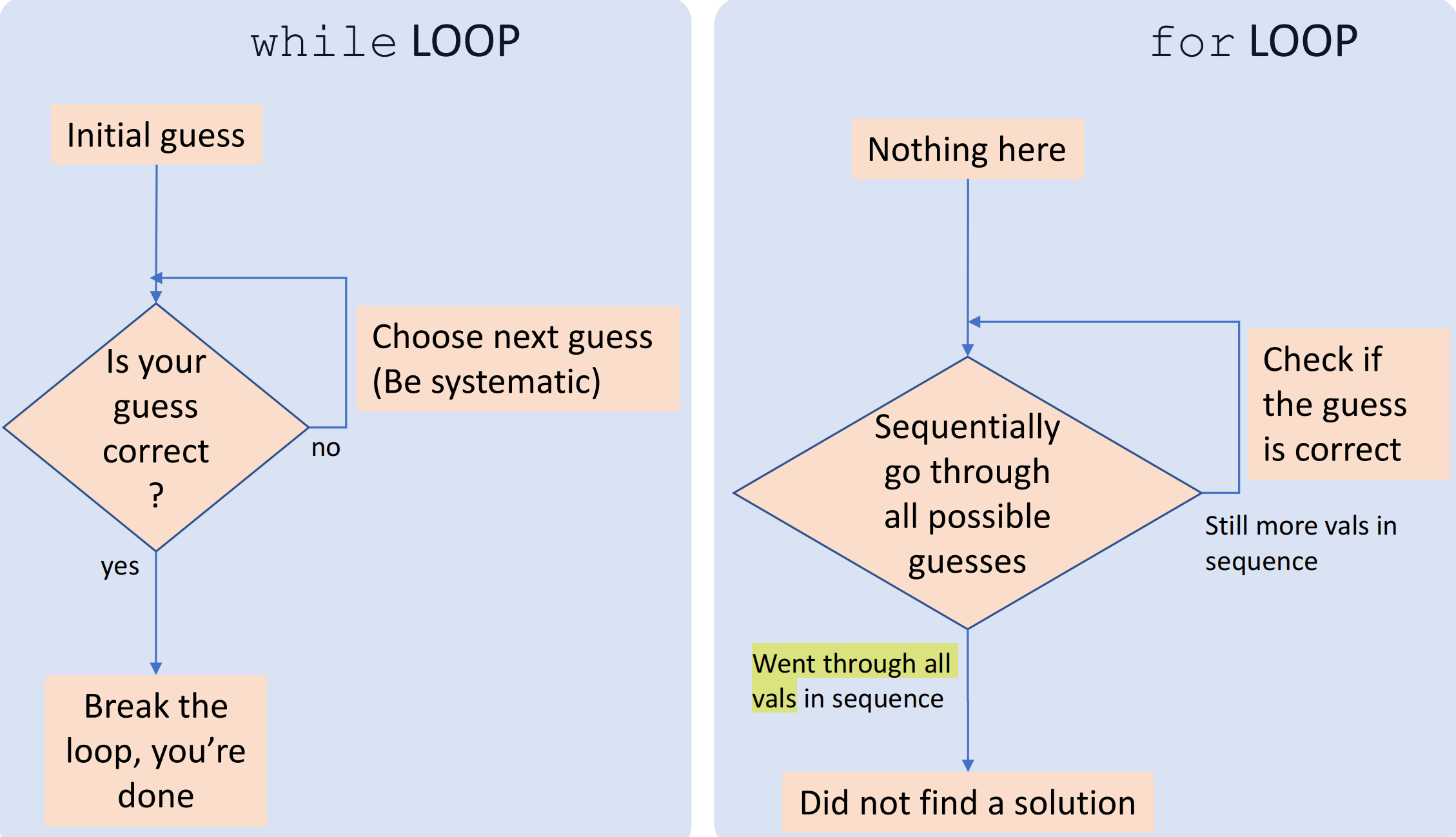
We overshot the epsilon:
That's what it is. Over the target area 。 We are too far away from a target, but too small: last time guess**2 It's still too small and far away. $x$ The value of the epsilon is greater than the value of the epsilon, and jumps to a point that is too large and still too far away from the target. guess**2 It's too big and far away. $x$ The value of the epsilon (i) is still greater than the value of the epsilon (i), and the acceptable distance between the two is directly jumped over. The logic of the loop needs to be changed.
5.5.1.1 Oscillation
The brain is in a state of shock.
- If we set a jump above the epsilon upper limit, it is decreasing; if we have not reached the epsilon downper limit, it is increasing. But if this jump is large, it is possible to jump, increasing -> exceeding the upper limit; a jump, decreasing -> below the lower limit, thus occurring, The first is the oscillation. which also leads to an infinite loop.
- If we set the steps to be dynamically adjusted according to the size of the previous step, then convergence can be achieved. But there is still a problem that if the steps are only dynamically adjusted according to the direction, their adjustment just falls into the above resonance state, which is still essentially The fixed-speed bounce , and may enter the cycle cycle.
For example, the target square root is between two guess values:
guess = 233.06 → guess**2 太小
guess = 233.07 → guess**2 太大
如果步长始终固定为 0.01,程序就可能不断地:
233.06 → 233.07 → 233.06 → 233.07 → ...
Ai believes that to ensure gradual convergence, it is necessary Adding a new rule :
- Every time you cross the line, every time you change direction, you shrink your steps. For example, cutting in half. This means that even if the program is still bouncing back and forth, the bounce rate will be smaller and smaller.
- Although there is still oscillation, this is a, The decline and oscillation step length gradually approaching zero, so the cycle will not always maintain the same magnitude and is expected to eventually enter the epsilon's allowed range.
- This is a method of Adaptation search with reversal and decreased gait It's very close behind. The first two are the two-dimensional search. 。 The first is the loss function of a machine learning function. $\text{L}(\boldsymbol{\theta})$ The first is the Newtonian law, which is a method of gradient descent.
The following is an algorithm for implementing the idea:
x = 54321
epsilon = 0.01
numGuesses = 0
guess = 0.0
# 初始步长可以设得较大,从而避免从 0 开始进行数百万次尝试
increment = 1.0
# direction = 1 表示 increasing
# direction = -1 表示 decreasing、
# 这实际上也类似于设置 boolean flag
direction = 1
# 防止程序因意外逻辑错误而永远运行
maxIterations = 1000000
while abs(guess**2 - x) >= epsilon and numGuesses < maxIterations:
# 根据当前方向增加或减小 guess
guess += direction * increment
numGuesses += 1
# 迭代次数监督器
# 当前 guess 太大,并且之前正在增加
# 说明刚刚越过了目标
if guess**2 > x and direction == 1:
direction = -1
increment /= 2
# 当前 guess 太小,并且之前正在减小
# 说明从另一侧再次越过了目标
elif guess**2 < x and direction == -1:
direction = 1
increment /= 2 # tips: 除了 +=,也可以 *= 和 /=
print('numGuesses =', numGuesses) # 进行监测
if abs(guess**2 - x) < epsilon:
print(guess, 'is close to square root of', x)
print('error =', abs(guess**2 - x))
else:
print('Failed to find an answer within the iteration limit.')
The following is the response:
numGuesses = 257
233.06866455078125 is close to square root of 54321
error = 0.00239548459649086
This also reveals that this algorithm can drastically reduce the number of steps in computing!
5.5.2 Fix: add another end condition
The following is the full text:
x = 54321
epsilon = 0.01
numGuesses = 0
guess = 0.0
increment = 0.0001
while abs(guess**2 - x) >= epsilon and guess**2 <= x:
guess += increment
numGuesses += 1
print('numGuesses =', numGuesses)
if abs(guess**2 - x) >= epsilon:
print('Failed on square root of', x)
else:
print(guess, 'is close to square root of', x)
The loop will stop when any of the following happens:
- It's close enough;
guess**2It's over.x。
Detect success or failure: The end of the cycle does not necessarily mean success. The first is that the information is printed to help us make judgments.
The concept of loop termination (or loop termination) is not the same as algorithm success (or algorithm success).
If the steps above are changed to increment = 0.00001, smaller steps make candidate values more dense and more likely to fall into the epsilon range; but the problem is that we still have to make trials because we don't know how small steps are appropriate in advance, and the smaller steps will lead to computational redundancy in this case.
Obviously, this solution Not far from it is an improvement on what we proposed in The following is a list of the most common types of insurance policies: ; we not only optimized the algorithm, faster (the initial step can be much larger) more accurate (the later step can be automatically searched), but also added a step detector to facilitate further monitoring.
Big Idea
It is possible to overshoot the epsilon, so you need another end condition.
Be careful when comparing floats.
5.6 Lessons learned in approximation
- Can't use
==Check the exit condition of the float algorithm. - Need to be careful that looping mechanism doesn’t jump over exit test and loop forever
- Tradeoff (balance of advantages and disadvantages) exists between efficiency of algorithm and accuracy of result
- Need to think about how close an answer we want when setting parameters of algorithm
- This method can be painfully slow when a small increment is used to get a good answer.
- Is there a way to get good answers, but faster?
- The first version of the game was released in Japan in January 2010.YES! We will see it next lecture.
5.7 Summary
- Floating-point numbers introduce challenges.
- They are It is not always possible to accurately represent memory 。
- Operations on floats introduce tiny errors.
- Multiple operations on floats can magnify errors.
- Approximation methods use floats。
- Approximation is similar to guess-and-check, but:
- Use float as an increment;
- Stop when close enough, instead of having to find the exact equivalent answer.
- It is best not to use in stopping condition
==。 - The first step is to avoid over-shooting the close-enough stopping condition.
5.8 Professional supplement: numerical concepts behind Lecture 5
5.8.1 Absolute error (absolutely wrong)
The following is the text of the presentation:
abs(guess**2 - x)
It is the form of absolute error: $$ \text{absolute error}=|\text{approximation}-\text{target}| $$ It directly measures the difference between approximate values and target values.
But whether the absolute error is small enough, sometimes depends on the scale of the number of targets. For example, errors 0.01:
- may be larger for the target
1; - The number of people who are in the country is very small for the target
1,000,000.
5.8.2 Relative error (relative error)
To consider the scale, we can use relative error: $$ \text{relative error}=\frac{|\text{approximation}-\text{target}|}{|\text{target}|} $$
For example:
abs(guess**2 - x) / abs(x) < epsilon
Relative error is the ratio of the target value to the target value. In scientific computing, absolute tolerance is often used in conjunction with relative tolerance.
5.8.3 Tolerance (including tolerance)
epsilon In numerical algorithms, it is also commonly called:
- tolerance
- error tolerance
- absolute tolerance
It is not the actual error itself, but the programmer's determination. The maximum acceptable error
5.8.4 Discretization (discretion)
The real number axis has an unlimited number of candidate values, but the program only checks:
$$ g,g+a,g+2a,g+3a,\ldots $$
This is equivalent to Cut the continuous search space into fixed-distance spaces , called The first is the discretization. ..
increment It's the same. Spacing of the discrete grid :
- spacing large: calculation fast, but low resolution;
- spacing small: high resolution, but slow computation.
One of the main reasons for Overshoot is that it's a very important part of the game. The distance between the points of dispersation is greater than the width of the acceptable distance 。
5.8.5 Accumulated rounding error
The following two spellings look similar in mathematics:
x = 0
for i in range(10):
x += 0.1
x = 10 * 0.1
However, the first method is to perform multiple floating point addition, with each step being possible to make a shedding; the second only undergoes one major calculation and shedding. So, what is the point of this? The order of operations and the number of times they are executed will affect the final result. This phenomenon can be called accumulated rounding error.
5.8.6 math.isclose()
In actual Python programs, the standard library can be used to provide math.isclose() comparative floating point numbers, and Return to Boolean . We have already introduced it in Section 5.1.2.1 Subsection .
import math
x = 0
for i in range(10):
x += 0.1
print(math.isclose(x, 1.0))
It will consider both relative tolerance and absolute tolerance, which is more suitable for general floating point comparison than just writing a fixed abs(a-b) < epsilon but at this stage, manual writing abs(a-b) < epsilon helps to understand the basic logic of approximation algorithms.
5.8.7 Summary of extra terms
| The term | Meaning |
|---|---|
| significand | The valid numerical part of the floating point representation |
| exponent | The index portion of the binary minor-number position control |
| rounding error | Errors caused by limited space-sharing |
| absolute error | Absolute value of approximate and target difference |
| relative error | Absolute error ratio to the size of the target value |
| tolerance | The algorithm allows maximum error |
| discretization | Transforming the continuous candidate space into a dispersed candidate |
| overshoot | One update directly skips the permissible error range |
| accumulated error | Gradual accumulation or enlargement of errors after multiple operations |
| termination condition | Deciding when the cycle ends |
Lecture 6: Bisection Search
The lecture is based on the previous one The first is the approximation method. and introduces an algorithm that can be significant Reducing the number of speculations : The second part of the article is called "Bisection Search". • The second half of this lecture also introduces another The method of producing approximate solutions Newton-Raphson , and introduces decomposition and abstraction.
6.1 Last lecture: Floating point numbers and approximate methods
The binary representation of floating-point numbers may not be accurate, and floating-point operations may introduce tiny errors, and multiple operations may magnify the error. Therefore, for approximate results, it is not necessary to rely on == and check whether the error falls within the permissible range specified by epsilon .
6.1.1 Recap: Recap the square root with approximation method
The following is a request from the previous lecture. $54321$ The approximation algorithm of the square root:
x = 54321
epsilon = 0.01
num_guesses = 0
guess = 0.0
increment = 0.0001
while abs(guess**2 - x) >= epsilon and guess**2 <= x:
guess += increment
num_guesses += 1
print('num_guesses =', num_guesses)
if abs(guess**2 - x) >= epsilon:
print('Failed on square root of', x)
else:
print(guess, 'is close to square root of', x)
The stopping condition here is still greater than epsilon, and guess**2 does not exceed x..
- The increment is too large: the interval between two adjacent guess may be greater than the error interval allowed, directly across the answer to the question "close enough guess".
- The increment is too small: it is more likely to find a value that meets the error requirements, but requires a very large number of cycles.
This illustrates The key to approximation algorithms is not just how to check the answers. and how to be smarter generate guesses.
6.2 Bisection search
6.2.1 Chance to win big bucks
- Suppose I attach a hundred dollar bill to a particular page in the text book, 448 pages long
- If you can guess page in 8 or fewer guesses, you get big bucks
- If you fail, you get an F
- Would you want to play?
YOU CHANCES ARE ABOUT 1 IN 56.
- Now suppose on each guess I told you whether you were correct, or too low or too high
- Would you want to play in this case?
YOU CHANCES ARE ABOUT 1 IN 3.
Only when the correct/incorrect page is returned can a false guess exclude the current page; If you can get feedback on the direction of too low/too high, you can exclude half a page each time.
- Because $2^8=256<448<512=2^9$ If you are strictly guaranteed to find any page on 448 pages, the worst case scenario is 9 midpoint guesses; a winning tie in 8 times won't cover all pages.
- The central idea is that the binomial bisection, when computing complexity, is a way of dividing the two. $2^n$ It's a brain test.
6.2.2 Basic idea
- Apply it to problems with an inherent order to the range of possible answers
- Suppose we know answer lies within some interval
- Guess midpoint of interval
- If not the answer, check if answer is greater than or less than midpoint
- Change interval
- Repeat
- Process cuts set of things to check in half (checking and half-checking) at each stage
- The difference between the poor and the divided:
- Exhaustive search reduces them from N to N-1 on each step
- Bisection search reduces them from N to N/2 on each step
A binary search is a method that can be used to solve a certain sort of problem, and And if we know the answer to that question, let's say that we know the interval. ... a binary search uses candidate answers The first is the inherent order. . When the known answer is in the interval [low, high] it is first Guess the middle point. ; then repeat the above process depending on the feedback Give up first half or second half of the interval.
6.2.3 Log growth is better
- Process cuts set of things to check in half at each stage
- Characteristic of a The logarithmic growth (or the logarithmic growth)
- The method of guess-and-check, as described above, is Linear growth ,linear growth
- In the following, we will discuss the cost and growth characteristics of different algorithms and what it means to be more efficient than another.
- Algorithm comparison: guess-and-check vs. bisection search
- Checking answer on-by-one iteratively is linear in the number of possible guesses
- Checking answer by guessing the halfway point is logarithmic on the number of possible guesses
- Log algorithm is much more efficient
In fact, Binary search is not only used to process numbers, but also to process anything with an ordered property. for example, if the whole class is seated in alphabetical order from front to back, it is possible to ask the middle of the class to find a classmate; the first half or the second half are excluded and repeated according to the name sequence.
6.2.4 Bisection search for square root
Assume that the square root is between 0 and x, and the middle point is g:
- If
g**2is close enough tox, stop. - If
g**2 > x, thengis too large, the next time you search0tog. - If the new conjecture is satisfied
g**2 < x, thengis too small, and the next time only searchgto the original upper bound. - At each stage, reduce range of values to search by half.
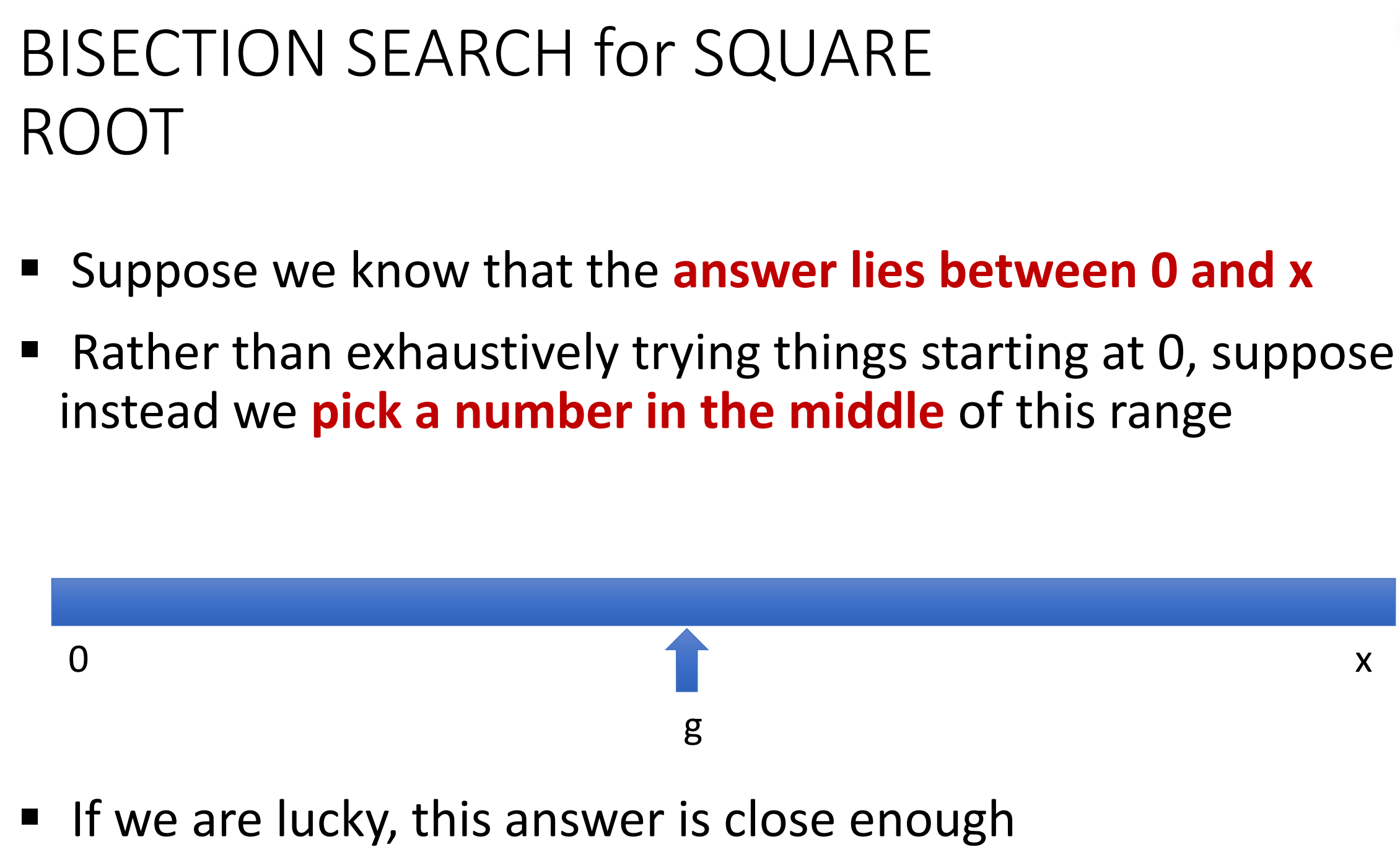
Big Idea
Bisection search takes advantage of properties of the problem.
- The search space has an order (Remember the orderly features! )
- feedback: We can tell whether the guess was too low or too high.
The only answer to the question is a numerical scale and not enough to use a binary; There must be order and every single feedback tells us which side to keep.
6.2.5 You Try It:4-digit PIN code
You are guessing a 4 digit pin code. The only feedback the phone tells you is whether your guess is correct or not. Can you use bisection search to quickly and correctly guess the code?
I can't. Although PINs can be sorted by numerical values, the phone only responds correct/ incorrect, and when incorrect there is no direction information for the too low/too high string, so it is not safe to exclude half of the candidates.
6.2.6 You Try It: arbitrary precision minor
You are playing an EXTREME guessing game to guess a number EXACTLY. A friend has a decimal number between 0 and 10 (to any precision) in mind. The feedback on your guess is whether it is correct, too high, or too low. Can you use bisection search to quickly and correctly guess the number?
If the required EXACTLY guess within a finite number of times The real number of arbitrary precision , then I can't guarantee that. : There are an unlimited number of candidates in the area two points can be continuously narrowed, but usually need to use epsilon to change the target to close enough to give a finite condition. If the real number corresponding to pi is given, the exact value cannot be obtained. Although using bisection search, if an epsilon is not set, it will become an infinite algorithm, and will not terminate.
6.3 From slow approximation to fast square root
6.3.1 Slow square root using approximation methods
x = 54321
epsilon = 0.01
num_guesses = 0
guess = 0.0
increment = 0.00001
while abs(guess**2 - x) >= epsilon and guess**2 <= x:
guess += increment
num_guesses += 1
print('num_guesses =', num_guesses)
if abs(guess**2 - x) >= epsilon:
print('Failed on square root of', x)
else:
print(guess, 'is close to square root of', x)
This brute force approximation requires more than 23 million guesses.
6.3.2 Fast square root: building code step by step
First, identify the endpoint and calculate the middle point:
x = 54321
epsilon = 0.01
num_guesses = 0
# initialize some stuff
low = 0
high = x
guess = (high + low)/2.0
In the cycle Updating the bottom line with directional feedback :
while abs(guess**2 - x) >= epsilon:
# reset the low/high endpoint to the guess
if guess**2 < x:
low = guess
else:
high = guess
# update the value of guess
guess = (high + low)/2.0
num_guesses += 1
The full code of the speech is:
x = 54321
epsilon = 0.01
num_guesses = 0
low = 0
high = x
guess = (high + low)/2.0
while abs(guess**2 - x) >= epsilon:
if guess**2 < x:
low = guess
else:
high = guess
guess = (high + low)/2.0
num_guesses += 1
print('num_guesses =', num_guesses)
print(guess, 'is close to square root of', x)
In the output num_guesses to 30, a gradual increase in comparison to 0.00001, binary search radically reduces computation time.
6.3.3 Why logarithmic growth?
- Brute force search for root of 54321 took over 23M guesses
- With bisection search, reduced to 30 guesses!
- Brute force method is linear in size of problem, because number of steps grows linearly as we increase problem size
- Bisection search is logarithmic in size of problem, because number of steps grows logarithmically with problem size
The search space is changed to: Here, N can refer to abstract search space.
- first guess: $N/2$
- second guess: $N/4$
- $k^{th}$ guess: $N/2^k$
When only one candidate class is left: $$ \frac{N}{2^k}=1 $$ So, what do you think? $$ N=2^k,\qquad k=\log_2N $$ This means that search space is divided into two parts. $2^{k}$ The algorithm will guide us and converge to the next step. $\log_{2}N$ The number of guesses.
- guess converges on the order of $\log_{2}N$ steps using bisection search This is why we call it logarithmic. P.S. The end of the pair here is 2. In Big-O, the constant endpoints do not change the complexity category and are therefore often written directly as complexity. $log(N)$
So:
It takes us k steps to guess using bisection search == It takes us log(N) steps to guess using bisection search
6.4 Does bisection search always work?
6.4.1 When 0 < x < 1
- If
x < 1, we are searching from0tox. - But know square root is greater than
xand less than1. - Modify the code to choose the search space depending on value of
x.
!! Be careful of this! !
for example $x=0.5$ And then, because $\sqrt{0.5}$ So it's about 0.7071, so $\sqrt{0.5}>0.5$。 If the boundaries are still set as x (In the example above, we're going to pick a range of guess from 0 to x as the midpoint of the first guess.) x The true square root is not in the search space at all。 So the result is that the bottom line gradually increases x to 0.5, and finally it's 0.5. low = 0.5,high = 0.5 The value of x is equal to the boundary, and so is the infinite loop.
So setting up a binary law is to consider whether it really covers the search area.
6.4.1.1 You Try It: Fill in the full search boundaries
The idea behind the whole thing is to fill in the blanks.
x = 0.5
epsilon = 0.01
# 当 x 属于 0 到 1 的时候,x 的平方根必然是属于 0 到 1 且大于 x 的,因此这时候得分类讨论并改端点
if x >= 1:
low = 1.0
high = x
else:
low = x
high = 1.0
guess = (high + low)/2
while abs(guess**2 - x) >= epsilon:
if guess**2 < x:
low = guess
else:
high = guess
guess = (high + low)/2.0
print(f'{str(guess)} is close to square root of {str(x)}')
This paragraph deals with all positive x: when x >= 1 the square root is [1, x]; when 0 < x < 1 the square root is [x, 1];;x = 0 it can be directly returned 0; and negative numbers have no square roots within the real number range, so this section cannot be used directly. In fact, if when 0<x<1, directly set to low = 0 high = 1 also circles once, continue searching in the correct range of 0.5 to 1, without affecting the conclusion.
6.4.2 Some observations
- Bisection search radically reduces computation time – being smart about generating guesses is important
- Search space gets smaller quickly at the beginning and then more slowly (in absolute terms, but not as a fraction of search space, calculated here in absolute values, rather than as a percentage of the search space: starting with a quick search, then slowly) later
- Works on problems with “ordering” property(needs to be related to the ranking properties)
The intervals are always reduced to half the original length; only as the interval itself becomes smaller, the absolute length of each reduction becomes smaller.
6.4.3 You Try It: The square root of the positive number
Write code to do bisection search to find the cube root of positive cubes within some epsilon. Start with:
cube = 27
epsilon = 0.01
low = 0
high = cube
The full solution:
cube = 27
epsilon = 0.01
low = 0
high = cube
guess = (high + low)/2.0
while abs(guess**3 - cube) >= epsilon:
if guess**3 < cube:
low = guess
else:
high = guess
guess = (high + low)/2.0
print(guess, 'is close to the cube root of', cube)
The $g^3$ The single tone increases in real numbers, so the feedback can correctly decide which side to update.
To extend to negative, you need to select the endpoints that can bracket the negative cube root, for example low = cube, high = 0..
6.5 Newton–Raphson
6.5.1 General idea
- General approximation algorithm to find roots of a polynomial in one variable
- The demand for a steady decline $$ p(x)=a_nx^n+a_{n-1}x^{n-1}+\cdots+a_1x+a_0 $$
- Newton and Raphson showed that if
gis an approximation to the root, then $$ g-\frac{p(g)}{p’(g)} $$ is a better approximation; where $p’$ is derivative of $p$. - For example, to find the square root of 24, find the root of $p(x)=x^2-24$.
 As in the diagram below, we first substitute x1 for its intersection with the x axis, i.e. y is equal to 0 when the intersection is x2, then we substitute x2 for the intersection, and then we find the intersection, so that the loop gets a more ideal approximate guess.
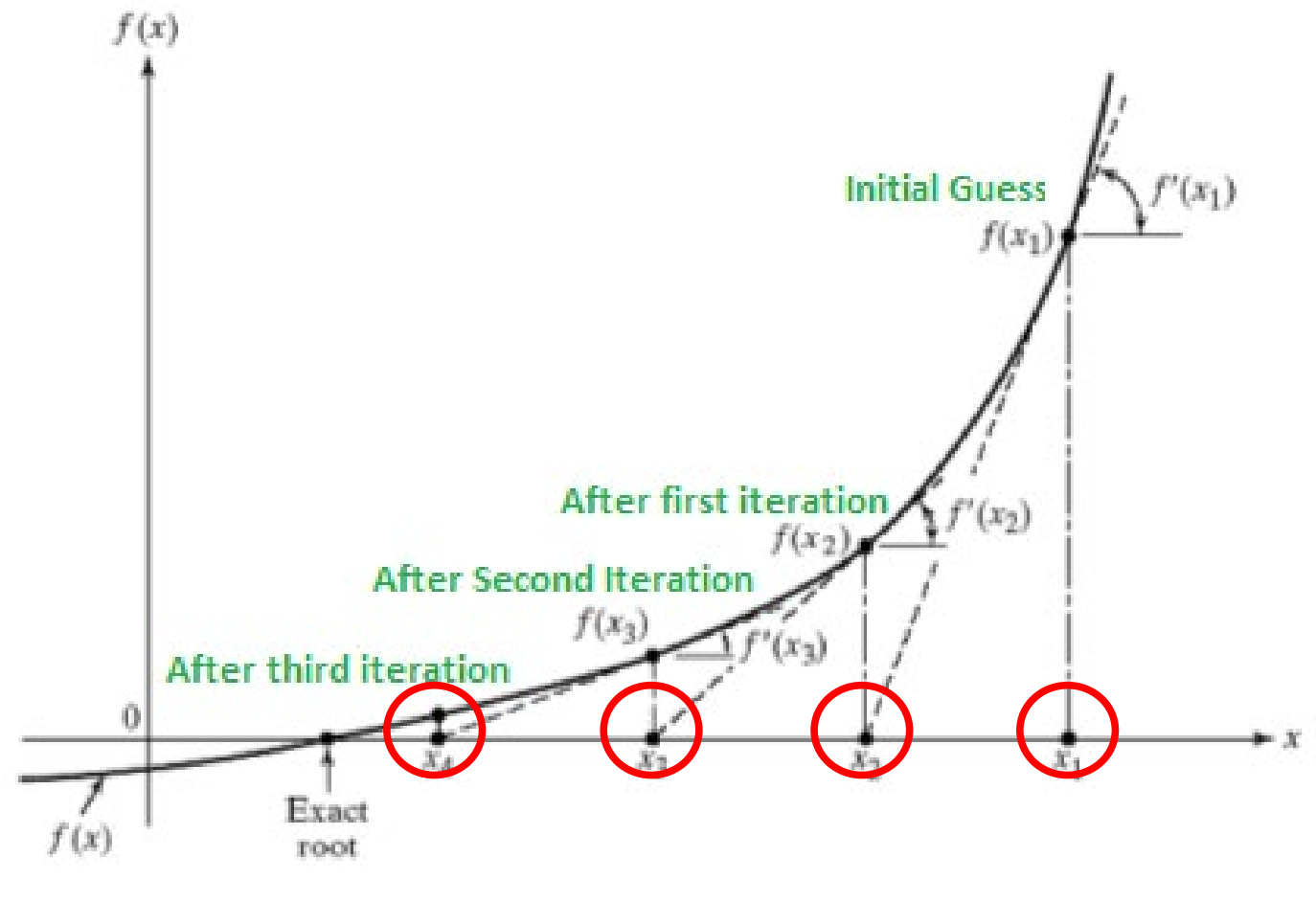
6.5.2 Newton–Raphson root finder
For the $x^2-k$:
- Simple case for a polynomial: $x^2-k$
- First derivative: $2x$
- Given a guess
gfor root ofk, a better guess is: $$ g-\frac{g^2-k}{2g} $$ - This eventually finds an approximation to the square root of
k!
The code for the speech:
epsilon = 0.01
k = 24.0
guess = k/2.0
num_guesses = 0
while abs(guess*guess - k) >= epsilon:
num_guesses += 1
guess = guess - (((guess**2) - k)/(2*guess))
print('num_guesses = ' + str(num_guesses))
print('Square root of ' + str(k) + ' is about ' + str(guess))
Newton's Raphson is another efficient way to generate guess. But It's not like a bracketed bisection that always keeps a gap that wraps around. (the intervals between the solutions cannot be given); the initial value, the conductor being zero, and so on may influence whether it converges.
6.6 Iterative algorithms
The algorithm is characterized by:
- Guess and check methods build on reusing same code
- Use a looping construct
- Generate guesses (important difference in algorithms)
- Check and continue
- Generating guesses
- Exhaustive enumeration
- Approximation algorithm
- Bisection search
- Newton–Raphson (for root finding)
The common structure of these algorithms is: Loops are used to repeatedly generate guesses, check guesses, and decide whether to continue The two countries have a very different approach to the problem. How to generate the next guess 。
6.7 Summary
- For many problems, cannot find exact answer
- Need to seek a “good enough” answer using approximations
- When testing floating point numbers
- It’s important to understand how the computer represents these in binary
- Understand why we use “close enough” and not
==
- Bisection search is FAST but for problems with:
- Two endpoints
- An ordering to the values
- Feedback on guesses (too low, too high, correct, etc.)
- Newton–Raphson is a smart way to find roots of a polynomial
6.8 Intro: Decomposition and abstraction
So far, we have studied primitives, complex expressions, branching and iteration; we have studied expressions, variables, conditions, loops. In principle, These basic language mechanisms are enough to describe any computational process. but to create Easy to modify, maintain and understand , two important concepts are needed:
Decomposition:How to divide a program into self-contained parts that can be combined to solve the current problem.
Abstraction:How to ignore unnecessary detail.
The ideal goal of decomposition is to:
- Ideally parts can be reused by other programs
- Self-contained means parts should complete computation using only inputs provided to them and “basic” operations。
For example, consider:
a = 3.14*2.2*2.2
The following is a list of the most commonly used terms in the English language:
pi = 3.14
r = 2.2
area = pi*r**2
- Abstraction:
- Used to separate what something does, from how it actually does it(not about what exactly to do, but what purpose to do)
- reating parts and abstracting away details allows us to write complex code while The first is to suppress the details. , so that we are not overwhelmed by that complexity.
For example, add the following code:
# calculate the area of a circle
Big Idea
Make code easy to
- create
- modify
- maintain
- understand
6.9 Supplement:After lecture 6
This section is a post-lecture supplement
6.9.1 Discrete binary search vs. numerical bisection
Here we will introduce the concept of discrete binary search and numerical binary law.
| Concepts | Discrete binary search | Numerical bisection |
|---|---|---|
| Space for candidates | Orderly dispersed elements | Continuous intervals |
| The Goals | Find the element or insert the location | Location near the root or meeting the threshold |
| How to End | Candidates are exhausted or hit | The function residual or interval width is less than tolerance |
| Complexity | $O(\log N)$ | About $\log_2((b-a)/\delta)$ The next step is to narrow the gap to width. $\delta$ |
The numerical binary is usually for continuous functions $f$ Please. $f(x)=0$。 If you f(low) and f(high) The odd number and the function continuous in that range ensure at least one root in the range; each time the semicircle of the bracket root is retained by the symbol.
6.9.2 Interval invariant, monotonicity and convergence terms
- Search space: The range of candidates that may still contain the answers is currently available.
- Interval invariant The goal of the project is to keep the cluster alive every time it happens.
[low, high]The middle of the night. That's right. Loop invariant needed to be maintained when updating boundaries 。 - The first is the monotony. The square function increases in the nonnegative interval, so
guess**2 < xI'm not sure if I can guess. For non-single-mode functions, the update rule cannot be moved by just the size of the image. - The following is a list of the countries of the world by population. : The second half halves the width of the interval each time, so that it will gradually approach the target as long as the termination conditions are reasonable.
6.9.3 Absolute error, relative error and stop condition
abs(guess**2 - x) < epsilon The control is the function value absolute error。
The problem of the large differences in quantity does not necessarily apply to fixed absolute tolerance. ; The relative error measures the error relative to the target scale. 。
The first is that we have already discussed:
import math
print(math.isclose(0.1 + 0.2, 0.3, rel_tol=1e-9, abs_tol=1e-12))
math.isclose() At the same time, relative tolerance and absolute tolerance, suitable for comparing two floating-point results 。
However, in the actual bisection, the following points should be considered:
- The choice of absolute or relative errors
- intervals, Width stop conditions and Set the maximum number of iterations , to avoid infinite looping when input does not satisfy the presupposition
6.9.4 ML Connections to computational chemistry
- Classification threshold: If The objective of evaluating the useable monotony relationship with the threshold , a binary can find a threshold that satisfies a particular constraint; but Accuracy, F1, etc. The indicator does not have to be in a single tone with the threshold value and cannot be automatically used for two points
- Monotonic parameter search The following is a list of parameters that can be used to determine the parameters of a single-dimensional function. The first bracketing and secondary finishing 。
- Learning-rate refinement Only when measured against learning rate When it comes to reliable direction and monotony The local level of refinement is similar to that of the two; Generally, hyperparameter optimization is not a natural bisection problem. 。
- Scientific root finding: state equation, constant condition or calibration equation If you can write a continuous scale equation $f(x)=0$ The first is the point of the isosceles, and then the root is the solid root.
- Potential-energy surface: Multidimensional dynamic optimization involves many coordinates, non-monotonic structures and local extreme values, and is not a one-dimensional two-dimensional problem. The two points can be used for one-dimensional problems with bracketed and directional information on one of them.
- Bisection vs. Newton Bracketing bisection is usually more stable but converges more slowly; Newton's method uses a conductor, which may be faster to approach the solution, but relies on the appropriate starting values and good conductors. In scientific computing, a stable bracket is often combined with a faster derivative-based update. 。
Lecture 7: Decomposition, Abstraction, and Functions
7.1 Smartphone:black-box analogy
A smartphone can be considered as one of the following: The black box
- Its inputs
- Its outputs
- How outputs are related to inputs, without any knowledge of its internal workings
- Implementation is “opaque” (or black)
7.1.1 Abstraction
- User doesn’t know the details of how it works
- We don’t need to know how something works in order to know how to use it
- User does know the interface
- Device converts a sequence of screen touches and sounds into expected useful functionality
- Know relationship between input and output
We focus on interface! Users only need to master interface ∞ interfaces) and input and output relationships, without having to understand all internal implementations.
7.1.2 Abstraction enables decomposition
The mobile phone is essentially an abstraction of all the details and implementations of the hardware.
Abstraction enables decomposition. Once we abstract away details, we can have different manufacturers responsible for different components (that's decomposition) and then somehow reassemble the components.
- 100’s of distinct parts
- Designed and made by different companies
- Do not communicate with each other, other than specifications for components
- May use same subparts as others
- How do they know that what they are developing can actually match other components? The decomposition of the pottery
- Each component maker has to know how its component interfaces to other components (know the interface or follow a specific specification input or output so that the interface is standardized)
- Each component maker can solve sub-problems independent of other parts, so long as they provide specified inputs
- True for hardware and for software
Big Idea
Apply abstraction (black box) and decomposition (split into self-contained parts) to programming!
7.2 Suppress details with abstraction
- In programming, want to think of piece of code as black box
- Hide tedious coding details from the user
- Reuse black box at different parts in the code (no copy/pasting!)
- Coder creates details, and designs interface
- User does not need or want to see details
The programmer performs abstraction by using function (also called procedure process) and we have also previously introduced control flow and function processes in tcl.
We have used many functions:
max(1, 4) # 返回这两个输入中的最大值,事实上 1 和 4 可以在前一步被赋值
abs(-3) # 计算绝对值
len("mom's spaghetti") # 计算字符串的长度,包括空格!
A function lets us capture code within a black box. Once we create function, it will produce an output from inputs, while hiding details of how it does the computation.
7.2.1 Docstring as a specification
- A function has specifications, captured using docstrings.
- docstring: the docstring at the beginning of the function clearly explains its purpose and usage. Translated as Documentary strings , a string that generally appears at the top of a function, class, file, packet definition, used Record the interface to explain what parameters need to be passed to the function.
- Think of a docstring as “contract” between coder and user:
- If user provides input that satisfies stated conditions, function will produce output according to specs, including indicated side effects.
- Not typically enforced in Python (we’ll see assertions later), but user relies on coder’s work satisfying the contract.
Since we are comparing functions to contracts, the concept of signature is derived.
So here are a lot of little details:
- docstring
- signature
- specification
Docstring describes legitimate input, return results and side effects 。 It is a specification, not an input check that Python automatically enforces. So people who depend largely on writing code can make sure their specification is detailed enough.
In fact, when we're suspended on a function in a text editor, a small text box pops up that reveals its specification or document string, also called the "text string". The signature of the function :
7.3 Create structure with decomposition
With these different functions, we can break up a large file of code into modules or the content of a single function. You can use these functions to break up large chunks of program code into smaller self-contained modules, each of which gives a different output, and then combine the packet with the function as input, and then execute the procedure.
- Given the idea of black box abstraction, use it to divide code into modules that are:
- Self-contained
- Intended to be reusable
- Modules are used to:
- Break up code into logical pieces
- Keep code organized
- Keep code coherent (readable and understandable)
- In this lecture, achieve decomposition with functions
- In a few lectures, achieve decomposition with classes 【lecture 17】
- Decomposition relies on abstraction to enable construction of complex modules from simpler ones
7.4 Functions
- Reusable pieces of code, called functions or procedures
- Capture steps of a computation so that we can use with any input
- A function is just some code written in a special, reusable way (just re-write the basics we've learned before in a special way)
In the past, our code was line by line, top to bottom. But now we define functions, and functions of small blocks can be repeated multiple times in our code.
7.4.1 Definition vs. invocation
Invocate, invocation: call
- Defining a function tells Python some code now exists in memory. tells python that this module or function exists in our program.
- Functions are only useful when they are run (“called” or “invoked”).
- That's right! Some of the programs you encounter often are called and invoked so that's where they come from!
- No call and no execution
- You write a function once but can run it many times!
- Compare to code in a file:
- It doesn’t run when you load the file.
- It runs when you hit the run button.
The execution def creates a function object and binds the name of the function to it; the function object will not run immediately. It is only executed when calling a call/invoice function.
7.4.2 Function characteristics
Keep your head down! 】
- Has a name
- (think: variable bound to a function object)
- Has (formal) parameters (0 or more, we've learned how to set the default in tcl before)
- The inputs
- Has a docstring (optional but recommended)
- A comment delineated by
"""(triple quotes) that provides a specification for the function – contract relating output to input - It's just a multi-line commen, a multi-line commentary that tells the person who entered the function what the function was doing and what they were returning.
- Similar to markdown grammar
```, the symbols must be added at start and end before they are used.
- A comment delineated by
- Has a body, a set of instructions to execute when function is called
- In general, the essence of our function is to execute Python code; in fact, everything we've learned before can be wrapped into a function.
- Returns something
- The function must end at some point and return the result of a meaningful value description task
- Keyword
return
7.4.3 How to write a function
An example of a simple is_even function is:
# 注意 identation
# def is keyword, don't forget the colon!
# def func_name(arg):
def is_even(i):
# 这里开始 docstring
"""
Input: i, a positive int
Returns True if i is even, otherwise False
"""
# 开始 body
if i%2 == 0:
# give something back!
return True
else:
return False
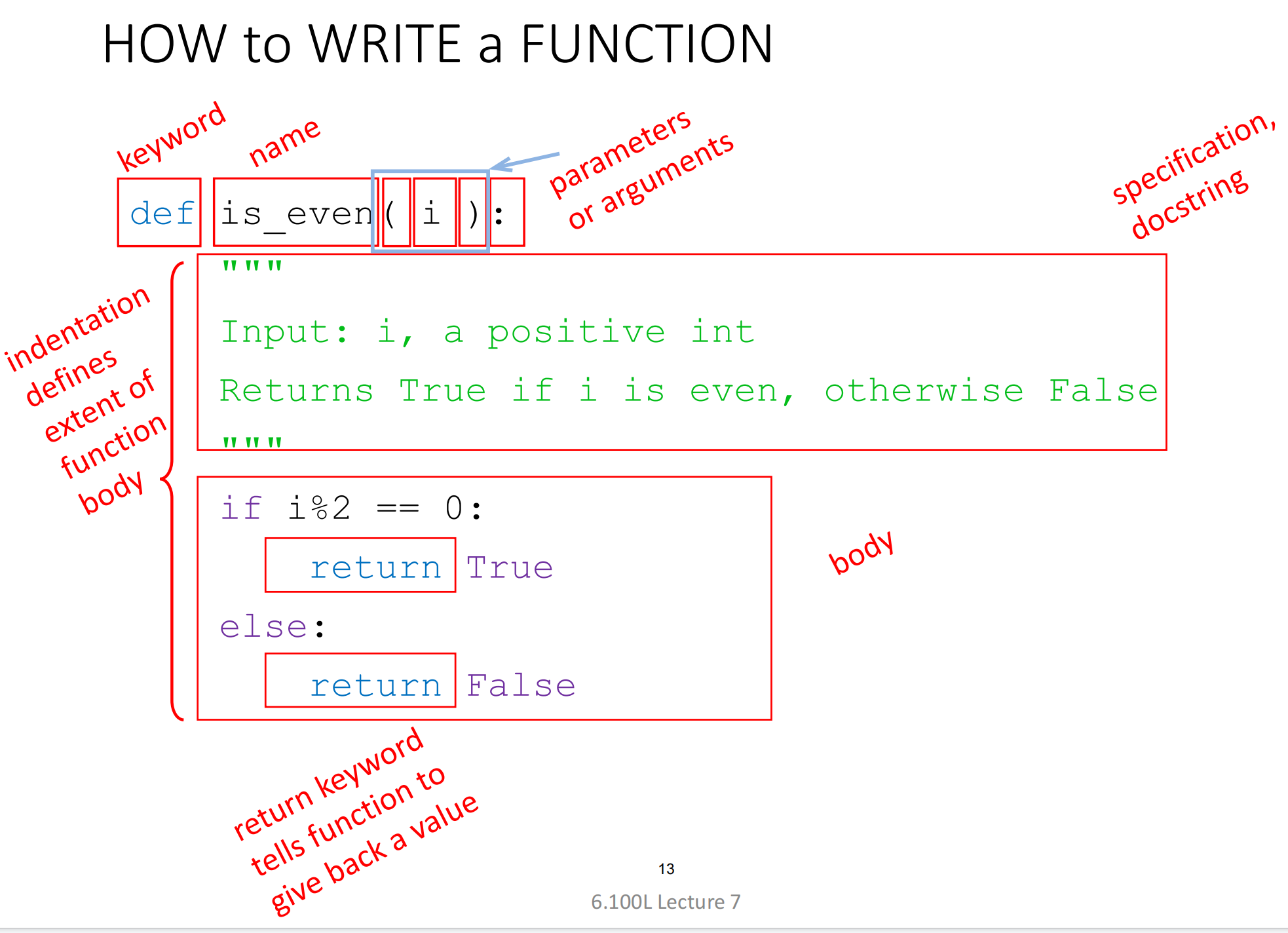
The following points are noted:
- standard:
defand()parentheses, and:colon defWhat happened next?func_nameandargIt's your choice.- It can be parameters (symmetrical) or args (real). We have also talked about this kind of difference in tcl.
- If there are no parameters, you can write anything
argwithout having to write - If
argis more than one, it can be separated by commas, e.g.arg1,arg2, ... - The content of the function must be identical to the previous branch, and must have an identation
- Here you can choose whether it is appropriate to print some content to the console (using
print()) or return a value to the user. - These codes are not invoked (called) but are used to declare the existence of a function object called
is_even
The first thing to do is write a function:
- What is the problem?
Give me an int
iThe function name and specs are written accordingly. - How to solve the problem? Check whether the remainder of the subtraction by 2 is 0, and Think about what value you need to return 。
- Can you make the code cleaner?
For example,
i%2 == 0I've been trying to get Boolean.
The following is a list of the most common types of cancer.
def is_even(i):
"""
Input: i, a positive int
Returns True if i is even, otherwise False
"""
return i%2 == 0
Big Idea
At this point, all we’ve done is make a function object.
7.4.4 How to call (invoke) a function
# Name_of_the_function(value_for_parameters_of_the_function)
is_even(3)
is_even(8)
# 值会立马返回给调用它的地方
The two rows respectively invocate is_even;However, in ordinary scripts, the results are not automatically displayed but are implicitly obtained without a print assignment or other operation that uses return values..
Note: whatever the return value is, that value will immediately return to where it was called; this means that the value is not returned. that return value will completely replace that function call。 Because it is a function object, it is similar to the expression of a calculator, and when evaluating results, the entire expression is conjugated, such as above.
is_even(3)The direct correspondence value isFalse。 functions are similar to expressions in python, except that they are a set of evaluated lines of code; If a function returns only one value, that value will replace the call for the entire corresponding function.
The function call that follows is_even(3) is replaced by False after evaluation.
A file can contain both definitions and calls :
# definition
def is_even(i):
return i%2 == 0
# func call
is_even(3)
7.5 What happens when you call a function?
The fields defined by the function are stored in memory before being called.
I'm going to is_even(3) For example:
- Python provides a function call in the function definition The first is the formal parameter.
iBinded actual argument3 - Expressions, body content, or computation in Python execute function bodies.
return 3%2 == 0 - When Python returns a value, it immediately exits the function.
returnReturn the resultFalseto the call point, and the entire function call expression is replaced by its return value
>>> def is_even(i):
... return i%2 == 0
...
>>> is_even(3)
False
>>> print(is_even(3))
False
The second call is print() The position of the argument, therefore First obtained False, then shown by print。
print The term is used to describe the printing of results from functions called out for monitoring.
Big Idea
A function’s code only runs when you call (aka invoke) the function.
7.5.1 You Try It:div_by
Write code that satisfies the following specs (specifications)
def div_by(n, d):
""" n and d are ints > 0
Returns True if d divides n evenly and False otherwise """
Test your code with:
n = 10andd = 3n = 195andd = 13
My work:
def div_by(n, d):
return (n/d)%2 == 0
The answer:
def div_by(n, d):
""" n and d are ints > 0
Returns True if d divides n evenly and False otherwise """
return n%d == 0
print(div_by(10, 3)) # False
print(div_by(195, 13)) # True
And I'm actually wrong about my understanding of business, and I understand that returns can be evenly divided by returns. True But the real issue is evenly This is an average, not even number, so you can take a direct sample as long as you can get rid of the coil.
But if you enter it, it's as follows:
def div_by(n, d):
if n%d == 0:
print(True)
else:
print(False)
>>> div_by(9, 3)
True
>>> x = div_by(9,3)
True
>>> print(x)
None
The printed version is either True or False, but the background record can be found with a return of a None..
In fact,print ≠ return. If a function is executed at the end and does not meet return xxx, then Python automatically executes return None. Thus, in the example above div_by(9,3) the object of this function is mapped to None as the whole function object is mapped out because it has no set return returns, and so the beginning can be obtained True, purely by evaluating the right side of the equation, and printing out the function sequence when the function call is made.
The function call is replaced with the return value! If the function does not have a
returnstatement, python automatically returns this specialNone
7.6 Program scope and function calls
So let's zoom out and talk about how functions are stored in memory.
7.6.1 Zooming out
What happens when you create variables?
When there is no function, the name appears directly in The program scope , where it can be placed as memory (abstractly in the program scope) abc and tied to 347:
a = 3
b = 4
c = a+b
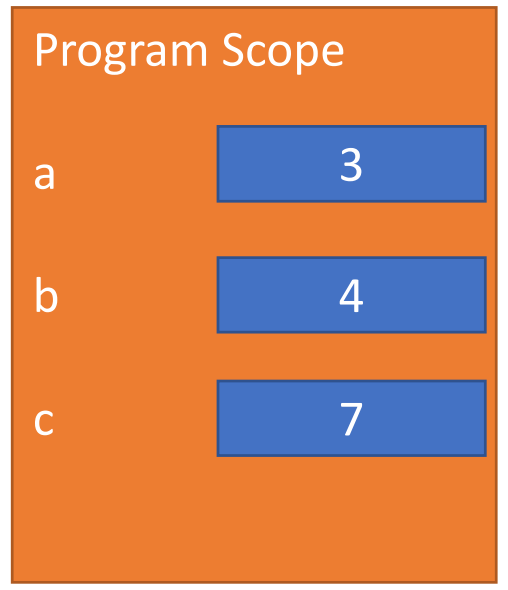
After adding the black box, see def beginning, and until the unsatisfactory code block is enlarged, all code belongs to the function: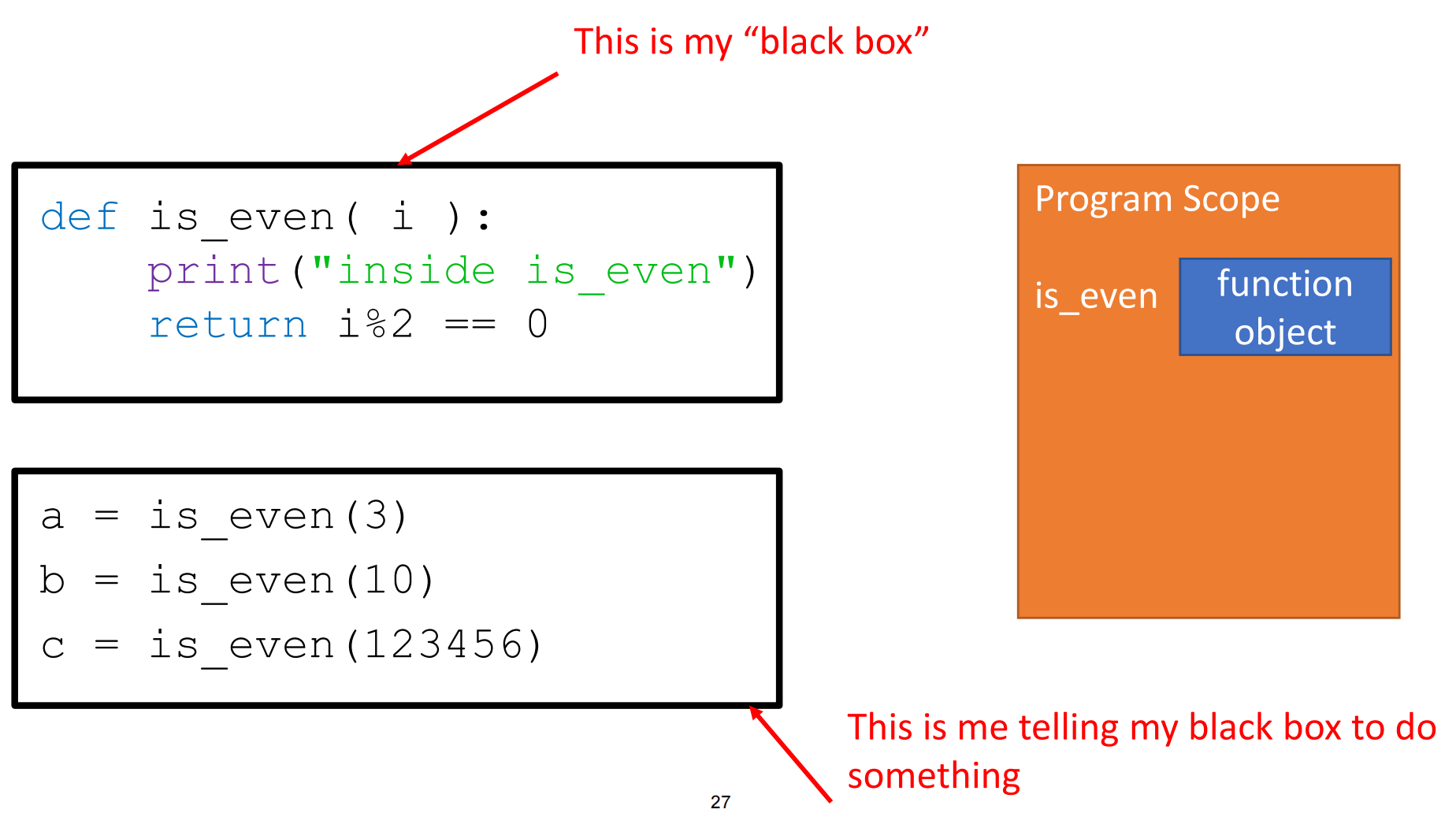
def is_even(i):
print("inside is_even")
return i%2 == 0
a = is_even(3)
b = is_even(10)
c = is_even(123456)
The corresponding is: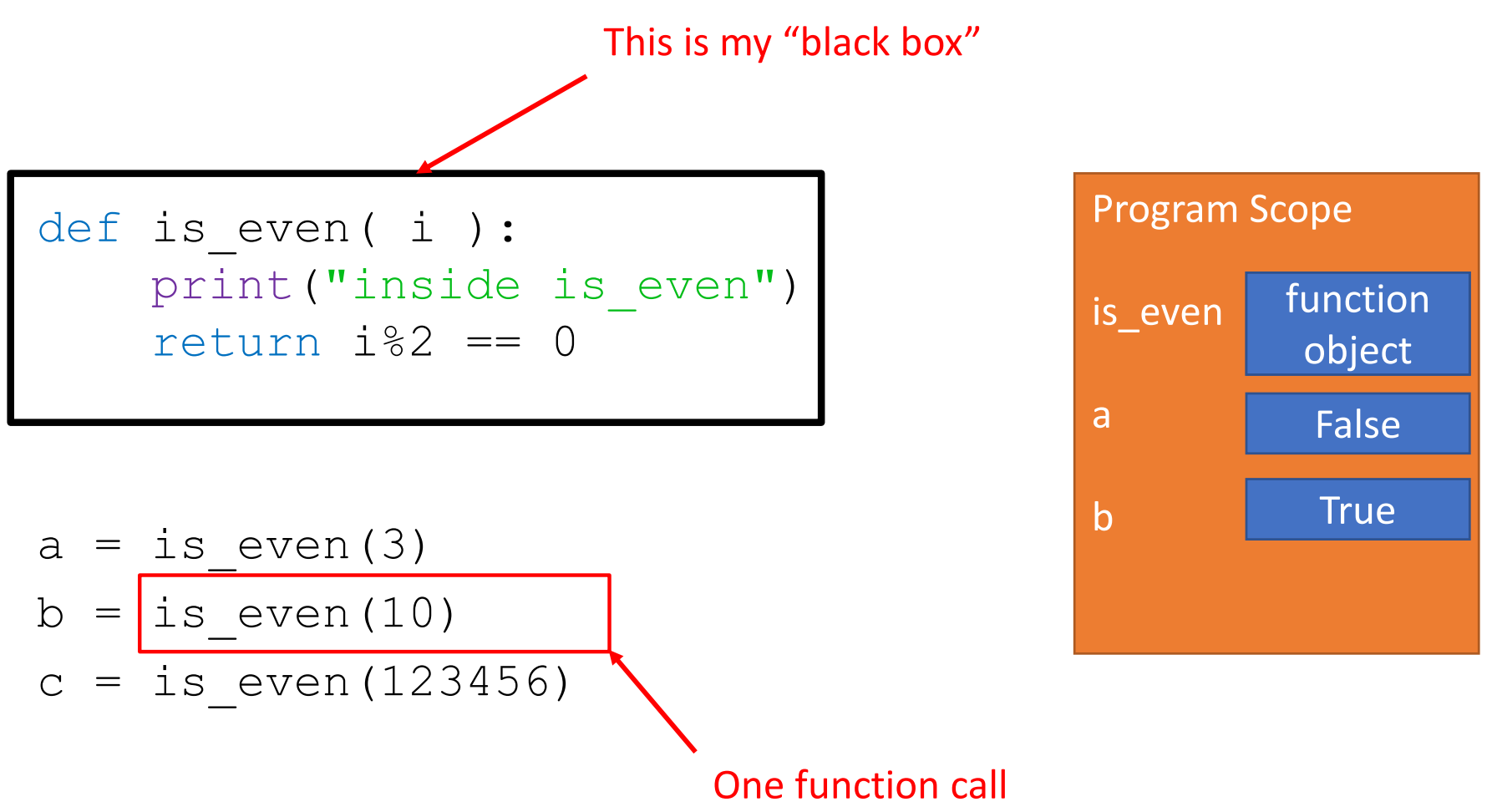
is_even This Function name is bound to a function object in the program scope( is the code of the body itself) ⋅ so when there are is_even(arg) by When a function is called , three calls respectively Back to the drawing board FalseTrueTrue and so on.The global names a ,b ,c are tied to these return values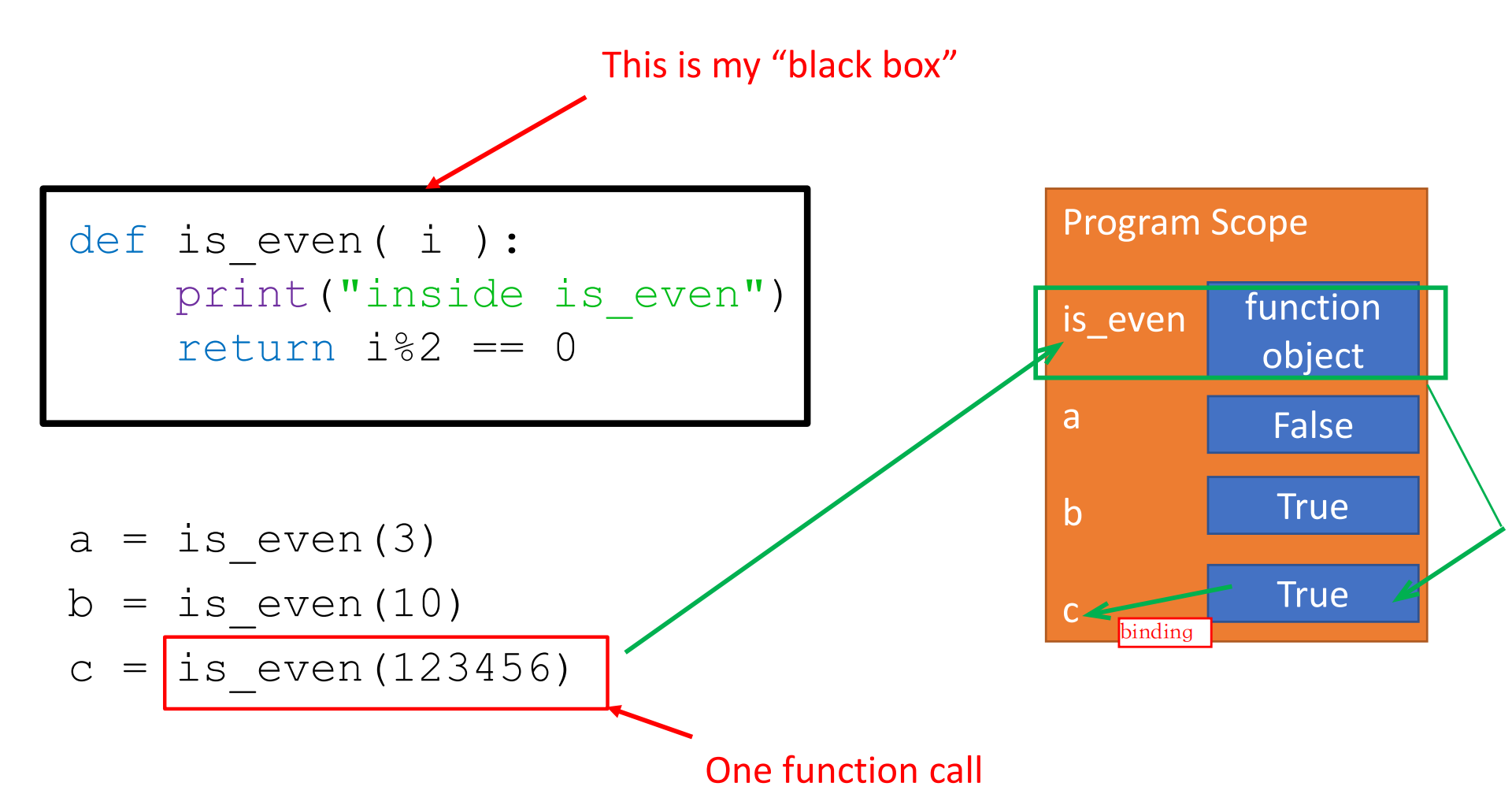
- Each call creates its own local scope, formal parameter
ivalid only in the local scope of the ONLY call. The function is not valid in the outside region after the input is removed from the scope created when calling the function; - The call frame is the call frame after the call is completed. and its Local binding Usually End of life cycle 。
7.6.2 Inserting functions in code
Remember how expressions are replaced with the value? The function call is replaced with the return value!
def is_even(i):
return i%2 == 0
print("Numbers between 1 and 10: even or odd")
# 这里实际上得 range(1,11),因为 range() 是左闭右开的
for i in range(1,11):
if is_even(i):
print(i, "even")
else:
print(i, "odd")
if is_even(i): The function call expression is used to create a function call. True or False The first is to decide which branch to execute.
So we've made a call to the function in the loop and the branch (which is essentially calling the expression).
7.7 Another example:sum_odd(a, b)
The goal is to add all the odd integers between (and including) a and b.
- What is the input? Values for
aandb. - What is the output? The
sum_of_odds.
My work:
# 由于最后还要进行加和,且如果 a、b 有一方或者均为 odd,则要计入总和
# a、b 的相对大小需要判断一下吗?
# 我的思路是直接把 a 和 b 范围内的所有数字(包含 a 和 b)先遍历,一旦遍历的值满足奇数的定义,则记入计数器 sum_of_odds
def sum_odd(a, b):
sum_of_odds = 0
for i in range(a,b+1):
while not i%2 == 0:
sum_of_odds += i
return sum_of_odds
print(sum_of_odds)
Why is the code in infinite cycles? Once i the cycle actually reaches an odd number, it will only increase infinitely when entering while branches, sum_of_odds += i because there are no conditions to continue updating it during that round.while
Thus, it can be either jumped out of the for loop and transformed into a while loop or converted into a for combined with if branch:
def sum_odd(a, b):
sum_of_odds = 0
for i in range(a,b+1):
if not i%2 == 0:
sum_of_odds += i
return sum_of_odds
print(sum_of_odds)
In addition, if there is no declaration at the beginning sum_of_odds, and no universal variable, an error is reportedUnboundLocalError: cannot access local variable 'sum_of_odds' where it is not associated with a value because root presses cannot be found in memory.
But I think there's a condition that's hidden here: the default user input is a < b, and unless we emphasize it in the docstring, I think the logic of this piece needs to be changed.
Solution: Don’t write code right away!
To solve a similar but simpler problem: not to judge odd for a while, add all integers from a to b (including endpoints).
I'm going to check it out. a to b Each number of loops is required and can be selected for or while:
def sum_odd(a, b):
for i in range(a, b):
# do something
return sum_of_odds
def sum_odd(a, b):
i = a
while i <= b:
# do something
i += 1
return sum_of_odds
- Do the summing and initialize, you first have to start the accumulator at 0, then add odd judgments in the correct loop:
def sum_odd(a, b):
sum_of_odds = 0
for i in range(a, b+1):
if i%2 == 1:
sum_of_odds += i
print(i, sum_of_odds)
return sum_of_odds
print(sum_odd(2,4))
def sum_odd(a, b):
sum_of_odds = 0
i = a
while i <= b:
if i%2 == 1:
sum_of_odds += i
print(i, sum_of_odds)
i += 1
return sum_of_odds
print(sum_odd(2,4))
Big Idea
Solve a simpler problem first. Add functionality to the code later.
Python Tutor is also a great debugging tool。
Big Idea
Test code often. Use prints to debug.
7.7.6 You Try It:palindrome
Write code that satisfies the following specs
def is_palindrome(s):
""" s is a string
Returns True if s is a palindrome (回文,正反读都一样) and False otherwise
"""
For example:
- If
s = "222"returnsTrue - If
s = "2222"returnsTrue - If
s = "abc"returnsFalse
Using the slicing that we've learned from the previous one, the answer is to test the positive and negative directions, and the best way to do this is to use negative steps):
def is_palindrome(s):
""" s is a string
Returns True if s is a palindrome and False otherwise
"""
return s == s[::-1]
print(is_palindrome("222")) # True
print(is_palindrome("2222")) # True
print(is_palindrome("abc")) # False
7.8 Lecture summary
- Functions allow us to suppress detail from a user.
- Functions capture computation within a black box.
- A programmer writes functions with:
- 0 or more inputs
- Something to return
- A function only runs when it is called.
- The entire function call is replaced with the return value.
- Think expressions! And how you replace an entire expression with the value it evaluates to.
7.9 Supplement: Professional concepts of Python functions
This section is a post-lecture supplement to the professional, combining Python standard terminology with related concepts such as first-class functions, callbacks and parameter handling in Fluent Python
7.9.1 Functions are objects and name binding
In Python, execution def creates a function object and binds the name of the function to that object.。
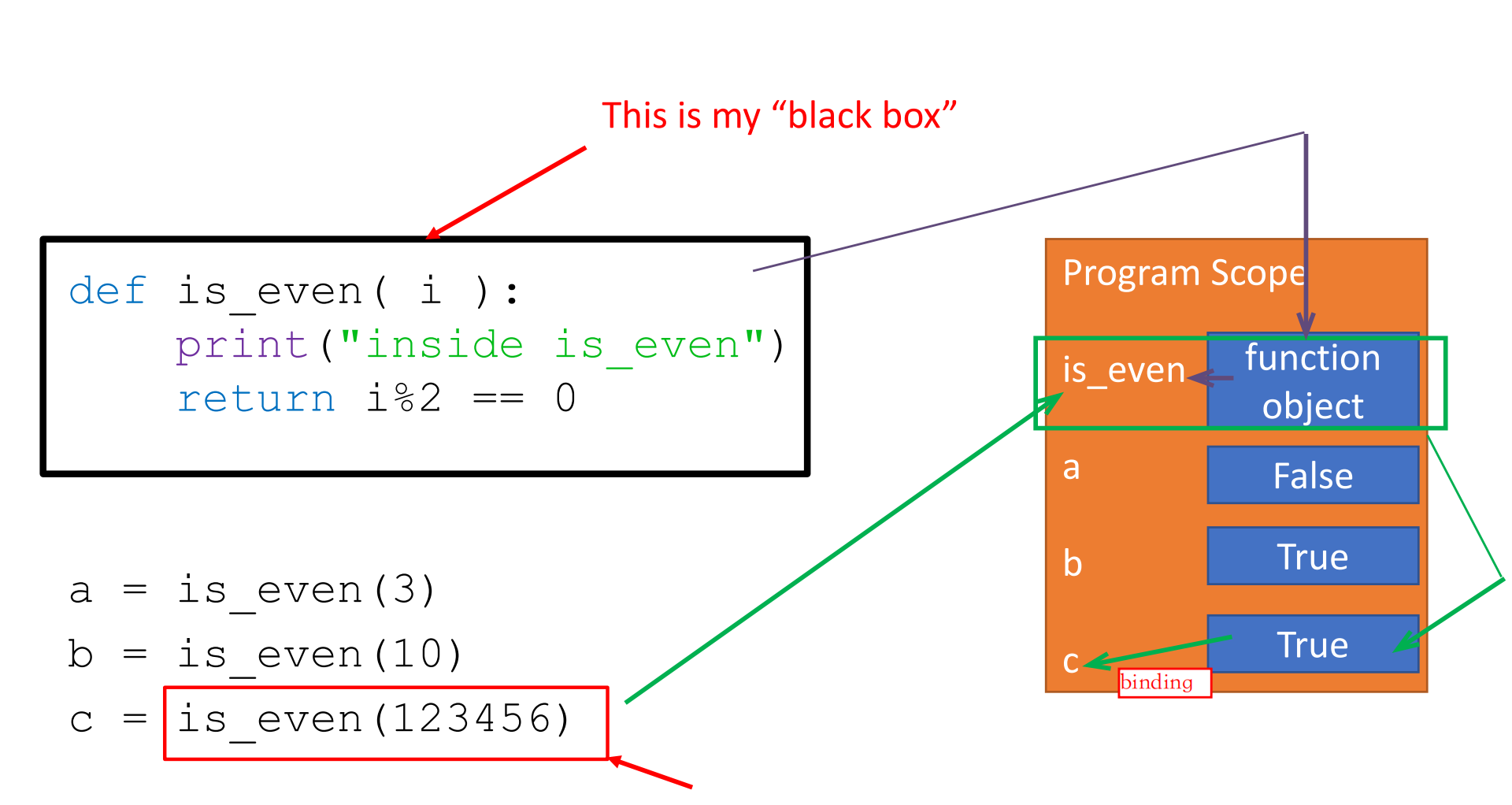 The function is First-class objects : can be given another name as an argument input function, or can be returned as a return value.
def square(x):
"""Return the square of x."""
return x*x
operation = square
print(operation(5)) # 25
- Can you use it?
()The object of the call is callable object;
Normal functions are callable, but callable does not only include functions 。 This is just a concept preview, and you will see more callable in subsequent classes.
7.9.2 Parameters, arguments and location matching or keyword calling
- The first is the parameter. The name of the function is:
def power(base, exponent)inbase、exponent。 (Author's abstract parameters known to him when he designed) - The first is the argument. : Objects provided when called The following
power(2, 3)in2、3。 The user interface is the object that is provided by the user.
In addition, it is also necessary to emphasize:
- positional argument: Match by location For example,
power(2, 3)。 - keyword argument: Matching by parameter name For example,
power(base=2, exponent=3)。
def power(base, exponent):
"""Return base raised to exponent."""
return base**exponent
print(power(2, 3)) # positional arguments
print(power(exponent=3, base=2)) # keyword arguments
Keyword arguments can increase readability and allow for changes in the input order, but names must match the signature of the function. For example, when we're away from the previous one, the default user input is satisfied. a<b Once the mechanism of keyword arguments is introduced, there is no need to worry about this order.
7.9.3 Docstrings and type hints
Docstring usually starts with a brief description, which describes the necessary parameters, return values, abnormalities or side effects. Type hints can be used as additional documentation:
def molecular_mass(atom_masses: list[float]) -> float:
"""Return the total mass of all atoms."""
return sum(atom_masses)
Type hints do not require type by default when running; they are mainly used for readers, editors and static checking tools.
7.9.4 return、print()、None and side effects
return Give the caller a value and Finish this function call immediately ;print() Writing text on a screen is an observable side effect. 。
- A function that is printed and not returned is not suitable for subsequent calculation and testing.
def show_energy(energy):
print(energy) # side effect;没有显式 return
result = show_energy(-40.5)
print(result) # None
- When a function is executed to the end without explication
return, it automatically returnsNone. - Pure function (pure function) Mainly Returns value determined by input and Avoid changing the external state
- In scientific computing Pure computation is often easier to test and reproduce
- Writing files, random numbers, screen output or modifying input can all have side effects. The first is the "Specification".
7.9.5 Avoid mutable default parameters
The default argument is mutable. It's a very classic and easy place to step into Python.
Please note this: The default parameters are function objects, not function calls.
The following is a standard and common practice.
The default parameter object is created once at the time of execution of def, rather than being recreated every time it is called。
Because of the above features, the default object of the function is not recreated every time you call! ), Directly use a mutable object such as list as the default, which may allow different configurations to be shared. :
# 使用 None 作为哨兵值
def record(value, values=None):
"""Append value to a fresh list unless values is supplied."""
if values is None:
values = []
values.append(value)
return values
Using None as a sentinel (sentencer) and creating new lists within the function body rather than outside the function, while the list itself is variable, and if called by multiple functions to share, it can cause unexpected results for the function), so setting sentinel values is a common security writing method.
Let's take a wrong example, let's say we write:
def record(value, values=[]):
values.append(value)
return values
It seems reasonable:
If no values are passed, an empty list is created. But it's not really like that.
The first call:
record(1)
You might think:
创建一个新的 []
append(1)
返回:
[1]
In fact, Python does:
函数定义的时候:
values ---> []
这个 list 已经创建好了。然后调用:
record(1)
于是:
values ---> 原来的那个 list
append(1)
所以返回:
[1]
The second call, now:
record(2)
Many beginners think:
重新创建 []
append(2)
返回:
[2]
But in reality, Python finds:
values ---> 之前那个 list
现在里面已经有:
[1]
于是:
append(2)
变成:
[1,2]
The third time is equal to, and gets [1,2,3] so:
print(record(1))
print(record(2))
print(record(3))
# 返回
[1]
[1,2]
[1,2,3]
Why would this happen? This is because, Python's default parameters are calculated when a function is defined, not when called.
For example:
def record(value, values=[]):
Python explains this function as follows:
default_list = []
def record(value, values=default_list):
So, this list is just one. The following is verified:
def test(x=[]):
print(id(x))
test()
test()
test()
The three identities are the same. The first is that they are all the same object.
So why
Nonecan it be solved?
The correct spelling:
def record(value, values=None):
if values is None:
values = []
values.append(value)
return values
The key is to set the default value as values=NoneBecause None is an immutable singleton.
In Python, the code is None It's a special object, it won't happen. append() The situation has changed. So for the first time, record(1) The entrance values=None (Not the original) [] The list! (A) and if values is None: It's been established. So, what? values=[] I'm just creating a list.
Therefore, the time to create here is not when defined
defbut when a function is called.
In general, this is the first time:
record(1)
values=None
↓
创建 []
↓
append(1)
↓
[1]
The second:
record(2)
values=None
↓
重新创建 []
↓
append(2)
↓
[2]
So:record(1) and record(2) They will not affect each other. ..
Many beginners will think:
def record(value, values=list()):
Or:
def record(value, values=[]):
They think:
I just want to give you a default blank list.
Python only sees that this is a list object, and that object is just mutable.
Why is None called sentinel?
- Sentinel means: a special label used to indicate that the sentinel does not provide a valid value for the sentinel.
For example:
def load_data(path=None):
This is it. None It's not data, it means that users don't provide paths, and balabala... can also be used when users don't specify a target or path. None。
It is worth mentioning that the government has not yet taken any action.
if values == None:of==The meaning is value equality (whether the value is equal)if values is None:This is a more Python-style writing style.isThe meaning of the word is more like identity (or not the same object).- We know,
Noneyes,singletonitsvalues is Noneis expressed as the fact that there is only one None object in the entire Python program. Sovalues is Nonewould be more accurate.
The following is a situation that we often encounter: if User actively uploads list ... for example:
my_list = [10,20]
# 随后调用函数
record(30,my_list)
So, for the function below,
def record(value, values=None):
The mapping object of this value is [10,20], so: if values is None: will not be executed. Then:values.append(value) is returned to [10,20,30], which is exactly what we want.
- A place that is easily confused: Why is it okay to create lists within a function?
The key question is whether ** this list is shared by multiple functions. ** Whether the function exists only within its own domain.
For example, the following example is safe:
def f():
x=[]
x.append(1)
return x
Each time a new f() is created [] it is safe. And the following example is not recommended, even dangerous.
def f(x=[]):
The same thing happens when all calls are shared.[]
In the case of machine learning, this error is:
def collect(batch=[]):
batch.append(data)
I was going to collect a new batch every epoch, but actually:
epoch 1:
batch=[data1]
epoch 2:
batch=[data1,data2]
epoch 3:
batch=[data1,data2,data3]
This would lead to a very strange problem that could arise in the final model training.
7.9.6 Scope, namespace, LEGB and call frame
Namespace It's a map of names to objects. When calling a function, Python creates a call frame that saves information such as the local namespace and current execution location of the call. 。 The same function returns or Multiple calls When I was a kid, Each time, there is a frame. 。
Python is available for searching for common names LEGB as input memory:
Local: Local scope of current functions 。Enclosing: External function scope 。Global: The current module's global scope 。Built-in:len、printSo, what's the point of this? Name of the built-in 。
The design should consider:
- Unnecessary
globalwill make the function dependent on or modify the hidden external state, making it more difficult to test, reuse and execute in parallel (Because it affects the whole world) - Prioritize receiving objects through parameters and passed
returnI'm not going to say.
7.9.7 Cohesion and single responsibility
A function is best served by a clear, cohesive task. If you put data loading, computation, file output and plotting all together into one function, you can create a hidden link. Small and clear contract functions are easier to replicate, combine, test and replace ; but without having to mechanically disassemble each line into a function, the boundary should be around meaningful tasks.
7.10 ML and function design in computational chemistry
7.10.1 Responsibilities of separating pipelines
Typical ML/scientific workflow can be broken down into:
load_data(path): Read the raw data.preprocess(data, config): Cleaning, standardizing or constructing inputs.extract_features(structures): Characteristics generated from molecular structure.train(model, train_data, config): Training and returning models or training records.predict(model, inputs): Return to prediction.loss(predictions, targets)The return of scalar loss.evaluate(model, test_data): Return structured metrics.plot_results(results, output_path): Only responsible for visualization and output.
This is a great way to computation and file I/O、visualization The first is to avoid a giant procedural block.
7.10.2 Scientific software wrappers
When using RDKit, MDAnalysis,ASE, OpenMM or GROMACS-related workflows, A single explicit operation can be packaged as a function with a specification, such as reading structure, selecting atoms, constructing simulation, submitting external computations or analyzing results. parameters can be arrays, molecular structure objects, file paths or configuration objects.
The function should be clearly stated:
- The unit, shape, and coordinates of the input objects. The agreement and the necessary conditions
- whether to modify the input mutable object 。
- Whether to read and write files, call external programs or use random numbers 。
- Type, unit and structure of return value.
7.10.3 Return structured results
Do not just print calculate the results; Return structured objects that can continue to be processed are more practical .
The primary stage can be returned tuple or dict:
def summarize_energies(energies):
"""Return basic statistics without printing or writing files."""
# 下面这个例子返回了个字典
return {
"minimum": min(energies),
"maximum": max(energies),
"count": len(energies),
}
The caller can decide whether to save the results, draw them or use them for a downstream model.
- Reducing hidden side effects, explicit input configuration and random seeds will improve reproducibility ;
- Clear inputs/outputs It is also used for unit testing, batch processing and parallel execution.
Lecture 8: Functions as Objects
8.1 A function always returns something
The previous definition is_even() clearly returns a Boolean:
def is_even(i):
"""
Input: i, a positive int
Returns True if i is even and False otherwise
"""
return i%2 == 0
Functions in Python It's always a return to an object. (It can be boolean, integer, floats, strings...) If it is executed return expression,Python Calculate the expression first, return the object to the caller and immediately complete the function call. 。
8.1.1 What if there is no return keyword?
def is_even(i):
"""
Input: i, a positive int
Does not return a useful result
"""
i%2 == 0
The above function is calculated i%2 == 0, but does not return the result to the caller. Python will add it implicitly at the end of the function return None, so it equals:
def is_even(i):
"""
Input: i, a positive int
Does not return a useful result
"""
i%2 == 0
return None
- None is a value of type NoneType (not a string, not a number, etc);
NoneisNoneTypeThe only object used to represent Lack of value or meaningful results 。 - No
returnwill not produce syntax error or static semantic error; the function remains valid. - In an interactive shell, the result of the expression is usually not shown at
Nonebut this return value still exists.
Big Idea
Every Python function returns a value. If no explicit return is executed, the return value is None.
8.1.2 You Try It:what is printed?
def add(x, y):
return x+y
def mult(x, y):
print(x*y)
add(1, 2) # return 3
print(add(2, 3)) # return 5,打印 5
mult(3, 4) # 先打印 12,再 return None
print(mult(4, 5)) # 执行函数时便打印 20,随后打印函数的对象为 None
When running the code as a file, the output order is:
5
12
20
None
The specific implementation process:
add(1, 2)Back to the drawing board3,However, the return value is not used byprint(), or any other expression, so the screen does not output。print(add(2, 3))Replace the function call with the return value.5Print it again.5。- The function is not used in the following cases:
mult(3, 4)Printed within the function12, then returned in defaultNone; thisNoneis not used. print(mult(4, 5))Call firstmultAnd so it was printed.20Then,multBack to the drawing boardNoneThe outermost layerprintReprintedNone。
8.1.3 return vs. print
The content of this section is actually briefly presented in The following article is intended to help you: .
return and print The role of the different:
returnOnly meaningful in the function body andprint()It is used in functions and outside 。- A function call can be executed at most once
return, and Once executed, the current function is immediately terminated , located in the function body behind it No more execution ; while a function can be executed many timesprint(), it can still continue to run the subsequent code after it has been executedprint(). returnhas a value associated with it.return valueSubmit the object to the function caller Thus, the function call expression has a value that can be computed, assigned or passed on.- In fact,
print()the function itself is a function. It has a value associated with it.printprint(value)The value of a statement associated with it is simply output to the console, an observable side effect. It is static.print()The function call returns itself,Nonenamely,printexpression itself returnsNonevalue.
For example:
print(print(5))
# 返回
5 # 先执行括号内的函数,print(5)
None # 由于 print 将值打印给了 console,而自身不返回任何东西给 function caller,因此第二层嵌套返回了 None
The specific contrast can be seen in the following table: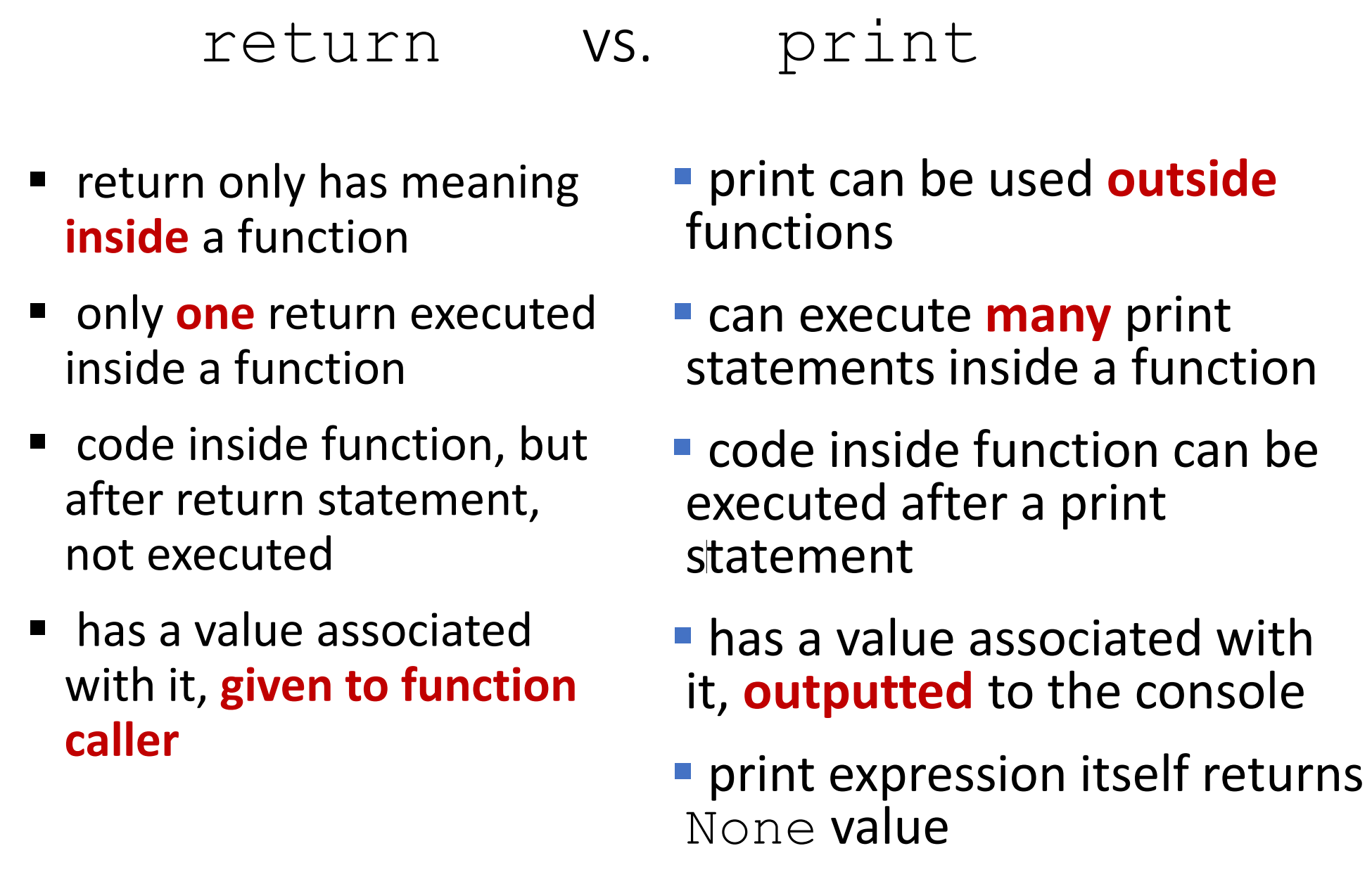
8.1.4 You Try It:fix is_triangular
- Fix the code that tries to write this function
A triangle is a number that is equal to the sum of all the previous numbers
Triangular numbers (Triangular numbers) are the sums of natural numbers starting with 1 such as 1、1+2=3、1+2+3=6, i.e., 1, 3, 6... are triangular numbers.
def is_triangular(n):
""" n is an int > 0
Returns True if n is triangular, i.e. equals a continued
summation of natural numbers (1+2+3+...+k), False otherwise """
total = 0
for i in range(n):
total += i
if total == n:
print(True)
print(False)
# 执行时可以发现如下情况
>>> is_triangular(3)
True
False # 得处理好函数的返回值问题
>>> is_triangular(4)
False
>>> is_triangular(1)
False # 这个例子的错误说明了前面 range(n) 的逻辑有问题
The original code problem is that the function ends only when it hits print(True) and not immediately after the end of the loop print(False):
The Boolean should be the return value:
def is_triangular(n):
""" n is an int > 0
Returns True if n is triangular, otherwise False
"""
total = 0
for i in range(1, n+1):
total += i
if total == n:
return True # 成立就跳出函数
return False
When total == n I'm back right now. True If not, return after a full inspection False。 From here 1 The first is the process of getting started and working properly. n = 1。
8.2 Functions support modularity
Function Package a computation as a reusable module with specification. The caller only needs to know the parameters and return values, not need to copy implementation, and not need to put all the details in the same program scope.
8.2.1 Bisection square root as a function
The first step is to use the bisection square root method as a function:
def bisection_root(x):
epsilon = 0.01
low = 0
high = x
ans = (high+low)/2.0
while abs(ans**2-x) >= epsilon:
if ans**2 < x:
low = ans
else:
high = ans
ans = (high+low)/2.0
return ans
The code can be divided into initialization, iteration, interval update, new guess and return result. For the presentation x >= 1, the same black box can be called repeatedly:
print(bisection_root(4))
print(bisection_root(123))
The initial intervals of the lecture in the above version
[0, x], whose precondition should includex >= 1; if supported0 < x < 1, it can be sethigh = max(1, x); this boundary problem has been discussed in Lecture 6.
8.2.2 You try it: a function can call another function
Write a function that satisfies the following specs.
def count_nums_with_sqrt_close_to(n, epsilon):
""" n is an int > 2
epsilon is a positive number < 1
Returns how many integers have a square root within epsilon of n
"""
- The approximate square root of an integer can be implemented by repeating a previous subset
bisection_root(), without having to rewrite the bisection algorithm in a new function; - For example, execution
print(count_nums_with_sqrt_close_to(10, 0.1)), which returns 99/100/101/102 integers, is possible because the square root of the four integers printed and the input parameters10are in error within0.1for example:
sqrt of 99 is 9.949699401855469
sqrt of 100 is 9.999847412109375
sqrt of 101 is 10.049758911132812
sqrt of 102 is 10.099456787109375
# 有 4 个整数的平方根在误差 0.1 范围内约为 10!
Before writing code, the quickest way to build a thought is to draw sketches by hand, such as a one-dimensional coordinate axis.
solution:
# 调用之前的模块
def bisection_root(x):
epsilon = 0.01
low = 0
high = x
ans = (high+low)/2.0
while abs(ans**2-x) >= epsilon:
if ans**2 < x:
low = ans
else:
high = ans
ans = (high+low)/2.0
return ans
# 开始定义新的模块
def count_nums_with_sqrt_close_to(n, epsilon):
""" n is an int > 2
epsilon is a positive number < 1
Returns how many integers have a square root within epsilon of n
"""
count = 0
# 前面已经假定 n 大于 2,进而无需担忧 bisection_root 没有考虑 [0,1] 的事情
for i in range((n+1)**2):
# 事实上,这里还可以写的更聪明、快速一些,一旦遍历到的值满足条件后重新不满足时,便终止循环,不用再等序列跑完
if abs(bisection_root(i)-n) < epsilon:
print(f'sqrt of {i} is {bisection_root(i)}')
count += 1
return count
print(count_nums_with_sqrt_close_to(10, 0.1))
#sqrt of 99 is 9.949699401855469
#sqrt of 100 is 9.999847412109375
#sqrt of 101 is 10.049758911132812
#sqrt of 102 is 10.099456787109375
#4
The epsilon < 1 And any nonnegative integer that satisfies the conditions is less than (n+1)**2 The first is that the government has not yet made a decision. The result is 4 The corresponding integers 99、100、101、102。
This example shows decomposition:bisection_root() The function is responsible for solving the square root of a number by approximating it,count_nums_with_sqrt_close_to() and the function is responsible for solving the candidate integers and counting the solvency: each function completes a clear task.
8.3 Function scope and environments
Zooming out an function:
def sum_odd(a, b):
sum_of_odds = 0
for i in range(a, b+1):
if i%2 == 1:
sum_of_odds += i
return sum_of_odds
low = 2
high = 7
my_sum = sum_odd(low, high)
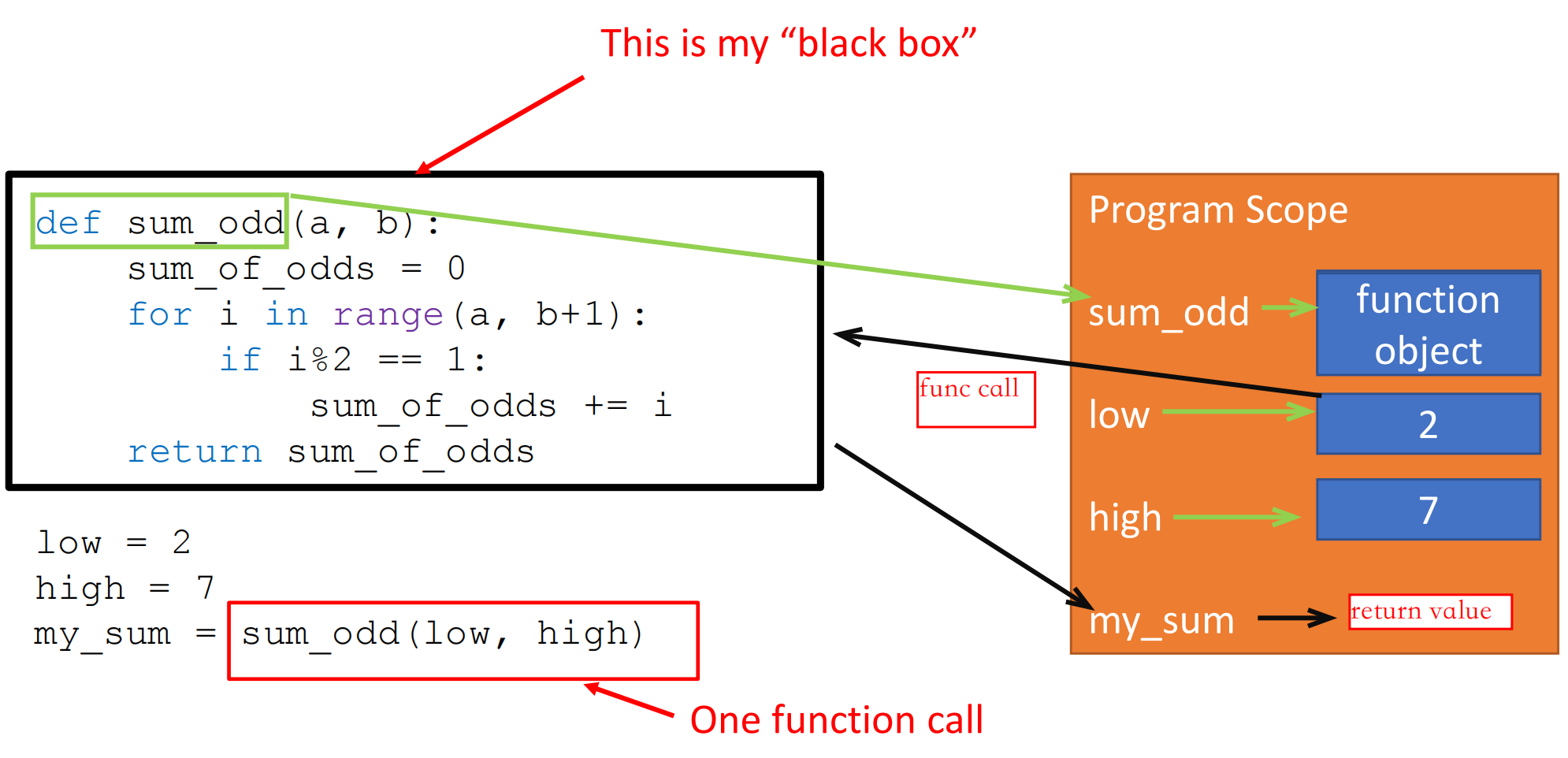
After execution def Name in global/program scope sum_odd bound to a function object;low and high are respectively bound to 2、7Calling sum_odd(low, high) creates a temporary function-call environment, where they are calculated 15, and after returning my_sum are bound to 15 in the global scope.
8.3.1 How Python executes a function call
Each call to a function, Python has created a new function-call environment for this call. also called **frame (plural) or local scope (local domain) can be considered as a temporary running mini program, which is completely separate from the environment in which the main program is located:
- To bind formal parameters to the argument objects provided when calling (The mini program runs with assigning its parameters to some inputs);
- The function body is implemented in a new environment.
- Calculate and return the value when it encounters
return; if there is no explicitreturn, returnNone; - After the normal function call is completed, the temporary frame that was called will no longer serve as the current execution environment. The first is the "Calling Environment" (The environment disappears after it returns the value), Any variables created in that function call environment will disappear. ;
- The main program receives the returned value and then continues to complete the main program's task, leaving only the content in the main program.
Global environmen is where the program starts and the top-level name of the scope. 。 Scope is essentially mapping names to objects, and determines which object the name should be mapped to in the current expression.
- Environments
- Global environment
- Where user interacts with Python interpreter
- Where the program starts out
- Invoking a function creates a new environment (frame/scope)
- Global environment
8.3.2 Variable scope:step through a call
In fact, they do not interfere with each other in general, but only interfere with each other through Passing the parameters and Return value . Thus, these two different environments (main program environment and function calling environment) In fact, the variables can have the same name and not interfere with each other. are generally so, but when we first learn tcl language, we know that global and local can be influenced by some functions, such as the use of proc in tcl language global <value> to call out all variables internally).
- Formal parameters get bound to the value of input parameters
- Scope is a mapping of names to objects
- Defines context in which body is evaluated
- Values of variables given by bindings of names
- Expressions in body of function evaluated wrt this new scope
# 进行函数的定义
def f(x):
# x 是一个 formal parameter, because there is no actual value associated with them, we're writing this function assuming that at some point we're going to get a initial value for x.
# so, x is just a abstract variable
x = x+1
print("in f(x): x =", x)
return x
# 下面实际上是在主程序的作用域中进行函数调用
y = 3
z = f(y) # y is actual parameter; initializes a variable x; make a function call f(x),当函数调用时这个实参会映射到形参上面; assigns return of function to variable z; can be any legal value
The following is a step by step:
- Execute
def, global namefbound to a function object。 y = 3,global nameyLinked to int object3。- Local frame to call
f(y), createfAnd then the local parameter isxThe object tied to the call is called3。 - In the scope of
fexecutex = x+1: first request a new int object4, then change local namexto binding4; global nameyremains bound3.. - The function is printed
in f(x): x = 4, then returned4. - The entire
f(y)expression is returned4and replaced, with the global namezbound to4..
Finally y == 3、z == 4。
The local parameter name does not have to be the same as the variable name used by the caller (even if it is the same, there will be no naming conflict), and the key is that the object being calculated when calling is bound to the corresponding parameter.
Some of the process diagrams for reference are as follows: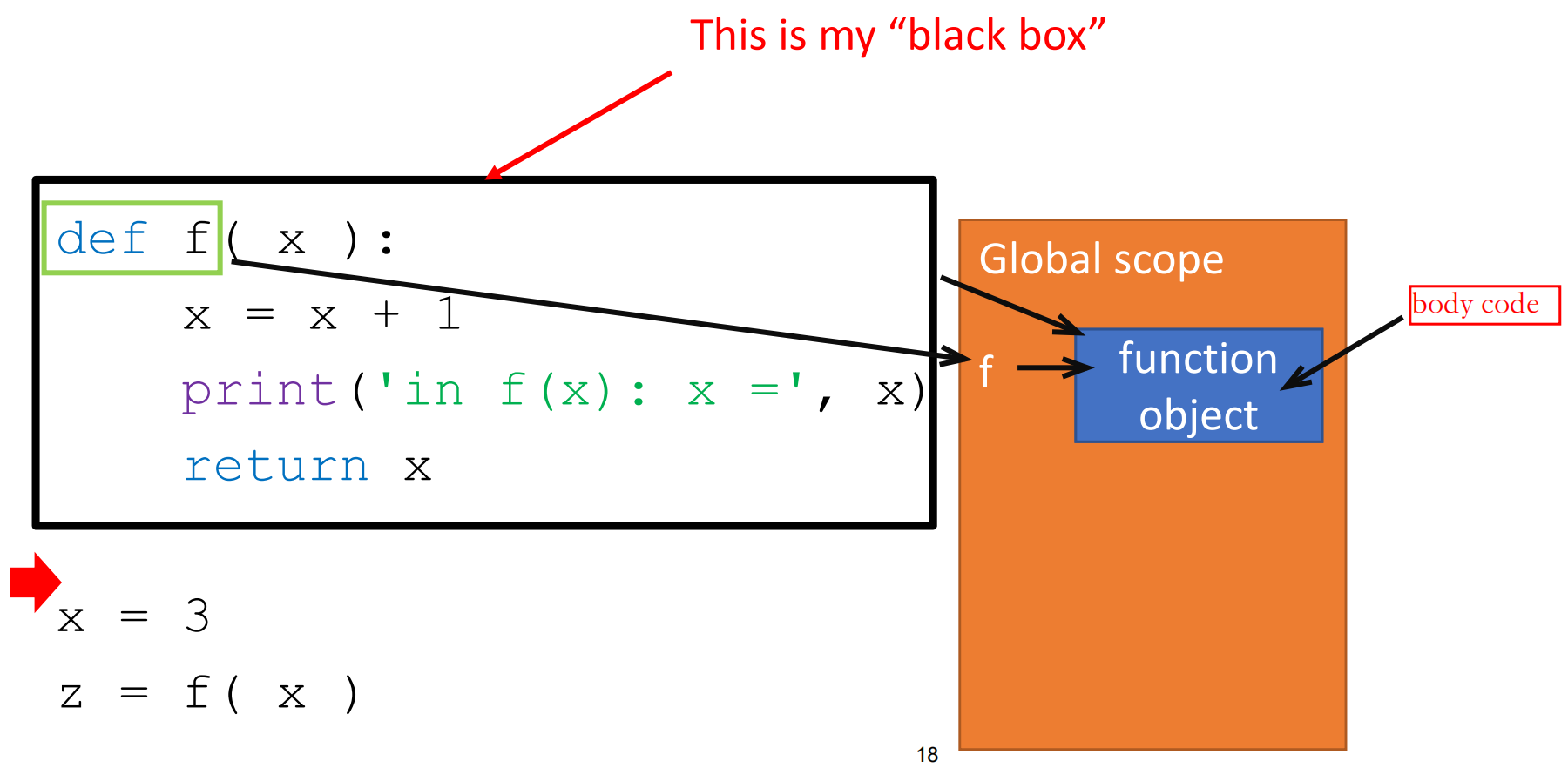
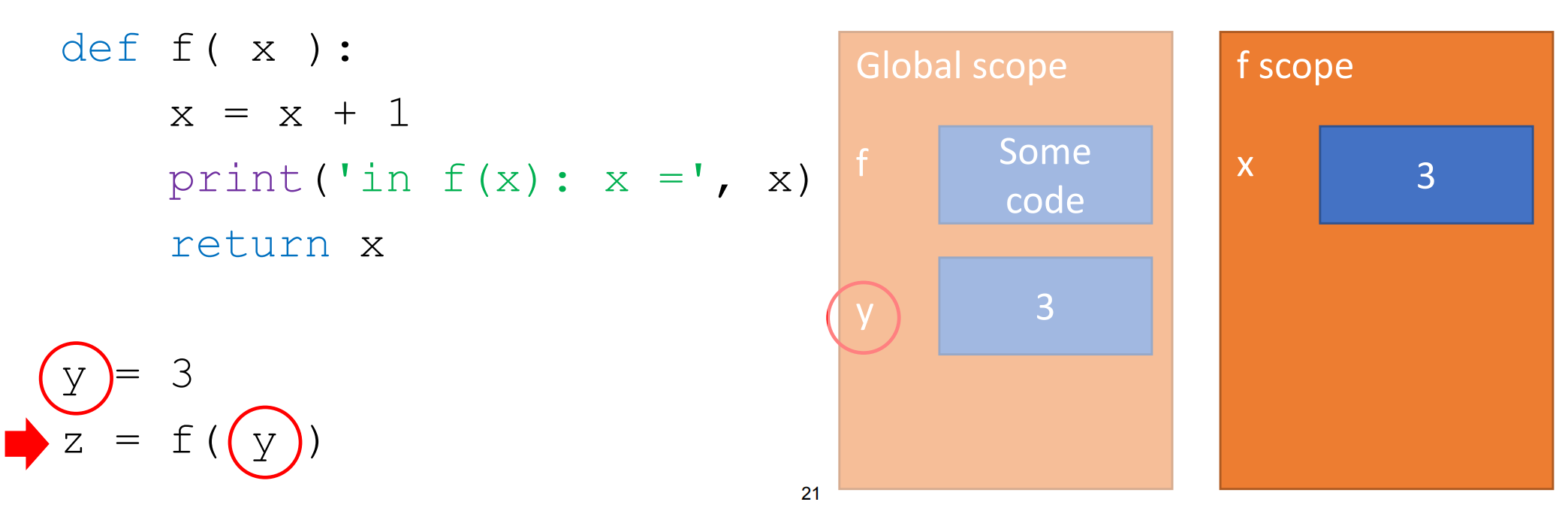
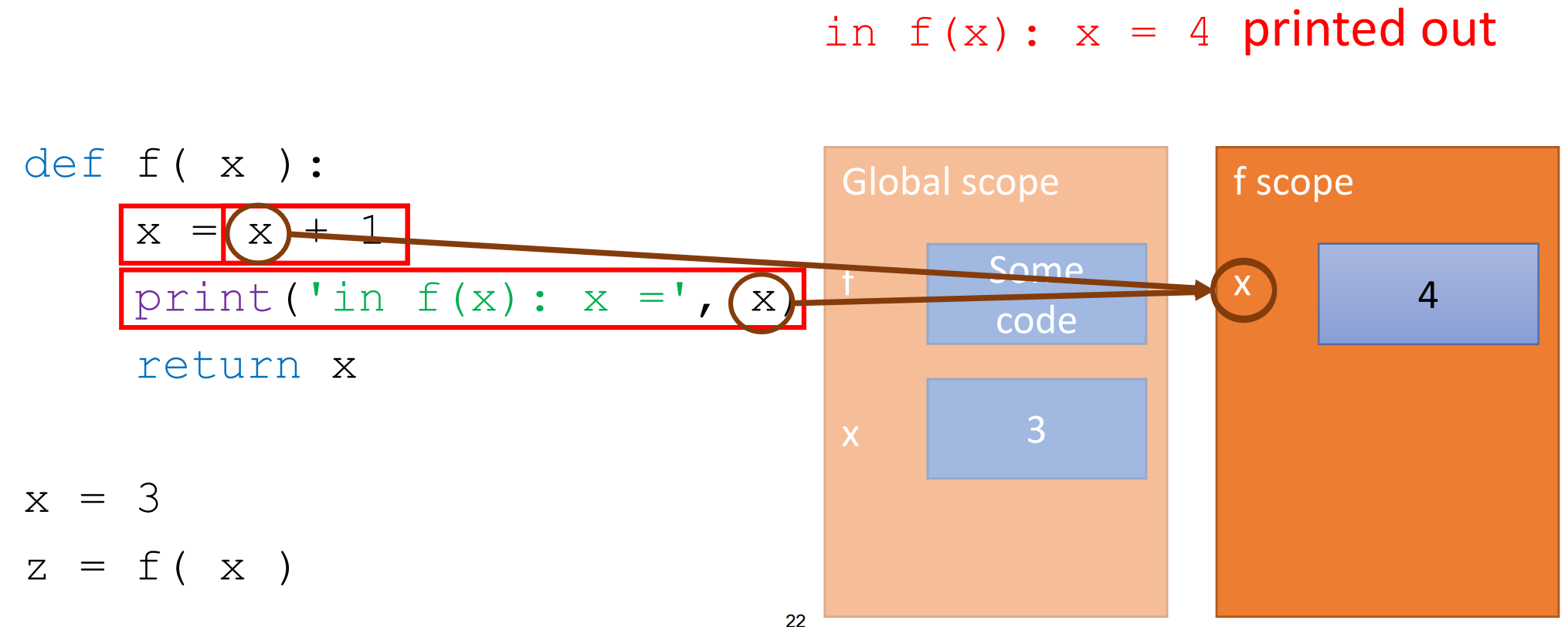
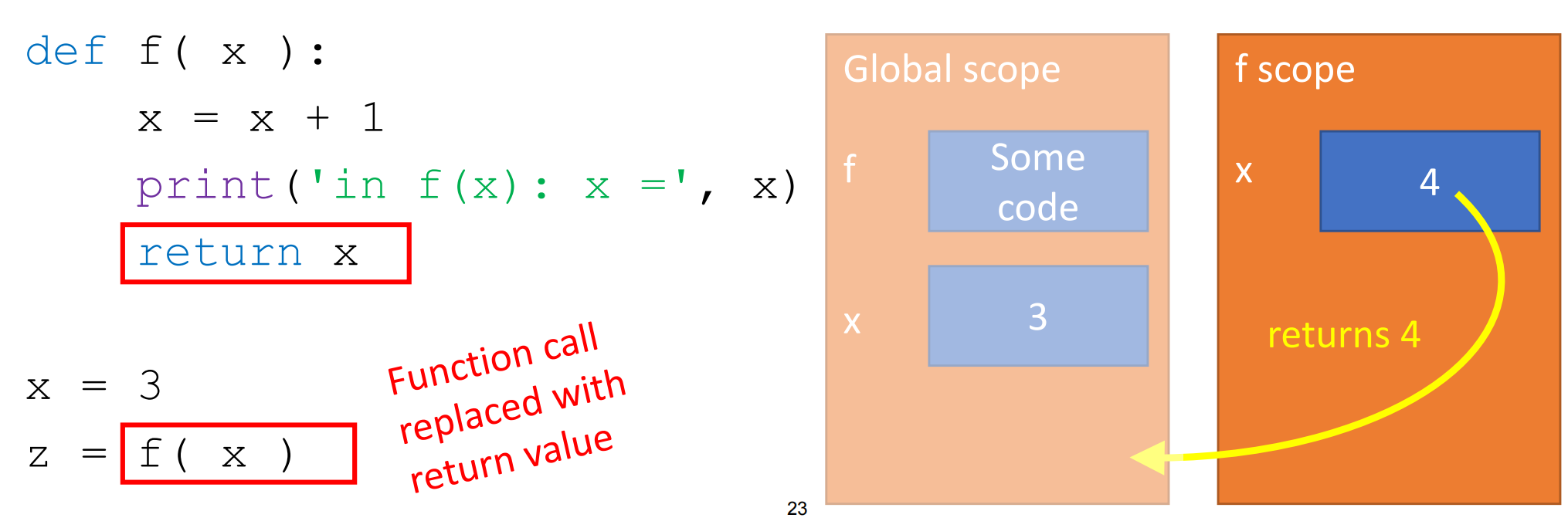
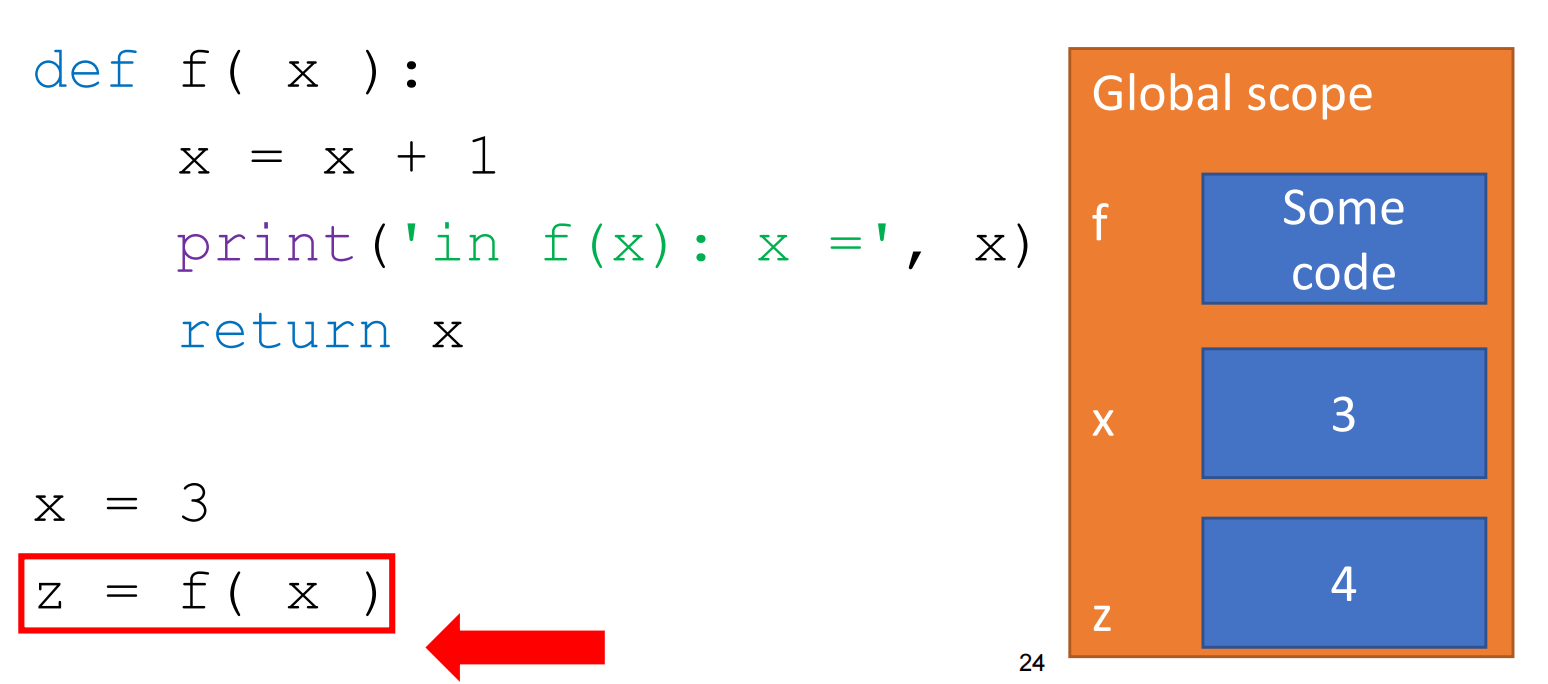 It is easy to see from the final result that if printed
x in the interpreter at this time, apparently only returns 3, the previous function scope disappears and the form parameters created at the same time disappear.
Big Idea
You need to know what expression you are executing to know the scope you are in. Knowing the scope of your expression is important! otherwise the parameters may not be correct!
8.3.3 Accessing and rebinding outer names
The following are some other scope examples, which are notable for being a feature of Python that may not work in other languages!
- Inside a function, can access a variable defined outside
- Inside a function, cannot modify a variable defined outside (actually you can do this thing by using global variables, but frowned upon(not recommended and approved of this practice))
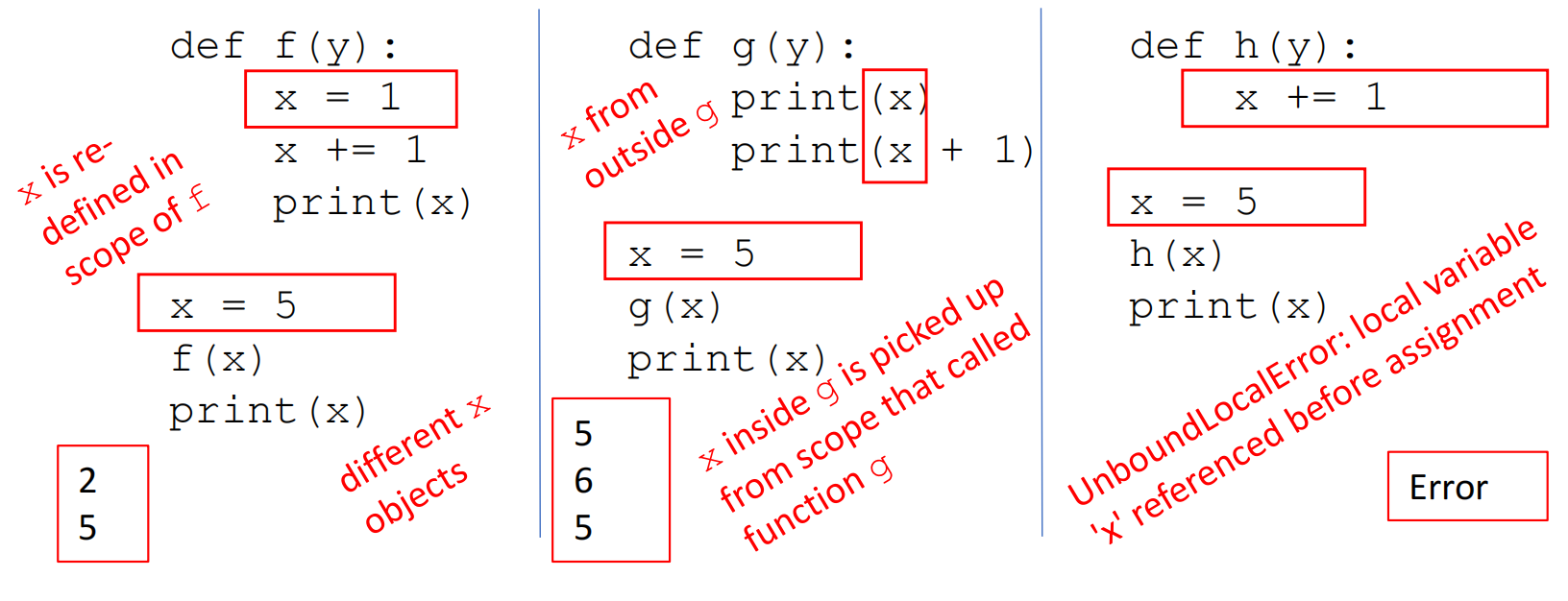
Case 1:
f (x) This function can read names that can be sorted in the outer/global scope, and if the larger environment does not have a value that can be sorted, it will continue to look outside until no environment can see. 。 but When assigning a name, Python considers it as the local name of the current function by default, without affecting the external input. 。
f The internal creation and modification of local x The report is not global. x So they're different objects.
def f(y):
x = 1
x += 1
print(x)
x = 5
f(x)
print(x)
# 输出:
2 # 这个是函数的 code 打印出来的
5 # 这个是实际当中的 global scope 中 x 绑定的值
Case 2: g Not given x So when you read it, you find global in the outer scope. x;parameter y is not actually used in this functional body.
def g(y):
print(x)
print(x+1)
x = 5
g(x) # x inside g is picked up from scope that called function g
print(x)
# 输出得到
5 # 这两个值明显是函数调用打印出来的;执行 g(x) 时,实际就是执行的 g(5),但一进入 f scope 的时候在函数内部并没有 print(x) 中所定义的 x 赋值,正常一般是 print(y),因此这里函数会尝试在 outer scope 中 access global x,从而打印出5
6 # 这两个值明显是函数调用打印出来的;
5 # 此时打印的是主程序中的 print
Implementation g(x) When the function is actually executed, g is 5 but when it enters the f scope, there is no function inside. print(x) The x value is defined in the normal print(y) So here the function tries to access global x in outer scope, and so it prints a 5. Essentially, this writing is just a function that visits a variable and prints it out.
It's easy to see that the function itself doesn't have an x-value at this point, so you can change x if you think you can access it, for example. x += 1 I'm sorry, but this is the time to make mistakes. Because of itself x The only way to do this is to access the external scope, which is borrowed from the external scope, and if the modification does not have such a limitation, it is not assigned value in the f scope itself.
The problem of solving this problem depends on the implicit implications of the function. global <variables> This is the way to get permission to modify the code, but this is not the explicit declaration that we promote that prior to creating the value. The case 3 below shows that if this is done, it will be a mistake.
Case 3:
def h(y):
x += 1
x = 5
h(x)
print(x)
This code triggers UnboundLocalError. Although h(x) successfully parsed x in the outer scope x = 5 and mapped to h(5). but x += 1 simultaneously Includes reading and assignment ,The assignment allows Python to assign x as a local name.; when reading the expression and calculating the right side, this local x has not yet bound any objects, so it is directly misspelled UnboundLocalError.
- Although It can be used to force modification of global binding,
global xbut this implicit dependence usually reduces the testability of a function。 - A clearer writing system is used to make the input. Use parameters and return values The following writing system is good for updating external variables:
def h(y):
return y+1
x = 5
x = h(x)
print(x) # 6
8.4 Functions as first-class objects
- functions as first-class objects (to use a function as a parameter for other functions)
8.4.1 Higher-order procedures
Objects in Python have types, such as int、float、str、bool、NoneType and function。 In fact, these functions that we defined earlier are The object type returned by querying type(is_even) is function such that。 Thus, a function is essentially an object.
So, what is the point? The object can be found on the right side of the assignment statement (so that there can be two or more names for the same function code at the same time) and can be entered as an argument in a procedure or as a return value in a procedure. 。
Functions are first-class objects So functions and other objects can:
- Created by
deforlambdain operation. - The data structure can be accessed by tying to a name.
- The function is then passed to another function as an argument.
- The return value of the function is as follows:
Receive a function argument or return a function object The name The first step is to create a higher-order function/procedure. 。
8.4.2 Objects in a program
def is_even(i): # 这一行创建了 is_even 的名字与函数对象 ( 那些 code body) 绑定在内存中,就像一个绑定了值的变量名一样
return i%2 == 0
r = 2
pi = 22/7
my_func = is_even # 注意,is_even 本身就是个有名字的对象,就跟 r=2,y=2 ,z=y 一样,对象可以同时被多个名字绑定或传递
a = is_even(3)
b = my_func(4)
Note the following cloud chart: 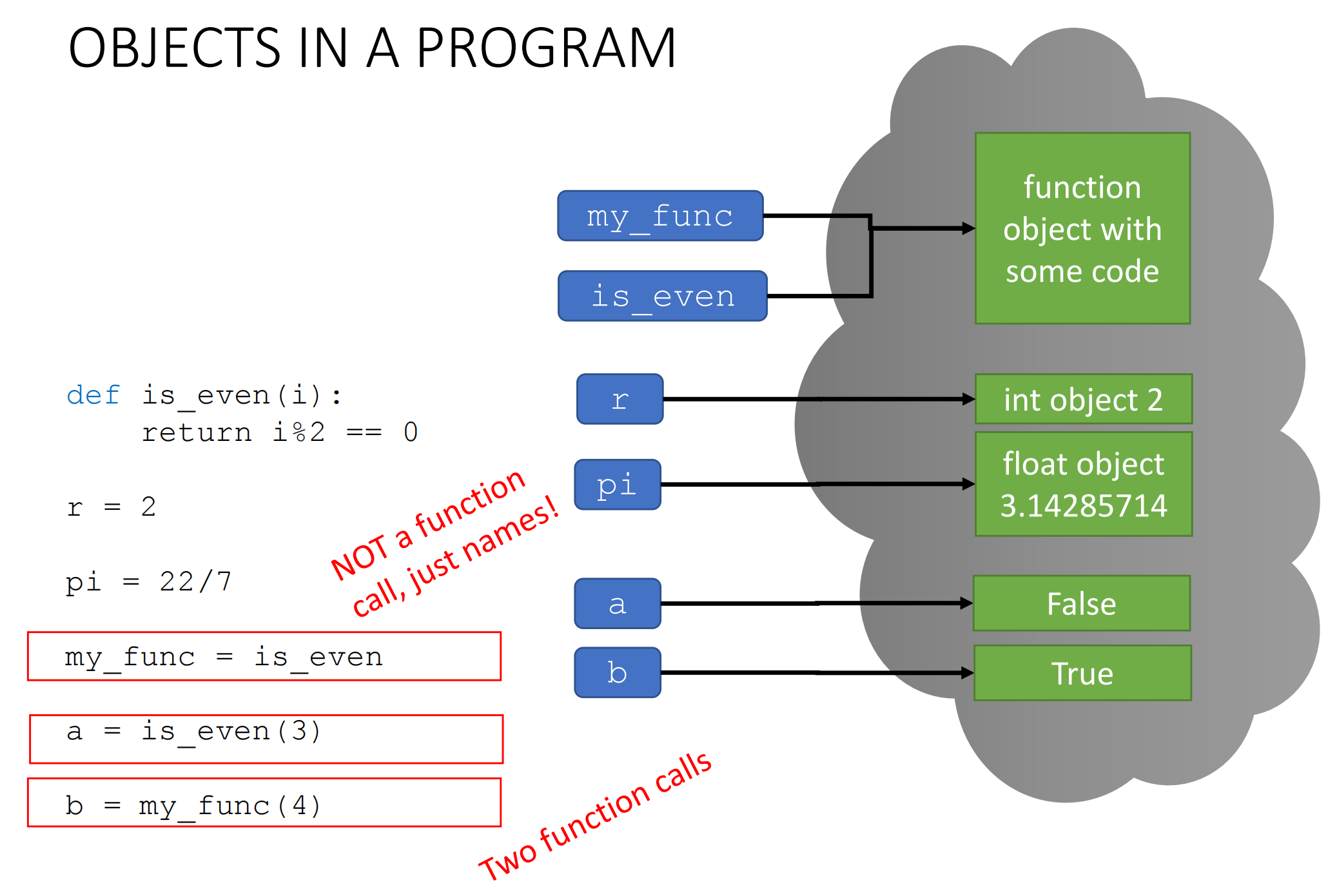
The binding relationship here is:
rLinked to int object2。piThe float object is bound to the computed float object.is_evenandmy_funcThe function is called a function object, and the function object is called a function object.my_func = is_evenThere is no call function, because there is no(), only a name!。aBinded toFalse,bBinded toTrue;my_func(4)The proof of alias is that the function object can also be called.
print(type(is_even)) # <class 'function'>
print(my_func is is_even) # True
Big Idea
Everything in Python is an object. Function names are names bound to callable function objects.
8.5 Functions as arguments
8.5.1 Function as a parameter
The following example is given:
def calc(op, x, y):
return op(x, y)
def add(a, b):
return a+b
def div(a, b):
if b != 0:
return a/b
print("Denominator was 0.")
# 这是一个测试
print(calc(add, 2, 3)) # 5
# 事实上就是嵌套多个 scope,一开始在 calc(add, 2, 3) 中,add 作为函数对象 function object,而非 add() 这样的函数调用 function call。
# 因此,先是进入 calc 绑定的函数对象,进行参数的映射,继而接收到了 add(2,3) ,进而继续执行进一层的 scope
The local parameter of the call calc(add, 2, 3) when,The first argument is the call result of a function object add, rather than add().calcop is bound to the function object, so op(x, y) is equal to that in this call.add(2, 3)
This allows calc No need to write a specific operation . It can be applied as long as the input callable accepts two arguments,calc and so on.
8.5.2 Nested function calls create separate frames
Yes, I did. res = calc(add, 2, 3) The following is a list of the most common types of cancer:
- In Global scope
calc,add,divare tied to their respective function objects and placed in memory; - Called
calc, created calc frame:op -> addx -> 2y -> 3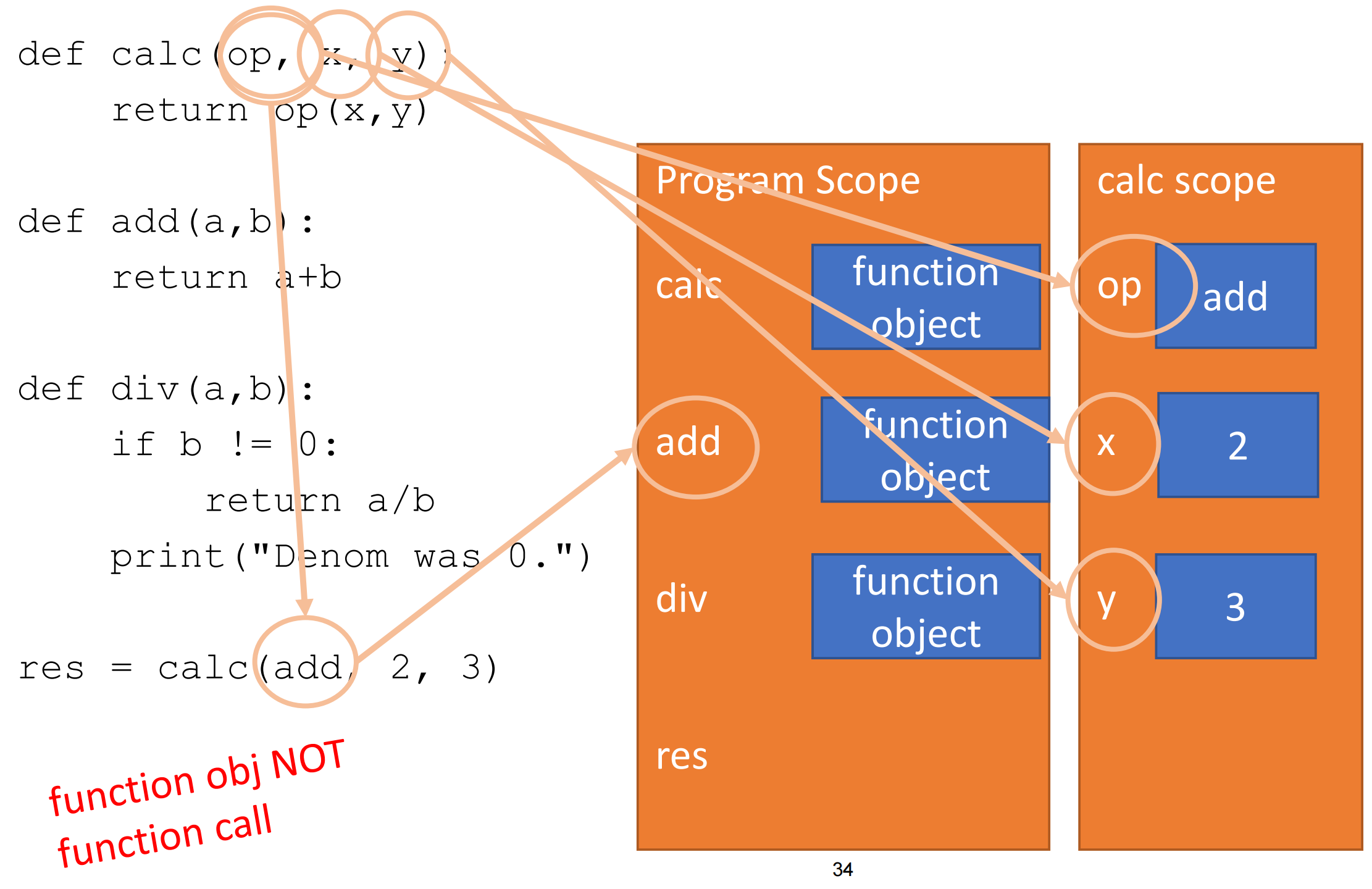
- In calc frame, execution
op(x, y)is calledadd(2, 3); this creates a separate add frame:a -> 2、b -> 3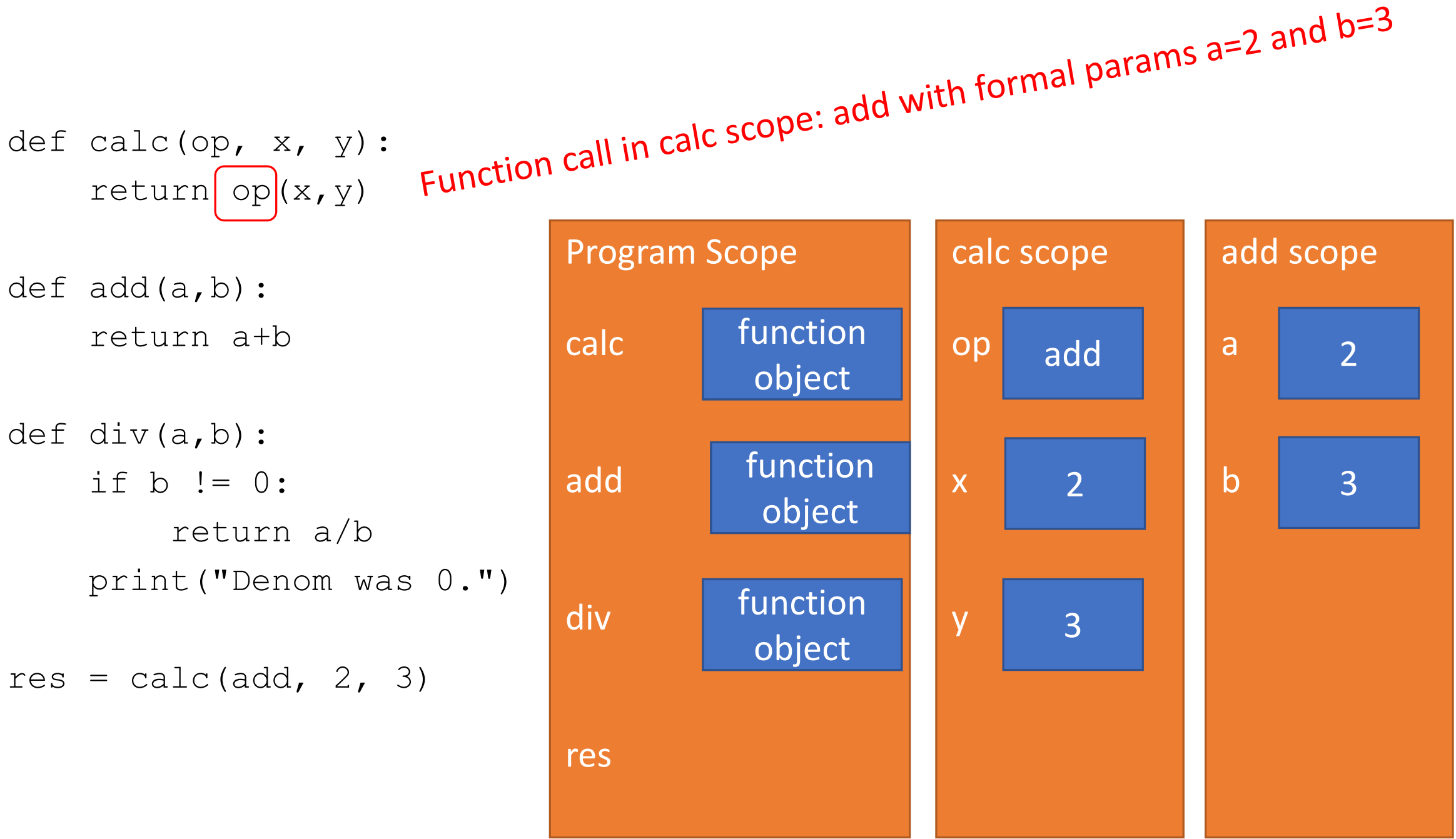 .
addCalculationa+bAnd back again5Add frame, complete this work.- In the calc frame,
op(x, y)is replaced by5andcalcreturns5to global caller.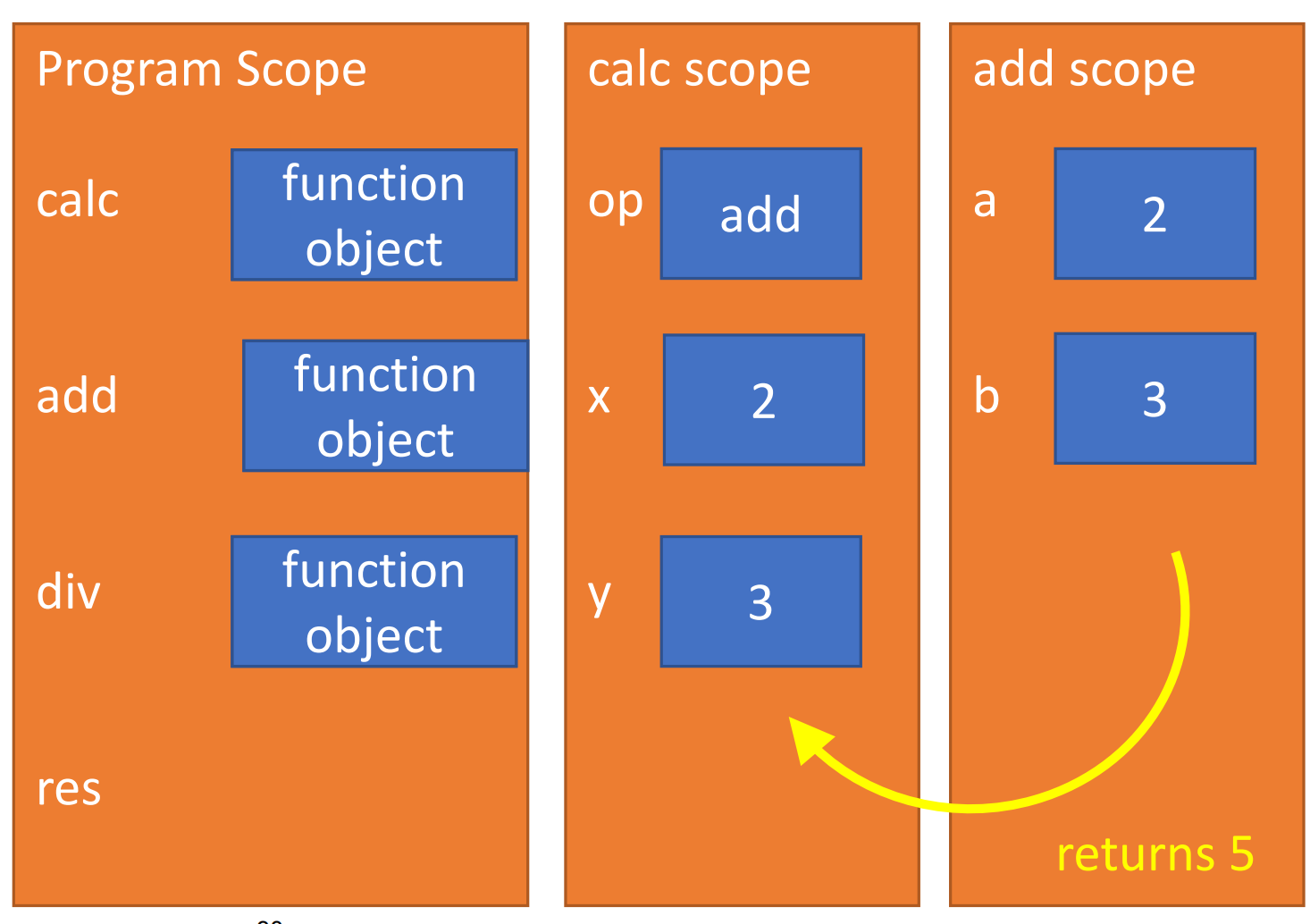
- Global name
resBinded to5。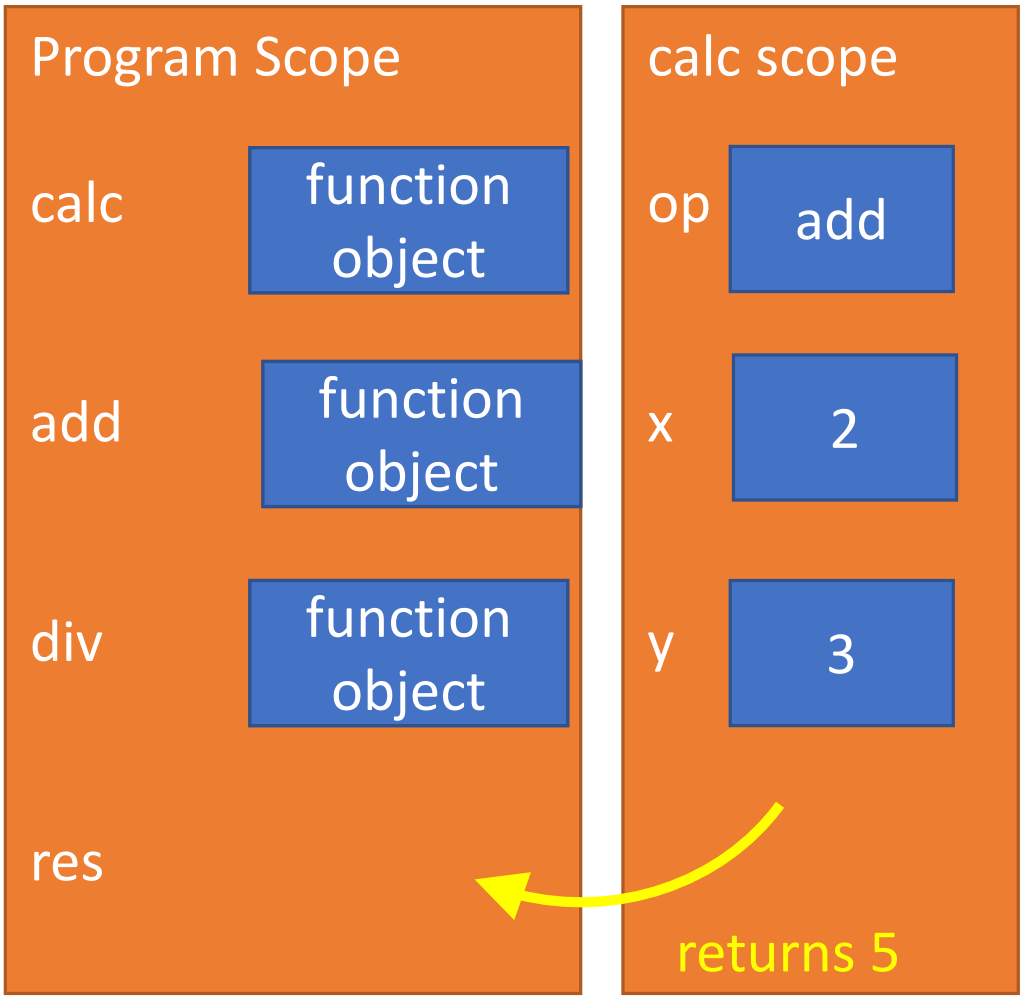
Thus, the nested call temporarily forms a call stack: global code waiting calc,calc waiting add; the innermost layer returns first, and then layer by layer back to the caller.
8.5.3 You Try It:calc(div, 2, 0)
res = calc(div, 2, 0)
div(2, 0) The entrance b == 0 The following is the text of the letter:
Denominator was 0.
The div implicit return Nonecalc then returns this None as well, so res is None;; if it is executed again print(res), it will be printed additional None;;
8.5.4 Another example:functions as parameters
def func_a():
print("inside func_a")
# note: func_a() no bindings (no parameters), and return None, so print None
def func_b(y):
print("inside func_b")
return y
def func_c(f, z):
print("inside func_c")
return f(z)
print(func_a())
print(5+func_b(2))
print(func_c(func_b, 3))
The full output is:
inside func_a
None
inside func_b
7
inside func_c
inside func_b
3
func_a()First, the print side effect, then the print side effect. Inverted returnNoneSo outerprintIt showsNone。func_b(2)Print one line and come back.2The expression is changed toprint(5+2)So it shows7。func_c(func_b, 3)The parametersfBinded tofunc_b。 It's printed first.inside func_cCalling againfunc_b(3)The latter is printed.inside func_bAnd back again3And finally outer.printIt shows3。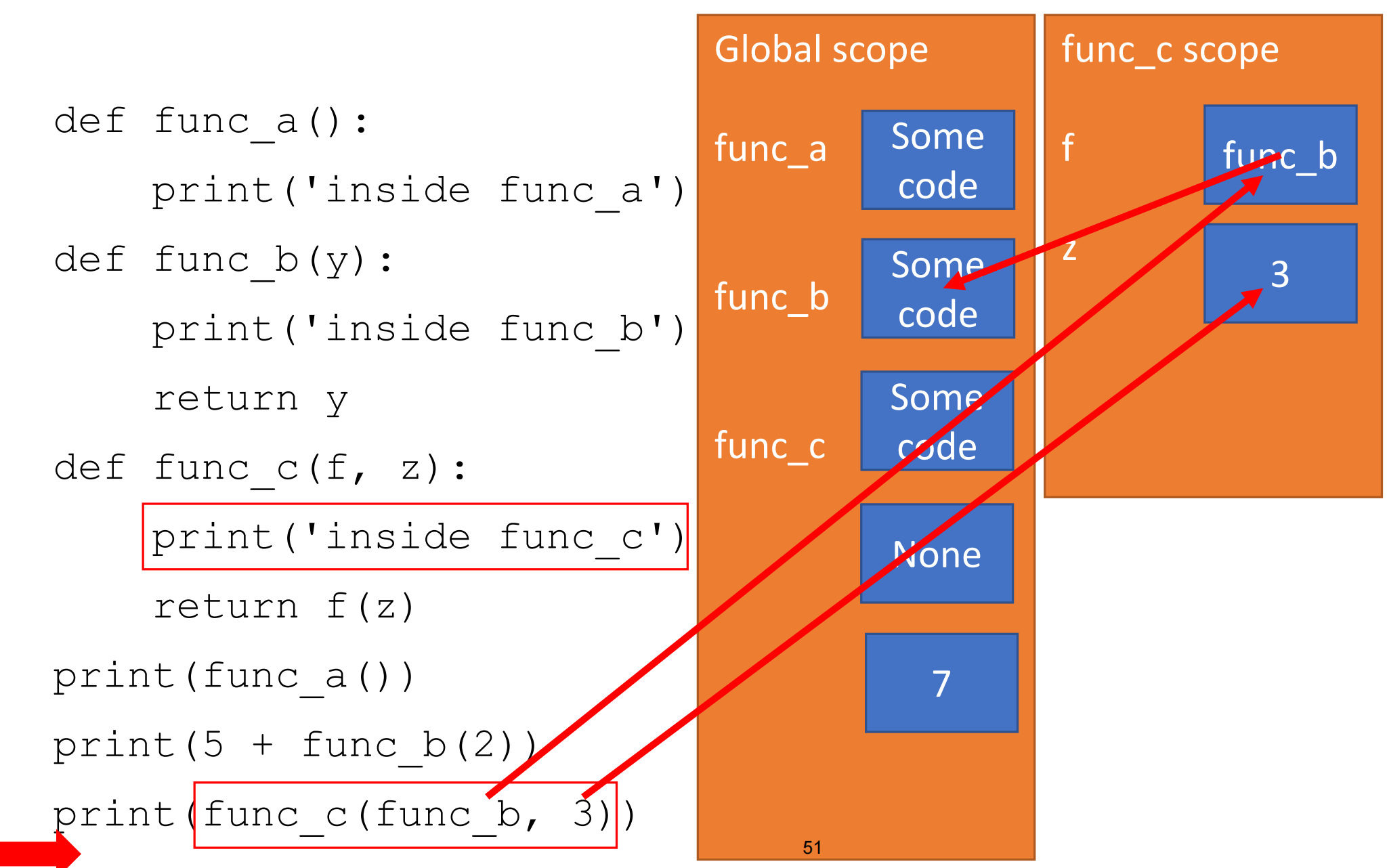
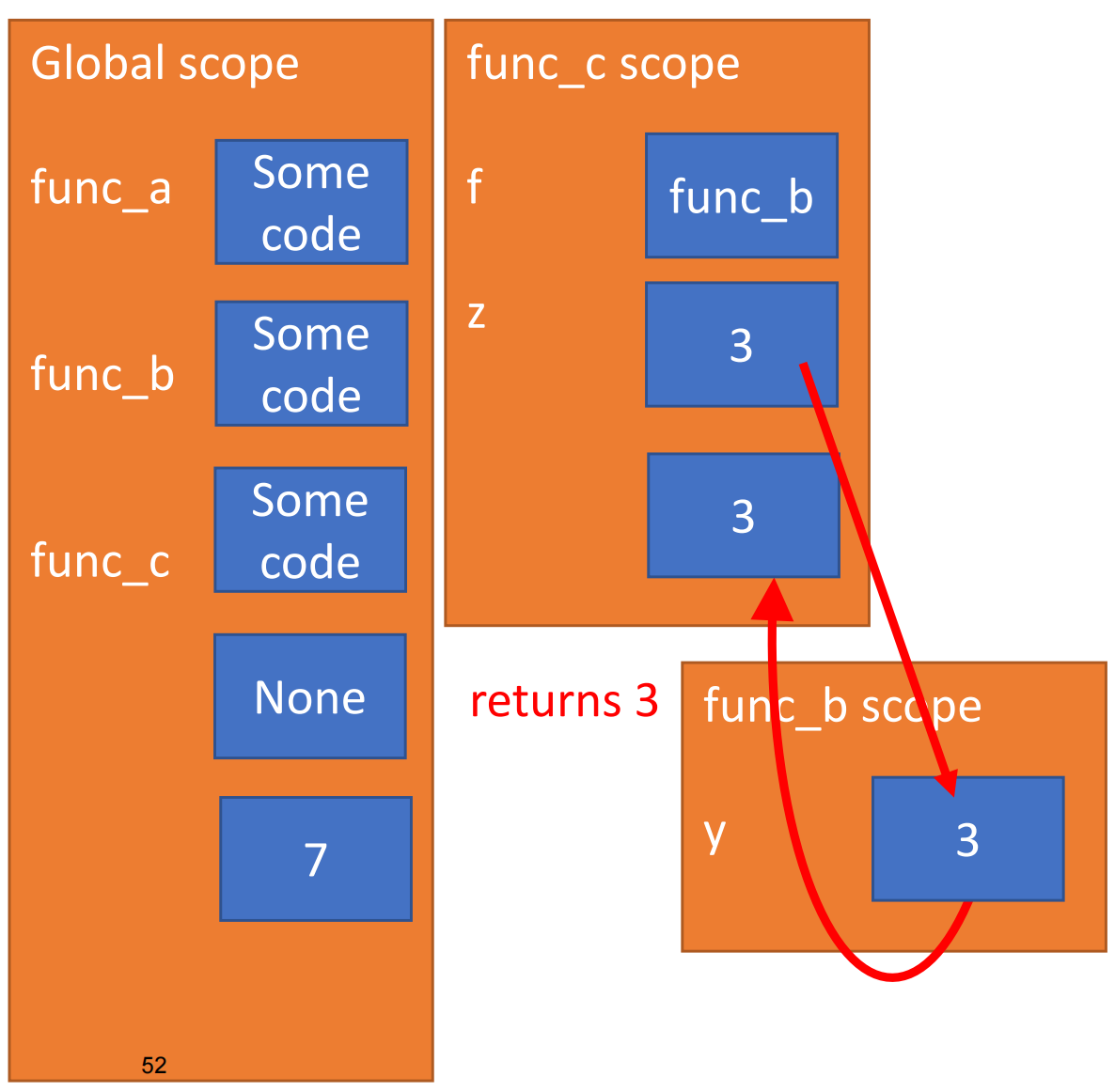
8.5.5 You Try It:apply(criteria, n)
Write a function that meets these specs.
def apply(criteria, n):
"""
criteria is a func that takes in a number and returns a bool
n is an int
Returns how many ints from 0 to n (inclusive) match the criteria
"""
The real thing is to write a template, and when you enter the function as an object of a function using a different function (a certain human-made determination function, which is then abstracted as criteria) you can determine how many individuals meet the condition of True.
Solution:
def apply(criteria, n):
""" criteria is a function taking a number and returning a bool
n is a nonnegative int
Returns how many ints from 0 to n inclusive satisfy criteria
"""
count = 0
for i in range(n+1):
if criteria(i):
count += 1
return count
def is_even(i):
return i%2 == 0
# return a boolean value
print(apply(is_even, 5)) # 3,对应 0、2、4
how_many = apply(is_even, 5)
Here criteria is an abstraction of the behavior:apply There is no need to know the implementation of the polynomial of a positive integer or other rules, and only the specification of the entering element depends on the fact that the object can be called with a number and returned to the Boolean for judgment.
From the examples above we can learn that operatin and certain criteria can be abstracted, an idea that is very useful when we build higher-order functions and use modular ideas and abstraction and deconstruction.
Big Idea
Passing behavior as a function argument lets one general algorithm work with many criteria or operations.
8.6 Summary
- Python functions always return an object; they return without explication
returnNone. returnThe value is given to the caller and the call is terminated.print()It's a console output that comes back on its own.None。- HAVE TO BE CAREFUL ABOUT ENVIRONMENTS:
- Main program runs in a global environment
- Each function call creates a new temporary environment/frame. 。
- Scope is mapping names to objects; local rebinding should be distinguished from global binding.
- Functions are first-class objects: have a type, can be attached to other names, can be used as an argument, or can be used as a return value 。
- Higher-order function receives or returns a function object, enabling code to abstract operations or criteria 。
- Nested function calls are each framed separately and return from inside to outside in a call stack. 。
8.7 Supplement: Professional concepts of first-class functions and common writing
This section is a supplement to the Lecture 8 subject, mainly for reference Fluent Python: Clear, Concise, and Effective Programming, 2nd Edition Chapter 7 Functions as First-Class Objects and supplements the relevant CS terminology and Python common writing techniques.
8.7.1 Properties and introspection of a function object
This section is useful in practice, and we can use the interpreter to complete Check the function The first is the "Introspection". .
Remember these! (Two of them are horizontal)
print(type(factorial))print(factorial.__name__)print(factorial.__doc__)
Implementation def I'll be there. runtime Create a function object.
A function has typical object types, identities and attributes :
def factorial(n):
"""Return n factorial for a nonnegative integer n."""
result = 1
for i in range(2, n+1):
result *= i
return result
print(type(factorial)) # 返回 <class 'function'>
print(factorial.__name__) # 返回函数名 factorial
print(factorial.__doc__) # 返回函数内封装的 docstring 的文本
help(factorial) # 利用 metadata 生成帮助信息
# 例如 help(factorial) 返回如下信息
Help on function factorial in module __main__:
factorial(n)
Return n factorial for a nonnegative integer n.
__name____doc__such metadata allow interpreters, IDE, documentation tools and framework to check functions. The first is the "Introspection". This is the reference here. The program checks the type, properties or interface information of the object itself at runtime
8.7.2 Callable includes not only ordinary functions
This section we will introduce cllable()
- Applied Objects of the call operator
()The common The object can be called 。 - It is more stable to useInbuilt function
callable()than just checktype(obj) is functionwhen determining whether an object can be called:
objects = (abs, str, "not callable")
print([callable(obj) for obj in objects])
# [True, True, False]
The following is a description of the code above.
What needs to be introduced here,objects is a tuple that encapsulates three objects:
abs# An absolute value function, is an object of a built-in functionstr# String, a class object, is a class"not callable"# String examples
The code above is equivalent to:
result = []
for obj in objects:
result.append(callable(obj))
print(result)
# 继而 callable 循环判断 objects 数组中的几个值,并返回判断的 boolean 结果
It is important to note that the function object itself is judged here, for example abs, while the call function is judged by the function itself, for example abs(-5).
str The first is a class, not a normal function. In Python, class is also a callable object. 。
Calling a class usually creates and initializes an instance. For example:
text = str(123)
print(text) # 123
print(type(text)) # <class 'str'>
So, conceptually, The call str(123) goes through the object creation and initialization process of the class, eventually returning a string instance. So, what? callable(str) is True。 The following are similar:
callable(int) # True
callable(list) # True
callable(dict) # True
For int/list/dict these are class objects and can be called.
We finally got back to "not callable",It is essentially an instance instance created by str class.。 while Normal string instances do not define the behavior of a string being called a string The following is a list of the "not callable"() And then there's the mistake. TypeError: 'str' object is not callable。
therefore:
str # class object,可以调用
"not callable" # str instance,不可以调用
But in fact, The instance that created the class can be called to see if its class provides __call__ behavior。
In the Python object model, Whether an object is inviable depends mainly on its type and whether it provides invisibility. is usually expressed as a special method:__call__. For example,Custom class can be callable by implementing __call__(), making its instance also callable:
class Multiplier:
def __init__(self, factor):
self.factor = factor
def __call__(self, value):
return self.factor*value
Create an instance:triple = Multiplier(3). Although triple is not a normal function, it can be called:
print(triple(7)) # 21
This is basically equivalent to:
print(triple.__call__(7)) # 21
So, here's what we need:
print(callable(triple)) # True
When called triple(7) Python finds the corresponding call mechanism according to the type of triple , it was finally executed Multiplier.__call__(triple, 7)..
- In the bottom of CPython,
callable()it is almost universal Type of object to check if the call slot tp_call is set .
Therefore, the more accurate statement is not simply a check:hasattr(obj, "__call__"), but The object type system checks whether the call operation is supported .
therefore:
callable(obj) == True A: Not equal to any call that succeeds
callable() Only the object is capable of calling, and not the arguments you provide are necessarily correct.
For example, callable(abs) # True。 but abs() The abs need an argument, so the error message is TypeError: abs() takes exactly one argument。
Common callables include:
- user-defined function
- built-in function
- method
- class
The next class is also seen,As long as the class of the instance is defined __call__, the instance can also call as a function.; the generator function, the coroutine function, etc. are also called, but the object that needs to be iterated or waited back after the call is called.
8.7.3 Higher-order functions, callback and strategy
Higher-order function The official definition of the term is: Receive a function/callable as an argument, or return a callable as a result. One of the most common examples of a Python standard interface is sorted(iterable, key=...):
words = ["strawberry", "fig", "apple", "banana"]
print(sorted(words, key=len))
# ['fig', 'apple', 'banana', 'strawberry']
keyReceiving a one-argument callable ;- The sorting algorithm calls it to each element and sortes it according to the resulting key.
- The original elements are not rewritten because of the computation of the key. 。
When a function is given as a parameter to another component and called by that component at the appropriate time, it is often called Callback (callback) . They can also be understood differently The first is the strategy. when multiple functions represent interchangeable algorithms or rules:
def add(a, b):
return a+b
def multiply(a, b):
return a*b
operations = {
"+": add,
"*": multiply,
}
symbol = "*"
result = operations[symbol](6, 7)
# symbol 是 *,也是 dictionary 的 key,然后进入库中对应的 value 为 multiply,而 multiply 这个函数则对应 6*7
print(result) # 42
The first is the dispatch table.
operations is The following is a list of the countries in the world by population. : Map the input tags to the function object 。 With a long string if/elif Compared to When adding new operations, you usually just define a function and add a mapping. 。
8.7.4 Returning a function and function composition
First-class functions can also be used as return values. The simplest way to write is to return a function object that already exists in terms of:
def choose_operation(symbol):
if symbol == "+":
return add
if symbol == "*":
return multiply
raise ValueError("unsupported operation")
op = choose_operation("+")
print(op(2, 3)) # 5
It is also possible to construct and return new functions, achieving The function composition (function composition) :
def compose(f, g):
"""Return a function that computes f(g(x))."""
def composed(x):
return f(g(x))
return composed
def double(x):
return 2*x
def square(x):
return x*x
square_after_double = compose(square, double)
print(square_after_double(3)) # 36
The returned composed is still available when it is created f and g; the function object bound in this preserved lexical environment is called The first is the closure. . Here, only if it is understood to be a functionality object with the external binding string required, the decorator section will expand further.
8.7.5 map filter, Comprehension and reducing functions
map(function, iterable) and filter(criteria, iterable) are higher-order functions。
In Python 3, they return to the lazy iterator, requiring iteration or using list() materialize:
def square(x):
return x*x
print(list(map(square, range(6))))
# [0, 1, 4, 9, 16, 25]
For simple conversion and filtering, list comprehension or generator expression is usually more intuitive and can be expressed simultaneously with mapping and filtering:
squares_of_odd = [n*n for n in range(6) if n%2 == 1]
print(squares_of_odd) # [1, 9, 25]
Combining sequences into a result is called The following is a list of the most common types of reduction: and preferential use sum(), logical checks are commonly used all() and any(); these specific built-ins are often easier to read than general ones functools.reduce():
values = [2, 4, 6]
print(sum(values)) # 12
print(all(v%2 == 0 for v in values)) # True
print(any(v < 0 for v in values)) # False
8.7.6 lambda: A one-time expression for short
lambda expression Creates an anonymous function object, and writes a short rule in the argument position of a higher-order function:
words = ["strawberry", "fig", "apple", "banana"]
print(sorted(words, key=lambda word: word[::-1]))
lambda The body can only be an expression and cannot contain directly while、try The following statements are used: If logic needs to be interpreted, reused, tested or processed in multiple steps, use meaningful names. def It is usually clearer:
def reversed_spelling(word):
return word[::-1]
print(sorted(words, key=reversed_spelling))
The judging standard is not character number but readability: when a paragraph must be written to explain lambda the comment itself often suggests a suitable function name.
8.7.7 operator module: Write the calculation and the devaluation as callable
The standard library operator provides a function form for many operators, such as add mul, itemgetter,attrgetter and methodcaller, which can be reduced to write only for a simple operation of conversion lambda.
from operator import itemgetter
measurements = [
("sample_B", 0.12),
("sample_A", 0.08),
("sample_C", 0.15),
]
print(sorted(measurements, key=itemgetter(1)))
# [('sample_A', 0.08), ('sample_B', 0.12), ('sample_C', 0.15)]
itemgetter(1) is a function factory that returns the callable to execute the input [1]。 Similarly, attrgetter("energy") The object can be read from the specified attribute, methodcaller("strip") A function can be created calling a specified method.
8.7.8 functools.partial: Pre-fixed partial arguments
functools.partial Receive a callable and pre-attach some of its positional or keyword arguments to a new callable. This is called The first is the partial application. :
from functools import partial
from operator import mul
triple = partial(mul, 3)
print(triple(7)) # 21
mul It's a two-argument argument, and it's a two-argument argument. triple The first argument is fixed as 3 So the caller just needs to give one more. It is commonly used to adapt existing functions to APIs that only accept specific callback signatures:
def scale(value, factor):
return value*factor
to_percent = partial(scale, factor=100)
print(to_percent(0.375)) # 37.5
8.7.9 Argument passing:call by sharing
Python's parameter passing is often used to describe **call by sharing (sharing) **: a function parameter is obtained by another reference to an object referenced by the argument. Restore the binding of the name of the parameter in the function without changing the binding of the name of the caller:
def increment(value):
value = value+1
return value
x = 10
y = increment(x)
print(x, y) # 10 11
There is no change in the caller x 11; local value is simply re-attached to a new int object. Another situation is distinguished when learning mutable collections further: a function, although not able to change the name of the caller by local rebinding, can modify the mutually referenced mutable object by method.
8.7.10 Common design rules
- If the function is only responsible for computing, the priority
returnstructured value is to leave side effects such asprint,file I/O and so on to the caller. - A function that receives a callable should indicate its expected signature in the docstring, such as a callable takes one number and returns a bool.
- Write the function object as input
apply(is_even, 5); if written asapply(is_even(), 5)it will be calledis_evenfirst, its return value is entered, and may also be directly reported due to lack of argument. - Avoid relying on or modifying the unnecessary global state; The parameters are explicitly input and the output is explicitly returned.
- Higher-order functions can separate the flow stream through or control the flow stream from the flow stream specific operation/criteria stream, and are often used for sorting key, callback, validation rule, event handler, numerical pipeline and data transformation.
Lecture 9: Lambda Functions, Tuples, and Lists
In this section, we will introduce a class of functions called lambda, which creates an anonymous function. We end with the exploration of how to create functions, and then we introduce tuples (array) and list (list).
9.1 Anonymous functions:lambda
In Lecture 8, apply() a criteria function is received and statistics on how many integers from 0 to n ((inclusive) meet the determinant condition:
def apply(criteria, n):
""" criteria is a function that takes in a number and returns a bool
n is a nonnegative int
Returns how many ints from 0 to n inclusive satisfy criteria
"""
count = 0
for i in range(n+1):
if criteria(i): # 假定这里 func 返回的 boolean value 为 True
count += 1
return count
def is_even(x):
return x%2 == 0
print(apply(is_even, 10)) # 6,对应 0、2、4、6、8、10
If you don't want to name functions especially simple ones (tasks are simply named), and Just be prepared to use it once in argument position , you canCreate an anonymous function in the field using lambda expression:
# 原先简单的函数:
def is_even(x):
return x%2 == 0
# 创建等价的匿名函数!
# can use an anonymous procedure by using lambda
lambda x: x%2 == 0
p.s. The lambda corresponds to the Greek letters we use most often. $\lambda$ The characters
The syntax can be summarized as:
lambda parameter_1, parameter_2, ...: expression
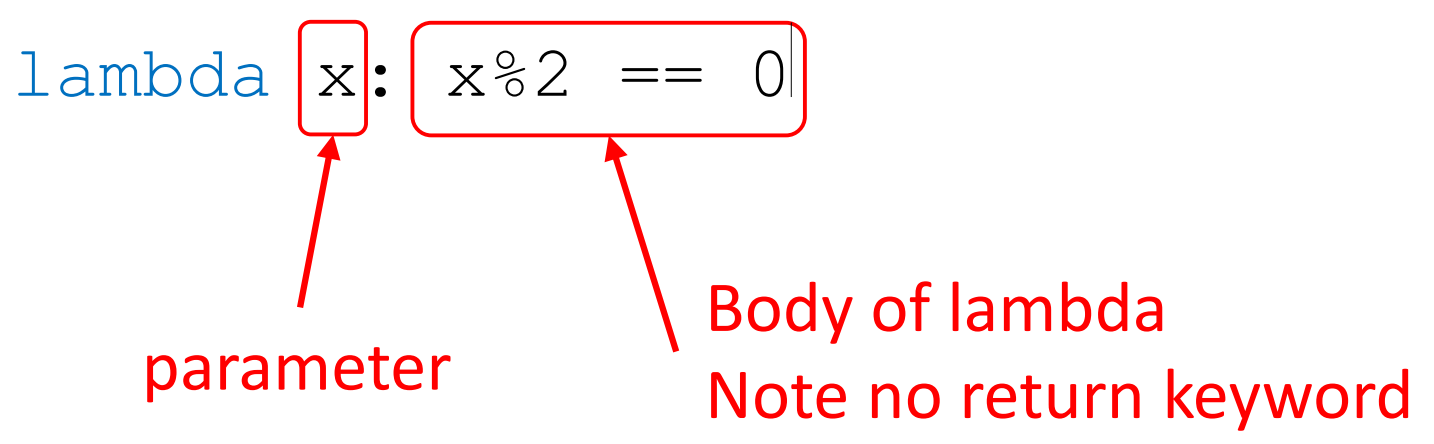
lambdaThe following are parameters and the function body. body can only write an expression 。- When to call Python calculates the expression and returns the result as a return value, so it does not need to write
returnkeywords.。 lambdaThe processor will create a procedure/function object, but the expression itself won't look like a function object.def is_even(...):It's like automatically tying it to a name. that is does not bind a name to it- This also means
lambdafunction is one-time use. It cannot be reused because it has no name!
Thus, the previous named function can be directly transmitted to In-line form apply():
def apply(criteria, n):
""" criteria is a function that takes in a number and returns a bool
n is a nonnegative int
Returns how many ints from 0 to n inclusive satisfy criteria
"""
count = 0
for i in range(n+1):
if criteria(i): # 假定这里 func 返回的 boolean value 为 True
count += 1
return count
# Function call with a named function:
apply(is_even, 10)
# Function call with an anonymous function as parameter:
apply(lambda x: x%2==0, 10)
print(apply(lambda x: x%2 == 0, 10)) # 6
The local parameter of the function objectapply is still entered here.criteria It is bound to the anonymous function and is called by it in each loop.criteria(i)
lambdaThe first is the "Buddy of the Night". one-time use The first is that the text is not in reference here. The name cannot be reproduced in the following code after the call has ended 。 However, technically it can be writtenis_even = lambda x: x%2 == 0But when it comes to naming and reusing,def is_even(x): ...It's usually clearer.
9.1.1 You Try It:trace do_twice
- What does this print?
def do_twice(n, fn):
# 事实上就嵌套 fn() 重算两次
return fn(fn(n))
print(do_twice(3, lambda x: x**2))
do_twice The function-call environment is n -> 3、fn -> lambda x: x**2。 Python first calculates the inner call fn(n):
fn(3) -> 3**2 -> 9
The outer call then uses the first return value:
fn(9) -> 9**2 -> 81
Thus, the final print 81Two fn(...) are two different function calls, each of which establishes its own lambda frame.; the order of expression evaluation is From the inside out , rather than just squaring 3 once.
The rough process diagram is as follows: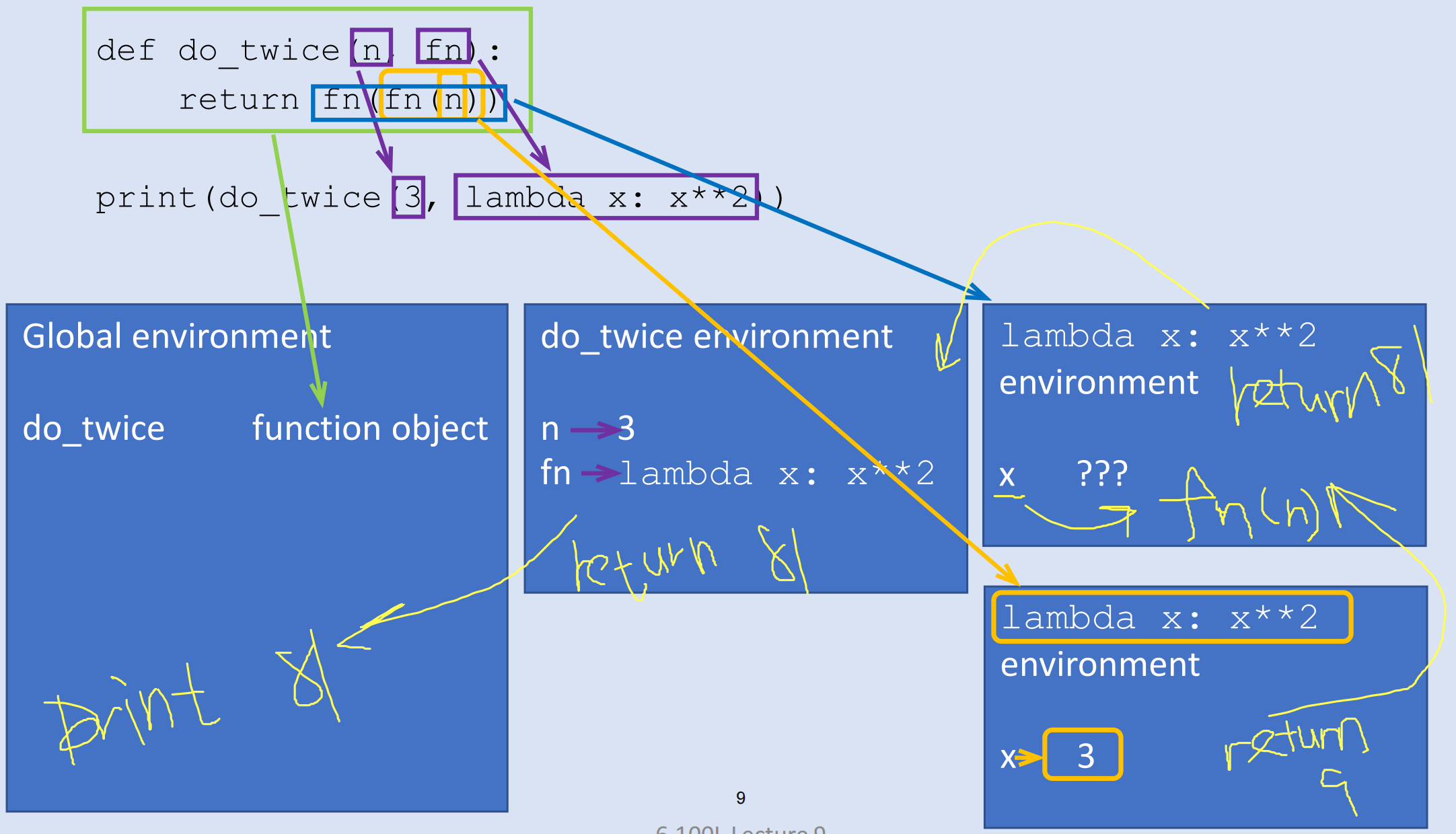
Big Idea
lambda creates an anonymous function object. It is useful when a simple behavior is needed once and can be expressed clearly in one expression.
9.2 A new compound data type:sequence
In the past, we have only been talking about how to pack already used code into a function and there is not much new grammar, and in this section we will start with new grammar related to packaging. This is a list of data types, including tuple and list.
The term is used to describe the phenomenon of a person's physical body.
- scalar type (e.g.,
int/float/bool) - None type:
None - compound type (compliant with the data type, e.g.,
str), since it can be essentially a set of characters, we can grab characters by indexing strings. - more general compound data types (e.g.,
tuple,list,dictionary)
I've been in contact with int、float、bool I'm going to wait. scalar types I've also been in contact with compound type str。
This is a more general introduction. compound data types:
The following are some important points to keep in mind:
- Tuple is immutable sequence
- List is mutable sequence
- indexed ordered sequences of objects/elements (a sequence of objects that can be accessed by indexing) , which could themselves be compound structures. The element of a sequence can also be a compound object. The list of tuples is a list of lists, or a list in a tuple.
- Having an index means that we can sliced based on the index, such as in slice; in previous tcl languages, using
lindex/lsearch/lrange/lappend/lreplace/linsert/llengthetc. these can be used to perform a series of operations on the list using index.
Tuple, list and string support indexing, slicing,len() and sequentially iterating, so we can compare it to a string; theirs The key difference is whether the saved element references can be replaced and whether the length of the collection can be changed. .
In the next section, we will also discuss concepts such as mutability, aliasing, cloning.
9.3 Tuples
- The following is a list of the topics covered by the article: indexable ordered sequence of objects (Ordered object sequence for indexing)
- It can store different types of objects, such as int, string, tuple, tuple of tuples, ...
- Tuple himself immutable : It is not possible to replace, delete or add element values after creation.
9.3.1 Tuple literals and basic operations
Some of the tuple and list operations will be exactly the same as the subscription in the string school before us. The only thing that is important is indexing/slicing/getting the length.
p.s. tuple has two readings, one of which is based on n-tuple, and the n subset
te = () # empty tuple,类似于空的字符串 ""
ts = (2,) # tuple with one element. extra comma means with one element, compare with ts = (2)
t = (2, "mit", 3) # multiple elements in tuple separated by commas
t[0] # evaluates to 2, because indexing starts at 0;这实际上是一种先前介绍过的 subscription
(2,"mit",3) + (5,6) # evaluates to a new tuple (2, 'mit', 3, 5, 6),这里会自动加空格,因此规范来说前面我们写 expression 的时候最好也是加入空格
t[1:2] # ('mit',);因为是 0-based,从 1 号元素 "mit" 开始,到 2 号元素 3 结束但不包含第 2 号元素,最后还会给出逗号对 single-element tuple 和 integer expression 进行区分
t[1:3] # ('mit', 3)
len(t) # 3
# 事实上可以用 max, min, sum 等函数来获取最大元素、最小元素或对我的 tuple
t[1] # gives error, can’t modify object
There are a few things that need to be emphasized (emphasis again on immutable! ):
- The single-element tuple must be kept in comma. 。 More generally, the key to a multiple literal is commas, parentheses are used primarily to make structure clearer or avoid grammatical ambiguity.
For example,
(2)The result is a positive integer expression with brackets.2;(2,)It's a tuple. Commas are used to distinguish an array of only one element, for example the following operation:
# 比较这两个运行的结果的区别!
>>> a = (5)
>>> type(a)
<class 'int'>
>>> a
5
>>> b = (4,)
>>> type(b)
<class 'tuple'>
>>> b
(4,)
- Tuple supports concatenation,But
+the calculation is a new tuple, not modifying the original object:
t = (2, "mit", 3)
new_t = t+(5, 6)
print(new_t) # (2, 'mit', 3, 5, 6)
print(t) # (2, 'mit', 3)
- The following code errors, Because tuple does not support item assignment :
t[1] = 4
# TypeError: 'tuple' object does not support item assignment
This is actually similar to the immutable string we learned earlier, which cannot enter memory and therefore cannot change the value in memory:
>>> s = "yuanshen niubi"
>>> s[1]
'u'
>>> s[1]=2
Traceback (most recent call last):
File "<python-input-12>", line 1, in <module>
s[1]=2
~^^^
TypeError: 'str' object does not support item assignment
This is a big difference from list, and in the next section we will learn about list.
For tuples or strings, once in memory Created the ABCN string , it is Can't get into memory and change the string . However, you can create new bindings of objects based on this string (e.g.
tThis variable changes the binding but the original object remains in memory), but cannot access and modify this object. This is actually consistent with the variables we have discussed before.
- The following example tells us that the basic requirements for value assignment are still to be followed when using functions such as
max,min,sumand so on.
>>> max((3,5,0)) # 5 的数值最大
5
>>> max(("yuan","shen","nb")) # yuan 的字符串长度最长
'yuan'
>>> max(("yuan",9,"nb")) # 没法比较 int 和 str,一个是 scalar (标度) type,一个是 compound type
Traceback (most recent call last):
File "<python-input-9>", line 1, in <module>
max(("yuan",9,"nb"))
~~~^^^^^^^^^^^^^^^^^
TypeError: '>' not supported between instances of 'int' and 'str'
9.3.2 Indices, slicing, and iteration
seq = (2, 'a', 4, (1, 2))
# index: 0 1 2 3
# index: -4 -3 -2 -1
print(len(seq)) # 4
print(seq[3]) # (1, 2)
print(seq[-1]) # (1, 2)
print(seq[-2:]) # (4, (1, 2))
print(seq[1:4:2]) # ('a', (1, 2))
print(seq[:-1]) # (2, 'a', 4); 只要不指认方向,那么默认从正向的 index 开始出发,而前面省略了从0开始,到-1的index,即本质是 3 的 index(因为步长仍为正向)
print(seq[1:3]) # ('a', 4)
# 下面这几个例子务必好好体会:
print(seq[3][0]) # 1;拆成两部分看,先看 seq[3] ,再看 seq[3] 对应的 0 index,即 (1,2) 的 0 index 为 1,故返回 1
# 这个例子很好地体现了 tuple 在 index 这一块也和 string 有着很高的相似之处
>>> s = "woso"
>>> s[4]
Traceback (most recent call last):
File "<python-input-2>", line 1, in <module>
s[4]
~^^^
IndexError: string index out of range
>>> seq = (2, 'a', 4, (1, 2))
>>> seq[4]
Traceback (most recent call last):
File "<python-input-4>", line 1, in <module>
seq[4]
~~~^^^
IndexError: tuple index out of range
- Focused analysis
seq[3][0]seq[3]Get the nested tuple first(1, 2),seq[3][0]Then take the index in the tuple.0。
- Negative index is the last element from the end count, so
seq[-1]is the last element. - Slice
seq[start:stop:step]stopis not included in the result; The result of slicing is still tuple and will not change the original tuple . For non-complete slice, the result is usually a new object containing selected references; some implementations can directly replicate a complete immutable tuple, such as in CPython.seq[:] - It's nice to see the difference:
seq[4]will triggerIndexErrorbecause the sequence length of4is only0to3with four valid indices and Legal slice is usually cut off even across borders without making a mistake. 。
Tuple is iterable The first is the "Elements" which can be directly obtained from the elements. iterating over sequences, through sequences !):
for e in seq:
print(e)
# 2
# a
# 4
# (1, 2)
9.3.3 Swapping values and tuple unpacking
Tuple has one use: it can quickly exchange assigned values.
We mentioned earlier, Direct order assignment cannot be used to correctly exchange two variables :
x = 1
y = 2
x = y
y = x
print(x, y) # 2 2,原来的 1 已经失去 binding
We discussed earlier how to introduce temporary variables:
x = 1
y = 2
temp = x
x = y
y = temp
But in this section, we can also use The first is to make it easier for people to unpack. :
x = 1
y = 2
(x, y) = (y, x) # 先得到右边为 (2,1) ,再分别匹配赋值过去得相应的元素
# 也可以简略写成:
x, y = y, x
print(x, y) # 2 1
When executing x, y = y, x, Python First, calculate the right side and organize the two references into a tuple-like value, then tie them to the left side names. . Therefore, The first assignment will not occur. .
The two sides of the page Parentheses are omitted. , written as
(x, y) = (y, x)only show the structure of packing/unpacking more clearly.
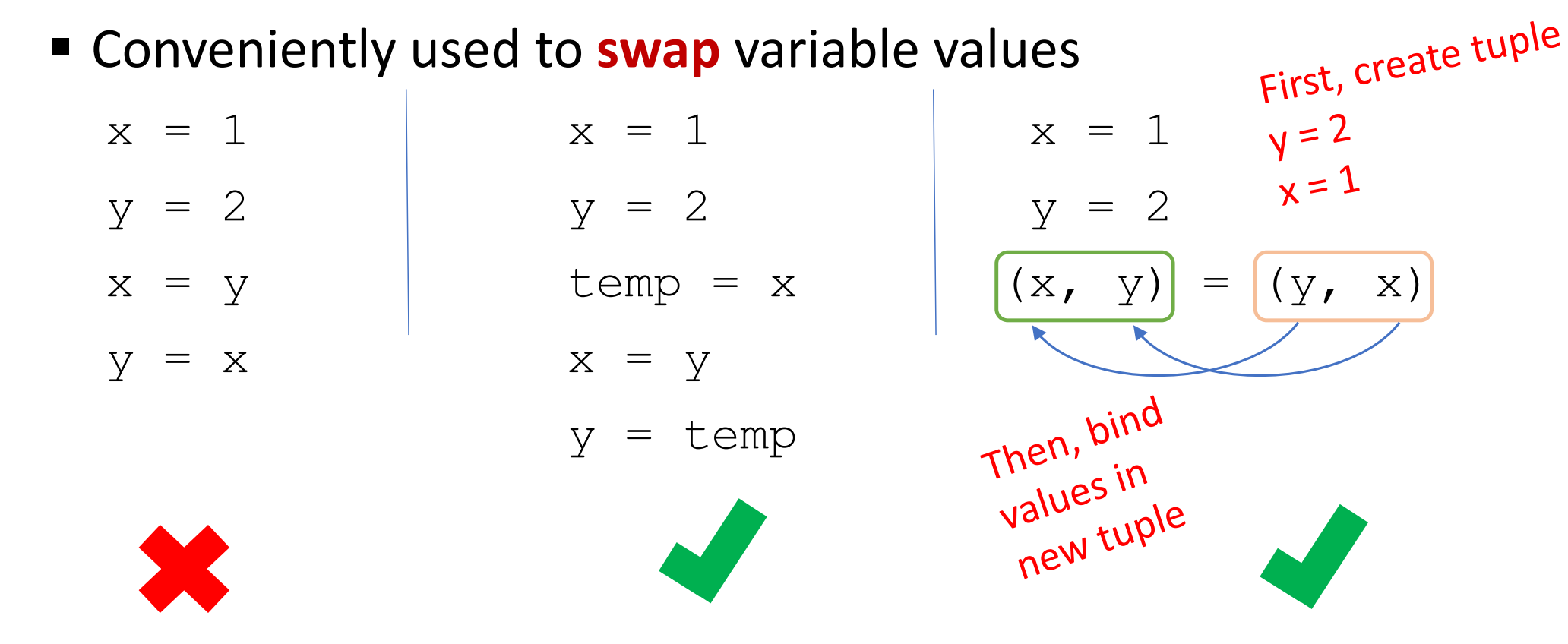
9.3.4 Returning more than one value
In the previous introduction to the function, we basically couldn't see the function returning multiple values; in fact, because tuple is an object, there is also a way to use it: The function returns more values from the function (because it can encapsulate more value) This also means that we can use it as a vector when we inject it into subsequent machine learning.
def quotient_and_remainder(x, y):
q = x//y
r = x%y
return (q, r)
# one object! (with 2 elements/values)
# for example:
both = quotient_and_remainder(10, 3)
print(both) # (3, 1)
# 这里运用到了前面的 packing/unpacking 技巧
(quot, rem) = quotient_and_remainder(5, 2)
# 或写成:
quot, rem = quotient_and_remainder(5, 2)
print(quot) # 2
print(rem) # 1
# 体会这两种区别
>>> print(quot, rem) # 因为这里前面 unpacking 的时候已经绑定了这两个 elements,因此也是两个在内存中有绑定值的对象,故这里实际上就是 quot + 逗号(string打印出来就是空格)+ rem 的结果了
2 1
>>> print((quot, rem)) # 多一个括号才意味着在打印 tuple,因此返回的也是一个 tuple
(2, 1)
Function still returns only An object , where it returns a tuple containing two elements; the caller againBy unpacking, bind the two elements separately to
quotandrem. Thus, when quot and rem are returned, they are found to have been created simultaneously.In addition, Python built-in
divmod(x, y)also returns the quotient and remainder combinations to tuple... so is the caller name those values directly!!
Big Idea
Returning one object (a tuple) allows you to return multiple values (tuple elements), and unpacking lets the caller name those values directly.
9.3.5 You Try It:char_counts
Write a function that returns the number of vowels and consonants in a lowercase string.
def char_counts(s):
""" s is a string of lowercase alphabetic chars.
Returns a tuple whose first element is the number of vowels in s and whose second element is the number of consonants.
"""
# 可以直接写:
# num_vowels = 0
# num_consonants = 0
# 这一节可写:
(num_vowels, num_consonants) = (0, 0)
for char in s:
if char in "aeiou":
num_vowels += 1
else:
num_consonants += 1
return (num_vowels, num_consonants)
print(char_counts("hellomit")) # (3, 5)
In the specification, it is guaranteed s that a non-vowel character is a consonant, provided that it contains only lowercase alphabetic characters.
tips: If spaces, digits or punctuation are allowed, they should be significantly increased
elif char.isalpha(), otherwise these characters would also be miscalculated as consonants.。
9.4 Variable number of arguments:*args
Another thing we have What you can do with tuples is create a function that takes these variables. (as we've learned in tcl before, some unentry values are default, etc.) and so, when we define a function, it basically tells python how many parameters we expect it to receive.
- The function is a function of the form
min(4, 1)min(4, 1, ..., args)Built-in functions can receive variable number of arguments , The inside is not tuples although it can function normally even with tuples as objects). - Python allows The custom function can be used before the parameter
*notation, collecting additional positional arguments:
def mean(*args):
total = 0
for value in args:
total += value
return total/len(args)
print(mean(1, 2, 3, 4, 5, 6)) # 3.5
As long as you create a function, his parameter setting adds a * to the front; or more specifically,When the parameter is * (because the actual collection is *), python will see the input as tuples and then process it in the background.:
numbersis bound to a tuple of the supplied values- e.g.
mean(1, 2, 3, 4, 5, 6)which meansargsthe corresponding subgroup(1, 2, 3, 4, 5, 6) - The first is the "Call of the Dead".The local parameter
argsis considered a tuple, i.e. bound to a tuple(1, 2, 3, 4, 5, 6) - In fact,The name
argsis just convention practice, and the symbols that actually generate the collection behavior*; but following this name allows the reader Identify immediately to use this parameter.
p.s. The above specification should be requiredProvide at least one number, otherwise
mean()would result in division by zero becauselen(args) == 0. If you want to give a clearer error, it can be written as:
def mean(*args):
if len(args) == 0:
raise ValueError("mean requires at least one value")
return sum(args)/len(args)
In addition, if it is written mean(arg), this is the case, when people apply this function, they want to explicitly passing in ONLY ONE argument that is a tuples !!!
def mean(args):
total = 0
for value in args:
total += value
return total/len(args)
print(mean((1, 2, 3, 4, 5, 6))) # 3.5
# 注意不是 mean(1, 2, 3, 4, 5, 6),而是 mean((1, 2, 3, 4, 5, 6)),得显式传入,此外还利用到了 tuple 可以被 iterated over
9.5 Lists
The list actually varies greatly from tuples to many places, with some defining differences:
List (list) is also used indexable ordered sequence of objects
- List typically keeps homogeneous objects of the same type, such as all integers、all strings or all lists;
- Python allows mixed types, but homogeneous collection is often easier to iterate and reason with.
Denoted by square brackets
[]The tuples are used in parentheses.()The key difference between List and tuple is that the list is a simple, simple, simple, simple, simple, simple, simple, simple, simple, simple, simple, and easy to use. List is mutable
- The elements can be replaced in a specific location, or the length of the list can be changed in subsequent operations.
- Remember tuples are immutable, i.e., you cannot change element values. List are mutable, you can change them directly.
9.5.1 List literals, indices, and ordering
a_list = [] # 创建一个 empty list
M = [1] # 创建一个仅包含一个元素的列表并不需要像 tuple 写 (1,) 多个额外的 comma,这是因为在 square brackets 中没有 operation precedence 的混淆
# 其他情况下和前面我们介绍的数组情况没多大差别
L = [2, 'a', 4, [1, 2]]
print([1, 2]+[3, 4]) # [1, 2, 3, 4]
print(len(L)) # 4; gives length of top level of tuple/list
print(L[0]) # 2
print(L[2]+1) # 5
print(L[3]) # [1, 2],这是一个 nested list
i = 2
print(L[i-1]) # 'a',因为 i-1 == 1
print(max([3, 5, 0])) # 5
Like tuple, list from index 0 It also supports negative indices, slicing, concatenation and nested indexing.
L[4] It will be IndexError。
The mutability of the list can be seen directly through item assignment:
L[1] = 'b'
print(L) # [2, 'b', 4, [1, 2]]
It is important to note that the complete new list is not created as an alternative L but instead the index of the original list 1 is saved as another object reference; any change in the name of the list object that is simultaneously referenced is observed, which is also the source of the next aliasing problem.
9.5.2 Iterating over a list
The sum of the list elements is calculated as a sum, It can be indexed. since range(len(L)) is generated successively 0 to len(L)-1, so these values are all valid indices:
L = [8, 3, 5]
total = 0
for i in range(len(L)):
total += L[i]
print(total) # 16
However, if computation requires only element value, not index, it goes directly through the list. More pythonic, like the characters in the string we learned earlier, goes directly through the elements in the list:
total = 0
for value in L:
total += value
print(total) # 16
In the second type, loop variable value The following is a list of the most common types of 8、3、5。 The name of the element can be used to express the meaning of a variable, usually in a more general way. i It's more clear. i It is often used to represent an integer index.
9.5.3 Capturing iteration in functions
The common iteration pattern is encapsulated as a function:
def list_sum(L):
total = 0
for element in L:
total += element
return total
print(list_sum([1, 3, 5])) # 9
# 前面我们 tuple 处理是用 sum(*args),此时调用则为 sum(1,3,5); 或 sum(args),此时调用则为 sum((1,3,5))
If the list keeps strings, you can also perform a type-appropriate operation on each element, such as adding string lengths:
def len_sum(L):
total = 0
for string in L:
total += len(string)
return total
print(len_sum(['ab', 'def', 'g'])) # 6
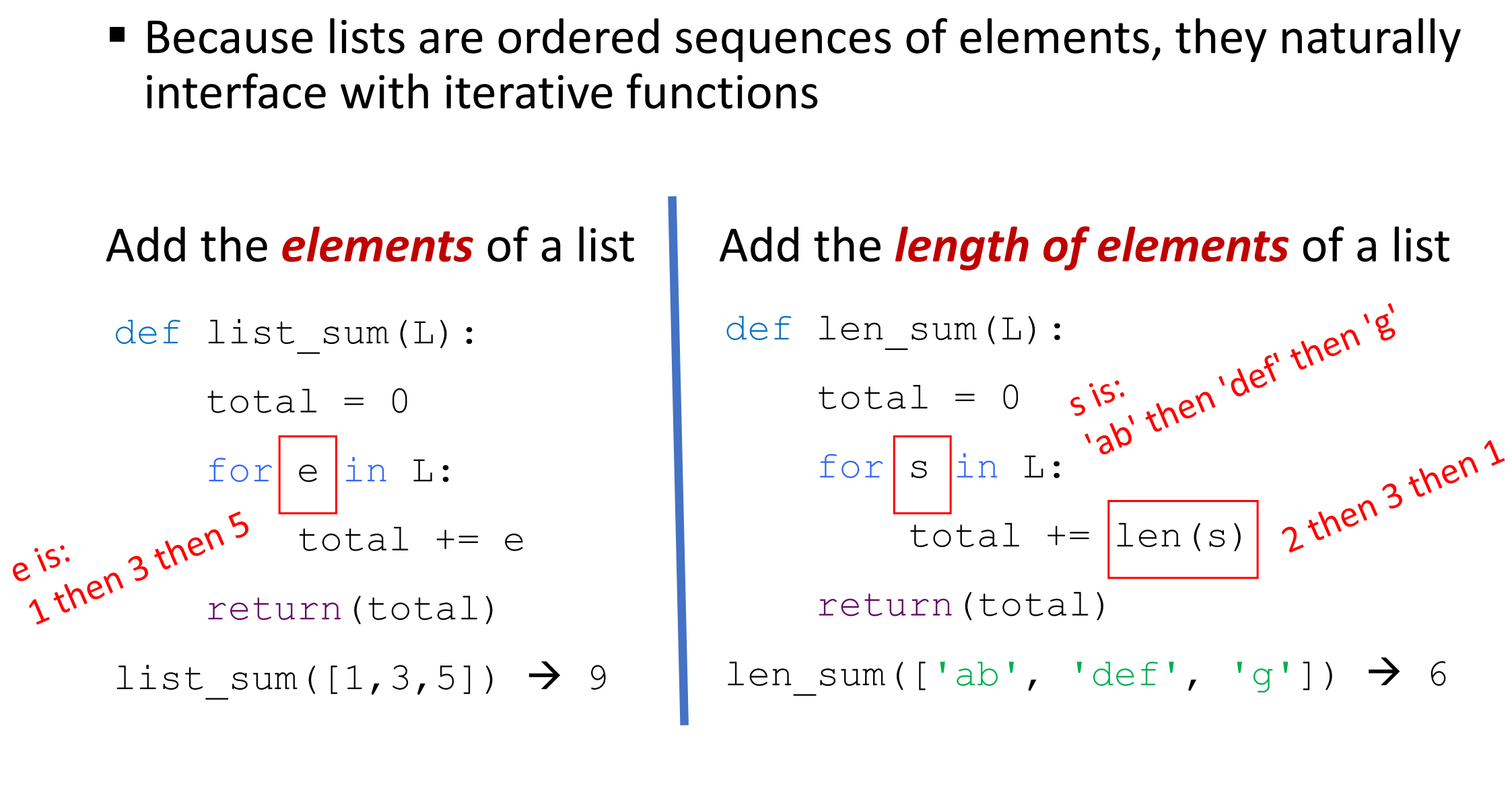
The loop structure of these functions is the same, but the operation performed on the element is different. The abstraction of Lecture 8 is also here: Furthermore, we can use the abstract as a function argument. 。
9.5.4 You Try It:sum_and_prod
def sum_and_prod(L):
""" L is a list of numbers
Returns a tuple whose first value is the sum of all elements
in L and whose second value is the product of all elements
"""
total = 0
product = 1
for number in L:
total += number
product *= number
return (total, product)
print(sum_and_prod([2, 3, 4])) # (9, 24)
total From additive identity 0 Starting with product From multiplicative identity 1 Starting. This initialization also naturally states that the result of a empty list is (0, 1) If the domain of the topic does not allow empty list, it should be removed. L is nonempty. Write in specification.
9.6 Summary
lambdaAn expression creates an anonymous function object that is suitable for providing a brief, one-time behavior in an argument position; a body is an expression and returns its result implicitly.- Tuple and list are indexable ordered sequences that can store any objects, and support indexing, slicing, concatenation,
len()and iteration. - Tuple is immutable, used
(); single-element tuple must be written in comma. - List mutable, used
[].. - Tuple unpacking allows for exchange of variable bindings, and allows the caller to directly receive a function returning multiple values in tuple. 。
- Function actually returns only one object at a time; the so-called return of multiple values is usually returned to a tuple and unpacked.
*argsThe variable number of positional arguments is collected as a tuple.- When you go through a list, write directly if you don't need an index.
for element in L- Reuse
range(len(L))orSubsequent learning will be made availableenumerate()when a specific location needs to be indexed or modified.
- Reuse
9.7 Supplement: Professional concepts of Python sequences, common writing and complexity
This section is a post-lecture 9 supplement, with major references Fluent Python: Clear, Concise, and Effective Programming, 2nd Edition to Chapter 2 An Array of Sequences and Chapter 6 to Object References, Mutability, and Recycling, and to the related CS terms and Python conventional writing techniques.
9.7.1 Two sequence classification methods
From the storage model, Python sequences can be divided into:
- Container sequence Save references to different Python objects so that it can accommodate different types and embed other containers;
list、tupleandcollections.dequeIt's a big part of the story. - Flat sequence Directly in its own memory space, tightly storing the same underlying value instead of separately storing references to any Python objects;
str、bytesandarray.arrayIt's a common example. They are usually more space-saving, but element types are more limited.
In terms of mutability, it can be divided into:
- Mutable sequence For example:
list、bytearray、array.array、collections.deque。 - Immutable sequence For example:
tuple、str、bytes。
The two dimensions are independent of each other.list A mutable container sequence,tuple an immutable container sequence,str and an immutable flat sequence. Having mastered this taxonomy (a classification system) allows knowledge about a sequence to be transferred to other sequence types, while avoiding confusing whether or not hydrogen can accommodate different objects, hydrogen and hydrogen itself can modify hydrogen.
9.7.2 Duplicate roles of Tuple: record and immutable list
Tuple is not an immutable list. It is also often used as a The record (record) : the position of an element is equivalent to a field without a name. For example:
city_record = ('Tokyo', 2003, 32_450, 0.66, 8014)
city, year, population, change, area = city_record
As a record, the number of elements is usually fixed, and the order has significance; the exchange sequence changes the meaning of the data. Unpacking can be done with meaningful variable names to display these fields, reducing record[0]record[1] and other easily erroneous magic indices. If more fields have implications, subsequent considerations can be considered typing.NamedTupledataclass or class to provide field names.
As an immutable list, the element references of the sequence are not to be changed by the length of the tuple. This can improve the clarity of the intent; fixed length also allows tuple to typically take up less memory than lists of the same length. However, it is not necessary to convert the list into tuple for small performance differences, but first select the type according to data semantics.
9.7.3 Tuple is relative immutability
Tuple's immutability is limited by the tuple's self-preserved references: these references cannot be replaced or removed; the object's interior can still change if one of the references points to a mutable object:
t = (1, 2, [30, 40])
t[2].append(50)
print(t) # (1, 2, [30, 40, 50])
Here t[2] the front and back points to the same list object, but the storage of the tuple is not rewritten by the item assignment, and changes occur within the nested list. Thus the tuple immutable graph is not equal to the whole object graph that can be reached by tuple. This property is called The relative immutability ..
This also affects hashability: the entire tuple can only function as a dict key or set element when all elements of the tuple can be hashed.
hash((1, 2, (3, 4))) # 合法
hash((1, 2, [3, 4])) # TypeError,因为 list unhashable
9.7.4 Iterable unpacking with * in both directions
A more accurate term is iterable unpacking, as the right side does not have to be a tuple, and any iterable that can generate the correct number of elements in succession can be unpack:
first, second, third = [10, 20, 30]
quotient, remainder = divmod(20, 8)
The left-hand side of the page allows you to collect excess items with a starred target, which results in lists:
first, *middle, last = range(5)
print(first) # 0
print(middle) # [1, 2, 3]
print(last) # 4
In a function definition,*args it is to put many positional arguments pack into a tuple; in a function call,*iterable it is to put iterable unpack into several positional arguments:
values = (20, 8)
print(divmod(*values)) # 等价于 divmod(20, 8),得到 (2, 4)
Therefore, the specific meaning of the same * syntax depends on where it is located: in the parameter list responsible for collection, in the argument list responsible for unfolding, and in the assignment target responsible for absorbing the remaining elements.
9.7.5 List comprehension: expressing the list to create a new list
The iteration in the lecture can also be written as a list comprehension (list derivation). The goal is to create a new list based on iterable:
symbols = '$¢£¥€¤'
codes = []
for symbol in symbols:
codes.append(ord(symbol))
codes = [ord(symbol) for symbol in symbols]
The second method of writing expresses the mapping intent in a concentrated form as a filter for each symbol calculation ord(symbol) filter.
squares_of_odd = [n*n for n in range(10) if n%2 == 1]
print(squares_of_odd) # [1, 9, 25, 49, 81]
List comprehension is used in a scenario List of required generations ; not just for print(); modify external object and side effects. If the expression and conditions are complex enough to require multiple explanations, the ordinary for loop is usually easier to read.
9.7.6 Equality, identity, alias and shallow copy
Assignment binds object reference and does not automatically copy collection:
a = [1, 2, 3]
b = a
b[0] = 99
print(a) # [99, 2, 3]
a and b are aliases that refer to the same list object.== Whether the values are equal,is whether the comparison is the same object:
a = [1, 2, 3]
b = a
c = [1, 2, 3]
print(a == c) # True,values equal
print(a is c) # False,different objects
print(a is b) # True,same object
The most common identity check is value is None or value is not None; a general content comparison should be used ==..
Constructing list(original) , calling original.copy() or slicing original[:] creates an outer list of The first is the "Shallow Copy". .Outer objects are different, but nested mutable elements can still be shared:
original = [1, [2, 3]]
cloned = original.copy()
cloned.append(4) # 只改变 cloned 的 outer list
cloned[1].append(99) # inner list 是共享对象,original 也能观察到
print(original) # [1, [2, 3, 99]]
print(cloned) # [1, [2, 3, 99], 4]
If it is true that replicating nested objects is necessary, research can be done copy.deepcopy(); but the cost of deep copy is higher and sharing relationships themselves are sometimes part of the data model, so ownership and mutation policy should be clarified first.
9.7.7 Mutable parameters, side effects and security default
Python function parameters receive references to an argument object. Re-binding to the local parameter name does not change the caller's name, but modifying a shared mutable object by method will produce a caller-visible side effect:
def add_sample(samples, value):
samples.append(value)
data = [1, 2]
add_sample(data, 3)
print(data) # [1, 2, 3]
This behavior can be a design goal, but should be clearly stated in the function specification. If the caller is not to be modified, input can be copied in the function first, or a new list can be constructed and returned.
Do not use mutable object as a normal default argument, because the default object is created when def is executed and subsequent calls will share it:
def collect(value, result=[]): # 容易产生跨调用共享状态的 bug
result.append(value)
return result
Commonly used security writing methods None are sentinel and create new lists for every call that is not provided with an argument:
def collect(value, result=None):
if result is None:
result = []
result.append(value)
return result
9.7.8 Complexity of commonly used sequence operations
For the built-in list or tuple for lengths of n see Big-O notation:
seq[i]The average of the index is about O(1)。len(seq)is O(1) The sequence object is the length of the data.x in seqIn the worst case, it is necessary to compare them one by one. O(n)。- The general
seq[a:b]requires the production of a slice containingkelements, which is timed to O(k); special cases such as the complete slice of an immutable tuple may be optimized for implementation as a replicated original object. left+rightThe new sequence is a series of two-dimensional references that are used to create a new sequence. O(len(left)+len(right))。- The list of
append()is usually The amount of time it takes to pay off the debt is as follows: ; occasionally the extension will copy the base reference array, but the reservation allows the average cost of many appends to remain constant.
These complexities illustrate a common writing rule: if the goal is to build a list gradually, continuity append() is usually more appropriate than repeated execution result = result+[item] in a loop; the latter creates and copies an increasingly long new list with a cumulative probability of O (n2) each round.
9.7.9 Common design rules
- Fixed positions, a set of semantic fields can be used with tuple and unpack meaningful names as soon as possible; the length or collection of elements must be changed frequently using list.
- Function returns multiple results that are related to each other; more fields or long-term maintenance of public APIs can reduce the risk of misreading the named record.
- Only write when the element value is
for element in sequence; it is indeed available when indexing is neededfor index, element in enumerate(sequence), and is clearer than manual combinationrange(len(sequence))and indexing. - Simple transformation/filtering can be done using list comprehension; complex control flow, side effects or multi-step debugging using a common loop.
- To pass the mutable collection, first specify ownership: whether the callee is authorized to modify the original or should return new object. Specification should clearly state the observable mutation.
lambdaSuitable for short callback or sorting keys, e.g.sorted(words, key=lambda word: len(word)); used when duplication, type annotation, docstring or multi-step logic is requireddef..
Lecture 10: Lists and Mutability
10.1 Lists recap and mutability
The previous article discussed the common operation of list and tuple: indexing, slicing, concatenation and iteration. In this article we will discuss and focus on more The first is the "Mutual" , emphasizing their concepts and syntax:
- When the list is changed, the original list object can remain, changing the elements it saves.
10.1.1 Indices and ordering in lists
a_list = [] # create an empty list
L = [2, 'a', 4, [1, 2]]
print(len(L)) # 4,统计 outer list 的 elements
print(L[0]) # 2
print(L[3]) # [1, 2],整个 inner list 是一个 element
print([2, 'a']+[5, 6]) # [2, 'a', 5, 6]
print(max([3, 5, 0])) # 5
print(L[1:3]) # ['a', 4]
for element in L: # loop variable becomes each element in L
print(element) # 依次打印 2、a、4、[1, 2]
L[3] = 10
print(L) # mutate L by changing an element [2, 'a', 4, 10]
L[3] = 10 Replace the reference stored in index 3 with a reference to the integer 10 The length of the outer list is still 4。
This also shows The element type of a location in the list can be changed 。
10.1.2 Mutation vs. rebinding
The following article discusses what changes in memory mean.
# remenber: Lists are **mutable**!
# Assigning to an element at an index changes the value
L = [2, 4, 3]
L[1] = 5
print(L) # L is now [2, 5, 3]; note this is the same object L!
t = (2, 4, 3)
t = (2, 5, 3)
print(t) # (2, 5, 3)
The last two lines of code show similar content, but the operation is different:
L[1] = 5is a mutation:Changes to the original list object, nameLstill attached to the object。 This is a very different thing from strings and tuples.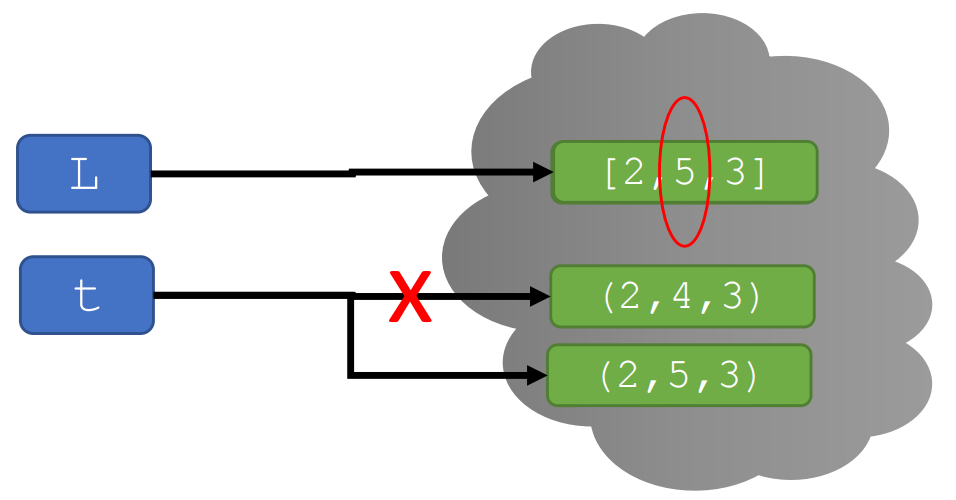
t = (2, 5, 3)is rebinding: Let nametpoint to another tuple; the original(2, 4, 3)has not been modified. If there are other references to it, it is still accessible.
The report was published in the journal Nature.
- Making L by mutating an element vs.
- Making t by creating a new object
So, what is the point of this? Immutable describes the nature of an object without limiting a variable name to another object. 。 The mutable describes changing the object itself, which allows us to go memory and literally change that objects. The process of analysis requires simultaneous tracking Name refers to which object and What is the object? 。
10.2 Operation on lists
In this section we will talk about List methods,append() with side effects. We get a list object, and because of its mutability, we can do more with it. For example, adding to the end of the list.
10.2.1 append() mutates the list and returns None
L.append(element)- The above
Landelementare the object you have specified appendIt is actually the name of a function, similar to the use.func(*args)- Function: in list Add an element to the tail , and modified L locally
- The above
L = [2, 1, 3]
L.append(5)
print(L) # [2, 1, 3, 5]
It is necessary to mention a magical phenomenon, the side effect. The following call append() is intended to reflect The first is the "Side Effect". , i.e. modify the state of the list.append() The return value is None Therefore, do not use its return value to cover the list variable:
L = [2, 1, 3]
L.append(5)
print(L) # 返回:[2, 1, 3, 5]
print(L.append(5)) # 返回: None!!!
L = L.append(5) # 容易写错的一行
print(L) # 返回: None!!!
Understand the last line in execution order: first execute the assignment on the right side L.append(5), change the original list to [2, 1, 3, 5, 5]; 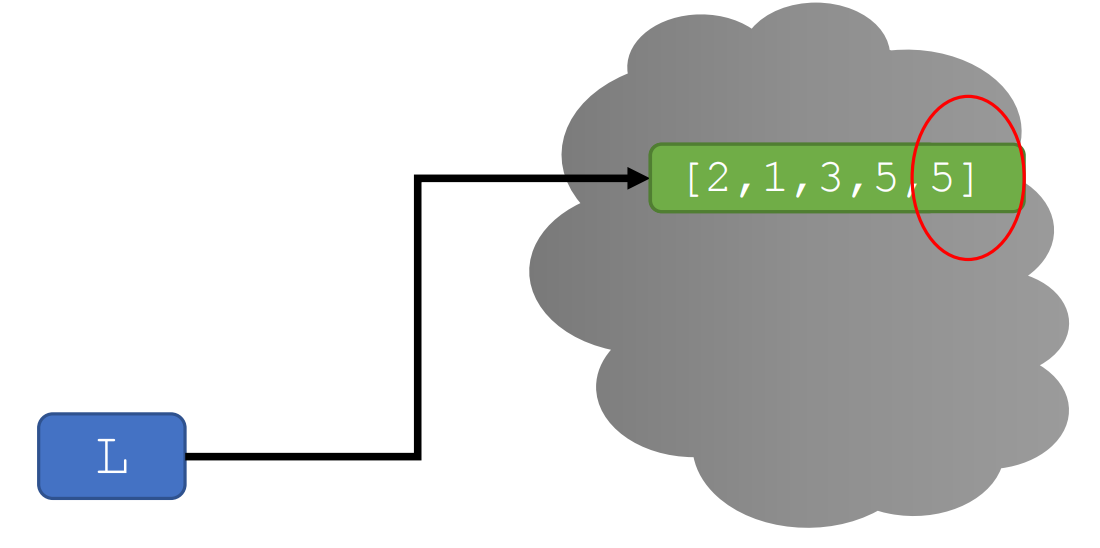 then this function calls back the call
None, and then leave the left side assignment L tied to None;. The original list has been modified, but name L no longer points to it.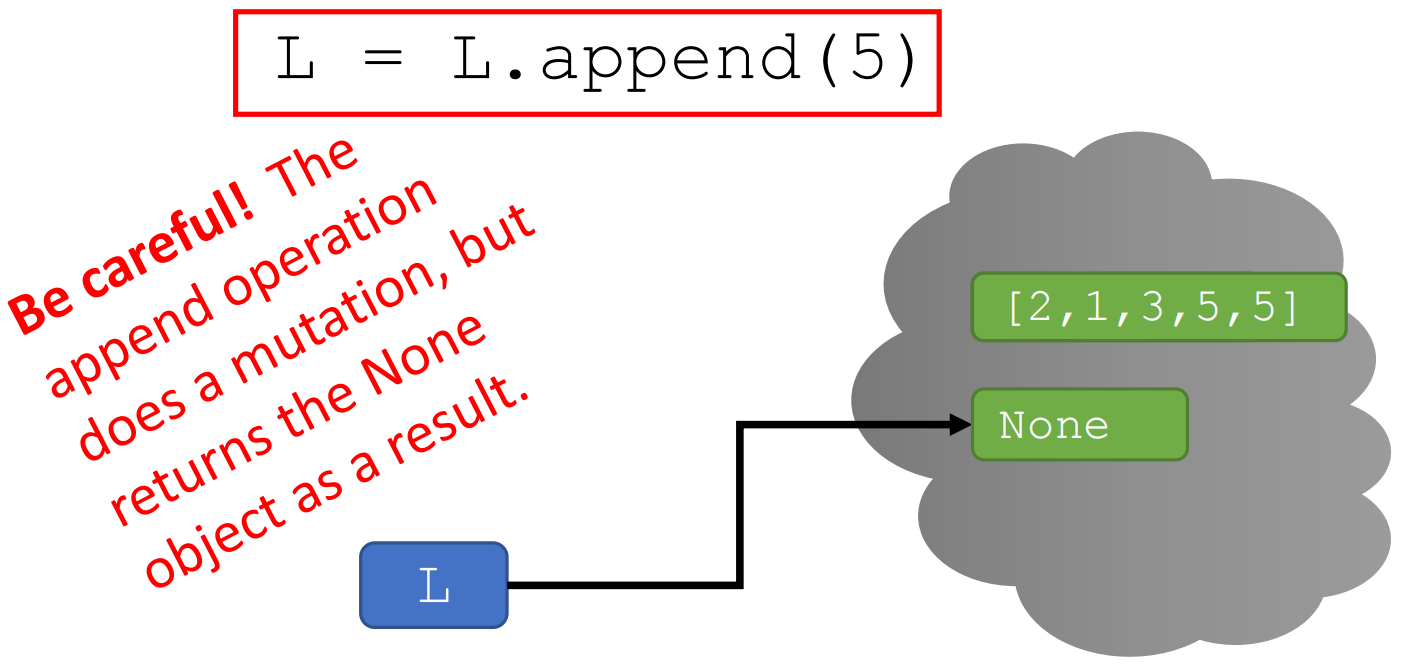 It is easy to note that if we do not want to move the original L, a direct append will result in a side effect value if another assignment is added.
Therefore, append is used strictly for its side effect.
Big Idea
Some methods mutate a list and return None. We call them for their side effects, usually written directly L.append(value), without saving the return value of the call. Sometimes, we use these functions for their side effect.
10.2.2 You Try It:trace nested lists
What is the value of L1, L2, L3 and L at the end?
L1 = ['re']
L2 = ['mi']
L3 = ['do']
L4 = L1+L2
L3.append(L4)
L = L1.append(L3)
L4 = L1+L2Create a new outer list['re', 'mi'];L3.append(L4)Add the wholeL4as an elementL3So L3 is the['do', ['re', 'mi']], It's not['do', 're', 'mi']Be careful! !- Finally
L1.append(L3)add the wholeL3to the list,L1mutateL1at the beginning to['re', ['do', ['re', 'mi']]]and returnNone.
print(L1) # ['re', ['do', ['re', 'mi']]]
print(L2) # ['mi']
print(L3) # ['do', ['re', 'mi']]
print(L4) # ['re', 'mi']
print(L) # None
Note append() The list will not be opened and will not be copied back. :L1[1] is L3、L3[1] is L4 are all True. Thus nested references (nested references) are established here;L4 they are independent outer lists obtained previously through + and do not automatically grow with later L1 growth.
10.2.3 What is the dot:method call
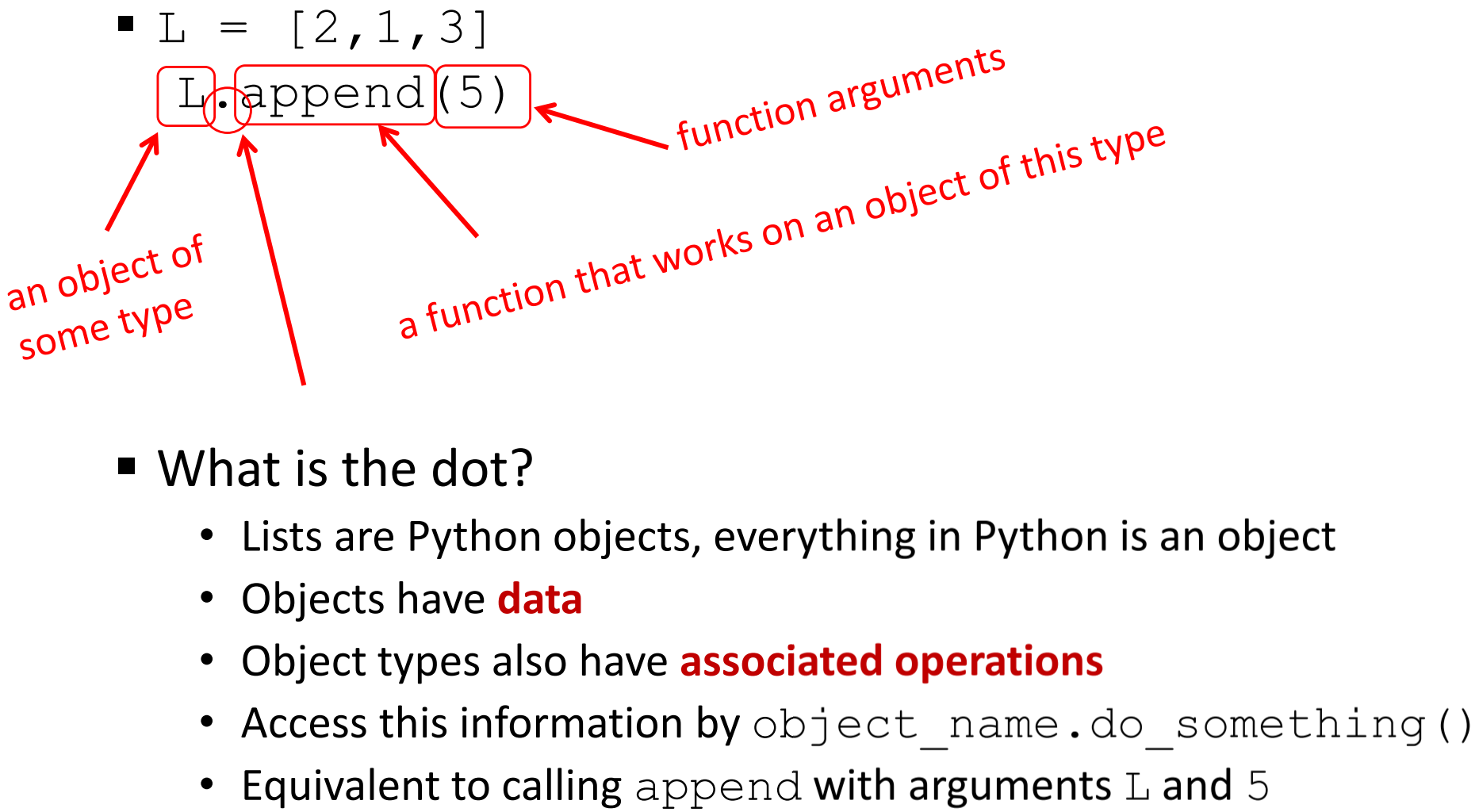
Python objects have data and operations provided by their type.L.append(5) The dot. in Python objects is used to access the attribute of the object; here it is obtained that can be called The method , followed by () calls:
L = [2, 1, 3]
L.append(5)
For built-in lists, the above method call can also be expressed as list.append(L, 5) The operation requires knowing the modified list and adding value, while L.append(5) The left side of the dot L The first one is specified. The object of this receiving operation is also called the The first is the "receiver" 。
L.append The only thing that is important is to get the method object. L.append(5) The only thing that's going to happen is the operation. Similarly, even if the method does not receive additional arguments, it should be written as L.sort()、L.clear() I'll call you.
10.2.4 You Try It:make_ordered_list
Returns the list of all integers from
0tonin order.
def make_ordered_list(n):
""" n is a positive int
Returns a list of all ints from 0 to n inclusive, in order
"""
result = []
for number in range(n+1):
result.append(number)
return result
print(make_ordered_list(5)) # [0, 1, 2, 3, 4, 5]
Here append() returns None, but the function is ultimately explicit return result, so make_ordered_list() returns a good list. Daily code can also be used to do the same job.list(range(n+1)) The class version mainly practices initializing empty lists → adding each item → returning patterns of result matches.
10.2.5 You Try It:remove_elem
Returns a new list, retaining the original order but containing none of the elements equal to
e.
def remove_elem(L, e):
""" L is a list
Returns a new list with the elements of L in the same order,
excluding every element equal to e. Does not mutate L.
"""
result = []
for element in L:
if element != e:
result.append(element)
return result
L = [1, 2, 2, 2]
print(remove_elem(L, 2)) # [1]
print(L) # [1, 2, 2, 2]
Here, the elements that need to be retained are selected by condition, belonging to Filtering (filtering) ; only those that have been rebuilt result and thus do not change the L provided by the caller, nor will subsequent indices be changed due to the deletion of the elements during the traversal process.
10.3 Converting between strings and lists
10.3.1 list(s) and s.split()
list(s) The string is separated by character, and spaces are also made into independent elements. s.split(sep) The substrings are removed by the separator:
s = "I<3 cs &u?"
print(list(s))
# ['I', '<', '3', ' ', 'c', 's', ' ', '&', 'u', '?']
print(s.split(' ')) # ['I<3', 'cs', '&u?']
print(s.split('<')) # ['I', '3 cs &u?']
Both operations return to the new list, with the original string retaining its original value.split() The separator can contain multiple characters; when omitting the parameter, divide by whitespace (the blank characters, including spaces, tabs, newlines, etc.) and put the continuous whitespace as a set:
print(" a b ".split()) # ['a', 'b']
print(" a b ".split(' ')) # ['', '', 'a', '', 'b', '', '']
print("".split()) # []
print("".split(' ')) # ['']
split() Different from border behavior in split(' '): When a separator is specified, an empty string can be generated between adjacent separators; when not specified, the whitespace at the beginning and end is skipped and the whitespace at the end is merged.
10.3.2 separator.join(strings)
join() Put multiple strings together into a string, dot the string on the left is placed as a separator between adjacent elements:
L = ['a', 'b', 'c']
print(''.join(L)) # abc
print('_'.join(L)) # a_b_c
print(' / '.join(L)) # a / b / c
The separator is only inserted between adjacent elements, and the result will not automatically add a separator at the end. Each element in the input iterable must be a string,join() and the numbers are not automatically calledstr():
# ''.join([1, 2, 3]) # TypeError,elements 不是 strings
print(''.join(['1', '2', '3'])) # 123
print(''.join(str(n) for n in [1, 2, 3])) # 123,先显式转换
10.3.3 You Try It:count_words
def count_words(sen):
""" sen is a string representing a sentence
Returns the number of whitespace-separated words in sen
"""
words = sen.split()
return len(words)
print(count_words("Hello it's me")) # 3
print(count_words(" Hello it's me ")) # 3
print(count_words("")) # 0
For the single-space example given in a lecture,sen.split(' ') it is also obtained 3; without parameters split() the specification is expanded to be specified by whitespace, to handle continuous spaces and empty sentences. It is only calculated by separator,it's but it is still a word, and punctuation will not be automatically removed.
10.4 Sorting and reversing lists
10.4.1 sort()、reverse() and sorted()
These operations require a distinction whether to modify the original object and What's the call back? :
| Operation | Effects on the original list | Return value |
|---|---|---|
L.append(x) | Add an element to the tail | None |
L.sort() | Originally ordered | None |
L.reverse() | Reverse the current order | None |
sorted(L) | The new list is not modified L, and is constructed in order | New list |
reverse() The only thing that is not the same as the size of the elements is the reversal. So, we're going to [4, 2, 7] Calling reverse() I got it. [7, 2, 4] The following is a list of the most common types of descending sort.
10.4.2 Trace the objects and return values
L = [9, 6, 0, 3]
L.append(5)
print(L) # [9, 6, 0, 3, 5]
a = sorted(L)
print(a) # [0, 3, 5, 6, 9]
print(L) # [9, 6, 0, 3, 5]
b = L.sort()
print(L) # [0, 3, 5, 6, 9]
print(b) # None
L.reverse()
print(L) # [9, 6, 5, 3, 0]
print(a) # [0, 3, 5, 6, 9]
a with L being two different outer list objects; the order of order of L then changed will not be rearranged a。b = L.sort() The other is None Binded to b The first is the "Sorted List". If the object is just to order L, write directly L.sort() That's right.
10.4.3 You Try It:sort_words
def sort_words(sen):
""" sen is a string representing a sentence
Returns its whitespace-separated words in sorted order
"""
words = sen.split()
return sorted(words)
print(sort_words("look at this photograph"))
# ['at', 'look', 'photograph', 'this']
A newly constructed words original sequence can also be used to sort the function into its original state and return it:
def sort_words(sen):
words = sen.split()
words.sort()
return words
Do not write return words.sort(), which will return None. Both correct versions meet the specification; here the original modification is that the function is internally created by split() a new list, and does not modify the string as input.
For lowercase English words in a lecture, the default order is in the usual alphabetical order; general Python string comparison is lexicographic comparison based on Unicode code points (see dictionary sequence comparison), both the size of the spelling and the markings affect the result, and does not automatically use natural language dictionary rules.
10.5 Writing functions that mutate inputs
A custom function can also modify the mutable object that the caller is sending. For example, square each number in the list and write it back to its original location.
10.5.1 Why assigning to the loop variable is not enough
L = [2, 3, 4]
for element in L:
element = element**2
print(L) # [2, 3, 4]
In the cycle element A name is a name that is tied to the current element of a list each time. element = element**2 Only re-attach the loop variable, without performing any assignment to any location in L. To replace the numbers in the list, you must write the assignment goal as L[index]。
10.5.2 square_list:iterate over indices
def square_list(L):
""" L is a list of numbers
Mutates L by squaring every element. Returns None.
"""
for i in range(len(L)):
L[i] = L[i]**2
Lin = [2, 3, 4]
print("before fcn call:", Lin) # before fcn call: [2, 3, 4]
square_list(Lin)
print("after fcn call:", Lin) # after fcn call: [4, 9, 16]
The local parameter L of a function and the caller Lin refer to the same list object, so L[i] = ... the result can also be seen in the caller.
i = 0: [2, 3, 4] -> [4, 3, 4]
i = 1: [4, 3, 4] -> [4, 9, 4]
i = 2: [4, 9, 4] -> [4, 9, 16]
square_list() No obvious return So, back to the None。 Direct calls square_list(Lin) That is; if written Lin = square_list(Lin) The first thing that I'm going to do is change the caller's name. Lin The newly-established None。
10.5.3 Other ways to obtain the index
The lecture also lists two methods: initialize counter out of the loop, increasing the handles per turn; or obtain index with element simultaneously using enumerate() the latter is more common:
def square_list(L):
for i, element in enumerate(L):
L[i] = element**2
enumerate(L) The following is provided (0, L[0])、(1, L[1]) The same pairs, in a circle i, element The first is to unpack them. The list length is unchanged, so the entire traversal can be completed in sequence.
Big Idea
When an element in the list needs to be replaced, assign a value to L[i]; the function of the input object that needs to be modified should be mutation indicated in the specification. range(len(L)) and enumerate(L) The index is the same as the index of the index. Typical local modification function returns None The first is that the language is not limited to the language of the language.
10.6 Mutation during iteration:tricky examples 1 and 2
Mutation allows us to only update one record in a long list without building a complete new list. However, when the loop is running through the list, changing its length will affect the location of subsequent access. The lecture then compares the three situations of a list of a growing list of a list of a list of a list of a list of a list of a list of a list of a list of a list of a list of a list of a list of a list of a list of a list of a list of a list of a list of a list of a list of a list of a list of a list of a list of a list of a list of a list of a list of a list of a list of
10.6.1 Tricky example 1:range(len(L)) and append()
L = [1, 2, 3, 4]
for i in range(len(L)):
L.append(i)
print(L)
# [1, 2, 3, 4, 0]
# [1, 2, 3, 4, 0, 1]
# [1, 2, 3, 4, 0, 1, 2]
# [1, 2, 3, 4, 0, 1, 2, 3]
When entering the loop,len(L) the value is 4, so the iterable expression is obtained by range(4);. then i takes 0123; even if the loop body extends L, the range that has been created will not be recalculated.len(L) Four times.
range It is an immutable sequence that can be used to describe arithmetic progression with a few parameters; it is neither a tuple nor a one-time iterator. for From the range, the iterator is obtained by extracting the integers as required:
print(list(range(4))) # [0, 1, 2, 3]
print(list(range(2, 9, 2))) # [2, 4, 6, 8]
The conversion of range to list is only used to display the values it represents; usually by directly iterating range, without first constructing a list.
10.6.2 Tricky example 2:iterate over the growing list
# 以下是不会自行结束的示例,不要直接运行完整循环
L = [1, 2, 3, 4]
i = 0
for element in L:
L.append(i)
i += 1
print(L)
The first four rounds of output are the same as the previous example, but this loop directly uses the L-shaped list iterator. It continues to read by position, The same list object without copying elements into a fixed snapshot when creating the iterator.
Each iteration of the reading of an element adds another element, and the iterator can still read new elements after reaching the original end; thus the loop will not run out normally, and the list will continue to grow until human interruption or resource constraints. The key difference is: the previous loop consumes fixed range(4), this loop consumes increasing list.
A clear iteration limit can be added to the previous few steps, but this limit is only for presentation; the actual process should usually go through a snapshot, or save the new results in another list.
10.7 Combining lists:+、extend() and rebinding
10.7.1 Concatenation creates a new list
L1 = [2, 1, 3]
L2 = [4, 5, 6]
L3 = L1+L2
print(L1) # [2, 1, 3]
print(L2) # [4, 5, 6]
print(L3) # [2, 1, 3, 4, 5, 6]
+ Create a new outer list and place the element references in the two operands in order. The L1 and L2 are the same. The definition of a nested mutable object should be understood as a replicated element reference, and it cannot be inferred that nested mutable objects are also recessed to replicate.
10.7.2 extend() mutates the receiver
L1.extend([0, 6])
print(L1) # [2, 1, 3, 0, 6]
print(L3) # [2, 1, 3, 4, 5, 6]
L2.extend([[1, 2], [3, 4]])
print(L2) # [4, 5, 6, [1, 2], [3, 4]]
extend(iterable) Add the iterable elements to the receiver, modify the original list and return them. None。 The second call is added. Two elements They are, respectively, [1, 2] and [3, 4];extend() The first is that the list of "flatten nested lists" is not going to be returned.
In contrast to append(), the emphasis is on adding the argument as a whole as an element, or adding it as a single element:
a = [1, 2]
b = [1, 2]
a.append([3, 4])
b.extend([3, 4])
print(a) # [1, 2, [3, 4]]
print(b) # [1, 2, 3, 4]
10.7.3 Tricky example 3:L = L + L inside a loop
L = [1, 2, 3, 4]
for element in L:
L = L+L
print(L)
This code also makes L longer, but the loop only executes Four times. . When entering for, Python gets an iterator for the original [1, 2, 3, 4]; each round L+L is created afterwards, and the assignment binds the name L to this result. The Iterator always runs through the original list object, and the name L has already been pointed to other objects.
The results of long printing can be clearly traced by replacing the elements, length and repetition of each round:
| Iteration | element value | After this round of assignment len(L) | The content of the new L |
|---|---|---|---|
| 1 | 1 | 8 | [1, 2, 3, 4] Repeat twice |
| 2 | 2 | 16 | [1, 2, 3, 4] Repeat four times |
| 3 | 3 | 32 | [1, 2, 3, 4] Repeat eight times |
| 4 | 4 | 64 | [1, 2, 3, 4] 16 times |
The two L's on the right side of each round are resolved to Current name L directed list , so the length doubles continuously; but the original alternating object length is always 4, and the fourth element ends after the loop is removed.
Big Idea
To judge the behavior of mutation during iteration, two questions are asked: What object is the iterator reading? Is the loop body changing the object, or is it just re-attaching a name? for At the beginning, an iterator is obtained and subsequently not re-assigned to another iterator because of the iterable variable.
10.8 Emptying a list and checking object identity
10.8.1 clear() preserves identity
L.clear() Delete all elements from the original list and keep the list object:
L = [4, 5, 6]
original_id = id(L)
L.append(8)
print(id(L) == original_id) # True
L.clear()
print(L) # []
print(id(L) == original_id) # True
id(obj) Returns the integer representing the object identity, which remains unchanged for the duration of the object's existence. The specific numeric value depends on the operating environment, so it is not necessary to remember a certain address value if the comparison between the previous and the next is equal.
10.8.2 L = [] rebinds the name
L = [4, 5, 6]
original = L
L = []
print(L) # []
print(original) # [4, 5, 6]
print(L is original) # False
L = [] Create a new empty list and then tie L to it; original The list is still referenced. The following comparison:
L = [4, 5, 6]
original = L
L.clear()
print(original) # []
print(L is original) # True
If other code also holds a reference to the list,clear() the impact is seen by them, and separately re-binding L does not update their binding. In Cpythonid() the object memory addresses usually correspond, but Python guarantees lifetime identity; an object whose life cycle has ended and whose ID numeric values may be replicated later.
10.9 Summary
- List and tuple can both organize data and support iterative functions; the references of tuple are fixed, and the content and length of lists can change.
- Mutation changes the state of an object, rebinding changes the name and binding relationship of the object ;immutable object can also be replaced by a new binding of the variable.
append()、extend()、sort()、reverse()、clear()modified the original list and returned toNone;+andsorted()generated a new list.append(x)Add the whole of x,extend(iterable)add the item by item; these operations do not automatically recur to replicate nested objects.- The character list is given by the following characters:
list(s)A character list is given,split()strings are separated by a separator,separator.join(strings)and strings are connected. - A custom function can modify the caller's input list; replacing a certain location with a response
L[i]assignment, only re-binding the loop variable will not write back the list. - The length of the modified list through the loop requires particular care:
range(len(L))the range is determined when entering the loop, while the list iterator continues to access the list object it refers to. Re-binding L will not replace the source of the existing iterator. clear()The first is to clear the list.L = []Linking L to a new list.isCheck the object identity,==Check the values.- Tuple is often used for fixed-structure data, such as
(latitude, longitude); lists are suitable for dynamic maintenance data, such as a list of recent videos.
10.10 Supplement:in-place operations, sorting and shared references
This section is for reference Fluent Python: Clear, Concise, and Effective Programming, 2nd Edition Chapter 2 See also: Assigning to Slices See also: Assigning to Slices See also: Assigning to Slices See also: Assigning to Slices See also: Assigning to Slices See also: Assigning to Slices See also: Assigning to Slices See also: Assigning to Slices See also: Assigning to Slices See also: Assigning to Slices See also: Assigning to Slices See also: Assigning to Slices See also: Assigning to Slices See also: Assigning to Slices See also: Assigning to Slices See also: Assigning to Slices See also: Assigning to Slices See also: Assigning to Slices See also: Assigning to Slices See also: Assigning to Slices Seeing to Slices Seeing, Assigning to Slices Seeing, Slices Seeing, Slic and Recycling of the object references and parameter passing sections. Lecture 9 Supplement introduces shallow copy and mutable defaults, which are combined with the operations in this lecture to further explain their actual impact.
10.10.1 In-place operation and API convention
In-place operation (in the field of operations) The identity of the receiver is maintained by modifying an existing object to complete the task. It doesn't guarantee that the bottom level won't allocate any new memory at all: for example, lists in append() The internal reference array may be extended, but the list object remains the same.
A common convention in Python is that methods designed for mutation only return None, so the caller knows the result has been reflected on the receiver. So these calls cannot be sequentially L.sort().reverse(); the first call returns None, and the next .reverse() will try to get the method from None.
This is not to say that a mutation must return to the general rule of None that an element must return to itself. For example, L.pop() it can be removed and returned to an element at the same time; a function that defines itself can also modify input and return to a result. The judging method should read mutation contract and return-value contract at the same time. In addition, the range of side effects is wider,print() writing files and other side effects are not all shown to modify input.
10.10.2 += Identity differences from L = L + other
For built-in lists,+= the term is usually expressed as an in-place extension, which is similar to extend(); this and L = L+other are different from new-list construction:
a = [1, 2]
alias = a
a += [3]
print(a) # [1, 2, 3]
print(alias) # [1, 2, 3]
print(a is alias) # True
a = [1, 2]
alias = a
a = a+[3]
print(a) # [1, 2, 3]
print(alias) # [1, 2]
print(a is alias) # False
The Python object model supports in-place addition by __iadd__; it returns to normal addition mechanisms when no such implementation is made. Since the duple cannot be extended locally, the tuple += re-attaches the resulting tuple to the variable.
So we can't take all kinds of a += b The first is the mechanical a = a+b。 And I'm not going to say that this is a problem, especially in tricky example 3. L = L+L The list is changed to L += L The iterator will increase the original list that is being passed, lose the previous four-cycle limit, and quickly run out of memory; this rewrite should not be run directly.
10.10.3 Slice assignment: Batch updates to retain list identity
Slice appears in the expression medium for reading; a paragraph of the original list can be replaced when it appears in the assignment on the left:
L = [0, 1, 2, 3, 4]
alias = L
L[1:4] = [10, 20]
print(L) # [0, 10, 20, 4]
print(alias) # [0, 10, 20, 4]
print(L is alias) # True
The replacement of a normal slice assignment can vary in length from the part being replaced; the right side must be iterable. The full slice L[:] can be used to update all content in batches, so filtering has two different interface options:
values = [1, 2, 2, 3]
filtered = [x for x in values if x != 2]
print(values) # [1, 2, 2, 3]
print(filtered) # [1, 3]
alias = values
values[:] = [x for x in values if x != 2]
print(alias) # [1, 3]
print(values is alias) # True
The second method of writing first completes the new list on the right side and then rewrites the result references to the original list, so that it does not go through the entire loop while removing elements from the current source. It both retains values the identity and allows aliases to observe the filter results; the cost is that a temporary result is required.
10.10.4 key、reverse and stable sorting
list.sort() and sorted() both accept key and reverse keyword arguments. key is a callable of a single element that receives a key when it is sorted by comparing the key it generates;reverse=True indicates a key-decreased order order:
words = ['pear', 'fig', 'plum', 'apple']
print(sorted(words, key=len))
# ['fig', 'pear', 'plum', 'apple']
print(sorted(words, key=len, reverse=True))
# ['apple', 'pear', 'plum', 'fig']
Python sorting is The first is the "Stable" : when the comparison keys of two elements are equal, they retain their relative order in input. In the previous example pear and plum the lengths of the sequence are 4, so that the result of the up-order/down-order is pear ahead of plum.
Thus sorted(words, key=len, reverse=True) it is not always the same as a sequence of lengths that is raised first and then reversed; the latter also reverses the sequence within the equal-key group.
records = [('B', 90), ('A', 90), ('C', 75)]
ordered = sorted(records, key=lambda record: record[1], reverse=True)
print(ordered) # [('B', 90), ('A', 90), ('C', 75)]
This reflects the higher-order function of Lecture 8/9: the sequencing process repeats an algorithm to decide the rules for comparison by inserting different key functions.sorted() It also receives tuple、string or other iterable values, returning a new list at all times.key The resulting values are used for comparison without replacing the original elements with these key values.
10.10.5 Repeating nested lists repeats references
List multiplication also duplicates element references, so it is important to consider whether internal objects are independent when constructing a two-dimensional list:
bad = [[0]*3]*3
bad[0][0] = 1
print(bad) # [[1, 0, 0], [1, 0, 0], [1, 0, 0]]
print(bad[0] is bad[1]) # True
[0]*3 So, we're going to create a row, and then we're going to create an outer layer. *3 I'm going to say yes. The same row object The reference is repeated three times. A mutation on one of the lines can be seen through two other references.
If you want each row to be independent, you should create a new row in each iteration:
good = [[0]*3 for _ in range(3)]
good[0][0] = 1
print(good) # [[1, 0, 0], [0, 0, 0], [0, 0, 0]]
print(good[0] is good[1]) # False
Here _ the loop variable is a string that does not need to use a string naming convention. The inner layer [0]*3 can securely share references to immutable integers 0; then good[0][0] = 1 the slot in a row is replaced without modifying the integer 0.
Lecture 9.7.6 shallow copy also has the same limitations:bad.copy() only copy outer list, and share rows cannot be made into independent objects. Even if deepcopy(bad) it usually retains the original shared relationships within copies; to construct separate rows, it must be created from the beginning according to the above comprehension.
10.10.6 Call by sharing and function contract
Fluent Python uses Call by sharing to describe Python's argument passing: function parameter is a reference to the argument object. This can be directly explained by the difference between two empty-input arguments:
def rebind(items):
items = []
def empty_in_place(items):
items.clear()
data = [1, 2, 3]
rebind(data)
print(data) # [1, 2, 3]
empty_in_place(data)
print(data) # []
rebind() Changing the binding of local name; empty_in_place() Modify the list that Caller shares with Callee. If the interface promises to keep input, it can be used sorted(input) The first thing that I want to do is make a copy. It's a very clear idea. Ownership (who is responsible for managing the object) and The change in the status of the caller is not permitted. The variable name alone cannot be used to determine whether an object belongs to the current function.
When a default blank list is needed, continue to follow Lecture 9.7.7's None sentinel writing method, creating a new list each time a call requires a default value; writing directly into the default argument [] will allow different calls to share the same mutable default.
10.10.7 Common design rules
- The method specification is read to confirm whether the receiver has changed, what the return value is;
Noneand a normal return value. - A traversal of a snapshot is available when it needs to be fixed;
L.copy()and a new result is selected when it needs to be filtered. range(len(L))Only the fixed index range, not replicating the contents of L; if elements are deleted in the loop, subsequent indexes may still be invalid. It is not a universal solution to all mutation-during-iteration problems.- When a large number of individual lists are constructed, priority is given to use
append()or appropriate comprehension; repetitionresult = result+[item]will replicate the increasingly long outer list, performance analysis see Lecture 9.7.8. - When multiple components share the same list,
clear()slice assignment,+=it affects all the references that hold the object; re-binding a local name only changes the binding. - Debugging starts with drawing name-to-object references, then tracking the source of the iterator and each round of mutation; this makes it easier to spot shared status and termination problems than just observing
print()the values that come out.
Appendix 1: Python tricks in vscode
- Toggle Line Comment, or the toggle line comment. In VS Code, you can Selected After a large code, the comment is deleted in batches with a quick key.
- Windows:
/ - Linux:
Ctrl + / - macOS:
Command + /In fact, this technique is common in many text editors.
- How to calculate functions like
cos()in python?
cos()It is not a built-in function in python, so it belongs to the standard library.mathModules, therefore, need to be imported firstimport math。 This is the knowledge point we're in. Section 5.1.2.1 I've been told.
There are a few things to note:
- Whichever method is used below, you must first
import mathstart themathmodules in the standard library, but you can also directly import the required function using the methodfrom math import cos, radians. math.cos()The receiver is the arc, not the angle.math.radians()The angle can be taken and then converted to arc- Another algorithm for converting angles to arcs is to use the parse form x as an angle form for some of the angles we have already assigned a value,
(x/180)*pibut it also requires the introduction of a value of pimath.pi- that is, the actual formula is(x/180)*math.pi
Real example:0.01594/(cos(103.6/180*pi)*0.08724) Form 1: Directly parse arcs
import math
result = 0.01594 / (
math.cos(103.6 / 180 * math.pi) * 0.08724
)
F2: With math.radians(), more concise!
import math
# 第一行也可以只导入所需要的函数:
# from math import cos, radians
angle = math.radians(103.6)
result = 0.01594 / (math.cos(angle) * 0.08724)